Tools & Utilities for OpenCart
A collection of tools and utilities for managing your OpenCart store. Find modules for optimization, backups, data import and other everyday admin tasks with Russian localisation.
161 files
-
 PRICE MASTER is a single comprehensive solution for maintaining your online catalog that allows you to import products and files in EXCEL, CSV, XML, WORD, Google Sheets formats, parsing, downloading via link. Allows you to create price lists and data feeds for uploading to any marketplaces (platforms). Allows you to massively edit your online store. The module has many serious editing tools built in: parser, Chat GPT translator and much, much more....
Updated-23%PRICE MASTER - Product import/export module, parsing, translation, text generation, catalog editor and much more
Продаж призупинено 115
The only CRM system for Rozetka, Kasta, ALLO, PROM, Epicantr, Vchasno kasa, Telegram, Nova Poshta та Checkbox directly in the OpenCart admin
CRM PRO Marketplace Hub is a professional module for OpenCart that combines all orders, deliveries, statuses, checks and communication with customers in one interface.
You no longer need to open 5 different accounts (Rozetka, Kasta, ALLO, Nova Poshta, Checkbox). All work with orders takes place directly in OpenCart.
UpdatedCRM PRO Marketplace Hub for OpenCart3 V2.2
5,699грн 4,399 грн 9 78
The module allows you to create convenient payment pages with QR code and bank details directly from the order card in the OpenCart admin panel.
UpdatedIBAN QR - Payment Links for OpenCart 3
450 грн 2 1
The module adds an "Edit" button to the product/category/manufacturer/information pages.
Updated"Edit" button on the site pages
Free 305
Automate Price & Stock Management in OpenCart with Google Spreadsheets!
Updating prices and stock levels manually in OpenCart is time-consuming and inconvenient. The "Google Spreadsheets Data Exchange" module allows you to easily edit prices and stock levels directly in Google Sheets and then import them into OpenCart.
Why is this convenient?
Speed & flexibility – make changes in Google Sheets and update your store in one click. Bulk editing – update thousands of products without accessing the admin panel. Better data visualization – sort, filter, and analyze products in Google Sheets. Team collaboration – edit product data without giving access to the OpenCart admin panel. Export with category filtering – download selected product data, such as specific categories only. Import from multiple Google Sheets – update product data from supplier price lists. Scheduled import/export with CRON – automate data updates on a schedule. What data can be imported into OpenCart?
Price Stock quantity Product status Indexing/Noindex Promotional prices for customer groups (with start & end dates) Supported product identifiers: product_id, model, sku, upc, ean, jan, isbn, mpn What data can be exported from OpenCart to Google Sheets?
Price Stock quantity Product status Indexing/Noindex Promotional prices for customer groups Product identifiers: product_id, model, sku, upc, ean, jan, isbn, mpn What's included in the module?
After purchasing the module, you will receive:
composer_google_api.zip – Google API files (upload via FTP). google_spreadsheets_v_1_0_oc3.ocmod.zip – install via OpenCart. How to set up the module?
For importing into OpenCart: Get an API key with Google Sheets API enabled in Google Cloud. For exporting from OpenCart: Set up a Google Cloud service account and grant access to your spreadsheet. You can find more information about receiving and setting up in the video manual at the link below.
Installation Instructions
Unzip the composer_google_api.zip archive and transfer the contents to the root of the site using FTP. Install the module via OpenCart. Refresh modifications. Go to System → Users → User Groups and grant admin rights. Navigate to Extensions → Extensions → Modules, activate Google Spreadsheets, and configure it. DEMO
Admin Page login/password: demo/demodemo License:
Allowed for use in one online store.
Updated-18%Data Exchange with Google Spreadsheets
460 грн 16 67
ShipTime - a module for OpenCart that displays the current shipping time to the customer directly on the product page.
UpdatedShipTime - shipping date in the product card OpenCart,ocStore
496грн 406 грн 0 0
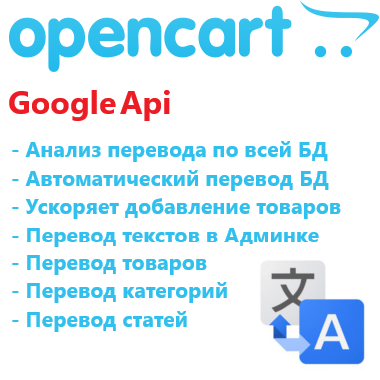
With this module, you will be able to translate the entire site content into any language.
The module speeds up the addition of products, you fill in the value in only one language, and translate it with the "Translate" button.
The module adds a "Translate" button to each multilingual line.
Database multilingual content analysis module, the module will analyze the entire database, find and display everything that needs to be translated.
Mass translation of the entire database or selected tables.
The localization file translation analysis block, the module will analyze the translation files and show what needs to be translated.
Mass translation of missing values in localization files.
Allows manual editing of localization files from the module page.
Free translation of up to 500,000 characters per month.
Google Translate API is giving away $300 in a virtual account to all new users.
Our translation preserves the structure and styles of the HTML code.
More in the module description...
UpdatedMass automatic translation of texts, products, categories, articles, etc. with Google translate API - elite module
Free 1857
Saves and displays UTM tags, Referrer, landing pages, GeoIP (country, city), device type, and buyer activity (page views, purchase duration). Custom color badges, 1-click copy, quick list filters & admin side panel filter, statistics tab & dashboard widget, DB optimize/cleanup tools. TEMPORARILY FREE!
Updated-25%Order UTM-Tracker [NAT]: Save & Display UTM Tags, Referrer Sources, Landing Pages & Order Statistics
Free 36
Compression, resizing, replacement, and backup of ORIGINALS (image/catalog). Smart cleanup of unused images. Watermarks, placeholders, WebP on-the-fly, progressive Lazy Load, SVG, CMYK to sRGB converter, and Cron scheduler. Free up gigabytes of hosting space without 3rd-party APIs or subscriptions!
UpdatedImage Optimizer [NAT]: Compress originals & remove unused images
1,000грн 750 грн 15 34
The module replaces the standard category list with a convenient workspace featuring a category tree, quick editing, bulk operations, SEO tools, and a full-fledged editor in a popup window.
Updated-30%Quick Category Edit - quick management and editing of OpenCart categories
450 грн 0 0
The AI LLM Feed extension adds a tool to OpenCart 3 and ocStore 3 for creating a structured store description for language models and AI agents in llms.txt and Markdown format.
The extension creates llms.txt and llms-full.txt files, as well as separate Markdown files for products, categories, manufacturers, and information pages. Updates are processed through a queue and Cron, allowing the extension to be used in stores with large catalogues.
Important information about llms.txt
llms.txt is a proposed open format for presenting essential website information to language models and AI agents. It helps provide an AI system with a clear website description and structured links to important pages without requiring it to analyse menus, JavaScript, and the entire HTML layout.
The llms.txt protocol is not currently used by every AI system. Its support and practical use are still developing, so publishing these files does not guarantee website crawling, inclusion of its pages in AI answers, or improved search rankings.
The extension does not replace XML or HTML Sitemaps, robots.txt, canonical URLs, Schema.org structured data, conventional SEO, internal linking, or page content available to users. It is an additional technical channel that helps prepare a website for the future development of AI search and AI agents.
The llms-full.txt file in this extension is an extended index containing links to selected sections. The extension intentionally does not combine the entire catalogue into one large text file: complete data is stored in separate Markdown files, making it easier to update and use.
Important information about URL generation
The extension includes its own mechanism for building links to products, categories, manufacturers, and information pages. SEO URLs are generated using the standard seo_url table, the category_path structure, and the extension’s own URL settings.
During generation, the extension does not call OpenCart’s standard URL rewriting mechanism and does not depend on third-party SEO modifications being executed. This reduces the risk of errors caused by conflicts or special behaviour in third-party SEO URL and multilingual extensions.
The link format must be configured to match the website’s actual structure: select language folders or separate domains, a full or short category path, and a URL suffix. Before starting a full generation, we recommend opening the product preview and confirming that the generated links match the storefront URLs.
Extension features
Create the root llms.txt file Create the additional llms-full.txt file Create separate Markdown files for products Create separate Markdown files for categories Create separate Markdown files for manufacturers Create separate Markdown files for information pages Create section indexes and a language index Export all, selected, or no records for each entity type Create a separate set of files for each active store language Add separate titles, descriptions, static text, and Sitemap URLs for each language Add separate HTML and XML Sitemaps to llms.txt and llms-full.txt Automatically add queue jobs when catalogue data changes Process the queue in batches via Cron Content modes
The extension lets you choose how llms.txt and llms-full.txt are generated.
Links only — the extension creates indexes, entity files, and structured links Static text only — llms.txt and llms-full.txt are created from the specified title, short description, manual text, and Sitemap URLs Static text + links — manual text is displayed after the short description, followed by automatically generated links Separate title, short description, text, HTML Sitemap, and XML Sitemap fields are provided for llms.txt and llms-full.txt. Values are configured separately for each active language.
Export settings
One of three modes can be selected for products, categories, manufacturers, and information pages.
Export all records Export selected records only Do not export this entity type When “Selected only” is enabled for categories or manufacturers, these settings are also applied to products. For example, files can be created only for products from selected categories or only for products from specific manufacturers.
Product Markdown file content
Depending on the settings, a product file can contain:
Product name and short description Link to the product page Product ID Model and SKU Manufacturer Main category Regular and special prices Availability status Last update date Product attributes Available options Cleaned description in plain text or Markdown format Main image Additional images with a configurable limit URL settings
The extension allows you to configure the link format to match the structure of a particular website.
Short SEO URLs Full URLs with parent category paths Product URLs with a full category path Category URLs with the complete hierarchy URL endings: no suffix, /, or .html Files for the default language only or for all active languages Language folders such as /ru/ or /en/ Separate domains, subdomains, or base URLs for different languages The internal OpenCart language code, such as uk-ua or en-gb, is used only for file storage and is not added to public URLs.
URL configuration examples
Website without language folders
When only the default language is exported and it does not use a language folder, the public URLs will look like this:
https://example.com/llms.txt https://example.com/llms-full.txt https://example.com/llms/products/145.md Default language without a folder, other languages with folders
If the default language opens without a prefix while other languages use folders, leave the default language field empty and enter the appropriate values for the other languages.
https://example.com/llms.txt https://example.com/ru/llms.txt https://example.com/en/llms.txt https://example.com/en/llms/products/145.md Languages on separate domains or subdomains
If separate domains or subdomains are used for languages, specify the base URL for each language in the extension settings.
https://example.com/llms.txt https://ru.example.com/llms.txt https://en.example.com/llms.txt SEO URLs ending in .html
If the store pages end in .html, specify it in the SEO URL suffix setting.
https://example.com/product-url.html https://example.com/category/product-url.html Automatic file updates
The extension uses standard OpenCart events. When a product, category, or information page is added, edited, deleted, or has its status changed using the quick action, the corresponding entity is added to the queue. Manufacturer changes are also added to the queue.
When a category is changed, the extension also adds related products and child categories to the queue. When a manufacturer is changed, its products are added to the queue. This is required because category names, paths, and manufacturers are used in product files and indexes.
Direct SQL queries do not trigger OpenCart events. If a third-party import changes the database directly, updating date_modified alone will not create a job. After such an import, run Full Reconcile or add the full catalogue to the queue manually.
Cron jobs
The extension provides separate URLs for different scenarios.
Regular Cron without action — processes the existing queue in batches. Add this URL to the scheduler with an interval of approximately 1–5 minutes action=full — adds the entire current catalogue to the queue. Run it manually after installation or when all files need to be generated again action=index — adds only root files and indexes to the queue. Use it after changing titles, descriptions, Sitemap URLs, language URLs, or section placement action=reconcile — removes stale records and adds the current catalogue to the queue. Run it manually after a direct import, bulk deletion, or file synchronisation problem URLs containing action=full, action=index, or action=reconcile should not be added to the regular recurring Cron job. They are intended for separate manual scenarios.
Queue, files, and log
View queued jobs Queue pagination and sorting Process the queue manually Delete an individual job View generated files and their public URLs File list pagination and sorting Delete an individual file Delete all generated files Localised operation, change, and error log Log pagination and sorting Clear the log Protection against simultaneous manual and Cron processing Advantages
Structured catalogue representation for AI systems Preparation for the future development of AI search and AI agents No API keys or paid AI services required Automatic file updates after standard catalogue changes Batch processing for large catalogues through a queue and Cron Flexible selection of products, categories, manufacturers, and information pages Separate content for each language Built-in link generation mechanism Support for language folders, domains, and subdomains Result monitoring through the file list and log Built-in detailed help with configuration examples Compatibility
OpenCart 3.x / ocStore 3.x PHP 7.x–8.x Ukrainian, English, and Russian localisations Access to a Cron scheduler Write permission for the OpenCart storage directory Installation
Upload the extension archive through Extensions / Installer Go to Extensions / Modifications and click Refresh Go to Extensions / Extensions Select the Feeds extension type Find AI LLM Feed and click Install Recommended configuration sequence
Enable the extension Enable llms.txt and, if required, llms-full.txt Select the content mode Enter the title, short description, text, and Sitemap URLs for the required languages Select the entity types and their export modes Configure the product Markdown file content Configure language folders or domains to match the website structure Configure the full category path and SEO URL suffix Check the generated Markdown using the product preview Save the settings Add a full generation to the queue once Configure a regular Cron job to process the queue Check the public llms.txt and llms-full.txt URLs If the server returns a 403 error when opening llms.txt or llms-full.txt, you may need to add an exception for these files to the standard FilesMatch rule in the .htaccess file. An example rule is provided in the extension help section.
DEMO
Admin Page login/password: demo/demodemo llms.txt llms-full.txt Licence
The licence covers one domain and its subdomains.
Updated-32%AI LLM Feed
460грн 320 грн 0 1
The IndexNow module adds a tool for submitting website page URLs from OpenCart 3 and ocStore 3 to search engines using the IndexNow protocol.
The extension can automatically notify search engines when products, categories, manufacturers, and information pages are created, edited, or deleted. It also allows you to generate a URL queue for bulk submission via Cron.
Important Information About IndexNow
IndexNow is a protocol for quickly notifying search engines about new, updated, or deleted pages on a website. The module submits URLs through the IndexNow endpoint, but it does not guarantee page indexing.
Not all search engines use the IndexNow protocol. Support depends on each specific search engine, so URL submission through IndexNow does not replace standard SEO optimization, XML Sitemap, canonical URLs, robots.txt, or internal linking.
Important Information About URL Generation
The module uses its own URL generation mechanism for submitting URLs to IndexNow. It does not automatically read or reproduce all settings from third-party SEO URL or multilingual modules.
The URL format must be configured manually according to how links actually work on your website. Before bulk submission, it is recommended to enable debug mode and check the generated URLs.
Module Features
Automatically add URLs to the queue when products are created Automatically add URLs to the queue when products are edited Automatically add URLs to the queue when products are deleted Work with products, categories, manufacturers, and information pages Submit URLs immediately after a page is changed Generate a URL queue for bulk submission Add URLs manually Submit URLs in batches via Cron Store the history of successfully submitted URLs Avoid re-adding already submitted URLs during bulk scanning Keep URLs in the queue for retry if an error occurs View the submission log View the list of URLs submitted to IndexNow URL Settings
The module allows you to configure the URL format according to the structure of a specific website.
Short SEO URLs Full URLs with category paths Product URLs with the full category path Category URLs with full nesting URL ending: empty, /, or .html URLs for one language or all active languages Language prefixes, for example /ua/, /ru/, /en/ Separate domains or subdomains for different languages URL Configuration Examples
Website Without Language Prefixes
If all pages open without a language prefix, select the mode without prefixes.
https://example.com/product-url https://example.com/category/product-url Default Language Without Prefix, Other Languages With Prefixes
If the default language opens without a prefix and other languages use prefixes, leave the default language prefix empty and specify prefixes for the other languages.
https://example.com/product-url https://example.com/ua/product-url https://example.com/en/product-url Languages on Subdomains
If separate subdomains are used for languages, specify the base URL for each language.
https://example.com/product-url https://ua.example.com/product-url https://en.example.com/product-url URLs With .html Ending
If SEO URLs on the website use the .html ending, specify it in the module settings.
https://example.com/product-url.html https://example.com/category/product-url.html Recommended Setup Order
Install the module through the OpenCart admin panel Refresh modifications Go to the modules section and open IndexNow Enable the module Set or generate the IndexNow API key Configure the URL format according to your website structure Configure multilingual settings if the website uses multiple languages Enable debug mode Generate a test URL queue Check that the generated URLs match the real website URLs If the URLs are correct, disable debug mode Configure Cron for queue generation Configure Cron for URL submission Cron Jobs
For large websites, it is recommended to use two separate Cron jobs.
The first Cron gradually scans the website and generates the URL queue The second Cron submits URLs from the queue to IndexNow This approach allows the module to work with large catalogs and avoid exceeding submission limits. If an error occurs during submission, URLs remain in the queue and will be submitted again during the next Cron run.
Queue and Log
View URLs in the queue Pagination for the URL list Clear the entire queue Delete individual URLs from the queue Submission log Log pagination IndexNow response status List of URLs submitted to IndexNow Benefits
Fast notification of search engines about website changes Automation of new and updated page submission Convenient work with large catalogs Ability to check URLs before real submission Flexible configuration for multilingual websites Result control through the submission log Installation
Install the module through the OpenCart admin panel Refresh modifications Go to Extensions and open IndexNow Enable the module and set the API key Configure URL generation, multilingual settings, and Cron jobs DEMO
Admin Page login/password: demo/demodemo License
The license applies to one domain and its subdomains.
UpdatedIndexNow
680грн 460 грн 0 1
This is a convenient tool for fast bulk editing of products in OpenCart. The module allows you to change categories and manufacturer for multiple products at once directly from the product list in the admin panel.
Main Features
Category Management
Bulk change of categories for selected products Assign multiple categories at once Set main category Convenient category selection via autocomplete Manufacturer Management
Bulk change of product manufacturer Quick manufacturer selection via autocomplete Apply changes to multiple products at once Interface & Usability
Convenient modal windows directly in the product list Instant application of changes Advantages
Time-saving when managing product catalog No need to open each product individually Simple and intuitive interface Fast bulk editing in just a few clicks Compatibility
OpenCart 3.x Installation
Install the module via OpenCart admin panel Refresh modifications DEMO
Admin Page login/password: demo/demodemo License
The license applies to one domain and its subdomains.
UpdatedMass Editing Categories and Manufacturer
320 грн 0 0
The module adds a convenient tool for bulk copying product data directly from the product list in the OpenCart admin panel.
It allows you to quickly transfer data from one product to an unlimited number of other products through a popup window without manually editing each product page.
Main Features
Select a source product for copying Select multiple target products Bulk copy main and additional product images Bulk copy product attributes Copy product description (description) Select copy options using checkboxes Works directly from the product list page Supports multilingual descriptions Automatic page refresh after operation What Can Be Copied
Images
Main product image Additional gallery images Attributes
All product attributes Description
Description field for all store languages Interface and Convenience
Convenient popup windows directly in the product list Instant applying of changes Benefits
Save time when managing product catalog No need to open each product separately Simple and intuitive interface Fast bulk editing in just a few clicks Compatibility
OpenCart 3.x DEMO
Admin Page login/password: demo/demodemo Installation
Install the module through the OpenCart admin panel Refresh modifications License
The license is valid for one domain and its subdomains.
UpdatedMass Copy Product Data
320 грн 1 1
The “Free Product Downloads” module extends the standard OpenCart functionality and allows downloadable files to be displayed directly on the product page without placing an order, provided the product is marked as free.
After adding files in the standard Downloads section of the OpenCart admin panel, the administrator can mark the product as free. In this case, an additional tab with downloadable files will automatically appear on the product page.
Key Features
automatic display of the “Downloads” tab for free products; display of the file list in a convenient table format; file downloads without registration and without placing an order; verification of file-to-product assignment; protection against unauthorized access to files. Important
The module does not interfere with OpenCart’s standard download logic:
standard download and product_to_download tables are used; files are stored in the default downloads directory; the module does not affect paid downloads or order processing; the default post-purchase download logic remains unchanged. The Module Is Ideal For
free digital products; manuals, price lists, and catalogs; demo files and additional materials. Compatibility
OpenCart 3.x Theme Compatibility
The extension is compatible with the standard default theme. For other themes, adaptation may be required (paid adaptation).
Installation
Run the SQL query from the file free_product_downloads_query.sql in the database (taking table prefixes into account) Install the module via the OpenCart admin panel Refresh the modifications DEMO
Admin Page login/password: demo/demodemo Store Page License
The license applies to one domain and its subdomain.
UpdatedFree Product Downloads
320 грн 5 9
This module extends the functionality of OcTemplates by adding the ability to bulk assign custom stickers to products using a flexible filter system.
It is fully compatible with the OCTemplates – Product Stickers Settings module and works with the stickers created by the administrator. The module's publication is approved by the OCTemplates template author.
Key Features
Bulk addition of stickers to products based on selected criteria. Filtering supported by the following parameters: categories, manufacturers, price range (min and max), product attributes and their values User-friendly interface in the admin panel. Ability to quickly update or replace stickers without manual editing of each product. Flexible execution options
Manually via admin panel Automatically via CRON job Benefits
Saves time when managing product stickers in bulk. Enhances the visibility of promotions, features, and product statuses. Accurate and flexible product selection for sticker assignment. Automation through CRON support. Compatibility
OpenCart/OcStore 3.x Compatibility tested on the Deals, Ultrastore template. For other templates, please contact us before purchasing. Installation Instructions
Install the module through the OpenCart admin panel. Refresh modifications. Go to System → Users → User Groups, and grant edit permissions to the required admin groups. Go to Extensions → Extensions → Modules, activate Oct Stickers Auto, and configure it. How It Works
Start the sticker assignment process. In the OCTemplates – Product Stickers Settings module, run the mass generation. If running via CRON, the sticker assignment should execute before the mass generation (with a 5-minute gap). License
Licensed for use on a single online store.
Updated-19%Bulk adding custom stickers to templates (OcTemplates)
460 грн 8 20
AI Reviews (OpenAI) — Automatic Review Generation for OpenCart Products
AI Reviews (OpenAI) is a module for OpenCart and ocStore that automatically creates product reviews using OpenAI models.
The module uses the product name, model, manufacturer, description, attributes, and configured prompt. Based on this data, OpenAI generates the review text, author name, and rating.
Reviews can be created for individual products or in bulk—for the entire catalog, products without reviews, a selected category, or a manufacturer. To safely process a large number of products, the module uses a persistent task queue with step-by-step AJAX processing and cron support.
Main Module Features
Review generation via the OpenAI Responses API Automatic generation of review text, author name, and rating Selection of an OpenAI model from a list Configurable system instruction Custom product prompt template Use of the product name, model, manufacturer, description, and attributes Review generation in one or multiple languages Random language selection for each review Random number of reviews for each product within a specified range Random review date and time within a specified range Automatic or manual review publication Bulk addition of products to the queue Step-by-step queue processing without a long-running PHP process Automatic background processing via cron Automatic retries after API errors Protection against stuck tasks Control of repeated author names and review texts Viewing, editing, enabling, and deleting generated reviews Using Product Information
The module automatically retrieves product information from the OpenCart database and uses it to build the request sent to OpenAI.
The following variables can be used in the prompt template:
{name} — product name {model} — product model {manufacturer} — manufacturer or brand {description} — product description without HTML markup {attributes} — product attributes and specifications {language} — language of the current review The desired rating range can be specified as plain text directly in the prompt, for example: “Desired rating: from 3 to 5”.
If a product has no manufacturer, description, or attributes, the module sends the available data. It is recommended not to require the model to mention characteristics that are not present in the product information.
Flexible OpenAI Configuration
OpenAI API key Model selection from a list Temperature configuration Maximum number of output tokens Reasoning effort configuration Timeout for a single API request Number of retry attempts after an error Delay between API requests Number of tasks processed per cron run Secret access key for cron System instruction for all reviews Separate task template for products Additional instruction for generating the author name For reasoning models, the module takes into account that internal reasoning tokens may also use the configured response limit. When reasoning is enabled, the module automatically uses at least 1,000 output tokens.
For standard generation of short reviews, it is recommended to use Reasoning effort: none or low.
Review Language Settings
One or multiple languages can be specified in the general settings, separated by commas.
Example: Ukrainian, Russian, English
If multiple languages are specified, one of them is selected randomly for each new review. There is no need to select a language separately when adding products to the bulk queue—the module’s general language setting is used.
Rating Control
The rating is generated by the OpenAI model according to the instruction in the prompt. The module accepts only values from 1 to 5.
To control the rating, simply add the required condition to the prompt template:
Desired rating: from 3 to 5 Desired rating: from 4 to 5 Desired rating: 5 A separate {rating} variable is not used.
Number of Reviews per Product
When adding products to the bulk queue, you can set a range for the number of reviews to create for each product.
From 3 to 5 — 3, 4, or 5 tasks will be created randomly for each product From 3 to 3 — exactly 3 tasks will be created for each product From 1 to 1 — one review for each product Each review is processed as a separate queue task. This allows only a failed task to be retried without regenerating the entire set.
Review Date Settings
The module allows you to set a start and end date for new reviews.
For each generated review, the date and time are selected randomly within the specified range. This prevents all reviews from being created with the same date.
Lower review date limit Upper review date limit Random time during the selected day Automatic range correction if the start date is later than the end date Preventing Repeated Names
The module can send OpenAI a list of previously used author names. The model receives an instruction not to repeat these names when creating a new review.
In the settings, you can specify the maximum number of the most recent unique names sent to the model.
A higher value reduces the likelihood of repeated names A lower value reduces input token usage A value of 0 completely disables sending previously used names For a more natural result, the module can generate full names, shortened forms, names with initials, and other appropriate variants depending on the review language.
Preventing Repeated Review Texts
To reduce similarity between new reviews, the module can send OpenAI the latest review texts for the current product.
The number of previous reviews sent to the model can be configured Only the latest reviews for the specific product are sent The length of each transmitted text is limited The model receives an instruction not to repeat phrases, structure, openings, or endings A separate thematic direction is selected for each new review A value of 0 disables sending previous reviews Increasing the number of transmitted texts improves repetition control but increases OpenAI input token usage.
Review Themes
To prevent reviews for the same product from differing only by a few words, the module automatically changes the recommended focus of the text.
Possible themes include:
First impression and reason for choosing the product Everyday use and convenience Manufacturing and material quality Packaging, delivery, and initial setup How well the product met the buyer’s expectations A specific practical use case A useful detail noticed during use Value for money Ease of setup, care, or maintenance Recommendation for a specific type of buyer Adding Products to the Queue
The module allows you to add either an individual product or a group of products to the queue based on specified conditions.
One selected product Products without reviews All store products Products from a selected category Products from a selected manufacturer Enabled products only Disabled products only Products with any status Filter by product creation start date Filter by product creation end date Range for the number of reviews per product An individual product can be found by name or model using the standard OpenCart autocomplete.
Generation Queue
Each future review is stored as a separate task in a persistent database queue. Pagination is provided for the queue. The number of rows per page is determined by the OpenCart config_limit_admin setting. If the value is missing or equals zero, 20 rows per page are used.
Task Statuses
pending — the task is waiting to be processed processing — the task is being processed retry — an error occurred and the task is waiting for another attempt done — the review was created successfully failed — the permitted number of retry attempts has been exhausted If a task remains in the processing state because the PHP process terminated unexpectedly, the module automatically returns it to the retry state after 15 minutes.
Queue Management
Deleting an individual task Clearing the entire queue Protecting an active task from deletion while it is being processed Task list pagination Displaying the latest error message Automatic retry after a temporary error Step-by-Step Manual Processing
When the start button is clicked, the module does not attempt to process the entire queue in a single PHP request.
Instead, step-by-step AJAX processing is used:
The browser starts processing one task The module generates and saves one review The progress indicator is updated The browser automatically starts the next task The process continues until all available tasks have been processed Progress Indicator
The bulk queue tab displays an indicator of the current progress.
Number of pending tasks Number of tasks being processed Number of successfully completed tasks Number of tasks with errors Overall queue completion percentage After each AJAX request, the indicator is updated without a full page reload.
Automatic Processing via Cron
The module automatically generates a ready-to-use cron URL and crontab command in its settings. The recommended cron frequency depends on the number of products, OpenAI API limits, and the configured batch size. For gradual continuous queue processing, running it once per minute is usually sufficient.
Retries After Errors
If the OpenAI API is temporarily unavailable, the request limit is exceeded, or the response does not contain valid structured data, the task is not deleted.
The number of retry attempts is configurable The error text is stored in the queue After all attempts are exhausted, the task receives the failed status Managing Generated Reviews
A separate tab is provided in the administration area for reviews created by the module.
Viewing the list of generated reviews Displaying the product and author Displaying the rating and status Displaying the review creation date Displaying the OpenAI model used Displaying the number of input and output tokens Editing the author, text, rating, and status Editing in a modal window without reloading the page Quickly enabling or disabling a review Green button for an enabled review Red button for a disabled review Deleting an individual review Bulk deletion of all generated reviews Review list pagination Through its own interface, the module allows editing and deleting only reviews that were created by the module and registered in the generated reviews table. Regular customer reviews are not modified.
Publishing Reviews
The initial status of new reviews can be selected in the settings.
Enabled — the review becomes immediately available in the store Disabled — the review is saved for prior administrator approval The status can be changed at any time from the generated reviews list or in the editing modal window.
Saving Reviews
Completed reviews are saved in the standard OpenCart reviews table. Therefore, they are compatible with the standard review display and management system.
Token Usage
The cost of one request depends on the selected model, the length of the product description, attributes, prompt, and the number of transmitted names and previous reviews.
Separate settings are provided to control costs:
Maximum number of output tokens Number of names used for repetition control Number of previous reviews for the product Reasoning level OpenAI model selection To save tokens, you can reduce the number of transmitted names and reviews or set the value to 0. A high reasoning level is usually not required for short product reviews.
OpenAI API Usage Cost
Important: reviews are generated through the paid OpenAI API. API usage is not included in the module price and is paid directly to OpenAI by the store owner.
The actual cost depends on:
The selected OpenAI model The number of input tokens The number of output and reasoning tokens The length of product descriptions and attributes The number of transmitted names and previous reviews The number of generated reviews Pricing, model availability, limits, and billing rules may change. Current information is available on the official page: OpenAI API Pricing.
Benefits
Automating content preparation for a large catalog Bulk generation without running a single long PHP process Flexible selection of products for processing Use of actual product information Custom prompts and generation rules Support for multiple languages Control of dates, ratings, and publication status Reduced repetition of names and texts Manual and automatic queue processing Editing results before publication Tracking token usage Use of the standard OpenCart review system Security
The cron URL is protected by a separate secret key Administrator permissions are checked for AJAX operations Cron generation is blocked when the module is disabled Only reviews created by the module can be edited through its interface Compatibility
OpenCart 3.x ocStore 3.x Standard OpenCart review system Standard OpenCart 3 administration interface Ukrainian, English, and Russian localizations The module does not modify the product page template. Reviews are displayed in the storefront using the installed OpenCart theme.
System Requirements
PHP 7.2 or a newer compatible version PHP cURL PHP JSON PHP mbstring is recommended Ability to send outbound HTTPS requests to api.openai.com OpenAI account Active OpenAI API key Positive balance or active OpenAI API billing Cron on the server or in the hosting control panel—for automatic processing Important Limitations
The result depends on the selected model, prompt, and product information The module does not guarantee identical results when generation is repeated OpenAI may refuse to process certain requests according to its policies Model availability depends on the OpenAI account and region Request limits depend on the OpenAI API usage tier Increasing the context and number of previous reviews increases token usage Generated text should be reviewed before publication The module cannot verify a real buyer’s actual experience with the product Installation
Upload the archive through “Extensions → Extension Installer” Go to “Extensions → Modifications” and refresh the modification cache Open “Extensions → Extensions → Modules” Install the AI Reviews (OpenAI) module Open the module settings Enter the OpenAI API key Select the model and generation parameters Review the system and product prompts Set the language, date range, and status of new reviews Enable the module and save the settings If necessary, add the generated cron command in the hosting control panel DEMO
Admin Page login/password: demo/demodemo Store Page License
One license covers one domain and its subdomains.
OpenAI API services, payment for used tokens, topping up the OpenAI balance, and configuration of third-party hosting, servers, or cron are not included in the module license price.
Adaptation for a non-standard administration panel, a modified database structure, or a third-party review system is provided separately.
UpdatedAI Reviews (OpenAI) — Product Review Generator
1,400грн 1,140 грн 3 5
The "Attribute Manager" module is a powerful solution for optimizing the management of product attributes in OpenCart 3. It provides tools for easy creation, editing, and management of attributes, groups, and templates, making the administration process faster and more efficient.
Key Features:
Create and Use Attribute Templates:
Prepare pre-configured templates with attribute sets and apply them to products with a single click. This is especially useful for products with similar parameters (e.g., electronics, clothing, or furniture).
Quickly Add Attributes to Templates and Groups:
Add new attributes directly to already created templates and groups. This speeds up attribute updates and simplifies product setup.
Attribute Groups for Bulk Addition:
Organize attributes into groups and add them to products all at once. This is convenient for categories where all items share similar parameters.
Fast Attribute Addition from Templates:
Apply pre-configured templates directly on the product editing page to avoid manual data entry.
View and Manage Attributes in Products:
View all products associated with a specific attribute. Edit attribute values for multiple products simultaneously. Remove unnecessary attributes and add new products to the related list. Seamless Integration and User-Friendly Interface:
The module integrates perfectly with OpenCart's standard functionality while maintaining compatibility with other extensions. Its intuitive interface ensures ease of use, even for beginners.
Advantages of the Module:
✅ Time-Saving: Quickly adding attributes to templates and groups reduces the time spent setting up products.
✅ Convenience: All tools for attribute management are available in one place.
✅ Bulk Management: Edit attributes for multiple products simultaneously, eliminating repetitive tasks.
✅ Flexibility: Add attributes from templates, groups, or individually to adapt the module to your store’s specific needs.
✅ Suitable for All Stores: The universal functionality makes this module valuable for online stores of any size and type, from electronics to fashion and cosmetics.
✅ Error Reduction: Templates and groups minimize the risk of incorrect data entry.
✅ Increased Efficiency: Speeds up the process of adding and updating products, which is particularly important for stores with a large inventory.
Installation:
For the module to work, you need to add additional tables to the database. To do this, run queries from the attribute_manager_query.sql file. The module is easily installed via the standard OpenCart extension loader, no additional settings are required. Two modifiers are available (only one needs to be installed) attribute_manager_oc3.ocmod.zip - install if you purchased only this modifier attribute_manager_oc3_for_attribute_value_editor.ocmod.zip - if you plan to use it with the module
DEMO
Admin Page login/password: demo/demodemo License:
Permitted for use in one online store.
UpdatedAttribute Manager
320 грн 37 147
Модификатор показывает пути к файлам шаблона / модулей на странице. Поможет быстро найти файл тем, у кого сложности в поиске нужных файлов при редактировании tpl / twig Работает после включения модификатора. Особенности пути показаны только для админа есть метка, которая указывает, что файл модифицирован Установка Через установщик дополнений оперкарт. После установки почистить кэш модификаторов. Также смотрите модули: YouTube lazy load & popup - оптимизация и кастомизация iframe Accordion & Tabs & Steps, Faq & HowTo Microdata, any place & content Smart Video Widgets - видео в фоне, баннера, изображения, уведомления с настройкой условий показа Google Reviews - отзывы с гугл карт (Google Business) с виджетом доверия + отзывы о товарах ..UpdatedPath to tpl / twig
Free 359
OpenCart Lightning is a mod that genuinely speeds up stores and delivers results you can feel. Pages open almost instantly, and high PageSpeed scores with minimal TTFB give your SEO a real boost. Works with every version of OpenCart and ocStore.
UpdatedOpenCart Lightning: caching, optimization, SEO & Google PageSpeed boost
Free 9125
Replacer performs a fairly straightforward task: it finds and replaces specified strings in the final HTML. Its simple, intuitive interface lets you create replacements and immediately see the results, editing HTML and text directly on your store’s pages.
This extension gives you a new level of freedom and control over your store and lets you do many things that previously required digging into the code.
Here are some tasks you can complete with just a few clicks in Replacer:
change any text on the page remove the decimal part from prices such as 123.00 р. for better readability add the code for a tracking counter or another service anywhere on the page change links to static resources so that they use a CDN on another domain hide an empty shopping cart adjust the page code according to recommendations from PageSpeed or other services remove Powered by Opencart from the footer translate an untranslated module into Russian on the storefront Installation is simple: upload the extension through the installer and refresh the modifications. A menu item will then appear:
Clicking it opens an interface with a slightly smaller view of your store’s home page:
The store page immediately displays every change you make, and you can follow its links to other pages.
The button opens a window for adding a new replacement:
You can use an asterisk, or several asterisks, in the search and replacement strings. An asterisk stands for any number of characters.
For example, to remove all img tags from the page, replace <img*> with an empty string.
The button switches the store page window to display its HTML source:
Replacements are highlighted in yellow in the page code. If you select a piece of code by holding down the mouse button and dragging, a window opens for creating a new replacement for that piece of code:
The button enables a mode in which you can edit any text on the page simply by placing the cursor in it. All changes are immediately added to the set of replacements, which you can save or cancel when you finish editing:
While editing, you can use Ctrl+B to toggle bold and Ctrl+I to toggle italics.
I’d love to hear your feedback )
UpdatedReplacer: edit your store’s HTML and text directly on the page
Free 296
Creates a test site — a complete copy of your live store. You can try new extensions and experiment with settings without worrying about breaking anything or having to remember how to put everything back the way it was.
Updated-30%Test Site: a copy of your live store in one click
Free 625
A block-based editor for OpenCart and ocStore that converts existing HTML into structured content and uses the built-in store file manager.
UpdatedBlock Editor — block-based content editor for OpenCart
2,000грн 1,399 грн 0 1
Adds an “Apply” button to /edit admin forms: saves changes and keeps the user on the current page.
UpdatedASSL Apply Button — “Apply” button for OpenCart admin forms
Free 6
Open the admin product form directly from a product page or category listing. The controls are visible only to an authorized administrator with product modification permission.
UpdatedEdit product button for OpenCart 3
Free 242
Store Analytics Dashboard — GA4, Search Console and Google Ads in the OpenCart admin panel
Store Analytics Dashboard is a module for OpenCart and ocStore that brings store analytics, organic search metrics and advertising statistics together in a single widget on the main administrator dashboard.
View traffic, transactions, revenue, search queries, ad spend and conversions without constantly switching between Google services. CRON-based monitoring also delivers advertising status reports directly to Telegram.
Main features
A single widget for Google Analytics 4, Google Search Console and Google Ads Use GA4 on its own, combine it with Search Console, or connect Google Ads only GA4 traffic, transactions, revenue and key event metrics Statistics for channels, traffic sources and top revenue-generating products Search Console clicks, impressions, CTR, positions, queries and pages Ad spend, clicks, conversions, CPA, ROAS and campaign statuses CRON-based advertising monitoring with Telegram notifications Support for multiple Telegram recipients Interactive charts displaying several metric lines at once Tooltips for metrics, tables and chart points Preset reporting periods and custom date ranges Previous-period comparisons for key GA4 and Search Console metrics Report caching using native OpenCart functionality Detailed built-in service setup instructions No Composer installation or additional Google SDKs required Google Analytics 4: traffic and store performance
The widget displays key GA4 metrics for the selected period:
Users — active users reported by GA4 Sessions — site visits recorded by analytics Orders — transactions recorded in GA4 Revenue — total revenue reported by the GA4 totalRevenue metric Conversion — the transaction-to-session ratio calculated by the module Key events — events marked as important to the business in GA4 Key events per 100 sessions — a measure of how frequently target actions occur Average order value — GA4 revenue divided by the number of transactions These metrics show the current value, the previous-period value and the percentage change. For example, a selected 7-day period is compared with the preceding 7 days.
Important: the module uses GA4 data, not the OpenCart order database. Transaction counts and revenue can differ from internal store reports due to tracking behaviour, refunds, user consent and analytics blockers.
Channels, traffic sources and products
Top channels — sessions, transactions, key events and revenue by GA4 channel groups, including Organic Search, Paid Search, Direct and Referral Traffic sources — results by session source and medium, such as google / organic or google / cpc Top products — the five item names with the highest GA4 item revenue, showing units purchased and item revenue These sections help you compare traffic sources, identify channels that deliver results and see which products generate revenue.
Ecommerce events
A dedicated section displays counts of the main ecommerce events:
view_item — product view add_to_cart — add to cart begin_checkout — checkout started purchase — purchase Each event count is accompanied by a percentage relative to the first non-zero step. This compares independent event counts; it is not a sequential funnel tracking the same users through each step.
Google Search Console: store visibility in search
Connecting Search Console adds a Google organic search section to the widget:
Clicks — clicks to the site from search results Impressions — appearances of links to the site in search CTR — the ratio of clicks to impressions Average position — the average position of the site's highest result across impressions A trend chart and previous-period comparisons are available for the main metrics. Search query and page tables help assess demand, identify pages receiving organic traffic and find opportunities to improve content, titles and descriptions.
Search Console data covers ordinary Google search results and does not replace Google Ads advertising statistics.
Google Ads: ad spend and performance
Advertising statistics appear in the same widget alongside store analytics. No separate module or additional widget needs to be installed.
Cost — total advertising spend for the selected period Impressions — the number of times ads were shown Clicks — the number of clicks on ads CTR — clicks as a percentage of impressions CPC — average cost per click Conversions — target actions credited to advertising according to Google Ads settings CPA — average cost per conversion Conversion value — the total conversion values supplied to or configured in Google Ads ROAS — conversion value divided by advertising spend A campaign table displays statistics, statuses and reasons for limitations. A chart shows impressions, clicks and spend. Monetary values use the advertising account's currency, while reporting periods and check timestamps respect its timezone.
Conversions do not necessarily mean purchases only: they can include enquiries, phone calls and other configured goals. ROAS expresses the relationship between conversion value and spend; it is not net profit.
Advertising monitoring and Telegram notifications
The module can check advertising through CRON and send a report to Telegram. This helps you notice account issues, campaign configuration problems or missing expected activity.
Checks advertising account and campaign status Respects statuses, start and end dates, and ad schedules Detects missing impressions and spend within a configured window of expected activity Separate settings for the analysis window and reporting delay A report after every completed check, including when no problems are detected Brief impressions, clicks and spend statistics in the message Notifications about data retrieval errors and previously detected issues that are no longer observed Delivery to multiple recipients using comma-separated numeric chat IDs A test message button and the latest check result displayed in the widget Protection against simultaneous duplicate checks Set the CRON schedule on your hosting, for example every 2 hours. The module imposes no minimum launch interval. A ready-to-use HTTP command is provided, so PHP CLI is not required.
Important: this monitors advertising status and activity, not the account balance. Google Ads API does not expose an exact prepaid balance. An “OK” status means that none of the issues checked by the module were detected in the analysed period; it does not confirm that funds remain in the account.
Interactive charts
Charts can display several metrics at once. Use checkboxes to enable or disable individual lines:
GA4: sessions, transactions, key events and revenue Search Console: clicks, impressions, CTR and position Google Ads: impressions, clicks and spend Hovering over or clicking a point displays the metric name, date and value. Advertising spend includes the currency. When Ads spend and count metrics are displayed together, spend uses a separate right-hand axis.
Reporting periods and metric explanations
Available periods include today, yesterday, 7 days, 30 days, this month, last month and a custom date range. The period selector and refresh button are shared across the widget sections.
All 21 main metrics include explanatory tooltips describing what each metric means, how it is calculated and what to consider when assessing results. Tooltips are also available for table headings and supporting sections.
Detailed setup help
The module settings include a Help tab with step-by-step instructions:
Creating a Google Cloud service account and JSON key Connecting GA4 and finding the correct Property ID Connecting Search Console and specifying siteUrl Configuring Google Ads access and understanding the difference between Customer ID and MCC Creating a Telegram bot and obtaining chat IDs Setting up CRON, the activity window and reporting delay Troubleshooting common access, authorisation and message delivery errors Caching and widget settings
Reports use native OpenCart caching with a configurable lifetime in minutes. This reduces the number of Google API requests. The force-refresh button requests fresh report data, while CRON checks do not use the report cache.
Configure the widget width, display order, initial reporting period, default GA4 and Search Console chart lines, service connection settings and Telegram monitoring.
Connection and system requirements
OpenCart 3.x or ocStore 3.x Module code tested on PHP 7.1–8.5; compatibility with a particular PHP version also depends on the store core and other extensions PHP OpenSSL Outbound HTTPS requests through cURL or enabled HTTPS URL streams A Google Cloud project with the required service APIs enabled A service account JSON key with access to the relevant Google resources For Google Ads: approved API access for the Cloud project to production advertising accounts; Test access is insufficient For Telegram: a bot token and numeric recipient IDs For automatic monitoring: a CRON scheduler on the hosting server Authorisation runs on the server through a service account and does not require an interactive Google sign-in through a browser. One JSON key is used for the connected services, provided the appropriate access permissions have been granted.
Important considerations
The module reads previously collected data; it does not install a GA4 tag or ecommerce tracking on the site Purchase, revenue and product metrics require correctly configured ecommerce event tracking The module does not modify advertising campaigns, their budgets or the store's SEO settings Google service statistics may be delayed and revised after processing Monitoring analyses completed hours with the configured delay, not real-time activity For low-traffic campaigns, missing impressions over a short period do not necessarily indicate a payment problem Search Console requires the exact property URL or a value in the format sc-domain:example.com Installation
Upload the archive through Extensions → Installer. Open Extensions → Extensions and select the Dashboard extension type. Install Store Analytics Dashboard and open its settings. Add the service account JSON and configure the required services: GA4, Search Console and/or Google Ads. Grant the service account access within the relevant Google services. Configure the widget, enable the module and save the changes. If required, connect Telegram, check the test message and add the generated CRON command to your hosting scheduler.UpdatedStore Analytics Dashboard: GA4 + Search Console + ADs
Free 67
Extends the Extensions → Modifications page: search by code/name, transfer between DB and file, per-mod on/off for file mods, PHP 8.x error 500 fix on Refresh. Free, no ionCube. OpenCart 3.x. Community Edition — coming to the official ocStore bundle.
UpdatedOcBox OCMOD Manager — search, manage and auto-fix PHP 8 for OpenCart and ocStore modifications (audit, backup, refresh, duplicates)
Free 137
Replaces dropdown menus (Extensions → Modules / Shipping / Payment / Order Totals / Feeds) with horizontal tabs. Free, no ionCube. OpenCart 3.x and ocStore 3.x. Community Edition — coming to the official ocStore bundle.
UpdatedOcBox Admin Tabs — replace dropdown menus in OpenCart and ocStore admin with handy tabs (faster admin workflow for store owners)
Free 95
Adds convenient management to the OpenCart admin panel using keyboard shortcuts.
The module allows you to quickly save forms, navigate to products, categories, orders, customers and other admin sections without unnecessary menu clicks.
UpdatedAdmin Hotkeys Pro for OpenCart 3
450 грн 0 0
Floating Contacts allows you to add a convenient floating panel with phones, email, messengers, and social networks to your store pages.
Updated-20%Floating Contacts - floating contacts button for OpenCart 3
406 грн 0 0
Intelligent database garbage cleanup, table compression (overhead), system log management, and adding critical indexes to speed up OpenCart.
UpdatedDatabase Optimizer [NAT]: Cleanup, Speed Up & Indexing
1,500грн 1,200 грн 9 11
A module for deep database scanning to detect third-party links and domains. It can mass-download external images from descriptions directly to your server with safe, automated path replacement!
UpdatedDomain Scanner [NAT]: Find, clean and replace external links and images
750 грн 1 5
A multi-purpose web builder that will allow you to create a web page with the desired structure and content.
It is an ideal solution to replace conventional WYSIWYG editors like CKEditor and summernote, which are good for content editing, but not suitable for creating HTML structures.
Creating a grid, filling it with text, banners and other elements. Drag-and-drop, copying, dragging, convenient code change, etc.
UpdatedGrapes Web Builder - more than a visual editor
Продаж призупинено 60
Модуль SimplePars предназначен для парсинга и наполнения интернет магазина. Идея модуля заключается в том что бы вы могли заварить чашечку кофе и наблюдать как ваш магазин наполняется товарами. Ведь намного приятнее наблюдать за строкой загрузки товара, чем заполнять каждую позицию вручную Цена модуля снижена с 32$ до 26$ в связи с тем, что на данный момент мне сложно осуществлять полноценную техническую поддержку модуля. Сейчас у меня нет возможности отвечать всем в личных сообщениях. Надеюсь, в будущем это изменится С 20.09.2024, покупая модуль, вы соглашаетесь с тем, что техническая поддержка модуля вам не будет предоставляться! Вы можете задавать свои вопросы в ветке модуля, где я и другие участники нашего сообщества будем отвечать по мере возможности. Возможности модуля SimplePars Основные задачи которые решает модуль это парсинг данных с сайта и последующее заполнение или обновление товаров в интернет магазине. Вы можете как парсить напрямую в интернет магазин, так и парсить в Excel таблицу для дальнейшей обработки. В двух словах не описать что умеет делать модуль, по этому обозначу только основные моменты. - Полноценный парсер позволяющий парсить сайты и наполнять магазин товарами. - Кроме загрузки возможно настройка обновления существующих товаров, цен, остатков и других элементов товара. - Автоматическое создание категорий, производителей, атрибутов, опций, загрузка изображений и многое другое.... - Встроенный гибкий сборщик ссылок , который поможет собрать ссылки на необходимые товары. - Возможно идентификация товара по разным значениям, подробнее об всех идентификаторах вы можете узнать здесь - Идентификаторы - Доступна установка наценок любой сложности. - Парсинг / Составление SEO шаблонов и заполнение Мета данных товара, категорий, производителей. Заполнение SEO_URL - Формировать прайс csv с данными что вы парсите. Так же прайсы можно составлять в готовом формате для загрузки через АОП или любого другого загрузчика прайс листов. - Поиск замена, мощный инструмент позволяющий вам налету изменять информацию. То есть вы можете изменять информацию которую вы парсите на лету. - Поиск замена полностью поддерживает регулярные выражения. - Модуль способен парсить в многопоточном режиме. Что делает парсинг максимально быстрым! - Возможность настроить запросы для обхода блокировок со стороны донора. - Поддержка работы с прокси. - Собственный прокси чекер, позволяющий отобрать прокси сервера которые будут работать с конкретным донором. - Возможна индивидуальная настройка запросов, Указание Cookies, User-Agent, Отправка собственных заголовков Headers - Система логирования позволяющая контролировать процесс парсинга на любом этапе. - Система кэширования сайта донора для безопасного парсинга. - Встроенный редактор ссылок, позволяющий группировать ссылки по спискам, и производить загрузку определенных групп ссылок. Так же отслеживать ссылки которые парсятся с ошибками. - Парсинг с автоматической авторизацией на сайте доноре. Инструкция по авторизации (Функция устарела. Данная фунция устарела и на многих сайтах уже не будет работать. То есть гарнтии что у вас будет работать я не даю.) - NEW Автоматический парсинг по расписанию, при помощи CRON - NEW Встроенный редактор товаров. Редактор товаров поможет сделать финальную правку товаров. Инструкция к редактору товаров - NEW Парсер XML/YML документов от поставщика. - NEW Парсинг сайтов с изображениями в формате WEBP !!!! Подробнее - NEW Расширение возможностей парсера собственными PHP скриптами Подробнее!!! - NEW Парсинг файлов в товар. Теперь вы можете парсить инструкции к товару или лбые другие файлы с сайта донора. Подробнее!!! Вы можете указать любое количество границ парсинга, на любые данные что есть в html коде сайта донора. SimplePars это универсальный инструмент который поможет вам наполнить ваш интернет магазин. Обратите внимание что вы можете настроить парсинг на любые данные, и необязательно они должны быть совместимы с opencart. Вы можете парсить статьи, отзывы, блоги. SimplePars адаптирован под работ с модулями. HYPER PRODUCT MODELS - NEW AJAX замена товара по моделям - HYPER PRODUCT MODELS - OC 2 AJAX замена товара по моделям - HYPER PRODUCT MODELS - OC 3 HYPER MULTI PRODUCT MODELS - NEW HYPER MULTI PRODUCT MODELS - AJAX Мульти замена товара по моделям - OC 2 HYPER MULTI PRODUCT MODELS - AJAX Мульти замена товара по моделям - OC 3 Цены в опция. Обновление цены при выборе опции, без AJAX - HYPER Dynamic price of options - OC 2 Обновление цены при выборе опции, без AJAX - HYPER Dynamic price of options - OC 3 Изображение в опциях. Опции с вводом количества, артикулом и изображением OC 2 Опции с вводом количества, артикулом и изображением OC 3 Изображения опций PRO Закупочная цена товара. CostPrice - закупочная цена товаров в opencart И это малая часть тех задач которые может выполнить данный модуль. SimplePars разрабатывается как универсальный парсер, у него нету четких задач, у него есть только набор инструментов. А что вы построите имея эти инструменты зависит только от вас. Полная инструкция к модулю доступна по ссылке Инструкция к модулю SimplePars Видео-уроки по работе с модулем доступны по ссылке Видео уроки по работе с модулем SimplePars Вспомогательная программа по парсингу для декстопа. Скачать на Windows Скачать на Linux Демо сайт для ознакомления с интерфейсом и возможностями модуля Обратите внимание что на демо сайте парсинг недоступен. http://demo.simplepars.top/admin/ Логин - demo Пароль - demo Лицензионное соглашение. Ознакомится Инструкция по установке. Установка SimplePars 1. Зайдите в директорию вашей версии модуля и скопируйте все в корень сайта с заменой. 2. Введите в строке браузера ваш_сайт/inst.php и нажмите Enter. 3. Далее перейдите в раздел Система->Пользователи->Группы пользователей->Администратор нажмите выделить все в двух разделах: Разрешить просмотр Разрешить редактировать Затем нажмите сохранить. 4. Зайдите в "Модификаторы" или "Менеджер дополнений", и нажмите Обновить. 5. После этого удалите в корне сайта файл inst.php Все, модуль установлен. В разделе Каталог под пунктом Производители появится пункт SimplePars это вход в модуль. Инструкция по обновлению 1. Загрузить содержимое директории c названием вашей версии в корень сайта. 2. Выполнить ваш_сайт/inst.php 3. Удалить с корня сайта файл inst.php После установки или обновления я вижу белый экран или ошибку 500 Если видите белый экран, то вам необходимо перейти в архив с модулем в директорию Other versions of PHP и там будут лежать файлы под все версии php. Открываете папку с именем вашей версии php и загружаете содержимое в корень магазина...Updated-25%SimplePars - Universal parser for IM
1,200 грн 2442 9202
Return Pro transforms the standard OpenCart return page into a full-featured and convenient service for the buyer and store administrator.
Updated-22%Return Pro - enhanced returns for OpenCart
900грн 673 грн 0 0
Content Guard - a module for protecting texts, product descriptions, articles and other content of an online store from regular copying.
UpdatedContent Guard - text content protection for OpenCart 3
406грн 315 грн 0 1
Clicking the standard dropdown in OpenCart 3 every time feels like going back to 2012.
This module replaces the standard dropdown list in the Extensions → Modules tab with convenient visual blocks.
UpdatedExtension Tabs Plus — UX upgrade of the extensions menu
350 грн 2 5
The module is a complete solution for organizing everything related to sending events for Google Ads and Facebook Pixel remarketing (+Conversions API), TikTok (+Marketing API), Google Analytics 4 advanced eCommerce, eSputnik, Snapchat, Microsoft Advertising (Bing) and more
UpdatedSP SEO Remarketing All In One Pro 2.1 | Google Analytics 4 | Dynamic Remarketing Google ADS, Facebook (+Conversions API), TikTok | Feed for Google Merchant, Facebook, TikTok | Google reviews | eSputnik, Snapchat, Microsoft ADS
2,200 грн 90 118
A proper integration module with keyCRM ensures product synchronization and automates order processing for online stores.
UpdatedSP keyCRM - Proper Integration
900 грн 113 195
The module allows you to add a block with frequently asked questions and answers to the homepage, product pages, category pages, ocstore and octemplates blog, ocfilter pages, manufacturer pages, and information pages.
It supports FAQPage schema markup in Microdata or JSON-LD format
UpdatedSP AUTO SEO FAQ Question-Answer with FAQPage JSON-LD/Microdata markup
550 грн 524 1405
The module is a complete solution for organizing everything related to sending events for Google Ads and Facebook Pixel remarketing (+Conversions API), TikTok (+Marketing API), Google Analytics 4 advanced eCommerce, eSputnik, Snapchat, Microsoft Advertising (Bing) and more
UpdatedSP SEO Remarketing All In One Pro 2.3.x - 3.x | Google Analytics 4 | Dynamic Remarketing Google ADS, Facebook (+Conversions API), TikTok | Feed for Google Merchant, Facebook, TikTok | Google reviews | eSputnik, Snapchat, Microsoft ADS
1,450 грн 3482 6791
Built-in crawler for finding broken links. Scans your site like a search engine bot — HTML, images, CSS, JS. Finds 404/500, redirect chains 301/302, dead external links. Depth up to 50 levels. Real-time progress. CSV export. Scan history.
Free. OC 3.x. PHP 5.6+. No ionCube.
Updated-33%OcBox Link Checker — broken link and 404 scanner for OpenCart and ocStore: products, categories, descriptions, info pages, SEO audit
Free 214
захист адмінки
Admin login protection: allowed IP/CIDR, private access keys, TOTP two-factor authentication, session management, security journal and Email/Telegram notifications.
UpdatedUP Admin Guard - admin protection: IP, access keys and 2FA
899грн 599 грн 1 1
AskMyStore is an AI chat right inside the OpenCart admin panel. Ask about your store in plain words: "Which products sold best this month?", "Which products have no photo?", "Are there any errors in the log today?". The assistant finds the data in the store database and files on its own and answers briefly and to the point, with tables and links to products and orders.
UpdatedAskMyStore - AI assistant for admin
Free 0
Replaces the default user-group permissions page (System -> Users -> User Groups) with a matrix table with search, presets and counters. Instead of three flat checkbox lists - one UI with all routes, grouped by section, with sticky thead. No DB changes, no custom controllers - UI replacement only.
UpdatedUP User Permissions - Access Rights Matrix
Продаж призупинено 86
A single-file PHP script for managing users and user groups in OpenCart 3.
No modules need to be installed—simply upload the aum.php file to the root directory of your OpenCart installation.
Useful for resetting login attempts if you've forgotten your password, or for conveniently managing user groups.
UpdatedOpenCart 3 Admin User Manager (AUM)
Продаж призупинено 43
пошук
UP Search Normalize replaces OpenCart's default search logic. Its job is simple: show the right product even when the customer does not type the query exactly as it appears in the catalog. The module is especially useful for stores where customers search in Ukrainian, Russian, and English, switch between Cyrillic and Latin, or search by model, SKU, product code, or a familiar product name.
UpdatedUP Search Normalize - Smart search module
1,399 грн 48 153
статистика
The Ex-Analytics module transforms the standard OpenCart control panel into a modern analytics center, where all the key indicators of your store are collected in one place - clearly, beautifully, and conveniently.
You no longer waste time on reports and searching for the necessary data - everything you need is visible immediately after logging in to the admin panel.
UpdatedEX-Analytics - Order and Product Analytics
Продаж призупинено 13