Tools and Utilities for OpenCart
Browse tools and utilities for OpenCart that make managing your store easier. Backups, speed optimization, database cleanup, bulk import and other handy solutions are all here. Pick the add-on you need and set it up in just a few minutes.
255 files
-
-23%
 The only CRM system for Rozetka, Kasta, ALLO, PROM, Epicantr, Vchasno kasa, Telegram, Nova Poshta та Checkbox directly in the OpenCart admin
CRM PRO Marketplace Hub is a professional module for OpenCart that combines all orders, deliveries, statuses, checks and communication with customers in one interface.
You no longer need to open 5 different accounts (Rozetka, Kasta, ALLO, Nova Poshta, Checkbox). All work with orders takes place directly in OpenCart.
Updated-25%CRM PRO Marketplace Hub for OpenCart3 V2.4
5,699грн 4,399 грн 9 83
WMS PRO — професійний складський модуль для CRM PRO та OpenCart з Android WMS Mobile — мобільний термінал для сканування QR-кодів і штрихкодів.
Автоматизація складу — швидкий збір, пакування замовлень, інвентаризація та облік товарів. Повний контроль — складські комірки, залишки, переміщення та статуси замовлень в одній системі.
Updated-25%ADDON for CRM PRO · Warehouse Terminal
1,999грн 1,499 грн 0 0
Return Pro transforms the standard OpenCart return page into a full-featured and convenient service for the buyer and store administrator.
UpdatedReturn Pro - enhanced returns for OpenCart
900грн 673 грн 0 0
Jet Cache module is a powerful tool that improves the performance of your online store. It utilizes modern caching and optimization technologies to speed up page loading and reduce server response time.
With Jet Cache, you can significantly reduce page load time, which improves usability and enhances user experience. The module optimizes resources, removes unnecessary data, and reduces file sizes, reducing server load and accelerating your store's performance.
Jet Cache allows you to configure caching for each page of your store, which gives you precise control over page load speed. The module also supports caching of categories, products, modules, and other elements of your store.
Moreover, Jet Cache has many other features, such as mobile optimization, configuration of caching for individual requests, automatic image compression, and much more. All of these features make Jet Cache an essential tool for all online store owners who want to improve their site's speed and performance.
Updated-18%Jet Cache SE - fast caching, pagespeed, optimization opencart stores
Продаж призупинено 5021
ShipTime - a module for OpenCart that displays the current shipping time to the customer directly on the product page.
Updated-21%ShipTime - shipping date in the product card OpenCart,ocStore
496грн 406 грн 0 0
Pricer PRO — це не просто модуль для вивантаження, це новий погляд та принцип роботи з використанням АІ, який замінює ручну працю. Налаштовуєте - і йдете пити каву. АІ все зробить за вас
Rozetka · Kasta · ALLO · EVA · Prom.ua · Google Merchant
Pricer PRO — це не просто генератор XML-файлу, а комплексна система керування вивантаженнями з OpenCart: XML/YML + API + AI + автоматичне зіставлення + комісії + націнки + Fast Sync + CRON + діагностика в одному модулі.
Одна з головних переваг — AI-мапінг
Замість ручного пошуку тисяч категорій та характеристик Pricer PRO може автоматично підбирати відповідність OpenCart → категорія маркетплейсу, аналізуючи не тільки назву, а й повний шлях категорії, контекст, характеристики, групи атрибутів та реальні товари.
Використовуються локальний семантичний пошук, OpenAI, embeddings, confidence-рейтинг і база вже підтверджених зіставлень. Сумнівні результати можна перевіряти повторно, а ручні підтвердження мають пріоритет над автоматичними.
UpdatedPicer PRO – smart product uploading to marketplaces via XML, API, and AI.
2,200грн 1,749 грн 1 1
With this module, you will be able to translate the entire site content into any language.
The module speeds up the addition of products, you fill in the value in only one language, and translate it with the "Translate" button.
The module adds a "Translate" button to each multilingual line.
Database multilingual content analysis module, the module will analyze the entire database, find and display everything that needs to be translated.
Mass translation of the entire database or selected tables.
The localization file translation analysis block, the module will analyze the translation files and show what needs to be translated.
Mass translation of missing values in localization files.
Allows manual editing of localization files from the module page.
Free translation of up to 500,000 characters per month.
Google Translate API is giving away $300 in a virtual account to all new users.
Our translation preserves the structure and styles of the HTML code.
More in the module description...
Updated-25%Mass automatic translation of texts, products, categories, articles, etc. with Google translate API - elite module
Free 1863
Compression, resizing, replacement, and backup of ORIGINALS (image/catalog). Smart cleanup of unused images. Watermarks, placeholders, WebP on-the-fly, progressive Lazy Load, SVG, CMYK to sRGB converter, and Cron scheduler. Free up gigabytes of hosting space without 3rd-party APIs or subscriptions!
Updated-30%Image Optimizer [NAT]: Compress originals & remove unused images
1,000грн 750 грн 15 34
The AI LLM Feed extension adds a tool to OpenCart 3 and ocStore 3 for creating a structured store description for language models and AI agents in llms.txt and Markdown format.
The extension creates llms.txt and llms-full.txt files, as well as separate Markdown files for products, categories, manufacturers, and information pages. Updates are processed through a queue and Cron, allowing the extension to be used in stores with large catalogues.
Important information about llms.txt
llms.txt is a proposed open format for presenting essential website information to language models and AI agents. It helps provide an AI system with a clear website description and structured links to important pages without requiring it to analyse menus, JavaScript, and the entire HTML layout.
The llms.txt protocol is not currently used by every AI system. Its support and practical use are still developing, so publishing these files does not guarantee website crawling, inclusion of its pages in AI answers, or improved search rankings.
The extension does not replace XML or HTML Sitemaps, robots.txt, canonical URLs, Schema.org structured data, conventional SEO, internal linking, or page content available to users. It is an additional technical channel that helps prepare a website for the future development of AI search and AI agents.
The llms-full.txt file in this extension is an extended index containing links to selected sections. The extension intentionally does not combine the entire catalogue into one large text file: complete data is stored in separate Markdown files, making it easier to update and use.
Important information about URL generation
The extension includes its own mechanism for building links to products, categories, manufacturers, and information pages. SEO URLs are generated using the standard seo_url table, the category_path structure, and the extension’s own URL settings.
During generation, the extension does not call OpenCart’s standard URL rewriting mechanism and does not depend on third-party SEO modifications being executed. This reduces the risk of errors caused by conflicts or special behaviour in third-party SEO URL and multilingual extensions.
The link format must be configured to match the website’s actual structure: select language folders or separate domains, a full or short category path, and a URL suffix. Before starting a full generation, we recommend opening the product preview and confirming that the generated links match the storefront URLs.
Extension features
Create the root llms.txt file Create the additional llms-full.txt file Create separate Markdown files for products Create separate Markdown files for categories Create separate Markdown files for manufacturers Create separate Markdown files for information pages Create section indexes and a language index Export all, selected, or no records for each entity type Create a separate set of files for each active store language Add separate titles, descriptions, static text, and Sitemap URLs for each language Add separate HTML and XML Sitemaps to llms.txt and llms-full.txt Automatically add queue jobs when catalogue data changes Process the queue in batches via Cron Content modes
The extension lets you choose how llms.txt and llms-full.txt are generated.
Links only — the extension creates indexes, entity files, and structured links Static text only — llms.txt and llms-full.txt are created from the specified title, short description, manual text, and Sitemap URLs Static text + links — manual text is displayed after the short description, followed by automatically generated links Separate title, short description, text, HTML Sitemap, and XML Sitemap fields are provided for llms.txt and llms-full.txt. Values are configured separately for each active language.
Export settings
One of three modes can be selected for products, categories, manufacturers, and information pages.
Export all records Export selected records only Do not export this entity type When “Selected only” is enabled for categories or manufacturers, these settings are also applied to products. For example, files can be created only for products from selected categories or only for products from specific manufacturers.
Product Markdown file content
Depending on the settings, a product file can contain:
Product name and short description Link to the product page Product ID Model and SKU Manufacturer Main category Regular and special prices Availability status Last update date Product attributes Available options Cleaned description in plain text or Markdown format Main image Additional images with a configurable limit URL settings
The extension allows you to configure the link format to match the structure of a particular website.
Short SEO URLs Full URLs with parent category paths Product URLs with a full category path Category URLs with the complete hierarchy URL endings: no suffix, /, or .html Files for the default language only or for all active languages Language folders such as /ru/ or /en/ Separate domains, subdomains, or base URLs for different languages The internal OpenCart language code, such as uk-ua or en-gb, is used only for file storage and is not added to public URLs.
URL configuration examples
Website without language folders
When only the default language is exported and it does not use a language folder, the public URLs will look like this:
https://example.com/llms.txt https://example.com/llms-full.txt https://example.com/llms/products/145.md Default language without a folder, other languages with folders
If the default language opens without a prefix while other languages use folders, leave the default language field empty and enter the appropriate values for the other languages.
https://example.com/llms.txt https://example.com/ru/llms.txt https://example.com/en/llms.txt https://example.com/en/llms/products/145.md Languages on separate domains or subdomains
If separate domains or subdomains are used for languages, specify the base URL for each language in the extension settings.
https://example.com/llms.txt https://ru.example.com/llms.txt https://en.example.com/llms.txt SEO URLs ending in .html
If the store pages end in .html, specify it in the SEO URL suffix setting.
https://example.com/product-url.html https://example.com/category/product-url.html Automatic file updates
The extension uses standard OpenCart events. When a product, category, or information page is added, edited, deleted, or has its status changed using the quick action, the corresponding entity is added to the queue. Manufacturer changes are also added to the queue.
When a category is changed, the extension also adds related products and child categories to the queue. When a manufacturer is changed, its products are added to the queue. This is required because category names, paths, and manufacturers are used in product files and indexes.
Direct SQL queries do not trigger OpenCart events. If a third-party import changes the database directly, updating date_modified alone will not create a job. After such an import, run Full Reconcile or add the full catalogue to the queue manually.
Cron jobs
The extension provides separate URLs for different scenarios.
Regular Cron without action — processes the existing queue in batches. Add this URL to the scheduler with an interval of approximately 1–5 minutes action=full — adds the entire current catalogue to the queue. Run it manually after installation or when all files need to be generated again action=index — adds only root files and indexes to the queue. Use it after changing titles, descriptions, Sitemap URLs, language URLs, or section placement action=reconcile — removes stale records and adds the current catalogue to the queue. Run it manually after a direct import, bulk deletion, or file synchronisation problem URLs containing action=full, action=index, or action=reconcile should not be added to the regular recurring Cron job. They are intended for separate manual scenarios.
Queue, files, and log
View queued jobs Queue pagination and sorting Process the queue manually Delete an individual job View generated files and their public URLs File list pagination and sorting Delete an individual file Delete all generated files Localised operation, change, and error log Log pagination and sorting Clear the log Protection against simultaneous manual and Cron processing Advantages
Structured catalogue representation for AI systems Preparation for the future development of AI search and AI agents No API keys or paid AI services required Automatic file updates after standard catalogue changes Batch processing for large catalogues through a queue and Cron Flexible selection of products, categories, manufacturers, and information pages Separate content for each language Built-in link generation mechanism Support for language folders, domains, and subdomains Result monitoring through the file list and log Built-in detailed help with configuration examples Compatibility
OpenCart 3.x / ocStore 3.x PHP 7.x–8.x Ukrainian, English, and Russian localisations Access to a Cron scheduler Write permission for the OpenCart storage directory Installation
Upload the extension archive through Extensions / Installer Go to Extensions / Modifications and click Refresh Go to Extensions / Extensions Select the Feeds extension type Find AI LLM Feed and click Install Recommended configuration sequence
Enable the extension Enable llms.txt and, if required, llms-full.txt Select the content mode Enter the title, short description, text, and Sitemap URLs for the required languages Select the entity types and their export modes Configure the product Markdown file content Configure language folders or domains to match the website structure Configure the full category path and SEO URL suffix Check the generated Markdown using the product preview Save the settings Add a full generation to the queue once Configure a regular Cron job to process the queue Check the public llms.txt and llms-full.txt URLs If the server returns a 403 error when opening llms.txt or llms-full.txt, you may need to add an exception for these files to the standard FilesMatch rule in the .htaccess file. An example rule is provided in the extension help section.
DEMO
Admin Page login/password: demo/demodemo llms.txt llms-full.txt Licence
The licence covers one domain and its subdomains.
Updated-32%AI LLM Feed
460грн 320 грн 0 1
The IndexNow module adds a tool for submitting website page URLs from OpenCart 3 and ocStore 3 to search engines using the IndexNow protocol.
The extension can automatically notify search engines when products, categories, manufacturers, and information pages are created, edited, or deleted. It also allows you to generate a URL queue for bulk submission via Cron.
Important Information About IndexNow
IndexNow is a protocol for quickly notifying search engines about new, updated, or deleted pages on a website. The module submits URLs through the IndexNow endpoint, but it does not guarantee page indexing.
Not all search engines use the IndexNow protocol. Support depends on each specific search engine, so URL submission through IndexNow does not replace standard SEO optimization, XML Sitemap, canonical URLs, robots.txt, or internal linking.
Important Information About URL Generation
The module uses its own URL generation mechanism for submitting URLs to IndexNow. It does not automatically read or reproduce all settings from third-party SEO URL or multilingual modules.
The URL format must be configured manually according to how links actually work on your website. Before bulk submission, it is recommended to enable debug mode and check the generated URLs.
Module Features
Automatically add URLs to the queue when products are created Automatically add URLs to the queue when products are edited Automatically add URLs to the queue when products are deleted Work with products, categories, manufacturers, and information pages Submit URLs immediately after a page is changed Generate a URL queue for bulk submission Add URLs manually Submit URLs in batches via Cron Store the history of successfully submitted URLs Avoid re-adding already submitted URLs during bulk scanning Keep URLs in the queue for retry if an error occurs View the submission log View the list of URLs submitted to IndexNow URL Settings
The module allows you to configure the URL format according to the structure of a specific website.
Short SEO URLs Full URLs with category paths Product URLs with the full category path Category URLs with full nesting URL ending: empty, /, or .html URLs for one language or all active languages Language prefixes, for example /ua/, /ru/, /en/ Separate domains or subdomains for different languages URL Configuration Examples
Website Without Language Prefixes
If all pages open without a language prefix, select the mode without prefixes.
https://example.com/product-url https://example.com/category/product-url Default Language Without Prefix, Other Languages With Prefixes
If the default language opens without a prefix and other languages use prefixes, leave the default language prefix empty and specify prefixes for the other languages.
https://example.com/product-url https://example.com/ua/product-url https://example.com/en/product-url Languages on Subdomains
If separate subdomains are used for languages, specify the base URL for each language.
https://example.com/product-url https://ua.example.com/product-url https://en.example.com/product-url URLs With .html Ending
If SEO URLs on the website use the .html ending, specify it in the module settings.
https://example.com/product-url.html https://example.com/category/product-url.html Recommended Setup Order
Install the module through the OpenCart admin panel Refresh modifications Go to the modules section and open IndexNow Enable the module Set or generate the IndexNow API key Configure the URL format according to your website structure Configure multilingual settings if the website uses multiple languages Enable debug mode Generate a test URL queue Check that the generated URLs match the real website URLs If the URLs are correct, disable debug mode Configure Cron for queue generation Configure Cron for URL submission Cron Jobs
For large websites, it is recommended to use two separate Cron jobs.
The first Cron gradually scans the website and generates the URL queue The second Cron submits URLs from the queue to IndexNow This approach allows the module to work with large catalogs and avoid exceeding submission limits. If an error occurs during submission, URLs remain in the queue and will be submitted again during the next Cron run.
Queue and Log
View URLs in the queue Pagination for the URL list Clear the entire queue Delete individual URLs from the queue Submission log Log pagination IndexNow response status List of URLs submitted to IndexNow Benefits
Fast notification of search engines about website changes Automation of new and updated page submission Convenient work with large catalogs Ability to check URLs before real submission Flexible configuration for multilingual websites Result control through the submission log Installation
Install the module through the OpenCart admin panel Refresh modifications Go to Extensions and open IndexNow Enable the module and set the API key Configure URL generation, multilingual settings, and Cron jobs DEMO
Admin Page login/password: demo/demodemo License
The license applies to one domain and its subdomains.
Updated-19%IndexNow
680грн 460 грн 0 1
AI Reviews (OpenAI) — Automatic Review Generation for OpenCart Products
AI Reviews (OpenAI) is a module for OpenCart and ocStore that automatically creates product reviews using OpenAI models.
The module uses the product name, model, manufacturer, description, attributes, and configured prompt. Based on this data, OpenAI generates the review text, author name, and rating.
Reviews can be created for individual products or in bulk—for the entire catalog, products without reviews, a selected category, or a manufacturer. To safely process a large number of products, the module uses a persistent task queue with step-by-step AJAX processing and cron support.
Main Module Features
Review generation via the OpenAI Responses API Automatic generation of review text, author name, and rating Selection of an OpenAI model from a list Configurable system instruction Custom product prompt template Use of the product name, model, manufacturer, description, and attributes Review generation in one or multiple languages Random language selection for each review Random number of reviews for each product within a specified range Random review date and time within a specified range Automatic or manual review publication Bulk addition of products to the queue Step-by-step queue processing without a long-running PHP process Automatic background processing via cron Automatic retries after API errors Protection against stuck tasks Control of repeated author names and review texts Viewing, editing, enabling, and deleting generated reviews Using Product Information
The module automatically retrieves product information from the OpenCart database and uses it to build the request sent to OpenAI.
The following variables can be used in the prompt template:
{name} — product name {model} — product model {manufacturer} — manufacturer or brand {description} — product description without HTML markup {attributes} — product attributes and specifications {language} — language of the current review The desired rating range can be specified as plain text directly in the prompt, for example: “Desired rating: from 3 to 5”.
If a product has no manufacturer, description, or attributes, the module sends the available data. It is recommended not to require the model to mention characteristics that are not present in the product information.
Flexible OpenAI Configuration
OpenAI API key Model selection from a list Temperature configuration Maximum number of output tokens Reasoning effort configuration Timeout for a single API request Number of retry attempts after an error Delay between API requests Number of tasks processed per cron run Secret access key for cron System instruction for all reviews Separate task template for products Additional instruction for generating the author name For reasoning models, the module takes into account that internal reasoning tokens may also use the configured response limit. When reasoning is enabled, the module automatically uses at least 1,000 output tokens.
For standard generation of short reviews, it is recommended to use Reasoning effort: none or low.
Review Language Settings
One or multiple languages can be specified in the general settings, separated by commas.
Example: Ukrainian, Russian, English
If multiple languages are specified, one of them is selected randomly for each new review. There is no need to select a language separately when adding products to the bulk queue—the module’s general language setting is used.
Rating Control
The rating is generated by the OpenAI model according to the instruction in the prompt. The module accepts only values from 1 to 5.
To control the rating, simply add the required condition to the prompt template:
Desired rating: from 3 to 5 Desired rating: from 4 to 5 Desired rating: 5 A separate {rating} variable is not used.
Number of Reviews per Product
When adding products to the bulk queue, you can set a range for the number of reviews to create for each product.
From 3 to 5 — 3, 4, or 5 tasks will be created randomly for each product From 3 to 3 — exactly 3 tasks will be created for each product From 1 to 1 — one review for each product Each review is processed as a separate queue task. This allows only a failed task to be retried without regenerating the entire set.
Review Date Settings
The module allows you to set a start and end date for new reviews.
For each generated review, the date and time are selected randomly within the specified range. This prevents all reviews from being created with the same date.
Lower review date limit Upper review date limit Random time during the selected day Automatic range correction if the start date is later than the end date Preventing Repeated Names
The module can send OpenAI a list of previously used author names. The model receives an instruction not to repeat these names when creating a new review.
In the settings, you can specify the maximum number of the most recent unique names sent to the model.
A higher value reduces the likelihood of repeated names A lower value reduces input token usage A value of 0 completely disables sending previously used names For a more natural result, the module can generate full names, shortened forms, names with initials, and other appropriate variants depending on the review language.
Preventing Repeated Review Texts
To reduce similarity between new reviews, the module can send OpenAI the latest review texts for the current product.
The number of previous reviews sent to the model can be configured Only the latest reviews for the specific product are sent The length of each transmitted text is limited The model receives an instruction not to repeat phrases, structure, openings, or endings A separate thematic direction is selected for each new review A value of 0 disables sending previous reviews Increasing the number of transmitted texts improves repetition control but increases OpenAI input token usage.
Review Themes
To prevent reviews for the same product from differing only by a few words, the module automatically changes the recommended focus of the text.
Possible themes include:
First impression and reason for choosing the product Everyday use and convenience Manufacturing and material quality Packaging, delivery, and initial setup How well the product met the buyer’s expectations A specific practical use case A useful detail noticed during use Value for money Ease of setup, care, or maintenance Recommendation for a specific type of buyer Adding Products to the Queue
The module allows you to add either an individual product or a group of products to the queue based on specified conditions.
One selected product Products without reviews All store products Products from a selected category Products from a selected manufacturer Enabled products only Disabled products only Products with any status Filter by product creation start date Filter by product creation end date Range for the number of reviews per product An individual product can be found by name or model using the standard OpenCart autocomplete.
Generation Queue
Each future review is stored as a separate task in a persistent database queue. Pagination is provided for the queue. The number of rows per page is determined by the OpenCart config_limit_admin setting. If the value is missing or equals zero, 20 rows per page are used.
Task Statuses
pending — the task is waiting to be processed processing — the task is being processed retry — an error occurred and the task is waiting for another attempt done — the review was created successfully failed — the permitted number of retry attempts has been exhausted If a task remains in the processing state because the PHP process terminated unexpectedly, the module automatically returns it to the retry state after 15 minutes.
Queue Management
Deleting an individual task Clearing the entire queue Protecting an active task from deletion while it is being processed Task list pagination Displaying the latest error message Automatic retry after a temporary error Step-by-Step Manual Processing
When the start button is clicked, the module does not attempt to process the entire queue in a single PHP request.
Instead, step-by-step AJAX processing is used:
The browser starts processing one task The module generates and saves one review The progress indicator is updated The browser automatically starts the next task The process continues until all available tasks have been processed Progress Indicator
The bulk queue tab displays an indicator of the current progress.
Number of pending tasks Number of tasks being processed Number of successfully completed tasks Number of tasks with errors Overall queue completion percentage After each AJAX request, the indicator is updated without a full page reload.
Automatic Processing via Cron
The module automatically generates a ready-to-use cron URL and crontab command in its settings. The recommended cron frequency depends on the number of products, OpenAI API limits, and the configured batch size. For gradual continuous queue processing, running it once per minute is usually sufficient.
Retries After Errors
If the OpenAI API is temporarily unavailable, the request limit is exceeded, or the response does not contain valid structured data, the task is not deleted.
The number of retry attempts is configurable The error text is stored in the queue After all attempts are exhausted, the task receives the failed status Managing Generated Reviews
A separate tab is provided in the administration area for reviews created by the module.
Viewing the list of generated reviews Displaying the product and author Displaying the rating and status Displaying the review creation date Displaying the OpenAI model used Displaying the number of input and output tokens Editing the author, text, rating, and status Editing in a modal window without reloading the page Quickly enabling or disabling a review Green button for an enabled review Red button for a disabled review Deleting an individual review Bulk deletion of all generated reviews Review list pagination Through its own interface, the module allows editing and deleting only reviews that were created by the module and registered in the generated reviews table. Regular customer reviews are not modified.
Publishing Reviews
The initial status of new reviews can be selected in the settings.
Enabled — the review becomes immediately available in the store Disabled — the review is saved for prior administrator approval The status can be changed at any time from the generated reviews list or in the editing modal window.
Saving Reviews
Completed reviews are saved in the standard OpenCart reviews table. Therefore, they are compatible with the standard review display and management system.
Token Usage
The cost of one request depends on the selected model, the length of the product description, attributes, prompt, and the number of transmitted names and previous reviews.
Separate settings are provided to control costs:
Maximum number of output tokens Number of names used for repetition control Number of previous reviews for the product Reasoning level OpenAI model selection To save tokens, you can reduce the number of transmitted names and reviews or set the value to 0. A high reasoning level is usually not required for short product reviews.
OpenAI API Usage Cost
Important: reviews are generated through the paid OpenAI API. API usage is not included in the module price and is paid directly to OpenAI by the store owner.
The actual cost depends on:
The selected OpenAI model The number of input tokens The number of output and reasoning tokens The length of product descriptions and attributes The number of transmitted names and previous reviews The number of generated reviews Pricing, model availability, limits, and billing rules may change. Current information is available on the official page: OpenAI API Pricing.
Benefits
Automating content preparation for a large catalog Bulk generation without running a single long PHP process Flexible selection of products for processing Use of actual product information Custom prompts and generation rules Support for multiple languages Control of dates, ratings, and publication status Reduced repetition of names and texts Manual and automatic queue processing Editing results before publication Tracking token usage Use of the standard OpenCart review system Security
The cron URL is protected by a separate secret key Administrator permissions are checked for AJAX operations Cron generation is blocked when the module is disabled Only reviews created by the module can be edited through its interface Compatibility
OpenCart 3.x ocStore 3.x Standard OpenCart review system Standard OpenCart 3 administration interface Ukrainian, English, and Russian localizations The module does not modify the product page template. Reviews are displayed in the storefront using the installed OpenCart theme.
System Requirements
PHP 7.2 or a newer compatible version PHP cURL PHP JSON PHP mbstring is recommended Ability to send outbound HTTPS requests to api.openai.com OpenAI account Active OpenAI API key Positive balance or active OpenAI API billing Cron on the server or in the hosting control panel—for automatic processing Important Limitations
The result depends on the selected model, prompt, and product information The module does not guarantee identical results when generation is repeated OpenAI may refuse to process certain requests according to its policies Model availability depends on the OpenAI account and region Request limits depend on the OpenAI API usage tier Increasing the context and number of previous reviews increases token usage Generated text should be reviewed before publication The module cannot verify a real buyer’s actual experience with the product Installation
Upload the archive through “Extensions → Extension Installer” Go to “Extensions → Modifications” and refresh the modification cache Open “Extensions → Extensions → Modules” Install the AI Reviews (OpenAI) module Open the module settings Enter the OpenAI API key Select the model and generation parameters Review the system and product prompts Set the language, date range, and status of new reviews Enable the module and save the settings If necessary, add the generated cron command in the hosting control panel DEMO
Admin Page login/password: demo/demodemo Store Page License
One license covers one domain and its subdomains.
OpenAI API services, payment for used tokens, topping up the OpenAI balance, and configuration of third-party hosting, servers, or cron are not included in the module license price.
Adaptation for a non-standard administration panel, a modified database structure, or a third-party review system is provided separately.
Updated-30%AI Reviews (OpenAI) — Product Review Generator
1,400грн 1,140 грн 3 5
A block-based editor for OpenCart and ocStore that converts existing HTML into structured content and uses the built-in store file manager.
Updated-20%Block Editor — block-based content editor for OpenCart
2,000грн 1,399 грн 0 1
Intelligent database garbage cleanup, table compression (overhead), system log management, and adding critical indexes to speed up OpenCart.
Updated-18%Database Optimizer [NAT]: Cleanup, Speed Up & Indexing
1,500грн 1,200 грн 9 11
Масове управління цінами за лічені секунди!
Updated-27%Price Modifier
1,100грн 900 грн 5 19
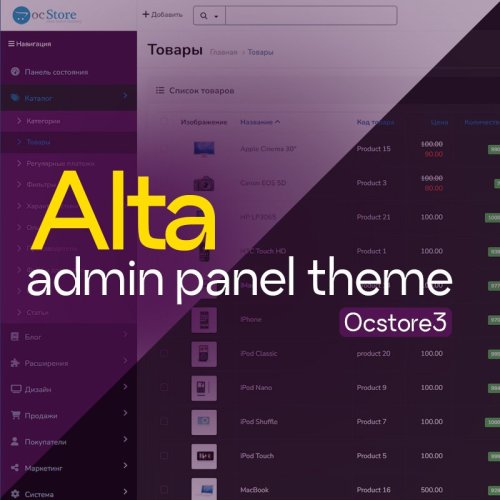
Update your OpenCart admin panel | OCstore ! This modifier updates the standard design to a more modern one.
In short and to the point:
Clean and modern interface: Forget about the outdated look. The usual functionality of OpenCart is preserved, but the visual component is improved:: Updated icons, type and elegant shapes. Pleasant visual appearance: Work with comfort.
If you have any difficulties or questions, you can always write to me in a PM
Make your admin stylish and effective today!
Updated-22%Velar - Updated Admin Design
496грн 360 грн 15 69
Content Guard - a module for protecting texts, product descriptions, articles and other content of an online store from regular copying.
Updated-33%Content Guard - text content protection for OpenCart 3
406грн 315 грн 0 1
захист адмінки
Admin login protection: allowed IP/CIDR, private access keys, TOTP two-factor authentication, session management, security journal and Email/Telegram notifications.
Updated-29%UP Admin Guard - admin protection: IP, access keys and 2FA
899грн 599 грн 1 1
Integration of ChatGPT artificial intelligence into your store to create texts for your products, categories, blogs and more. This solution will save you a lot of time and money when generating content for your website.
Updated-36%ChatGPT API Opencart Integration
700грн 500 грн 26 82
A convenient visual editor CKEditor for designing the text of products, categories, blogs and other descriptions with advanced functionality and features that include up to 80 functions.
Updated-30%Visual editor CKEditor Full
700грн 450 грн 89 197
A 3-in-1 module from the Must Have category, firstly, the ability to install videos from your own server / hosting both in the product image gallery and in the description, secondly, an advanced file manager for multi-uploading images, convenient search and much more, and thirdly, this is an advanced editor with advanced opportunities for convenient work with the description of goods or articles of the site.
Updated-31%HTML Product Video + File Manager + Full CKEditor
1,000грн 700 грн 99 381
With this module, you can easily view and fully control the progress of purchases in your store. The module allows you to instantly filter orders by any parameters, conveniently sort them, quickly change statuses and perform mass actions. This tool will radically facilitate and speed up the daily routine work of your managers with orders.
UpdatedOrder List PRO
1,600грн 1,100 грн 97 403
Interactive polls for your store. Discover what your customers want: unlimited voting widgets, a visual design builder (colors, buttons, progress bars), smart statistics with fraud protection, and manual result adjustments.
UpdatedPoll Widget [NAT]: Interactive Polls & Voting (Custom Stats, Visual Builder)
Free 25
Replaces OpenCart's default ID-based sorting with actual chronological sorting. A powerful 3-in-1 module: auto-generated SEO page, 4 types of tabbed widgets (slider, grid, list), built-in Twig code editor, and visual design customizer directly from the admin panel.
Updated-88%New Arrivals [NAT]: True Date Sorting 3-in-1 (SEO Page, Product Slider/Grid, Sidebar Menu)
Free 25
made by humans
This need for multiple product editing in one module: Batch price recalculation, Formula price recalculation, Bulk promotion addition, Bulk addition of options and attributes, Copy product batches to categories... Integration with many popular modules: OCFilter, SP AUTO SEO FAQ, ATS... And also: Category tree management, Find and replace, Duplication and copying of categories, Multiple product creation, and much more... Customization is possible for your website...
UpdatedUniversal Batch Edit products in OpenCart! Search and replace. MULTIEDIT LITE
Продаж призупинено 2393
The modification automatically moves out-of-stock products to the end of catalog lists without hiding them from shoppers. It applies to category, search, manufacturer and special-offer pages.
Updated-22%Out-of-stock products at the end of the list
Free 401
Store integration with Telegram/Viber — orders, notifications, login and a customer account right inside the messenger app.
Updated-36%Telegram suite - store integration with Telegram
900грн 700 грн 2 5
Automatically import products from any website into your online store. Once configured, the module automatically parses on a schedule, downloads photos, creates categories, and updates prices.
Updated-15%Competitor Parser - website parsing for OpenCart/OcStore
1,800грн 1,150 грн 4 10
It gives you the opportunity to create and beautifully display all kinds of promotions in the product card, catalog and other pages (as well as from the PRO version on a separate page with promotions). The experience of large online stores was taken as the basis for the creation of this module.
UpdatedPromotions, Gifts PRO
1,000грн 850 грн 516 942
Этот модуль позволяет ускорить время генерации страниц OpenCart до 100 раз! А в некоторых случаях и до 1000 раз.
Updated-83%BOOST - ускоритель OpenCart + AJAX загрузка модулей
450 грн 259 445
Click-Uni — це сучасний сервіс для автоматичної відправки повідомлень клієнтам через Viber, Telegram та WhatsApp 💬📲
Ідеально підходить для інтернет-магазинів на OpenCart: дозволяє оперативно інформувати покупців про нові замовлення, зміну статусу, акції та інші події 🛒✨
🧩 Модуль синхронізації з OpenCart забезпечує миттєву відправку повідомлень при оформленні або оновленні замовлення.
🔍 Система автоматично перевіряє, чи є номер клієнта в потрібних месенджерах, і надсилає повідомлення в доступні канали.
⚙️ Основні переваги:
💬 Підтримка Viber, Telegram та WhatsApp — автоматичне визначення доступного каналу
🔁 Автоматична відправка повідомлень при новому замовленні або зміні статусу
🔍 Перевірка наявності клієнта в месенджерах перед відправкою
🧾 Контроль статусу доставки кожного повідомлення в історії замовлення
⚡ Швидке підключення до OpenCart — без складних інтеграцій
💰 Дешевше за SMS — вартість одного повідомлення від Click-Uni близько 4 копійок
📲 Можливість відповіді клієнта — якщо клієнт відповість, ви або ваш менеджер зможете відповісти напряму з Viber на телефоні або ПК
Click-Uni — зручний і надійний спосіб підтримувати зв’язок з клієнтами та покращувати сервіс у вашому інтернет-магазині.
📩 Для підтримки, оновлень та пропозицій — підписуйтесь на канал: https://t.me/fishka_opencart
Ви прямо в Вашому телефоні бачите повідомлення які ви відправляєте клієнтам, можете наприклад задати уточнююче питання
На скріншотах виразно видно які повідомлення відправлені автоматично, а які вручну менеджером
Увага, програма і модуль Opencart працює в Demo режимі, тому можливі часті оновлення!
У разі виникнення питань або проблем пишіть у телеграм https://t.me/avto_fishka
UpdatedViber, Telegram та WhatsApp order and status change notifications for buyers from Cilck-Uni
Продаж призупинено 165
Increase sales in your online store using automatic product upload in Google Merchant Center!
UpdatedGoogle Merchant Shopping Feeds
Продаж призупинено 37
Do you want to remove unnecessary images from the server that remain after deleting products and take up disk space? Use the ImageScanner module!
UpdatedImageScanner — Removing unused images in OpenCart
660 грн 161 252
Простой модификатор, позволяет делать заметки к: - Заказам - Категориям - Товарам - На главной страничке админки Каждый пользователь видит только свои заметки Задачи Администратор (ID группы администраторов - 1) может ставить задачи сотрудникам У сотрудников задачи появляются на dashboard Сотрудник может написать комментарий и отправить задачу как выполненную У администратора они появляются как активные задачи после подтверждения сотрудником - задачи появляются в готовых Задачу можно подтвердить, она уходит в архив как готовая, можно написать комментарий и вернуть на доработку или просто архивировать Просроченные задачи появляются как просроченные у сотрудника и администратора Из архива задачу можно удалить или скопировать ее в редактор для отправки еще раз ОЧЕНЬ ВАЖНО! Это MVP, модуль работает так и только так! Внешний вид, логику и тп редактирую только за деньги и по желанию, все предложения принимаются и рассматриваются, полезные будут внедрены Какие-то вопросы уточняйте ДО ПОКУПКИ! Функционал модуля будет расширяться по мере поступления предложений и пожеланий только русский язык Какие-то вопросы - пишите в личку, разберемся ..UpdatedSP Notes & Tasks - Заметки и задачи в админке 2.x-3.x
400 грн 18 32
Быстрый настраиваемый фид для Facebook и Google Merchant Center
Updated-58%SP Fast XML Feed - выгрузка товаров в Google Merchant и Facebook Catalog 2.1.x-2.3.x-3.0.x
500 грн 108 179
без гмо
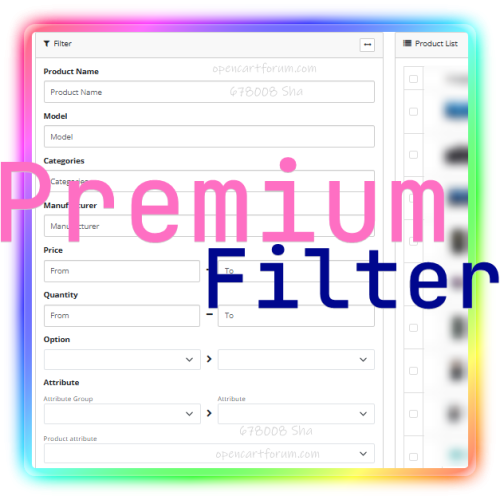
Our Advanced Premium product filter will help, the module will add a convenient functionality for selecting products to the admin panel of the store on opencart!
It will help you not to get lost in the list of products when working with the content of the store, Visually put on the shelves (categories) the pile that has accumulated over the years or just appeared after importing price lists from different sources!
Filter products by option;
Filter products by attributes;
Filter products by SEO URL;
Select products by dimensions (length, width, height);
Taking into account the units of measurement of sizes;
Show products larger than the specified sizes or with dimensions up to the specified number;
Show "lost" products, without a category;
Filter products that are running out;
Show hidden products;
Filter only included (published) products;
Filter by "Out of Stock" status;
Filter by quantity;
Find products cheaper than the specified price;
Set a price range for filtering;
Specify a weight range;
With the ability to take into account weight units;
A unique opportunity to select products by specifying a range of the date of addition;
You can also select by the range of the date of modification;
Filter products earlier or later than the date of receipt (available) from the supplier;
You can select products that contain the specified word or phrase in the name, not necessarily at the beginning, but anywhere in the name;
Select a product by a word or phrase in the model;
Select a product by a word or phrase in the manufacturer;
Select a product by SKU article;
Filter products of the specified category;
...
Updated-63%Premium Filter for admin
Продаж призупинено 67
Telegram Notify: Сповіщення про замовлення + Чат з менеджером
UpdatedTelegram Customer Portal: Order History, Statuses & Support Chat
Продаж призупинено 6
Increase the conversion rate and correct the mistakes of your business strategy using complete and advanced analytics of your trading business
UpdatedEnhanced eCommerce for Advanced Google Analytics
Продаж призупинено 22
Adding markup will allow Google robots to correctly interpret the data and display concentrated information about your site on the search page to attract users' attention to the content
Updated-20%Rich Snippet - SEO Structured Data
Продаж призупинено 21
мастхев!
Opencart ChatGPT-Pro is a unique module for the Opencart online store that allows you to integrate the powerful features of ChatGPT right into your website! This module will become an indispensable tool for anyone who wants to succeed in online business. With ChatGPT you will be able to generate unique descriptions of products, categories and brands , as well as write interesting articles for your store's blog. This will allow you to attract more visitors to your site and increase sales.
Updated-20%Opencart ChatGPT-5.2 Pro - Batch AI content generation!
Продаж призупинено 1543
This module generates product descriptions using chat GPT . Available as bulk product description generation. Generation for a specific category and for a product. You can adjust the request. The module works using the open ai API.
Updated-75%Luxury GPT chat - модуль генерации описаний товаров для OpenCart
Продаж призупинено 23
Про Модуль 1.0 Fishka - Облік товарів всередині OpenCart
Демонстрація модуля: Увага сервер на демо сайті дуже безкоштовний, тому швидкості не чекайте )))
https://demo.matrix.dp.ua/admin Логін/Пароль Demo Тут є можливість все потикати і приблизно побачити як все працює.
Приблизно, тому що система постійно оновлюється, в демо сайті сама актуальна версія
Про Модуль 1.0 Fishka - Облік товарів всередині OpenCart
Головне з чого треба почати, що цей модуль в залежності від попиту і потреби буде постійно оновлюватись.
Базовий Функціонал модулю 1.0 Fishka - Облік товарів всередині OpenCart
Підрозділи (тож саме що і склади або магазини) - тобто місце де є залишки товарів, і звідти можна робити продажі, переміщення тощо.
Створення Підрозділу Редагування Назви Підрозділу, Статусу та головної каси Перегляд залишків товарів по підрозділам Каси - тут я думаю все зрозуміло, якщо ні, подивіться або поклацайте на демо магазині.
Створення кас Редагування Назви Каси та Статусу Перегляд балансів Перегляд виписки по касі (щоб розуміти чому саме такий баланс) Додавання операцій вручну (наприклад списання прибутку, або любих інших операцій). Допускається як мінус так і плюс. Приходні Накладні - тут я думаю все зрозуміло, якщо ні, подивіться або поклацайте на демо магазині.
Створення Приходних Накладних Перегляд створених Приходних Накладних Перегляд конкретної Приходної Накладної Відображення автору документу, типу документу та підрозділу Видатні Накладні (Розхідні Накладні) - тут я думаю все зрозуміло, якщо ні, подивіться або поклацайте на демо магазині.
Створення Видатних Накладних Перегляд створених Видатних Накладних Перегляд конкретної Видатної Накладної Відображення автору документу, типу документу та підрозділу Переміщення - тут я думаю все зрозуміло, якщо ні, подивіться або поклацайте на демо магазині.
Створення Накладних Переміщення Збереження автору документу, типу документу та підрозділу Звіти (Функції) - тут і буде вся магія. На підставі створених документів (касові операції, приходні та видатні накладні, переміщення). Можна створювати або замовляти звіти або функції.
Базовий звіт -> Продажі по Дню - Базовий звіт (подивіться або поклацайте на демо магазині) Базовий звіт -> Товари - відкривається на натисканні на ID товару (відображення руху товару - коли, за скільки купили, коли продали, скільки залишилось, скільки заробили) (подивіться або поклацайте на демо магазині) Базовий звіт -> Продажі по Товарам - Це звіт по проданим товарам з фільтрами (подивіться або поклацайте на демо магазині) Звіти можуть бути розроблені платно чи безкоштовно пишіть мені
ЗВІТИ БУДУТЬ ПОСТІЙНО ДОДАВАТИСЬ!!! Увага в данний момент модуль знаходиться в режимі постійних оновлень функціоналу!
Пишіть свої скарги або пропозиції пишіть в особисті
Про Автора та Історію створення
Мене звуть Ярослав. Я власник декількох інтернет магазинів і офлайн магазинів і островків у торгових центрах України.
Перший мій магазин був на WP, але то було прям дуже давно і не правда. Згодом я перейшов на OpenCart (радувався як дитя). Але більш поглинаючись і розвиваючись приходилось все частіше звертатися до сторонніх розробників. Щось вивести, якийсь модуль адаптувати і ще багато подібного.
В 2013 я відкрив свій перший офлайн магазин, і у мене стояла задача вести облік товарів. Тоді на мій шлях попалась програма для ПК GrossBee, я вічливо називав її "Бджілка". Так тоді вже була 1с, але я як і всі на початку вважав, що вона сильно велика для мене (багато непотрібного функціоналу).
Мучаючись з синхронізацією своєї Бджілки з OpenCart (доді доводилося робити звіт в ексель, додавати розділювачі, переносити в csv, змінювати кодування та імпортувати залишки через якийсь модуль). І це приходилося робити декілька разів на день. Короче кажучи бідаааа.
Буквально через 3 місяці такої роботи я вже шукав готові рішення та розробника. Але готового не було, а робробники або не могли або не хотіли або за мільйон долларів. Тоді я почав вивчати PHP і знаючи, що саме мені потрібно почав писати собі облік товарів всередині OpenCart. Враховуючи, що досвіду взагалі не було - писав як міг (вся система була на основі костилів які працювали за рахунок інших костилів).
Йшли роки, я потрошку розвивав функціонал, звіти, доступи для продавців та дуже багато іншого (тисячі строчок коду та тестів). В результаті мої магазини почали працювати на 95% автоматично (замовлення товарів на підставі залишків і продажів, розрахунок і видача зарплатні і бонусів співробітникам, необхідна сумма автоматично списувалась з моєї карти ПриватБанку і зараховувалась на карту співробітника). Короче кажучи було прям ідеально. Також більшість моїх знайомих знали, а деякі і бачили програму. Вона в принципі робить все автоматично, і працювати можна через звичайний браузер. І частенько просили налаштувати для них таку ж. Але я відмовляв, бо написано дуже криво і дуже індивідуально (все писалося напряму в код, під особисто мої потреби та без налаштувань). А також все це ще був OpenCart 1.5
В результаті моєю мрією стало переписати для актуального OpenCart та з чистим кодом (вже дойшов до певного рівня та досвіду, коли не стидно за свій код). Але то бажання не було то часу.
І тут вирішив всеж таки ввязатися в це дійство. І назва йому FISHKA)))
Updated-35%1.0 Fishka - Облік товарів всередині Opencart 3.0
Продаж призупинено 10
Суперсила для вашого контенту! Легко додавати елементи на будь-яку сторінку вашого інтернет-магазину!
Updated-23%Shortcode Pro
Продаж призупинено 2
Втомилися вручну вигадувати артикули для тисяч товарів? Боїтеся дублікатів та плутанини? Цей модуль повністю автоматизує створення унікальних кодів товарів (Артикул, Код товару, UPC/EAN) за вашими індивідуальними правилами, заощаджуючи ваш час та нерви.
Updated-33%Product Code Generator PRO
Продаж призупинено 1
Add an easy-to-use interface to the OpenCart admin panel to edit any language strings - both in the catalogue and in the admin area. Instant search, flexible filtering and a single edit point will allow your shop to speak your customer's language!
Updated-75%Translations Manager
Продаж призупинено 5
Module for bulk editing of product fields, options, attributes, discounts, and more. Features include saving search/edit settings, running via cron, undoing changes, and configuring custom fields and product tables.
UpdatedProduct Manipulator
Продаж призупинено 18
sale
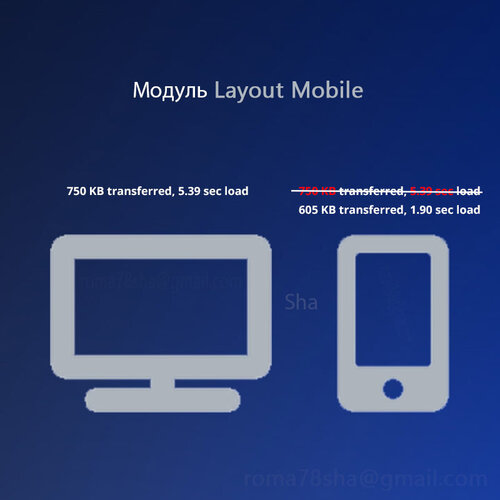
Инструмент, который поможет ускорить мобильную версию OpenCart! Как сделать шаблон адаптивным? на мобильной версии скрыть "лишние" элементы. Нужно, что-бы при этом не пострадало usability? переместить модули и виджеты на другие позиции. Даже топовые шаблоны, поступают именно таким образом, элементы которые "не нужны" или наоборот необходимы только в мобильной версии: либо скрываются посредством css (display:none); либо перемещаются, хорошо если flexbox или bootstrap pull push но часто с помощью навешивания множества слушателей событий javascript. Даже адаптивность bootstrap основана на таких принципах. Всё это создаёт лишний "вес" и нагрузку, что конечно же замедляет работу сайта и заставляет процессор пользователя работать с повышенной нагрузкой шумя как майнинг ферма. Мы в наших продуктах пропагандируем использовать только то, что необходимо сейчас. И исходя из этих принципов нами был разработан модуль Мобильные схемы который позволит: уменьшить объём страницы (предотвратить чрезмерную нагрузку на сеть), сократить размер структуры DOM, ускорить время окончания работы ЦП, избавится от лишнего JavaScript кода (сократить время выполнения кода JavaScript), избавится от css костылей, а так-же: Устранить ресурсы, блокирующие отображение, Сократить время ответа сервера (время до получения первого байта, TTFB), Использовать подходящий размер изображений, и др. при этом даже улучшив адаптивность, гибкость в настройке и дружелюбность Вашего сайта! Модуль поддерживает встроенные схемы популярных модулей, например поддерживает SEOCMS. Имеет открытый исходный код. Отсутствует привязка к сторонним серверам. Легко поддерживается любым разработчиком, отсутствует обфускация кодировка ionCube! данная версия поддерживает OpenCart 3.0.x, ocStore 3.0.x версию для Opencart 2.1.x, 2.2.x, 2.3.x, ocStore 2.1.x, 2.2.x, 2.3.x можно скачать здесь! Установка (FAQ). Техническая поддержка доступна пользователям из списка покупателей и только после прочтения FAQ: Если вы обращаетесь с просьбой разобраться в проблеме, то для экономии времени укажите: адрес сайта доступ в админ-панель доступ на FTP-сервер По любым вопросам вы можете связаться с нами через: Личные сообщения на форуме; Режим работы с 10-00 до 18-00 по киевскому времени за исключением выходных и праздничных дней. ..UpdatedMobile version of OpenCart store
Продаж призупинено 135
seo
The tool will help you conduct a systematic analysis of opencart pages and site extensions!
Updated-29%Route debug board - site system audit, site optimization assistant!
Продаж призупинено 160
easy
When I decided to quickly edit prices!
678008-70
UpdatedFast Price Edit
Продаж призупинено 24