


Пов'язані
Інші рішення в тій самій області магазину.

Excel-style ocStore 3 product editor: inline edits, filters, bulk operations, SEO, AI and catalog normalization.
Updated
OcBox AI Product Mass Editor — AI bulk editor for OpenCart and ocStore: AI descriptions, AI translations, AI Photo Studio, like Excel
2,400 грн
51 87

VisualForge AI — content & image generator for OpenCart. Creates SEO descriptions, articles, and AI images (including lifestyle) in one click. Supports block-based editing, multi-language, and bulk generation. Save time and boost sales.
Updated
VisualForge AI — Content & Image Generator for OpenCart V 3.0
2,699 грн
14 55
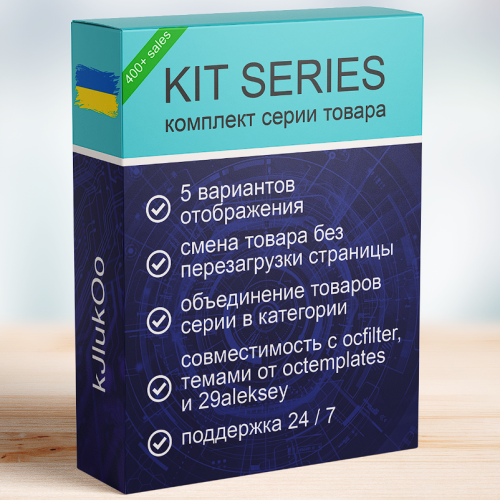
the module implements product variations in several display options
Updated
KIT SERIES
1,300 грн
548 1575

The module helps to add attribute values when adding or editing a product
Updated
Attribute Select
450 грн
260 369

Smart Batch Editor Pro is a professional tool for the rapid management of a large product catalog in OpenCart / ocStore.
The module allows you to work not with each product individually, but with an entire selection at once: modify prices and stock levels, categories, manufacturers, attributes, options, specials, discounts, SEO data, and other parameters from a single working interface.
Filter the required products → configure the changes → apply them to the entire selection.
Instead of dozens or hundreds of open product pages, you get a unified workspace for catalog management.
Updated
Smart Batch Editor Pro — Mass Product Editing for OpenCart / ocStore
1,299 грн
4 7

The module makes it much easier to add attributes when adding a product
Updated
Attribute Category
450 грн
277 424

The module allows you to select recommended products for all products automatically
Updated
Авто-подбор рекомендуемых товаров
800 грн
142 472

Це доповнення (add-on), яке створює безпечний та швидкий візуальний інтерфейс для роботи з базою даних пов’язаних (альтернативних) артикулів, створеною модулем АОП.
Updated
[Extension to AOP] Related SKU Manager [OC 2.x, 3.x]
350 грн
2 4

This module adds convenient functionality for working with attributes in OpenCart. Now, instead of manually entering attribute values each time, you can pre-create lists of values for attributes, and then select them from the drop-down list when editing a product.
The module supports multilingualism, which allows you to create attribute values in several languages, making them available for selection depending on the active language of the storefront. This simplifies attribute management and minimizes errors when filling in data for products.
Main features:
Adding attribute values: Create lists of values for each attribute in a separate section of the admin panel. Selecting attribute values: When editing products, you can select ready-made values from the drop-down list instead of manually entering them. Multilingualism: Support for values in several languages for each attribute. Autofill of text fields: When selecting an attribute value, the data is automatically filled in the text fields for all languages. Intuitive interface: Convenient user interface for working with attributes and their values. Benefits of using the module:
Time saving: Filling in attributes becomes faster and easier. Data consistency: All products use the same attribute values. Multilingual: Full support for several languages. Ease of setup and use: The module is easily integrated into the OpenCart admin panel. System security:
The module does not replace system files. Does not violate the standard logic of attribute operation (including feeds and other integrations). Flexibility in data storage:
All attribute values are written to the database separated by commas. The separator can be easily changed through the modifier settings. Duplicate protection: The verification mechanism prevents adding identical attribute values to a product. Who will benefit from the module:
Online stores with a large number of products and complex characteristics. Owners of sites using OpenCart, for whom convenient management of attributes and their values is important. Stores with a multilingual storefront, where support for several languages is required. Compatibility:
OpenCart 3.x, OcStore 3.x
How the module works:
In the "Attributes" section of the admin panel, you can add and edit lists of values for attributes.
When editing a product, you select the desired attribute and its value from the drop-down list.
The attribute values are automatically filled in in all languages added to the system.
All selected attribute values are saved in the database in the format of a string with a delimiter (by default, a comma).
Use example:
You create an attribute "Color". In the list of values, you add "Red", "Blue", "Green" and translate them into several languages. When editing a product, you select the value "Blue", and it is immediately displayed in all languages. In the database, the attribute values are saved in the format: Red, Blue, Green.
Installation:
For the module to work, you need to add additional tables to the database. To do this, run queries from the attribute_value_editor_query.sql file. The module is easily installed via the standard OpenCart extension loader, no additional settings are required. DEMO
Admin Page login/password: demo/demodemo License:
Permitted for use in one online store.
The "Attribute Value Editor" module will make your work with attributes more convenient and organized!
Updated
Attribute Value Editor
320 грн
40 111

The "Attribute Manager" module is a powerful solution for optimizing the management of product attributes in OpenCart 3. It provides tools for easy creation, editing, and management of attributes, groups, and templates, making the administration process faster and more efficient.
Key Features:
Create and Use Attribute Templates:
Prepare pre-configured templates with attribute sets and apply them to products with a single click. This is especially useful for products with similar parameters (e.g., electronics, clothing, or furniture).
Quickly Add Attributes to Templates and Groups:
Add new attributes directly to already created templates and groups. This speeds up attribute updates and simplifies product setup.
Attribute Groups for Bulk Addition:
Organize attributes into groups and add them to products all at once. This is convenient for categories where all items share similar parameters.
Fast Attribute Addition from Templates:
Apply pre-configured templates directly on the product editing page to avoid manual data entry.
View and Manage Attributes in Products:
View all products associated with a specific attribute. Edit attribute values for multiple products simultaneously. Remove unnecessary attributes and add new products to the related list. Seamless Integration and User-Friendly Interface:
The module integrates perfectly with OpenCart's standard functionality while maintaining compatibility with other extensions. Its intuitive interface ensures ease of use, even for beginners.
Advantages of the Module:
✅ Time-Saving: Quickly adding attributes to templates and groups reduces the time spent setting up products.
✅ Convenience: All tools for attribute management are available in one place.
✅ Bulk Management: Edit attributes for multiple products simultaneously, eliminating repetitive tasks.
✅ Flexibility: Add attributes from templates, groups, or individually to adapt the module to your store’s specific needs.
✅ Suitable for All Stores: The universal functionality makes this module valuable for online stores of any size and type, from electronics to fashion and cosmetics.
✅ Error Reduction: Templates and groups minimize the risk of incorrect data entry.
✅ Increased Efficiency: Speeds up the process of adding and updating products, which is particularly important for stores with a large inventory.
Installation:
For the module to work, you need to add additional tables to the database. To do this, run queries from the attribute_manager_query.sql file. The module is easily installed via the standard OpenCart extension loader, no additional settings are required. Two modifiers are available (only one needs to be installed) attribute_manager_oc3.ocmod.zip - install if you purchased only this modifier attribute_manager_oc3_for_attribute_value_editor.ocmod.zip - if you plan to use it with the module
DEMO
Admin Page login/password: demo/demodemo License:
Permitted for use in one online store.
Updated
Attribute Manager
320 грн
37 147

Edixon — Modify thousands of products in minutes with rollback capability and full control over your catalog
Updated
Edixon — Bulk editing of products in OpenCart without errors and risks
1,276 грн
40 268

This module extends the functionality of OcTemplates by adding the ability to bulk assign custom stickers to products using a flexible filter system.
It is fully compatible with the OCTemplates – Product Stickers Settings module and works with the stickers created by the administrator. The module's publication is approved by the OCTemplates template author.
Key Features
Bulk addition of stickers to products based on selected criteria. Filtering supported by the following parameters: categories, manufacturers, price range (min and max), product attributes and their values User-friendly interface in the admin panel. Ability to quickly update or replace stickers without manual editing of each product. Flexible execution options
Manually via admin panel Automatically via CRON job Benefits
Saves time when managing product stickers in bulk. Enhances the visibility of promotions, features, and product statuses. Accurate and flexible product selection for sticker assignment. Automation through CRON support. Compatibility
OpenCart/OcStore 3.x Compatibility tested on the Deals, Ultrastore template. For other templates, please contact us before purchasing. Installation Instructions
Install the module through the OpenCart admin panel. Refresh modifications. Go to System → Users → User Groups, and grant edit permissions to the required admin groups. Go to Extensions → Extensions → Modules, activate Oct Stickers Auto, and configure it. How It Works
Start the sticker assignment process. In the OCTemplates – Product Stickers Settings module, run the mass generation. If running via CRON, the sticker assignment should execute before the mass generation (with a 5-minute gap). License
Licensed for use on a single online store.
Updated
Bulk adding custom stickers to templates (OcTemplates)
460 грн
8 20
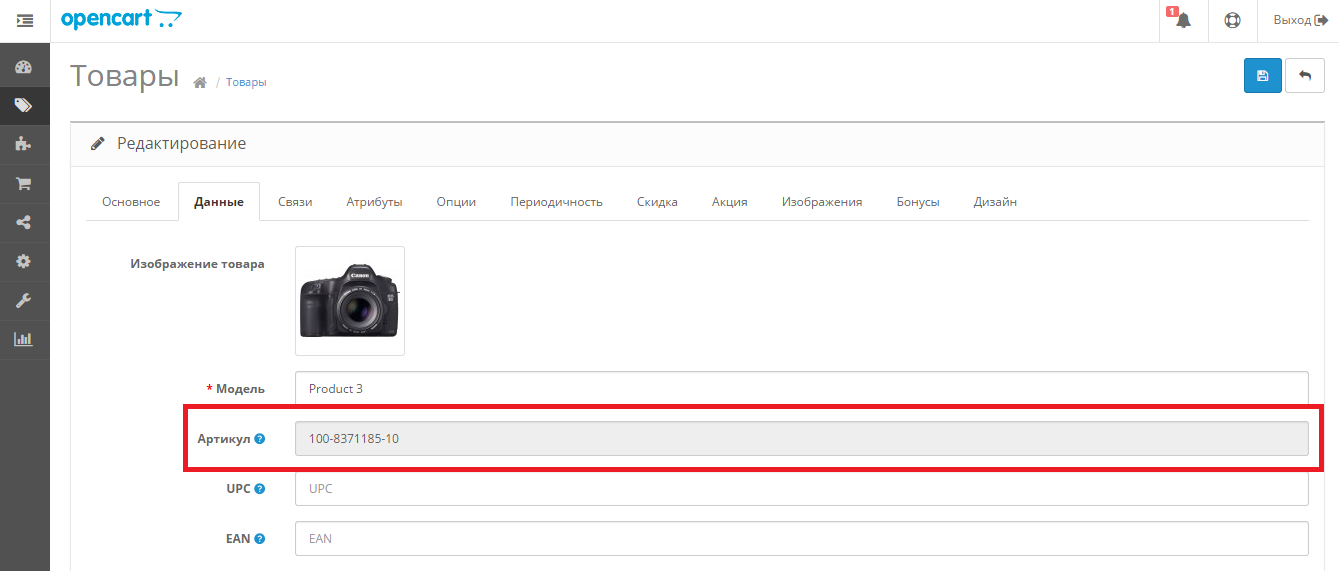
«SKU генератор артикулов» знято з продажу
Ми підібрали схожі модулі інших розробників — їх можна придбати вже зараз.
Інші варіанти
1.1
Ioncube Loader: Ні
Withdrawn from sale
The marketplace administration has withdrawn this file from sale
OpenCart2.0, 1.5.6.4, 1.5.6.3, 1.5.6.2, 1.5.6.1, 1.5.6, 1.5.4.1
ocStore1.5.5.1.2, 1.5.5.1.1, 1.5.5.1, 1.5.4.1.2, 1.5.4.1.1, 1.5.4.1
License type
Activation method Без активации
Ioncube LoaderНі
Get request to server of developerНі
Downloads65
Submitted12/27/2014
Updated03/11/2022
File Size111.73 kB

-
Recently Browsing 0 members
- No registered users viewing this page.