OpenCart Modules & Extensions
OpenCart modules help you extend your online store's functionality without coding. Browse extensions for payments, shipping, SEO, product filters and integrations. Pick the module you need and install it in just a few minutes.
860 files
-
 OcBox Beautiful Emails: branded, responsive OpenCart emails instead of the grey 2010 ones. OcBox Community Edition, free, no ionCube, no license. OpenCart 2.3 / 3.x, PHP 7.4+.
UpdatedOcBox Beautiful Emails: branded, responsive OpenCart emails instead of the grey 2010 ones
Free 43
OcBox Countdown Timer: numbers melting away sell better than any «buy now». OcBox Community Edition, free, no ionCube, no license. OpenCart 2.3 / 3.x, PHP 7.4+.
UpdatedOcBox Countdown Timer: numbers melting away sell better than any «buy now»
Free 14
OcBox Cookie / GDPR Banner: the consent both the EU and Google want. OcBox Community Edition, free, no ionCube, no license. OpenCart 2.3 / 3.x, PHP 7.4+.
UpdatedOcBox Cookie / GDPR Banner: the consent both the EU and Google want
Free 49
OcBox Back-to-Top: a small detail that signals a store built with care. OcBox Community Edition, free, no ionCube, no license. OpenCart 2.3 / 3.x, PHP 7.4+.
UpdatedOcBox Back-to-Top: a small detail that signals a store built with care
Free 14
OcBox Age Gate 18+: an «I am of age» modal at the store entrance. OcBox Community Edition, free, no ionCube, no license. OpenCart 2.3 / 3.x, PHP 7.4+.
UpdatedOcBox Age Gate 18+: an «I am of age» modal at the store entrance
Free 11
OcBox Admin Search: Ctrl+K, and you are already inside the right order. OcBox Community Edition, free, no ionCube, no license. OpenCart 2.3 / 3.x, PHP 7.4+.
UpdatedOcBox Admin Search: Ctrl+K, and you are already inside the right order
Free 23
Free analytics panel that replaces the stock OpenCart admin home screen. KPI with period comparison, sales trend, order breakdown, hourly heatmap, top products, monthly goals, orders table, separate right for financial numbers, dark and light theme, three languages. No ionCube, no outbound requests. OpenCart 3.0.x, ocStore 3.0.x, PHP 7.2+.
UpdatedOcBox Dashboard — free admin analytics panel for OpenCart 3 and ocStore (KPI, trend, goals, MegaReports integration)
Free 61
Sitemap for OpenCart / ocStore, which does not load the server and is suitable for multilingual stores.
UpdatedBranched Sitemap for OpenCart - it is good for multilanguage stores
660 грн 1516 2670
Модуль для интеграции Вашего магазина с онлайн сервисами Оплата частями и Мгновенная рассрочка от Приватбанка, Покупка частями от Монобанка и Легкая рассрочка от Альфа-банка!
Основные возможности:
- кнопка оформления кредитов на странице товара;
- вывод иконок доступных кредитов в кнопке с указанием максимального платежа;
- всплывающее окно с калькулятором ежемесячных взносов;
- сортировка типов кредитов;
- отключение акций и скидок для каждого типа кредитов;
- отключение возможности покупки в кредитов отсутствующих на складе товаров;
- выбор срока кредита на странице оформления заказа;
- возможность выбора определенных товаров доступных для оформления в кредит;
- ограничение по максимальной и минимальность стоимости товаров доступных для оформления в кредит;
- возможность установки наценки или скидки на оформляемые в кредит товары;
- возможность установки наценки в зависимости от срока кредитования;
- возможность установки максимального срока кредитования на все товары;
- возможность установки максимальных сроков кредитования и наценки на каждый товар индивидуально;
- возможность оформления с холдированием платежа;
- активация доступности товара непосредственно в карточке товара в админке;
- настройка внешнего вида и места вывода кнопки кредита в админке модуля;
- отображение суммы платежа на странице оформления при смене срока кредитования;
- переключение в админке типов кредитов Приватбанка;
- совместимость с модулем Simple - упрощенная регистрация и заказ;
Совместим с версиями 2.x - 3.0.x
Лицензия строго на один домен, и на один тестовый домен(технический домен или поддомены основного домена)
При оформлении покупки обязательно указывать основной домен!
Настройка стикеров под шаблон в бесплатную техподдержку не входит.
Демо для ocStore 3.0
https://demo.fringe.com.ua
UpdatedLoans from Ukrainian banks - payment module for goods on credit for Opencart
1,100 грн 1086 2561
A free module. Task list, kanban board with drag and drop, and a dashboard widget right inside your admin panel. Statuses, priorities, assignees, due dates, comments, file attachments, voice input, order links and CSV export. Three interface languages. No keys, no subscriptions. OpenCart 3.0.x, ocStore 3.0.x, PHP 5.6+.
UpdatedOcBox Tasks. Free task board and dashboard tile for OpenCart 3.0 and ocStore 3.0
Free 102
Jet Cache module is a powerful tool that improves the performance of your online store. It utilizes modern caching and optimization technologies to speed up page loading and reduce server response time.
With Jet Cache, you can significantly reduce page load time, which improves usability and enhances user experience. The module optimizes resources, removes unnecessary data, and reduces file sizes, reducing server load and accelerating your store's performance.
Jet Cache allows you to configure caching for each page of your store, which gives you precise control over page load speed. The module also supports caching of categories, products, modules, and other elements of your store.
Moreover, Jet Cache has many other features, such as mobile optimization, configuration of caching for individual requests, automatic image compression, and much more. All of these features make Jet Cache an essential tool for all online store owners who want to improve their site's speed and performance.
UpdatedJet Cache SE - fast caching, pagespeed, optimization opencart stores
Продаж призупинено 5021
обмен данными
The "Order Export to XML" module is designed for automatic order data export from an OpenCart online store. It provides convenient and flexible export settings, allowing you to customize data extraction according to your business needs.
UpdatedExport Orders to XML
700 грн 15 26
A complete cookie consent system for OpenCart 3, not just another banner
Most cookie banners only inform your visitors while analytics and advertising pixels keep firing from the very first second. Cookie Policy makes consent real: third-party scripts are held back until the visitor chooses, and every choice is written to a consent log you can produce if a regulator ever asks.
What you get: four cookie categories with a preferences dialog, prior blocking of Google, Meta, Hotjar, TikTok, LinkedIn and Criteo scripts, Google Consent Mode v2 fired in the correct order, a consent log with CSV export, and built-in handling of erasure requests under GDPR Article 17.
The banner is fully customisable: bar or popup in nine positions, your own colours, texts and icons. Five languages included: English, Ukrainian, Czech, German and Polish.
Updated-20%Cookie Policy + GDPR/ePrivacy + Google Consent Mode v2
450 грн 107 1930
Tyre & Wheel Fitment Filter is an all-in-one wheel, tyre, and rim selector for OpenCart and ocStore. The module combines an intelligent vehicle fitment filter by Make, Model, Year, and Trim via the cloud-based Fitment API with advanced technical specification filtering.
Updated-22%Tyre & Wheel Fitment Filter — Tire and wheel selection by vehicle and specifications (with SEO-friendly URLs) for OpenCart 3.x
2,250грн 1,800 грн 0 1
The module automatically tracks customers who added items to their carts but didn't complete their orders and sends them personalized reminders. According to statistics, cart recovery systems recover 5% to 15% of lost sales.
Updated-31%Abandoned Cart - cart recovery for OpenCart/OcStore
900грн 700 грн 4 16
With this module, your clients can communicate online without leaving your website; they will be greeted by a smart AI assistant ready to help 24/7, while you can join the conversation at any time. The system ensures full control: you will see exactly which page the client started the conversation from and have access to a range of other convenient features designed to automate and enhance customer interactions.
UpdatedChat + AI consultant online
4,500грн 3,100 грн 5 23
Smart Slider AI — сучасний модуль для OpenCart, який допомагає створювати професійні рекламні слайдери за допомогою штучного інтелекту.
Модуль використовує фотографії товарів, автоматично створює рекламний дизайн, заголовки, переваги, ціни та заклики до дії. Готові слайди можна додатково редагувати у вбудованому Drag & Drop редакторі та адаптувати окремо для Desktop, Tablet і Mobile.
UpdatedSmart Slider з AI — Cтворення слайдера для сайту у 2 кліки+ Календар подій
1,199 грн 3 10
The module adds an "Edit" button to the product/category/manufacturer/information pages.
Updated-32%"Edit" button on the site pages
Free 306
Account Dashboard Editor transforms the standard OpenCart 3 account page into a modern, user-friendly, and informative dashboard.
Updated-33%Account Dashboard Editor – Personal Account Editor for OpenCart
856грн 585 грн 5 5
Smart Order Manager — це повнофункціональне рішення для автоматизації обробки замовлень в інтернет-магазині. Модуль перетворює стандартну рутинну роботу менеджера на швидкий та зручний процес на одному екрані: від миттєвого пошуку товарів та оформлення ТТН Нової Пошти до виставлення рахунків Monobank/IBAN, контролю оплати та перевірки клієнтів за чорними списками.
Updated-60%Smart Order Manager — Розумний менеджер і редактор замовлень для OpenCart / ocStore 3.x
1,499грн 999 грн 0 0
автофильтр
Повна система підбору товарів по довільному каталогу для OpenCart 3. Авто, техніка, меблі або будь-яка інша ніша — ви визначаєте поля.
Updated-18%Universal Catalog Filter/AUTOFilter — Підбір товарів по каталогу та параметрах
Продаж призупинено 4
# Нова Пошта (All-in-One) — ТТН в 1 клік, Автотрекінг, Сповіщення (SMS / Viber / Telegram), Контроль незаборів
**Нова Пошта** — це максимальне комерційне рішення для повної автоматизації доставки Нової Пошти в інтернет-магазинах на OpenCart 3 та ocStore 3.
Модуль об'єднує в собі швидке оформлення замовлення для клієнта, миттєве створення ТТН для менеджера, пакетний друк на термопринтерах, автоматичне відстеження посилок за розкладом та мультиканальні сповіщення покупців.
Updated-18%Нова Пошта (All-in-One) — ТТН в 1 клік, Автотрекінг, Сповіщення (SMS / Viber / Telegram), Контроль незаборів
1,099грн 899 грн 0 3
ShipTime - a module for OpenCart that displays the current shipping time to the customer directly on the product page.
UpdatedShipTime - shipping date in the product card OpenCart,ocStore
496грн 406 грн 0 0
A daily working tool for importing and exporting to Opencart — the "Automatic Processing of Price Lists" module is a full set of functions for filling and maintaining a store by one person.
Updated-21%Suppliers - XML, CSV, XLS Product Feed Import and Update
1,776 грн 8266 73404
Pricer PRO — це не просто модуль для вивантаження, це новий погляд та принцип роботи з використанням АІ, який замінює ручну працю. Налаштовуєте - і йдете пити каву. АІ все зробить за вас
Rozetka · Kasta · ALLO · EVA · Prom.ua · Google Merchant
Pricer PRO — це не просто генератор XML-файлу, а комплексна система керування вивантаженнями з OpenCart: XML/YML + API + AI + автоматичне зіставлення + комісії + націнки + Fast Sync + CRON + діагностика в одному модулі.
Одна з головних переваг — AI-мапінг
Замість ручного пошуку тисяч категорій та характеристик Pricer PRO може автоматично підбирати відповідність OpenCart → категорія маркетплейсу, аналізуючи не тільки назву, а й повний шлях категорії, контекст, характеристики, групи атрибутів та реальні товари.
Використовуються локальний семантичний пошук, OpenAI, embeddings, confidence-рейтинг і база вже підтверджених зіставлень. Сумнівні результати можна перевіряти повторно, а ручні підтвердження мають пріоритет над автоматичними.
UpdatedPicer PRO – smart product uploading to marketplaces via XML, API, and AI.
2,200грн 1,749 грн 1 1
With this module, you will be able to translate the entire site content into any language.
The module speeds up the addition of products, you fill in the value in only one language, and translate it with the "Translate" button.
The module adds a "Translate" button to each multilingual line.
Database multilingual content analysis module, the module will analyze the entire database, find and display everything that needs to be translated.
Mass translation of the entire database or selected tables.
The localization file translation analysis block, the module will analyze the translation files and show what needs to be translated.
Mass translation of missing values in localization files.
Allows manual editing of localization files from the module page.
Free translation of up to 500,000 characters per month.
Google Translate API is giving away $300 in a virtual account to all new users.
Our translation preserves the structure and styles of the HTML code.
More in the module description...
UpdatedMass automatic translation of texts, products, categories, articles, etc. with Google translate API - elite module
Free 1861
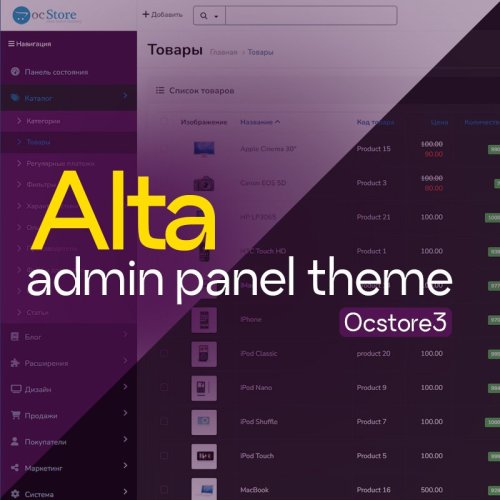
The module updates the standard look of the admin panel, making it more minimalistic, structured, and adapted to modern UI/UX trends.
Updated[FREE] Modern Admin Theme (Тема для админки) + Dark Mode
Free 648
Saves and displays UTM tags, Referrer, landing pages, GeoIP (country, city), device type, and buyer activity (page views, purchase duration). Custom color badges, 1-click copy, quick list filters & admin side panel filter, statistics tab & dashboard widget, DB optimize/cleanup tools. TEMPORARILY FREE!
Updated-22%Order UTM-Tracker [NAT]: Save & Display UTM Tags, Referrer Sources, Landing Pages & Order Statistics
Free 38
Automatically generates believable customer reviews for your store's popular products using AI (ChatGPT, Claude, or Gemini). The module tracks product views itself and publishes reviews on a schedule — no manual work required.
UpdatedAI Reviews - Product Reviews for OpenCart/OcStore
900грн 700 грн 4 5
Automatic top products table on category pages — boost engagement, conversions, and sales! What does the module do? The module automatically displays a table of 4 products at the bottom of the category page: 🏆 Best product — based on views and sales 💸 Cheapest product — by minimum price 💰 Most expensive product — by maximum price ⭐ Most popular product — by quantity in stock All data is generated automatically — no manual setup needed. Features and settings ✔️ Module title is set via the admin panel ✔️ Option to exclude products with zero price ✔️ Only products with a selected order status are counted ✔️ Result caching — fast and lightweight output ✔️ Logging support (can be enabled/disabled) ✔️ Compatible with themes, doesn't modify the core ✔️ Installed via OCMOD, output via layout positions Why install it? ✅ Increases visibility and appeal of popular products ✅ Works as an additional SEO block ✅ Automates selection of top products ✅ Lightweight and efficient thanks to caching..UpdatedSEO Top Products — Popular Products by Category with Sales Tracking
Продаж призупинено 6
Courier Kyiv — Courier Address Delivery in Kyiv with a Street and Building Directory for OpenCart
Courier Kyiv is a courier delivery extension for OpenCart and ocStore that allows customers to select a street and building from a synchronized Kyiv address directory instead of entering the delivery address as free text.
Addresses are loaded from the Kyiv City State Administration address registry and stored in the store’s local database. This ensures that street and building suggestions work quickly and do not depend on the availability of an external API during each checkout.
Main Features
A separate courier delivery method for Kyiv Street selection from a dropdown list Building number selection from a dropdown list A separate field for the apartment number Address loading from the Kyiv City State Administration registry Storage of the address directory in dedicated store database tables Manual synchronization from the administration panel Automatic full synchronization via cron Street search by individual words regardless of their order Search by part of a street name Basic matching of common Ukrainian and Russian spelling variants Configurable suggestion limits for streets and buildings Fixed courier delivery cost OpenCart geo zone support Configurable sort order Support for guest and registered customers Ukrainian, Russian, and English interface localization Address Selection by the Customer
After selecting courier delivery, the customer completes the address step by step:
City — Kyiv, set automatically Street — selected from the address directory suggestions Building — selected from the list of buildings for the chosen street Apartment — entered manually by the customer The apartment number is entered separately because apartment data is not available in the public address registry. The street and building must be selected from the list, which helps prevent accidental errors and nonexistent addresses.
Street Search
The search is performed using individual words, so the order of words in the query does not matter. For example, the query Volodymyra Vysotskoho can find a name stored in the registry as Vysotskoho Volodymyra Boulevard.
Search by part of a name and basic matching of common Russian and Ukrainian variants are also supported. This helps customers find, for example, Beresteiskyi Avenue using an abbreviated or alternative spelling.
Kyiv City State Administration Address Directory
The extension receives city addresses from the Kyiv City State Administration address registry API. During synchronization, the complete available set of Kyiv streets and buildings is processed and then stored in separate OpenCart tables.
The city, streets, and buildings are stored separately Repeated synchronization updates existing records New addresses are added automatically Outdated records are removed after successful synchronization Duplicate city, street, and building records are merged Simultaneous execution of multiple synchronization processes is blocked Manual Synchronization
A Synchronize Addresses button is available in the extension settings. After synchronization is completed, the following information is displayed:
synchronization status number of cities number of streets number of buildings date and time of the latest successful completion error message if the update was not completed Automatic Updates via Cron
For regular directory updates, the extension generates a ready-to-use cron URL. Access to the URL is protected by a secret key between 16 and 128 characters long.
The URL can be added to the hosting or server task scheduler. Each run fully compares the local directory with the current API data.
Saving the Address in the Order
After validating the selected street and building, the extension creates the full delivery address and passes it to the standard OpenCart order creation process.
The street, building number, building section, and apartment are stored in the main delivery address field, shipping_address_1. The extension does not create the order separately and does not interfere with OpenCart’s standard order storage logic.
Multilingual Support
The administration panel and customer interface are localized in Ukrainian, Russian, and English.
If the API returns names in multiple languages, the extension can store the localized versions separately. If a translation for the current language is not available in the source, the primary registry name is used.
OCMOD Integration
Checkout integration is implemented through OCMOD. The extension does not require manual editing of OpenCart system files.
Compatibility
OpenCart 3.x ocStore 3.x PHP 7.3–8.3 Standard OpenCart 3.x checkout Ukrainian, Russian, and English localizations System Requirements
OpenCart or ocStore 3.x installed PHP 7.3–8.3 MySQL or MariaDB The PHP cURL extension or permission to make HTTPS requests through allow_url_fopen Server access to the Kyiv City State Administration API over HTTPS The ability to configure cron for automatic directory updates Important Limitations
The extension is intended only for address delivery within Kyiv The completeness and accuracy of addresses depend on the data returned by the Kyiv City State Administration registry Street names are displayed in the format provided by the source Some addresses in the source may not include a postal code or building section The apartment number is entered manually by the customer The first synchronization processes the entire address directory and may take several minutes For automatic updates, the server must have stable access to the external API When the extension is uninstalled, the address directory tables created by it are also removed Installation
Upload the courier_kyiv_v_1_0_oc3.ocmod.zip archive through Extensions → Installer Go to Extensions → Modifications and refresh the modification cache Go to Extensions → Extensions Select Shipping as the extension type Install the Courier Address Delivery in Kyiv extension Open the extension settings Select the geo zone and configure the delivery cost, sort order, and suggestion limit Save a secure cron key containing at least 16 characters Enable the extension and save the settings Run a full address synchronization from the administration panel Add the generated URL to the cron scheduler when necessary Test street and building selection while placing a test order DEMO
Admin Page login/password: demo/demodemo Store Page License
One license covers one domain and all of its subdomains.
UpdatedCourier Kyiv - targeted delivery in Kiev
460 грн 0 1
BankApp Payment Suite — Full Payment, Prepayment, and Balance Payment by Bank Details with QR for OpenCart
BankApp Payment Suite is a set of payment extensions for OpenCart and ocStore that allows merchants to accept bank transfers using payment details: the full order amount, a fixed or percentage-based prepayment, and the remaining balance after the prepayment.
After placing an order, the customer sees the prepared payment details, amount, and payment purpose. They can copy the information, open the payment in a banking app using a link, or scan a QR code. The extension also generates PDF invoices, adds invoice links to the order, and allows the administrator to email them to the customer.
What Is Included
Full Payment by Bank Details with QR — a separate payment method for the entire order amount Prepayment by Bank Details with QR — a separate payment method for a fixed amount or a percentage of the order total Balance Payment — a separate PDF invoice and email template for final payment after a prepayment mPDF Runtime — a separate library package for generating PDF files. It is installed once and is not duplicated in payment extension updates Main Features
Two independent payment methods with separate settings Full order payment by bank transfer Fixed-amount prepayment Percentage-based prepayment Automatic calculation of the prepayment and remaining balance QR code containing the payment details, amount, and payment purpose Universal link for opening the payment in a banking app Responsive payment block on the order success page Copying individual payment details or all payment information PDF invoice generation using mPDF Separate invoice templates for full payment, prepayment, and balance payment QR code embedded directly in the PDF invoice Invoice links in the administration panel and the customer account Sending PDF invoices to customers from the administration panel Signed PDF links that customers can access without signing in Editable HTML templates for PDF invoices and emails using Summernote Multilingual payment purposes, notes, invoices, and emails Ukrainian, Russian, and English localization Full Order Payment
The Full Payment by Bank Details with QR method requests payment of the entire order amount. After confirming the order, the customer receives:
the payment recipient’s name tax ID or EDRPOU code IBAN account number the amount due the payment purpose containing the order number a QR code and a button for opening the payment a link for downloading the PDF invoice Fixed-Amount or Percentage-Based Prepayment
The prepayment extension allows you to select one of two calculation methods:
Fixed amount — for example, UAH 500 regardless of the total order value Percentage of the order — for example, 10%, 20%, or 50% of the full amount If the fixed prepayment exceeds the order amount, the requested payment will not exceed the full order amount. The order success page and invoice display the full amount, prepayment, and remaining balance.
Balance Payment Invoice
If the customer decides to pay the remaining amount after making a prepayment, the administrator can generate a separate invoice for the outstanding balance.
Separate payment purpose for the remaining balance Separate HTML template for the PDF invoice Separate email subject and HTML email template QR code containing the correct remaining balance Display of the full amount, prepayment, and outstanding balance Payment Block on the Order Success Page
The payment block is displayed only for the payment method selected by the customer during checkout. Payment details and the QR code are not displayed for other payment methods.
The block is responsive for desktop computers and mobile devices and includes:
the amount due all bank details copy buttons a centered QR code a button for opening the payment in a banking app a link to the PDF invoice an additional note for the customer contact phone numbers and email addresses QR Code and Banking Applications
The extension generates a payment QR code containing the recipient’s details, IBAN, amount, and payment purpose. The customer can scan it directly using a banking application on a mobile device or computer.
After opening the payment, the user only needs to verify the completed payment details and confirm the transfer in their bank.
PDF Invoices
PDF files are generated by the mPDF library using an HTML template configured in the extension settings.
Separate templates for full payment, prepayment, and balance payment Editing through the built-in Summernote editor Automatic insertion of store, order, customer, payment, and delivery information Store logo support Contact phone numbers and email addresses QR code containing the relevant payment amount Correct Cyrillic character rendering A ready-to-use PDF for downloading, printing, or sending to the customer Invoices in the Administration Panel
On the order information page, the administrator can see the available invoice types when the corresponding extension is enabled:
full payment invoice prepayment invoice balance payment invoice The links are available regardless of the payment method originally selected for the order. This allows the administrator to generate the required invoice if the customer changes their preferred payment method.
Sending an Invoice to the Customer
The administrator can send the required invoice directly from the order page.
Invoice type selection before sending The customer’s email address is automatically taken from the order The email address can be changed before sending Orders from registered customers and guests are supported The PDF invoice is attached to the email A signed invoice link can also be included in the email Invoices in the Customer Account
A registered customer can open the PDF invoice from their order information page. For orders with a prepayment, an invoice for the remaining balance is also available.
Email Templates
A separate subject and HTML email content can be configured for each store language. The extension supports different templates for:
full payment prepayment balance payment The email can include order, customer, and store information, payment details, the payment amount, contact details, and a button linking to the PDF invoice.
Template Variables
A list of available variables is displayed below the editors in the settings. Clicking a variable copies it to the clipboard.
Multilingual Support
The following items can be configured separately for each installed store language:
payment purpose note displayed on the order success page PDF invoice HTML template email subject email HTML template payment purpose, PDF invoice, and email for balance payment The interface and default extension texts are localized in Ukrainian, Russian, and English.
Extension Settings
The settings are divided into convenient tabs:
General Settings — recipient, tax ID/EDRPOU, IBAN, contact details, payment purpose, status, geo zone, and sort order PDF Invoice — multilingual HTML invoice templates Invoice Email — multilingual email subjects and HTML email templates For prepayments, you can additionally configure the calculation method, fixed amount or percentage, and separate templates for the balance payment.
OCMOD Integration
Integration with the order success page, the order information page in the administration panel, and the customer account is implemented through OCMOD. The extension does not require manual editing of OpenCart system files.
Compatibility
OpenCart 3.x ocStore 3.x PHP 7.3–8.3 Ukrainian, Russian, and English localizations System Requirements
OpenCart or ocStore 3.x installed PHP 7.3–8.3 A separate mPDF Runtime package installed for PDF invoice generation OpenCart email settings configured for sending invoices Server access to the external bank.gov.ua HTTPS link for opening payments Standard PHP extensions required by mPDF Important Limitations
The extension works as a bank transfer payment method and is not an online acquiring or card-processing service The QR code and payment link transfer the payment details, amount, and payment purpose, but do not debit funds without confirmation from the customer in their banking application Automatic bank callbacks and automatic payment verification are not provided The administrator must manually change the order status after the funds are received The ability to open and correctly populate a payment depends on whether the specific banking application supports the relevant standard The store email system must be configured correctly to send messages Installation
Upload the bankapp_mpdf_v_1_0_oc3.ocmod.zip archive through Extensions → Installer Upload the bankapp_payment_v_1_0_oc3.ocmod.zip archive Go to Extensions → Modifications and refresh the modification cache Go to Extensions → Extensions Select Payments as the extension type Install the required methods: full payment and/or prepayment Enter the recipient, tax ID/EDRPOU, IBAN, contact details, and payment purpose For prepayment, select a fixed amount or percentage Configure the PDF and email HTML templates when necessary Select the order status, geo zone, and sort order, and enable the extensions Save the settings and place a test order to verify the configuration DEMO
Admin Page login/password: demo/demodemo Store Page License
One license covers one domain and all of its subdomains.
UpdatedBankApp Payment Suite
460 грн 1 3
The “Free Product Downloads” module extends the standard OpenCart functionality and allows downloadable files to be displayed directly on the product page without placing an order, provided the product is marked as free.
After adding files in the standard Downloads section of the OpenCart admin panel, the administrator can mark the product as free. In this case, an additional tab with downloadable files will automatically appear on the product page.
Key Features
automatic display of the “Downloads” tab for free products; display of the file list in a convenient table format; file downloads without registration and without placing an order; verification of file-to-product assignment; protection against unauthorized access to files. Important
The module does not interfere with OpenCart’s standard download logic:
standard download and product_to_download tables are used; files are stored in the default downloads directory; the module does not affect paid downloads or order processing; the default post-purchase download logic remains unchanged. The Module Is Ideal For
free digital products; manuals, price lists, and catalogs; demo files and additional materials. Compatibility
OpenCart 3.x Theme Compatibility
The extension is compatible with the standard default theme. For other themes, adaptation may be required (paid adaptation).
Installation
Run the SQL query from the file free_product_downloads_query.sql in the database (taking table prefixes into account) Install the module via the OpenCart admin panel Refresh the modifications DEMO
Admin Page login/password: demo/demodemo Store Page License
The license applies to one domain and its subdomain.
UpdatedFree Product Downloads
320 грн 5 9
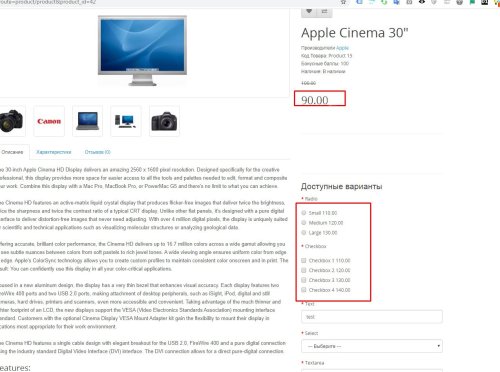
Стандартний висновок ціни в opencart м'яко кажучи дуже незручний, він виводить тільки значення для додавання/зменшення основної ціни. Даний модифікатор вважає підсумкову ціну опції та виводить її. Т. е якщо ціна товару 90.00грн , а опції обрано "+", і значення 10грн, то замість (+10) біля значення опції буде виведено 100грн Сумісність 2. x - 3. x 1.01 - покращено сумісність із шаблонами (проблема +-) Робота на всіх шаблонах не гарантована. Якщо встановлені модифікатори для роботи з опціями, оновлення ціни при виборі опції тощо - вони можуть перетирати зміни, тоді прибирайте +- вручную в product.twig (product.tpl) Також дивіться модулі: Accordion & Tabs v2 - конструктор контенту YouTube lazy load & popup - вставка відео з youtube, vimeo, галерея відео, оптимізація page speed сторінок з відео Smart Video Widgets - відео в фоні, банери, зображення, сповіщення з налаштуванням умов показу Google Reviews - відгуки з гугл карт (Google Business) з віджетом довіри + відгуки про товари ..UpdatedThe final price of the option in the card instead of the withdrawal (+amount), (-amount)
Free 582
Модификатор показывает пути к файлам шаблона / модулей на странице. Поможет быстро найти файл тем, у кого сложности в поиске нужных файлов при редактировании tpl / twig Работает после включения модификатора. Особенности пути показаны только для админа есть метка, которая указывает, что файл модифицирован Установка Через установщик дополнений оперкарт. После установки почистить кэш модификаторов. Также смотрите модули: YouTube lazy load & popup - оптимизация и кастомизация iframe Accordion & Tabs & Steps, Faq & HowTo Microdata, any place & content Smart Video Widgets - видео в фоне, баннера, изображения, уведомления с настройкой условий показа Google Reviews - отзывы с гугл карт (Google Business) с виджетом доверия + отзывы о товарах ..UpdatedPath to tpl / twig
Free 360
Простой модификатор, позволяет добавить товары в избранное без регистрации. Основа решения взята в одной из тем на форуме, доработана и оформлена как модификатор. Совместим начиная от версии 2.1 и для 3.x Модул переделан, теперь реализовано через cookie. Закладки хранятся на клиенте (в браузере) на протяжении 365 дней. Т.е при закрытие браузера закладки сохраняются. найден критический баг в версии 1.2, рекомендую обновить к последней версии При регистрации или логине закладки записываются в личный кабинет пользователя и дальше храняться в базе данных. Модифицирует 2 контроллера : wishlist.php и header.php Внимание! Если в файле catalog/controller/account/wishlist.php сильно изменялся код или его модифицируют другие модификаторы, возможно потребуется адаптация. Демо https://oc23.likedev.pro/ Установка Через установщик дополнений оперкарт. После установки почистить кэш модификаторов. Также смотрите модули: YouTube lazy load & popup - оптимизация и кастомизация iframe Accordion & Tabs & Steps, Faq & HowTo Microdata, any place & content Smart Video Widgets - видео в фоне, баннера, изображения, уведомления с настройкой условий показа Google Reviews - отзывы с гугл карт (Google Business) с виджетом доверия + отзывы о товарах ..UpdatedBookmarks without registration
Free 1025
Модуль HPMR позволяет объединять товары в виде опций на основе их характеристик
UpdatedHPMR AJAX: options as individual products + auto-linking
1,300 грн 415 774
..UpdatedКурс валют
Free 1
Image Forge AI is a modern AI media center for OpenCart that combines product image search, photo upload to the store server, gallery management, optimization in WebP, JPEG and PNG, background removal, creation of packshot images and realistic lifestyle scenes using BRIA and OpenAI.
The module helps you fill your catalog with high-quality images faster without constantly switching between third-party services and manually editing files.
UpdatedSearch photo in Google, optimization and AI-creation of backgrounds for product photos V1.4
1,199 грн 5 10
Help your customers always find relevant pages (products) by easily setting up the module without additional technical knowledge
UpdatedRedirect URLs Manager - 301, 302, 307 and 404 SEO optimizer
Продаж призупинено 73
Розширена версія HPMrr AJAX в якій кілька важливих додаткових функцій
Кастомне групування у категорії Мікророзмітка під schema.org Розрізання значення атрибуту по роздільнику (напр. значення1, значення2, значення3) Генерування текстур за значенням атрибутуUpdatedHPMR PRO
2,000 грн 75 67
OpenCart Lightning is a mod that genuinely speeds up stores and delivers results you can feel. Pages open almost instantly, and high PageSpeed scores with minimal TTFB give your SEO a real boost. Works with every version of OpenCart and ocStore.
Updated-30%OpenCart Lightning: caching, optimization, SEO & Google PageSpeed boost
Free 9133
A block-based editor for OpenCart and ocStore that converts existing HTML into structured content and uses the built-in store file manager.
Updated-30%Block Editor — block-based content editor for OpenCart
2,000грн 1,399 грн 0 1
Import products from XLSX or CSV with flexible column mapping, preview and create/update/upsert modes. Batch processing and a CSV report help track results; empty cells preserve existing data.
UpdatedASSL Product Import 0.3.0 — XLSX/CSV product import
2,000грн 1,399 грн 0 2
This module allows customers to quickly find products compatible with their vehicles and filter the catalog by manufacturers and product attributes.
Updated-20%AutoFilterPlus - фильтр автомобилей
700 грн 95 631
Intelligent database garbage cleanup, table compression (overhead), system log management, and adding critical indexes to speed up OpenCart.
UpdatedDatabase Optimizer [NAT]: Cleanup, Speed Up & Indexing
1,500грн 1,200 грн 9 11
A module for deep database scanning to detect third-party links and domains. It can mass-download external images from descriptions directly to your server with safe, automated path replacement!
UpdatedDomain Scanner [NAT]: Find, clean and replace external links and images
750 грн 1 5
Removes unnecessary fields and tabs from the product edit form in the OpenCart admin panel. Configured separately for each user group. Convenient for store administrators to work with products. The module speeds up work with product data, minimizes the possibility of errors and accidental editing of fields. Features - Hiding fields and product form tabs - Displaying fields for viewing only - Settings separately for each admin panel group - Support for custom fields and tabs of third-party modules Features - Does not modify OpenCart files - works through the event system - Does not affect data storage - Compatible with PHP 7 and PHP 8 - Fields are hidden or closed for editing only visually so as not to damage the shape of the product...UpdatedClean Product Form - удобная и безопасная форма редактирования товара в opencart
450 грн 1 2