

Що можна обрати замість

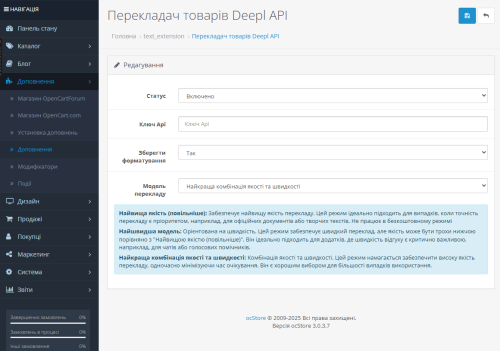

OcBox AI Product Mass Editor — AI bulk editor for OpenCart and ocStore: AI descriptions, AI translations, AI Photo Studio, like Excel

VisualForge AI — Content & Image Generator for OpenCart V 3.0

Edixon — Bulk editing of products in OpenCart without errors and risks

Attribute Select

OcBox AI Photo Studio — AI product photo editing for OpenCart and ocStore: background removal, lifestyle scenes, bulk on N products

The module helps you fill your catalog with high-quality images faster without constantly switching between third-party services and manually editing files.
Search photo in Google, optimization and AI-creation of backgrounds for product photos V1.4
File Manager Images (bulk photo upload)

The module allows you to work not with each product individually, but with an entire selection at once: modify prices and stock levels, categories, manufacturers, attributes, options, specials, discounts, SEO data, and other parameters from a single working interface.
Filter the required products → configure the changes → apply them to the entire selection.
Instead of dozens or hundreds of open product pages, you get a unified workspace for catalog management.
Smart Batch Editor Pro — Mass Product Editing for OpenCart / ocStore

Image search for products PRO

Attribute Category

It allows you to quickly transfer data from one product to an unlimited number of other products through a popup window without manually editing each product page.
Main Features
Select a source product for copying Select multiple target products Bulk copy main and additional product images Bulk copy product attributes Copy product description (description) Select copy options using checkboxes Works directly from the product list page Supports multilingual descriptions Automatic page refresh after operation What Can Be Copied
Images
Main product image Additional gallery images Attributes
All product attributes Description
Description field for all store languages Interface and Convenience
Convenient popup windows directly in the product list Instant applying of changes Benefits
Save time when managing product catalog No need to open each product separately Simple and intuitive interface Fast bulk editing in just a few clicks Compatibility
OpenCart 3.x DEMO
Admin Page login/password: demo/demodemo Installation
Install the module through the OpenCart admin panel Refresh modifications License
The license is valid for one domain and its subdomains.
Mass Copy Product Data

Main Features
Category Management
Bulk change of categories for selected products Assign multiple categories at once Set main category Convenient category selection via autocomplete Manufacturer Management
Bulk change of product manufacturer Quick manufacturer selection via autocomplete Apply changes to multiple products at once Interface & Usability
Convenient modal windows directly in the product list Instant application of changes Advantages
Time-saving when managing product catalog No need to open each product individually Simple and intuitive interface Fast bulk editing in just a few clicks Compatibility
OpenCart 3.x Installation
Install the module via OpenCart admin panel Refresh modifications DEMO
Admin Page login/password: demo/demodemo License
The license applies to one domain and its subdomains.
Mass Editing Categories and Manufacturer
User Feedback
Overview:
This extension allows you to get some product information (title, whole description, ALL available images, including main image, meta tags values, price and model No if available) by its Aliexpress.com URL during creating new product (or updating any existing product) in your OpenCart admin panel
Features:
✯ Get all product data from Aliexpress on-the-fly in one click
✯ Inserts grabbed data in ALL language tabs (for multilanguage stores)
✯ Generates SEO URL from product title
✯ Uploads all images into your server immediately
✯ Uploads images in description
✯ No OpenCart core files overwritten
✯ 12-months of free support and upgrades period
Installation:
Usage:
Full documentation (installation and Usage) available at the official website: "Import product from Aliexpress" Documentation
Характеристики
-
Recently Browsing 0 members
- No registered users viewing this page.