
Немає скріншотів
Що можна обрати замість
Вирішують ту саму задачу, але іншим способом або частково.

Модуль позволяет делать категории с акционными товарами и поддерживать их в актуальном состоянии автоматически, больше не нужно мучаться с фильтрами на странице акций магазина! Можно создать категорию Все акционные товары или Скидки на электронику и бытовую технику Или скидка из категорий дом, сад и огород и обновлять в них акционные товары из любых других категорий. Или создать категорию все акции магазина, в ней подкатегории по разделам в которых есть акции и товары в них будут обновляться автоматически! Преимущество - это категории со всеми вытекающими, любой фильтр будет в них работать, отдельные seo url, мета теги , автогенерации если настроены и тп Демо такой категорииhttps://demostore.freelancer.od.ua/all_specials/https://demostore.freelancer.od.ua/desktops/computer_specials/настройка один раз настраиваем, ссылку в планировщик и всегда имеем актуальные акции в нужных категориях для хакеров админка demo demo Очень важно быть аккуратными при настройке модуля, зато 1 раз настроил и забыл)) Автор не несет ответственности за последствия неправильной настройки модуля Модуль очищает принадлежность товаров акционной категории перед запуском и обновляет данные на текущий момент..
Updated
SP Special Categories - Категории с акционными товарами 2.x-3.x
500 грн
13 19

Не замінюють, але додають можливостей до цієї задачі або працюють у парі.

Товары с нулевыми остатками размещает в конец категории.
При любом установленном способе сортировки.
При указании определенной сортировки товара, в первую очередь идут товары с остатками в заданной сортировке, затем с нулевыми остатками.
Исполнен в виде .xml модификатора, без перезаписи существующих файлов.
opencart/ocstore 2.0-3.0..
Submitted
Товары с нулевыми остатками в конец категории
Free
372

Модуль для сортировки товаров с учётом наличия. После установки модуля в каталоге первыми будут показаны товары которые есть в наличии, а потом уже те которых нет.
Работает на всех страницах где есть товары.
Совместим с шаблоном Journal 3, должен работать с большинством других шаблонов.
После установки обновите модификаторы!
Буду рад если модуль вам поможет ..
Updated
Сортировка по наличию (Совместима с Journal 3)
Free
140

Новая версия. Более расширенные возможности.
Данный модуль позволяет добавлять неограниченное количество стикеров автоматически отображаемых по самым разным параметрам.
Особенности - мультиязычность, сортировка, настройка внешнего вида, вывод в категориях, производителях, поиске, акциях, на странице продукта в дефолтных модулях.
Стикеры:
Акция - выводится для товаров со скидкой, можно указать процент скидки выше которого будет отображаться стикер. Соответсвенно можно использовать несколько разных акционных стикеров в зависимости от процента скидки
Новинка - выводится для новых товаров каталога.
Популярный - стикер, выводится для товаров с определенным количеством просмотров.
Хит продаж - тоже самое, что и Популярный, учитываются продажи.
Продано - для товаров с 2 остатком.
Лучшие отзывы - стикер для товаров со средним рейтингом не менее 4, количество отзывов выставляется опционально.
Товар - произвольный промо стикер, добавляется к одному или нескольким товарам.
Учитывая, что стикеры одного типа, возможно добавлять в неограниченном количестве - есть возможность варьируя условиями вывода создать несколько "Новинок" или "Акций". К примеру можно создать стикер "Новинка" указав количество дней 30 и создать стикер "Новинка Недели" указав количество дней 7 и т.д. для основных видов стикеров. При соответствии нескольких типов стикеров одному товаров - выводится первый согласно сортировке - которую вы можете произвольно задать в админке модуля.
Демо
Демо Админки
Логин:demo
Пароль:demo ..
Updated
Автоматические стикеры для товаров 2
Free
444
Інші рішення в тій самій області магазину.

Promo Banners in Categories and Manufacturers
Place promotional banners directly among products on category pages and manufacturer product pages. Inform customers about promotions, new arrivals, seasonal collections, and special offers while they browse your catalog.
Banners are added to the product listing without reducing the number of products displayed per page. Banner management is available directly when editing a category or manufacturer, without modifying the template code.
Two Banner Types
Product card banner — occupies a single product grid cell.
Full-width banner — spans the entire width of the product listing area.
For each banner, you can choose its position: at the beginning of the list, after a specific product, after a specific row, or at the end.
Positioning after a row automatically takes into account the number of columns displayed on the current screen.
Separate Display Settings for Desktop and Mobile Devices
Banners can be displayed on all devices, only on desktops and tablets, or only on mobile devices.
To use different images, aspect ratios, or positions, create separate banners and select the appropriate devices.
For example, you can display a wide horizontal banner on desktop screens and a compact vertical banner on smartphones. Each banner will have its own positioning and display settings.
Catalog Display Mode Support
Banners can be displayed in grid view, list view, or both modes.
This allows you to use different banners depending on the catalog layout.
Banners for Different Pagination Pages
Configure separate promotional offers for the first, second, and subsequent catalog pages.
For each banner, you can specify individual page numbers or ranges, such as 1,3-5.
Banner positions are calculated independently within each pagination page.
If a page does not contain enough products or rows to reach the specified position, the banner will not be displayed.
Multilingual Support
Add separate banners for each store language.
Images, titles / ALT text, and links are configured according to the language version currently viewed by the customer.
Additional Features
Multiple banners per category or manufacturer.
Enable or disable individual banners.
Set banner display start and end dates.
Configure sorting order for banners with the same position.
Use banners with or without links.
Optionally add the rel="nofollow" attribute to links.
Configure image dimensions.
Choose between scaling the entire image to fit the available area or filling the area by cropping the edges.
Compatibility
OpenCart 3.x
ocStore 3.x
Theme Compatibility
The base version is compatible with the standard default theme.
Other themes may require additional adaptation.
Themes that include a Price List display mode require adaptation.
Theme adaptation is a paid service.
Installation Instructions
For a new installation, execute the SQL script from promo_banners_in_categories_and_manufacturers_v_3_0_install.sql, making sure to use your store's database table prefix.
Upload promo_banners_in_categories_and_manufacturers_v_3_0_oc3.ocmod.zip via Extensions → Installer.
Refresh modifications and clear the theme cache.
Open the category or manufacturer editing page and navigate to the Promo Banners tab.
Add banners, configure their display conditions, and save your changes.
License
The license is valid for one domain and all its subdomains.
DEMO
Admin Page login/password: demo/demodemo Store Page Important!
Adaptations developed for version 2.0 are not compatible with this version!
Place promotional banners directly among products on category pages and manufacturer product pages. Inform customers about promotions, new arrivals, seasonal collections, and special offers while they browse your catalog.
Banners are added to the product listing without reducing the number of products displayed per page. Banner management is available directly when editing a category or manufacturer, without modifying the template code.
Two Banner Types
Product card banner — occupies a single product grid cell.
Full-width banner — spans the entire width of the product listing area.
For each banner, you can choose its position: at the beginning of the list, after a specific product, after a specific row, or at the end.
Positioning after a row automatically takes into account the number of columns displayed on the current screen.
Separate Display Settings for Desktop and Mobile Devices
Banners can be displayed on all devices, only on desktops and tablets, or only on mobile devices.
To use different images, aspect ratios, or positions, create separate banners and select the appropriate devices.
For example, you can display a wide horizontal banner on desktop screens and a compact vertical banner on smartphones. Each banner will have its own positioning and display settings.
Catalog Display Mode Support
Banners can be displayed in grid view, list view, or both modes.
This allows you to use different banners depending on the catalog layout.
Banners for Different Pagination Pages
Configure separate promotional offers for the first, second, and subsequent catalog pages.
For each banner, you can specify individual page numbers or ranges, such as 1,3-5.
Banner positions are calculated independently within each pagination page.
If a page does not contain enough products or rows to reach the specified position, the banner will not be displayed.
Multilingual Support
Add separate banners for each store language.
Images, titles / ALT text, and links are configured according to the language version currently viewed by the customer.
Additional Features
Multiple banners per category or manufacturer.
Enable or disable individual banners.
Set banner display start and end dates.
Configure sorting order for banners with the same position.
Use banners with or without links.
Optionally add the rel="nofollow" attribute to links.
Configure image dimensions.
Choose between scaling the entire image to fit the available area or filling the area by cropping the edges.
Compatibility
OpenCart 3.x
ocStore 3.x
Theme Compatibility
The base version is compatible with the standard default theme.
Other themes may require additional adaptation.
Themes that include a Price List display mode require adaptation.
Theme adaptation is a paid service.
Installation Instructions
For a new installation, execute the SQL script from promo_banners_in_categories_and_manufacturers_v_3_0_install.sql, making sure to use your store's database table prefix.
Upload promo_banners_in_categories_and_manufacturers_v_3_0_oc3.ocmod.zip via Extensions → Installer.
Refresh modifications and clear the theme cache.
Open the category or manufacturer editing page and navigate to the Promo Banners tab.
Add banners, configure their display conditions, and save your changes.
License
The license is valid for one domain and all its subdomains.
DEMO
Admin Page login/password: demo/demodemo Store Page Important!
Adaptations developed for version 2.0 are not compatible with this version!
Updated
Promo banners in categories and manufacturers
900 грн
25 99

Beta version. The shopper answers a few simple questions, and the AI picks products from your catalog and explains why each one fits. A quiz for any niche, questions drafted by AI, OpenAI or Google Gemini of your choice. If nothing fits, the shopper leaves a lead.
Updated
OcBox AI Quiz: AI product finder quiz for OpenCart 3 and ocStore 3, AI-written questions, picks with reasons and leads
2,400 грн
1 2

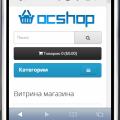
Демо Админка login: demo pass: demo http://nsdemo.waterfilter.in.ua/ns_banner/wallcatman_2.gif Вывод категорий на любой странице с возможностью задать изображение категории Отображение подкатегорий при наведении + скролл сортировка родительских категорий Лимит подкатегорий Бренды ( Производители ) Кэш категорий Кэш производителей Очистка кеша в модуле в админке Мультиязычное название модуля ..
Updated
Витрина категорий & Производители
450 грн
61 129
Продаж «Три в одном Новинки, Хиты Продаж, Акции» призупинено
Ми підібрали схожі модулі інших розробників — їх можна придбати вже зараз.
Інші варіанти




-
Recently Browsing 0 members
- No registered users viewing this page.