





Що можна обрати замість
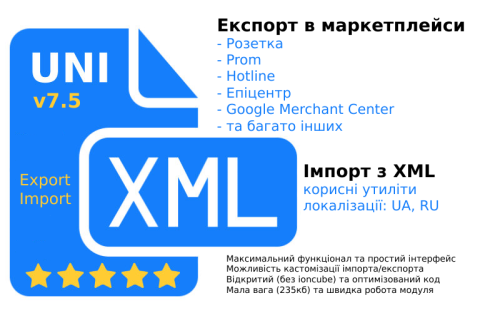
A wide import functionality that allows you to import supplier products from XML (YML) into Opencart
UniXML - module for unloading in XML format + import from XML

XML Feed product export to Rozetka

Rozetka · Kasta · ALLO · EVA · Prom.ua · Google Merchant
Pricer PRO — це не просто генератор XML-файлу, а комплексна система керування вивантаженнями з OpenCart: XML/YML + API + AI + автоматичне зіставлення + комісії + націнки + Fast Sync + CRON + діагностика в одному модулі.
Одна з головних переваг — AI-мапінг
Замість ручного пошуку тисяч категорій та характеристик Pricer PRO може автоматично підбирати відповідність OpenCart → категорія маркетплейсу, аналізуючи не тільки назву, а й повний шлях категорії, контекст, характеристики, групи атрибутів та реальні товари.
Використовуються локальний семантичний пошук, OpenAI, embeddings, confidence-рейтинг і база вже підтверджених зіставлень. Сумнівні результати можна перевіряти повторно, а ручні підтвердження мають пріоритет над автоматичними.
Picer PRO – smart product uploading to marketplaces via XML, API, and AI.

XML Feed product export to Prom.ua

Feed for Google Merchants (Google shopping) for Opencart - Google Feed Merchants Light + Facebook Catalog

SP Fast XML Feed - выгрузка товаров в Google Merchant и Facebook Catalog 2.1.x-2.3.x-3.0.x

XML Feed product export to Hotline

XML Feed export of goods to Google Shopping

The extension receives a personalised price from the signed pv2 parameter, validates it, and applies it on product pages, product listings, the cart, and checkout. The regular product price and special price are not changed in the database: the personalised offer is stored only for the relevant visitor.
The solution supports multiple stores, currencies, and Merchant Center accounts. A separate channel can be created for each required combination, with its own Merchant Center ID, currency, Offer ID field, and pricing restriction source.
Two operating modes
The pricing restriction source can be selected separately for every channel:
Extension settings — the extension determines which products participate in the program, calculates their minimum allowed prices, and generates a supplemental XML feed containing auto_pricing_min_price and, when a product cost is available, cost_of_goods_sold Google Merchant Center — products, gross margin, and maximum discount are configured directly in Google. The extension’s supplemental minimum-price XML feed is not used, and the personalised price is accepted from the signed JWT without rechecking it against local rules or a locally calculated minimum price In both modes, the extension validates the cryptographic signature, Merchant Center ID, Offer ID, currency, expiration time, and matching product. The received price must be positive and lower than the product’s current price. The only difference is where product eligibility and the permitted price floor are configured.
Google Merchant Center mode does not replace the store’s primary product feed. Google must still receive the main product data and valid Offer IDs from the standard product data source.
How Automated Discounts work
The administrator creates a channel for the required store, Merchant Center account, and currency A pricing restriction source is selected: extension settings or Google Merchant Center In local mode, the administrator configures product eligibility and minimum-price rules, then CRON generates a supplemental XML feed In Google Merchant Center mode, products, margin, and maximum discount are configured in Google without using the extension’s supplemental feed Google determines a personalised price and sends it to the shopper as a signed JWT in the pv2 GET parameter The extension validates the ES256 signature, Merchant Center ID, Offer ID, product, currency, price, and expiration time In local mode, product eligibility and compliance with the calculated minimum price are also validated After successful validation, the personalised price appears in the storefront and is carried into the cart and order The personalised price is retained for at least 30 minutes on the product page and for 48 hours in the cart. It does not become the product’s public price and is not shown to other shoppers.
Extension features
Separate channels for different stores, Merchant Center accounts, and currencies A separate pricing restriction source for every channel Local pricing rules with a supplemental minimum-price XML feed Acceptance of Google prices without local minimum-price validation Operation without the extension’s supplemental XML feed when products, margin, and maximum discount are configured in Merchant Center Static XML feeds in Google Merchant Center format A custom file name for every XML feed Protected feed generation using a secret CRON key Selection of the OpenCart field used as Offer ID Product eligibility management by category, manufacturer, and individual product Product inclusion and exclusion rules Filtering by current price and active special price Minimum-price calculation as a maximum discount from the current price Minimum-price calculation as a markup on product cost Individual settings directly in the OpenCart product form Validation of signed Google personalised prices using ES256 Personalised pricing on the storefront, in the cart, and in orders Administrative labels for production and test Google orders Local test links for checking the entire flow before connecting Merchant Center Statistics for active prices and related orders Automatic cleanup of expired records and old history Logging of reasons for accepting or rejecting a personalised price Ukrainian, English, and Russian interfaces Channels and Offer ID
A channel combines the settings of one store, Merchant Center account, and currency. Each channel has a name, store, Merchant Center ID, currency, Offer ID, pricing restriction source, XML file name, and status.
Offer ID can be read from the standard OpenCart fields: product_id, model, sku, upc, ean, jan, isbn, or mpn.
The selected value must exactly match the ID of the same offer in the primary Merchant Center product data source. Otherwise, the extension cannot accept a personalised price for that product.
Local pricing rules
Pricing rules are used only when Extension settings is selected as the pricing restriction source. In Google Merchant Center mode, local rules, product cost, and manually entered minimum prices do not restrict the offer received in the signed JWT.
Rules are checked from the lowest sort order to the highest. The first matching rule is used for the product.
Allow or deny participation — includes or excludes matching products Categories, manufacturers, and products — define the scope of a rule Special price condition — all products, only products with a current special, or only products without one Price from and to — optional current-price limits Method and value — maximum discount from current price or markup on product cost Categories, manufacturers, and individual products in the same rule are combined: matching any selected list is sufficient. When all lists are empty, the rule applies to every product in the channel.
Minimum-price calculation methods
Maximum discount from current price — the minimum price equals the current price minus the specified percentage. Product cost is not required Markup on product cost — the minimum price equals product cost plus the specified percentage. The cost field is required for this method When product cost is provided, the extension sends it as cost_of_goods_sold and does not allow the local minimum price to fall below cost. If cost equals zero, this attribute is omitted from the XML feed.
Product form settings
The modification adds product cost, a manual automated minimum price, and an Automated Discounts participation mode to the standard OpenCart product form. These settings are used in local mode and take priority over automatic rules.
The product cost field can be hidden if the store already uses a compatible purchasing extension that stores data in the same cost field.
Static XML feed and CRON
The static XML feed is used in local pricing restriction mode. Each channel creates a separate XML file in the price directory. Google receives a ready file without running expensive SQL queries on every request to the feed URL.
One CRON request completely rebuilds the selected feed The CRON URL is protected by a shared secret key A ready URL and crontab command are displayed for every channel File size, modification date, and generation statistics are available in the settings A product without cost can provide Offer ID and auto_pricing_min_price When cost is provided, cost_of_goods_sold is also included When Google Merchant Center is selected as the pricing restriction source, the XML feed generated by the extension does not need to be connected. Eligibility, gross margin, and maximum discount are configured directly in Google.
Testing personalised prices
The built-in testing tab creates a temporary link with a test personalised price and allows the entire flow to be checked before receiving a production test link from Google.
In local mode, the test price must be below the current price and not below the calculated minimum. In Google Merchant Center mode, the local minimum is not checked, but the price must still be positive and below the current product price.
For testing, the extension creates a separate ES256 key pair in the protected storage directory. Local testing does not alter the official Google public key and does not replace Merchant Center production validation.
Security validation
ES256 cryptographic signature validation Merchant Center ID, Offer ID, and matching product validation Currency, expiration time, and personalised price validation Comparison with the product’s current price Local minimum-price validation when the channel uses extension rules Binding of local test links to the visitor’s IP address Acceptance and rejection logging without storing the JWT itself The official Google ES256 public key is already included in the settings. It is shared by Automated Discounts integrations and does not need to be created by the store administrator.
Personalised price display
The personalised price is integrated into product pages, categories, manufacturer pages, search, specials, standard product modules, the cart, standard checkout, and the administrative order page.
Quick-order extensions using the standard OpenCart Cart and addOrder mechanisms receive the personalised price automatically. Extensions that read prices or create orders using direct SQL queries may require a separate adaptation.
Order labels
When a personalised price is used at checkout, the extension links it to the order. The administrator sees a Google Automated Discounts label, while locally generated test orders receive a separate test label.
SEO URLs and the pv2 parameter
An SEO extension, CDN, or redirect from index.php to an SEO URL must not remove the pv2 GET parameter. When SeoPro or another URL modification is used, pv2 must be added to the permitted parameter list. Pages containing a personalised price must not be stored in a shared full-page cache.
Multistore and currencies
Each channel uses a specific OpenCart store and one active currency. Rules are isolated between channels, allowing different conditions for individual countries, currencies, storefronts, or Merchant Center accounts.
Performance
Static XML files instead of feed generation on every Google request Selection of only the product data required for feed generation Indexes on extension tables for key operations Batch application of personalised prices to product result sets Use of standard OpenCart Currency, Tax, Cart, Events, and DB APIs No external API requests while storefront pages are loading Theme and third-party extension compatibility
The main pricing logic works through standard OpenCart product models, cart, events, and order mechanisms. A targeted adaptation may be required when a theme or third-party extension reads prices through direct SQL queries, uses a custom cart, or creates orders without the standard addOrder method.
Open source code and independence
The extension code is not encoded or obfuscated. It does not use licence servers, telemetry, or remote libraries. JWT validation, pricing rules, personalised price storage, and XML generation are performed directly on the store server.
System requirements
OpenCart 3.0.3.x PHP OpenSSL with ES256 support A Google Merchant Center account with access to Automated Discounts Purchase conversion tracking with cart data For local mode: permission to write XML files to the price directory and the ability to configure recurring CRON Installation
Install the archive through Extensions / Installer Refresh the cache in Extensions / Modifications Install and open Google Automated Discounts under Feeds Enable the extension and create a channel for the required store, Merchant Center account, and currency Verify the Offer ID field and select the pricing restriction source For local mode, configure rules, run CRON, and connect the XML file as a supplemental Merchant Center data source For Google Merchant Center mode, configure products, gross margin, and maximum discount directly in Google Check both local and production test links The extension does not directly modify OpenCart core files. Integration is implemented using standard OpenCart Events and OCMOD.
Important notes
The extension does not automatically enrol a store in Google Automated Discounts. Program availability, Merchant Center configuration, and final store approval are determined by Google.
The primary Merchant Center product data source must contain products with correct Offer IDs in either operating mode. The Offer ID selected in the extension must exactly match the corresponding offer identifier in Google’s primary product data source.
In local mode, the extension XML is used as a supplemental source for Automated Discounts attributes. In Google Merchant Center mode, this supplemental file is not required because pricing restrictions are configured directly in Google.
The extension does not replace analytics and does not send purchase conversions to Google. A separate Google Analytics, Google Ads, or compatible integration is required for this purpose.
DEMO
Admin Page login/password: demo/demodemo Licence
The licence covers one domain and its subdomains.
Google Automated Discounts

OcBox ChatGPT Ads AI: shop advertising in ChatGPT for OpenCart and ocStore
 auto post
Модуль SAP поддерживает автопостинг на площадки Facebook, Instagram, Threads, Twitter, Pinterest, Telegram, Youtube, Reddit, Google Business Profile, Blogger.
SAP дает вам прекрасную возможность автоматически публиковать ваши товары в самых популярных социальных сетях. Используя SAP, вы также сможете планировать публикации, повторно публиковать ранее созданные товары и т. Д.
ПЕРЕД ПОКУПКОЙ МОДУЛЯ НАСТОЯТЕЛЬНО РЕКОМЕНДУЮ ИЗУЧИТЬ ДОКУМЕНТАЦИЮ!!!
👇👇👇
Сайт (документация) модуля: https://doc.sapas.pw
И ЗАДАВАЙТЕ ВОПРОСЫ, ВЫЯСНЯЙТЕ ВСЕ НЮАНСЫ...
Демо: https://sapas.pw/admin
Логин: demo Пароль: demo
Язык модуля - украинский, русский.
Згідно з новою політикою Twitter, Twitter надає обмеження на 50 публікацій на день для додатку Twitter 2 версії, тому ми не можемо надати стандартну додаток, яким можуть користуватися всі користувачі модуля Social Auto Post. Ми рекомендуємо створити свій додаток, щоб не стикатися з помилками денного ліміту: https://doc.sapas.pw/ru/add-account/twitter (Варіант2).
Какие преимущества дает покупка нашего модуля?
Экономьте свое время. Вы сможете сэкономить свое время, автоматически поделившись своими товарами. Улучшает SEO сайта. Вы сможете увеличить количество ссылок на свой сайт из социальных сетей. Поддерживайте актуальность ваших социальных сетей. Вы сможете обновлять свои социальные сети, часто публикуя с помощью модуля «Расписание». Увеличение количества посетителей сайта. Чем больше публикаций, тем больше посетителей на вашем сайте.
Ви зможете публікувати свої продукти одночасно у 10 соціальних мережах:
Facebook (акаунти, сторінки, групи, сторіс)
Twitter (акаунти, перший коментар)
Instagram (акаунти, історії, перший коментар, посилання в біографії)
Threads
Pinterest (дошки)
Youtube (спільнота)
Reddit (аккаунты, subreddits)
Telegram (чати, канали, групи)
Google Мій бізнес (locations)
Blogger
Основные функции:
Установка / Обновление модуля для версий 2.1
Установка / Обновление модуля для версий 2.3
Установка / Обновление модуля для версий 3.0
Лицензия.
Приобретая модуль SAP вы инвестируете в развития модуля которая вернется вам в виде нового функционала.
После покупки модуля пишите в личку для получения лицензионного ключа активации.
Telegram група - Opencart SAP
Сайт (документация) модуля: https://doc.sapas.pw
Для тих, хто дочитує до кінця - 952402-sap
SAP - Social Auto Post (Publication of goods in social networks)

XML feed export of products to Multisearch.io

Downloading products via API from ERC.ua



User Feedback
What's New in Version 3.8.6
Released
Версия 3.8.6 - дата выхода не реализована
Что добавлено:
- Переделана система разной выгрузки для маркетплейсов. Создана отдельная таблица product_go
- Добавлена возможность работы с дополнительным описанием в товарах.
- Добавлен каталог - kaspi.kz
- Адаптация с модулем подарков - Автор @legioner26
Исправлено:
- Баг с подарками из модуля. Gifts
- Баг с обновлением по API при каталоге Yandex YML.
- Баг c шаблонным описанием в модуле.
Версия 3.7.0 - дата выхода не реализована
Что добавлено:
- Выгружать минимальное количество товаров
- Дополнительное описание в модуле
Версия 3.6.3 - дата выхода 02.05.2020
Что добавлено:
- Выгрузка оригинальных фото товаров
- Выгрузка дополнительных описаний товаров
- Шифрование id осталось только в каталоге Yandex YML для больших магазинов
- Изменен пользовательский интерфейс программы
- Много мелких изменений улучшающих работу модуля
Исправлено:
- Не выводилась длина в кастомных тегах.
- Наценка добавляется только если у товара есть закупочная цена. Модуль сам высчитает цену с учетом наценки.
- Баг в OcStore 2.3 c модулем DKA Export.Import opencart 2.x.x (EXCEL)
Версия 3.4.1 - дата выхода 18.08.19
Что добавлено:
- Фотографии из опций товара.
- Адаптация с модулем Option Image Change - Изменение картинки товара в зависимости от опции. Автор: sv2109.
- Адаптация с модулем Разные цены для групп покупателей. Автор: sv2109.
- Адаптация с модулем DKA Export.Import opencart 2.x.x (EXCEL) (только для 2.1).
- Добавление возможности переименовать названия Опций.
- Добавление возможности переименовать названия Атрибутов - (не включает названия групп и значений атрибутов).
- Добавление тега unit в кастомных тегах.
- Добавлена возможность добавления наценки к цене в прайс-листе (Запрещено для Яндекс.Маркета).
- Добавлена возможность добавления наценки в зависимости от категории к цене в прайс-листе (Запрещено для Яндекс.Маркета).
- Добавлена возможность добавления наценки с учетом Мода CostPrice. Автор: AlexDW.
- Добавлена возможность добавления собственного тега/или typeprefix в зависимости от категории.
- Добавлен новый тег - conditions - ознакомиться с ним можете в документации к YML.
- Доступ к модулю можно заполучить через основное боковое меню.
- Написан ocmod - расширяющий возможность стандартной карточки товаров.
- Добавлен конвертер валют для прайс-листа.
Исправлено:
- Баг в индивидуальной доставке при пустом каталоге .
- Баг с авторизацией приложения с Яндекс.Маркет.
Версия 3.1.8 - дата выхода 16.06.19
Что добавлено:
- Добавлены кастомные теги при синхронизации с Валютой Плюс
- Переделан функционал с sales_notes, теперь можно указывать 2 разных массовых sales_notes при количестве 0 и больше 0
- Добавлена возможность индивидуального условия доставки для опции в зависимости от количества
Исправлено:
- Баг в массовой доставке, при числе 0 не пропускал в фид
Версия 3.1.1 - дата выхода 07.06.19
Что добавлено:
- Полностью переделан раздел индивидуальной доставки:
- Добавлена возможность создать несколько вариантов.
- Зависимость от статуса товара.
- Зависимость от веса товара.
- Зависимость от категории товара.
- Зависимость от статуса товара( выключен\включен ).
- Все условия доставки между собой так же работают.
- Добавлен массовый тег в разделе Кастомный тег (Для Авито и там где одна информация для всех товарах).
- Добавлен кастомный тег в разделе Параметры в характеристиках, а это значит, что вы можете задать характеристикам любой тег.
- Добавлен фильтр по которому вы можете выбрать какие характеристики выгружать, а какие нет.
- Теперь модуль идеально можно подстроить под любую площадку используя кастомные теги.
Исправлено:
- Вес товара в характеристиках показывался не верно.
Версия 2.9.5 - дата выхода 14.05.19
Что добавлено:
- Добавлена возможность визуально отображать опции после перехода по ссылке с торговой площадки.
- Возможность задать разный sales_note в зависимости от наличия.
- Массовый выбор производителей в фильтре (добавлен если надо).
Версия 2.9.3.1 - дата выхода 13.04.19
Что добавлено:
- Добавление в корзину товара при переходе по ссылке из торговых площадок -(PRO версия)
Версия 2.9.3 - дата выхода 13.04.19
Что добавлено:
- Добавлен запрос о обновлении прайс-листа.
- Добавлены отдельно каталоги: Facebook RSS, Avito, Prom.ua, Rozetka.
Исправлено:
- Исправлен каталог: Google.
Версия 2.9.2 - дата выхода не реализовано ~ 22.03.19
Что добавлено:
- Уменьшена нагрузка на оперативную память.
- Добавлена загрузка товаров партиями (для уменьшения нагрузки).
Исправлено:
- Подправил раздел Параметры - теперь они тоже редактируются профильно
Версия 2.9.1 - дата выхода не реализована ~ 01.03.19
Что добавлено:
- Добавлена синхронизация с модулем Разные цены группы пользователей (PRO версии).
- Добавлено удаление\обновление данных запросов API YANDEX по WGET (PRO версии).
Исправлено:
- Подправил выбор основной валюты магазина.
Версия 2.8.1 (BETA) - дата выхода не реализована ~20.02.19
Что добавлено:
- Добавлены новые условия для Валюты Плюс в PRO версии. Автор: louise170
Исправлено:
- Подправил выбор основной валюты магазина.
Версия 2.7.0 (BETA) - дата выхода не реализована ~15.02.19
Что добавлено:
- Добавлена возможность импортировать\экспортировать свои настройки модуля(на одном же сайте).
- Добавлен фильтр цен по категориям.
- Добавлена возможность задавать pickup-options.
Исправлено:
- Исправлено отображение иконок профилей.
Версия 2.6.0 (BETA) - дата выхода не реализована ~20.01.19
Что добавлено:
- Добавлена возможность использовать атрибуты как отдельный offer(для магазинов с одеждой).
- Разделитель атрибутов.
- Добавление цен к атрибутам и создание отдельных офферов с ценой.
- Синхронизация с модулем Валюта плюс.
- Тег pickup-options.
- Отображение товаров по API YANDEX MARKETпо профилям.
- Подключение нескольких фидов маркета по API YANDEX MARKET.
Исправлено:
- Ошибка при удалении товаров по API YANDEX MARKET при использовании профилей.
Версия 2.5.1 (29.12.2018)
Что добавлено:
- Добавлен разделитель в атрибуты.
- Добавлен функционал для подключения нескольких фидов.
В планах:
- Адаптировать модуль с Валютой Плюс.
- Добавить тег pickup-options.
- Добавить купоны для YML.
Версия 2.5.0 (23.12.2018)
Что добавлено:
- Добавлен функционал отправки данных по API по средствам планировщика задач. (Нужен для больших магазинов с парсерами).
- Можно создавать и подключать несколько приложений.(для расширения многопрофильность).
- Исправлен языковой баг.
- Добавление Атрибутов(Характеристик) - как опции товара. Т.е. вы можете прописывать unit характеристикам товара.
- Добавлена возможность задавать Атрибутам(Характеристикам) свои теги. Вы можете задать индивидуальному атрибуту свой тег.
В планах:
- Адаптировать модуль с Валютой Плюс.
- Добавить тег pickup-options.
- Добавить купоны для YML.
Версия 2.4.9 (05.12.2018)
Что добавлено:
- Добавлен Гугл Мерчант, но с ограниченным функционалом, без доставки и опций.
- Исправлена ошибка в версии 3 при выборе категорий.
- Инструкция прямо в модуле.
- Исправлен баг при работе с редактором товаров Batch Editor.
- Теперь спокойно можно разбивать YML c большим количеством товаров и опций на несколько прайсов (многопрофильность).
В планах:
- Адаптировать модуль для магазинов гигантов. Свыше 100к товаров должны будут отправлять запрос через планировщик задач запрос об изменении цены по API.
Версия 2.4.5 (12.11.2018)
Что добавлено:
- Добавлен тег подарков promos для Яндекс.Маркет.
- Был убран баг в версии 2.35.х который присутствовал в движке 2.1 при сохранении товара.
- Переделана архитектура модуля.
- Был введен тестовый режим с несколькими интернет-магазинами для отправки в гугл.мерчант.
- Исправлено: атрибуты и опции теперь можно выгружать и в упрощенном YML.
Версия 2.35(13.10.2018)
Что добавлено:
- - Переделан интерфейс программы.
- - Полностью переписан модуль, что оптимизировало создание прайс-листа.
- - Создан раздел каталогов который будет дополняться новыми маркетплейсами.
- - Полностью переделан раздел с опциями, теперь вы можете создать сколько угодно параметров.
- - Добавлена возможность задавать массово тег pickup, store, delivery, adult , manufacture_warranty.
- - Добавлены вкладки в модуле для создания тикетов.
- Что убрано:
- - Убрана возможность создавать свой формат XML. ( из-за того что большинство не понимало как настроить, решил упростить систему, но фактически это еще возможно)
-
 4
-
Recently Browsing 0 members
- No registered users viewing this page.