


Що можна обрати замість

The module allows you to work not with each product individually, but with an entire selection at once: modify prices and stock levels, categories, manufacturers, attributes, options, specials, discounts, SEO data, and other parameters from a single working interface.
Filter the required products → configure the changes → apply them to the entire selection.
Instead of dozens or hundreds of open product pages, you get a unified workspace for catalog management.
Smart Batch Editor Pro — Mass Product Editing for OpenCart / ocStore

OcBox AI Product Mass Editor — AI bulk editor for OpenCart and ocStore: AI descriptions, AI translations, AI Photo Studio, like Excel

The module supports multilingualism, which allows you to create attribute values in several languages, making them available for selection depending on the active language of the storefront. This simplifies attribute management and minimizes errors when filling in data for products.
Main features:
Adding attribute values: Create lists of values for each attribute in a separate section of the admin panel. Selecting attribute values: When editing products, you can select ready-made values from the drop-down list instead of manually entering them. Multilingualism: Support for values in several languages for each attribute. Autofill of text fields: When selecting an attribute value, the data is automatically filled in the text fields for all languages. Intuitive interface: Convenient user interface for working with attributes and their values. Benefits of using the module:
Time saving: Filling in attributes becomes faster and easier. Data consistency: All products use the same attribute values. Multilingual: Full support for several languages. Ease of setup and use: The module is easily integrated into the OpenCart admin panel. System security:
The module does not replace system files. Does not violate the standard logic of attribute operation (including feeds and other integrations). Flexibility in data storage:
All attribute values are written to the database separated by commas. The separator can be easily changed through the modifier settings. Duplicate protection: The verification mechanism prevents adding identical attribute values to a product. Who will benefit from the module:
Online stores with a large number of products and complex characteristics. Owners of sites using OpenCart, for whom convenient management of attributes and their values is important. Stores with a multilingual storefront, where support for several languages is required. Compatibility:
OpenCart 3.x, OcStore 3.x
How the module works:
In the "Attributes" section of the admin panel, you can add and edit lists of values for attributes.
When editing a product, you select the desired attribute and its value from the drop-down list.
The attribute values are automatically filled in in all languages added to the system.
All selected attribute values are saved in the database in the format of a string with a delimiter (by default, a comma).
Use example:
You create an attribute "Color". In the list of values, you add "Red", "Blue", "Green" and translate them into several languages. When editing a product, you select the value "Blue", and it is immediately displayed in all languages. In the database, the attribute values are saved in the format: Red, Blue, Green.
Installation:
For the module to work, you need to add additional tables to the database. To do this, run queries from the attribute_value_editor_query.sql file. The module is easily installed via the standard OpenCart extension loader, no additional settings are required. DEMO
Admin Page login/password: demo/demodemo License:
Permitted for use in one online store.
The "Attribute Value Editor" module will make your work with attributes more convenient and organized!
Attribute Value Editor

Key Features:
Create and Use Attribute Templates:
Prepare pre-configured templates with attribute sets and apply them to products with a single click. This is especially useful for products with similar parameters (e.g., electronics, clothing, or furniture).
Quickly Add Attributes to Templates and Groups:
Add new attributes directly to already created templates and groups. This speeds up attribute updates and simplifies product setup.
Attribute Groups for Bulk Addition:
Organize attributes into groups and add them to products all at once. This is convenient for categories where all items share similar parameters.
Fast Attribute Addition from Templates:
Apply pre-configured templates directly on the product editing page to avoid manual data entry.
View and Manage Attributes in Products:
View all products associated with a specific attribute. Edit attribute values for multiple products simultaneously. Remove unnecessary attributes and add new products to the related list. Seamless Integration and User-Friendly Interface:
The module integrates perfectly with OpenCart's standard functionality while maintaining compatibility with other extensions. Its intuitive interface ensures ease of use, even for beginners.
Advantages of the Module:
✅ Time-Saving: Quickly adding attributes to templates and groups reduces the time spent setting up products.
✅ Convenience: All tools for attribute management are available in one place.
✅ Bulk Management: Edit attributes for multiple products simultaneously, eliminating repetitive tasks.
✅ Flexibility: Add attributes from templates, groups, or individually to adapt the module to your store’s specific needs.
✅ Suitable for All Stores: The universal functionality makes this module valuable for online stores of any size and type, from electronics to fashion and cosmetics.
✅ Error Reduction: Templates and groups minimize the risk of incorrect data entry.
✅ Increased Efficiency: Speeds up the process of adding and updating products, which is particularly important for stores with a large inventory.
Installation:
For the module to work, you need to add additional tables to the database. To do this, run queries from the attribute_manager_query.sql file. The module is easily installed via the standard OpenCart extension loader, no additional settings are required. Two modifiers are available (only one needs to be installed) attribute_manager_oc3.ocmod.zip - install if you purchased only this modifier attribute_manager_oc3_for_attribute_value_editor.ocmod.zip - if you plan to use it with the module
DEMO
Admin Page login/password: demo/demodemo License:
Permitted for use in one online store.
Attribute Manager

Edixon — Bulk editing of products in OpenCart without errors and risks
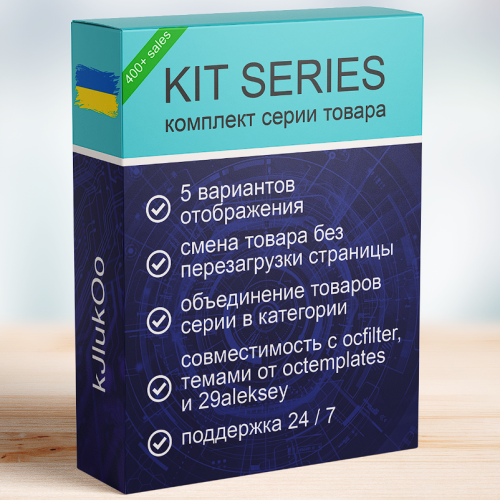
KIT SERIES

Attribute Select

The module helps you fill your catalog with high-quality images faster without constantly switching between third-party services and manually editing files.
Search photo in Google, optimization and AI-creation of backgrounds for product photos V1.4

Attribute Category

It is fully compatible with the OCTemplates – Product Stickers Settings module and works with the stickers created by the administrator. The module's publication is approved by the OCTemplates template author.
Key Features
Bulk addition of stickers to products based on selected criteria. Filtering supported by the following parameters: categories, manufacturers, price range (min and max), product attributes and their values User-friendly interface in the admin panel. Ability to quickly update or replace stickers without manual editing of each product. Flexible execution options
Manually via admin panel Automatically via CRON job Benefits
Saves time when managing product stickers in bulk. Enhances the visibility of promotions, features, and product statuses. Accurate and flexible product selection for sticker assignment. Automation through CRON support. Compatibility
OpenCart/OcStore 3.x Compatibility tested on the Deals, Ultrastore template. For other templates, please contact us before purchasing. Installation Instructions
Install the module through the OpenCart admin panel. Refresh modifications. Go to System → Users → User Groups, and grant edit permissions to the required admin groups. Go to Extensions → Extensions → Modules, activate Oct Stickers Auto, and configure it. How It Works
Start the sticker assignment process. In the OCTemplates – Product Stickers Settings module, run the mass generation. If running via CRON, the sticker assignment should execute before the mass generation (with a 5-minute gap). License
Licensed for use on a single online store.
Bulk adding custom stickers to templates (OcTemplates)

Авто-подбор рекомендуемых товаров


User Feedback
Модуль предназначен для простого автоматического генерирования уникальных артикулов товаров.
Формат генерируемого артикула универсальный, вида: <b>А-100056</b>, где А - любая числовая или цифровая группа, которую Вы можете задать артикулу в настройках, а 100056 - порядковый номер артикула. Порядковый номер (с какого числа начинается отчет артикулов) Вы также можете задать в форме настроек формата артикула. Вы можете не использовать группу вовсе, а если Вы не впишите начальное число артикулов, то ему присвоится номер по умолчанию - 100000.
Также Вам доступна функция разделения артикула на разряды дефисом (по 3 цифры). То есть, выбрав в настройках модуля "Разбивать артикул дефисом на разряды", артикул 100056 превратиться в 100-056, для более простого восприятия. Вы можете изменить формат вывода и ввода данных, доработав модуль самостоятельно, или же связаться со мной для индивидуальной доработки.
Друзья, Ваши оценки помогают модулю развиваться! Пожалуйста, оцените разработку и напишите пожеланию к модулю, если таковые имеются 
Что умеет генератор ?
1. Заполнять артикулами базу с уже созданными товарами. Вид артикулов выбираете Вы.
1) Сделайте бэкап базы! Модуль безвозвратно заменяет Ваши старые артикулы товаров на новые
2) Введите число, с которого вы хотите начать генерацию артикулов. Выбирайте число, которое будет легко воспринимать и передавать, например, по телефону, а также чтобы все потенциальные товары имели свои потенциальные номера. Например, числа 100000 хватит на все товары
Определитесь, будет ли генератор разбивать артикул на разряды (хххххх в ххх-ххх), и поставьте/снимите галочку в соответствующей настройке модуля
3) Если есть такая необходимость, введите группу (литеру, слово или цифру). Эта группа будет неизменна, и используется для лучшего восприятия артикула. Если вы введете букву S, то артикул приобретет вид S-xxxxxx
4) Сохраните настройки
5) Нажмите кнопку "Сгенерировать все артикулы". Осторожно, процесс может занять некоторое время, особенно если у Вас много товаров в базе. Модуль сгенерирует для всех товаров новые артикулы по схеме, которую Вы задали выше
6) Все новые товары будут создаваться с уже заполненным полем артикула по выбранной форме. Вы можете изменить их вручную перед сохранением, но я не советую этого делать, если Вы начали пользоваться автоматической генерацией.
2. Автоматически генерировать уникальные артикулы для новых товаров и подставлять их в поле "Артикул" вместо Вас.
1) Если Вы включили модуль - значит он уже подставляет следующий артикул для нового товара. Проверьте это прямо сейчас
2) Если Вы не хотите изменять вид своего артикула - просто не заполняйте поля настроек группы и начального числа
3) Модуль пока не может работать с разными товарными группами, и будет генерировать следующий артикул для самого большого артикула, который у вас есть в базе. Будьте внимательны.
3. Предоставлять возможность самостоятельной уникального генерации артикулов в процессе редактирования товара
Иногда мы не создаем новый товар, а копируем шаблон товара и редактируем его. В таком случае модуль не может понять - редактируем ли мы старый товар, или таким образом создаем новый. Поэтому автоматическая генерация в процессе любого редактирования товара отключена. Иначе модуль бы заменял артикул на старых товарах.
Специально для решения этой задачи был введен механизм ручной генерации:
1) Зайдите в редактирование любого товара, перейдите к полю "Артикул"
2) Под полем "Артикул" вы увидите оранжевую кнопку "Generate SKU". Нажмите на нее, чтобы вручную генерировать следующий уникальный артикул.
3) Не нажимайте на эту кнопку, если Вы не хотите менять артикул товара
4) Сохраните изменения
Автор
Сергей Горустович
Поддержка:
Возможна доработка модуля под Ваши индивидуальные запросы.
Совместимость
Модуль протестирован и работает на версиях:
2.0.x, 2.1.x, 2.2.x, 2.3.x, 3.0.2.0, 3.0.3.2 для Opencart
2.1.x, 2.3.x, 3.0.2.0 для ocStore
Используйте верную папку из архива, сверяя ее с вашей версией магазина
С версии модуля v1.2.0 прекращается поддержка (багофикс, доработки) для версий 2.х.х,
разработка ведется только под 3.х.х версии Opencart и ocStore
Установка
Модуль не перезаписывает файлы системы, просто ставится и просто удаляется.
Для версии 3.x.x.x Opencart или ocStore:
1) Зайдите на страницу установки расширений в админке Вашего магазина (ваш_сайтadmin/index.php?route=marketplace/installer)
2) Загрузите архив для своей версии (OpenCart или ocStore), не распаковывая его.. Внизу, в разделе История, появится имя добавленного файла (архива). Не удаляйте его, это не кеш и не кука, это реальные файлы модуля.
3) Обновите модификаторы (!) в разделе "Менеджер дополнений" (ваш_сайт/admin/index.php?route=marketplace/modification)
4) Зайдите в панель состояния (ваш_сайт/admin/index.php?route=common/dashboard), справа наверху нажмите на голубую иконку с изображением шестеренки (Настройки разработчика). В открывшемся окне нажмите желтую иконку "Обновить" напротив каждой теме.
5) В списке модулей появится (ваш_сайт/admin/index.php?route=marketplace/extension) модуль "Генератор артикулов | SKU Generator". Активируйте модуль и заходите в настройки.
6) Прочитайте инструкцию на вкладке "Инструкция" (будет продублирована в данном файле ниже), настраивайте модуль, по желанию генерируйте артикула на все товары и забывайте о ручном заполнении поля Артикул
Для версий 2.x.x Opencart или ocStore:
Если магазин подключен к FTP (Система->Настройка->Редактировать->FTP), вы можете установить модуль полностью автоматически через встроенный сервис Установки дополнений (OCMOD).
0) Для автоматической установки через сервис в 99% случаев потребуется расширение для работы с ФТП - localcopy.ocmod.xml ( Если у вас его еще нет - установите сначала это расширение по схеме, описанной ниже. Вы можете скачать его по ссылке или взять из архива с модулем.
1) Зайдите на страницу установки расширений в админке Вашего магазина (ваш_сайт/admin/index.php?route=extension/installer)
2) Загрузите архив для своей версии (OpenCart или ocStore), не распаковывая его.
3) Обновите модификаторы (!) в разделе "Менеджер дополнений" (ваш_сайт/admin/index.php?route=extension/modification)
4) В списке модулей появится (ваш_сайт/admin/index.php?admin/index.php?route=extension/extension) модуль "Генератор артикулов | SKU Generator". Активируйте модуль и заходите в настройки.
5) Прочитайте инструкцию на вкладке "Инструкция" (будет продублирована в данном файле ниже), настраивайте модуль, по желанию генерируйте артикула на все товары и забывайте о ручном заполнении поля Артикул
Если доступа к ФТП у сайта нет, но Вы можете закинуть файлы на сервер вручную, то алгоритм следующий.
1) Распакуйте модуль нужной версии
2) Переименуйте файл install.xml в install.ocmod.xml
3) Отправьте папку Admin из папки Upload на сервер. Ни файлы, ни папки на сервере не должны замениться, файлы из папки Admin просто дополнят Ваше файлы своими.
4) Зайдите на страницу установки расширений в админке Вашего магазина (ваш_сайт/admin/index.php?route=extension/installer)
5) Загрузите файл install.ocmod.xml, который вы переменовывали.
6) Обновите модификаторы (!) в разделе "Менеджер дополнений" (ваш_сайт/admin/index.php?route=extension/modification)
7) В списке модулей появится (ваш_сайт/admin/index.php?admin/index.php?route=extension/extension) модуль "Генератор артикулов | SKU Generator". Активируйте модуль и заходите в настройки.
8) Прочитайте инструкцию на вкладке "Инструкция" (будет продублирована в данном файле ниже), настраивайте модуль, по желанию генерируйте артикула на все товары и забывайте о ручном заполнении поля Артикул
Характеристики
-
 6
-
Recently Browsing 0 members
- No registered users viewing this page.