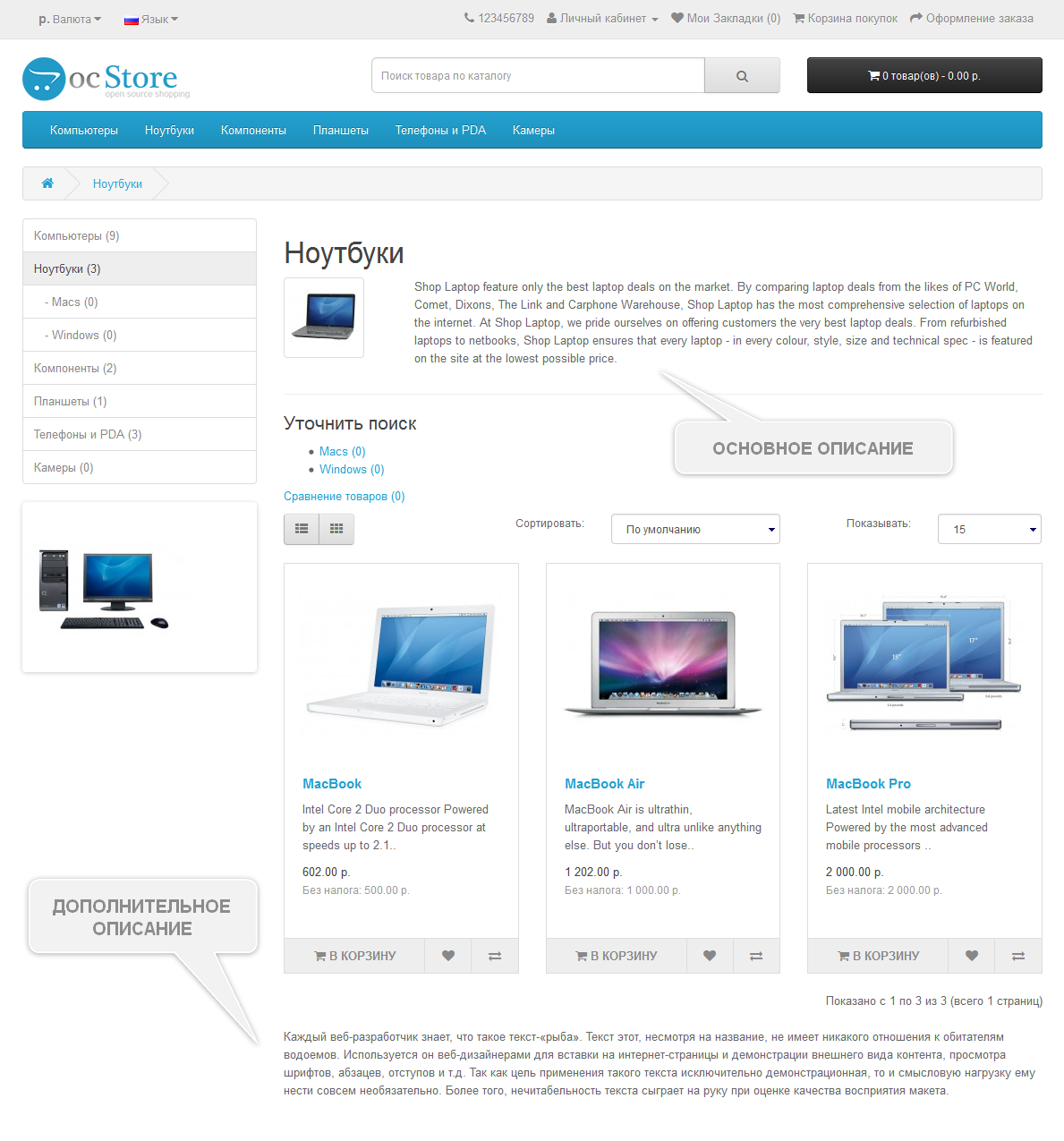
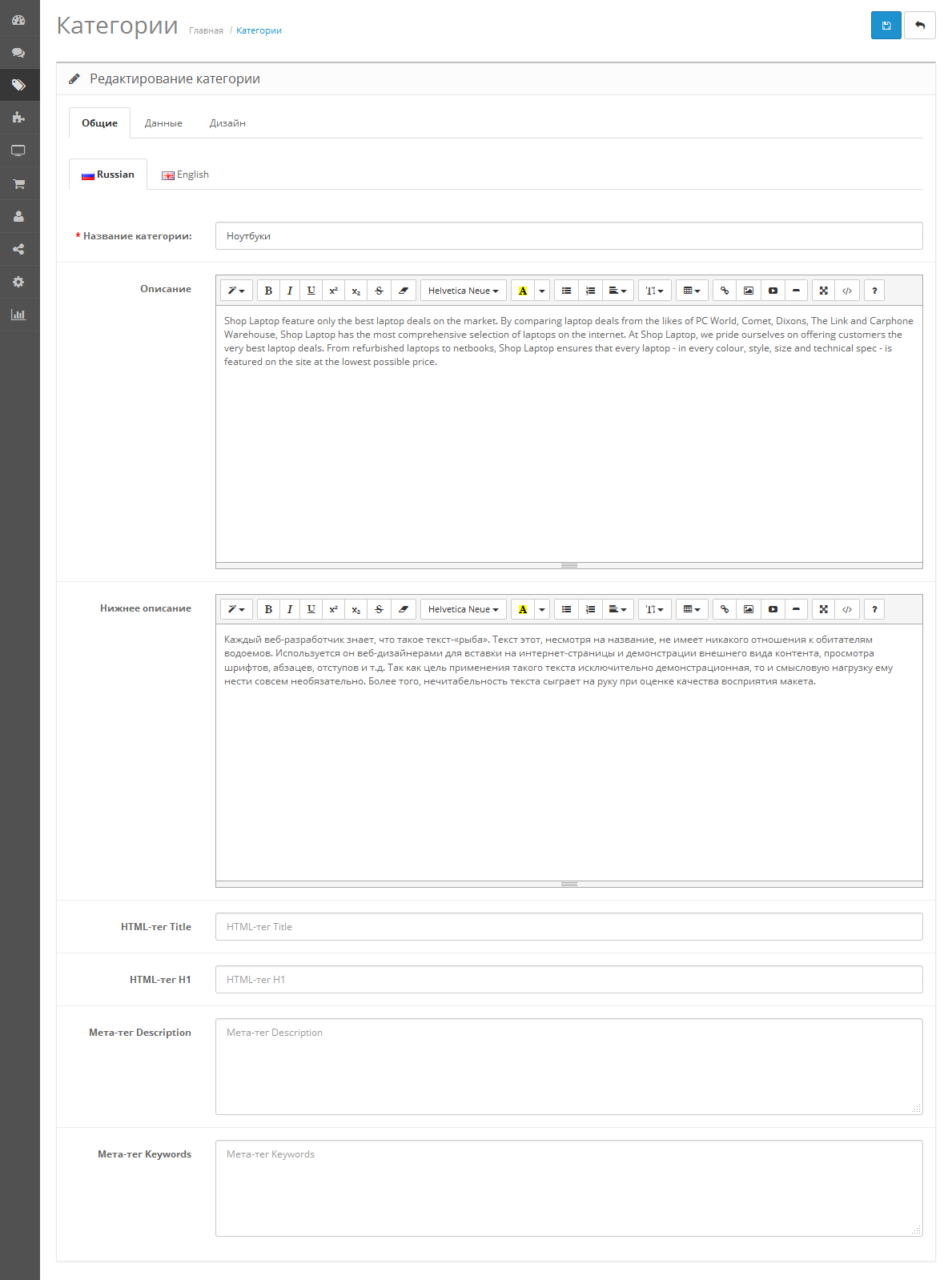
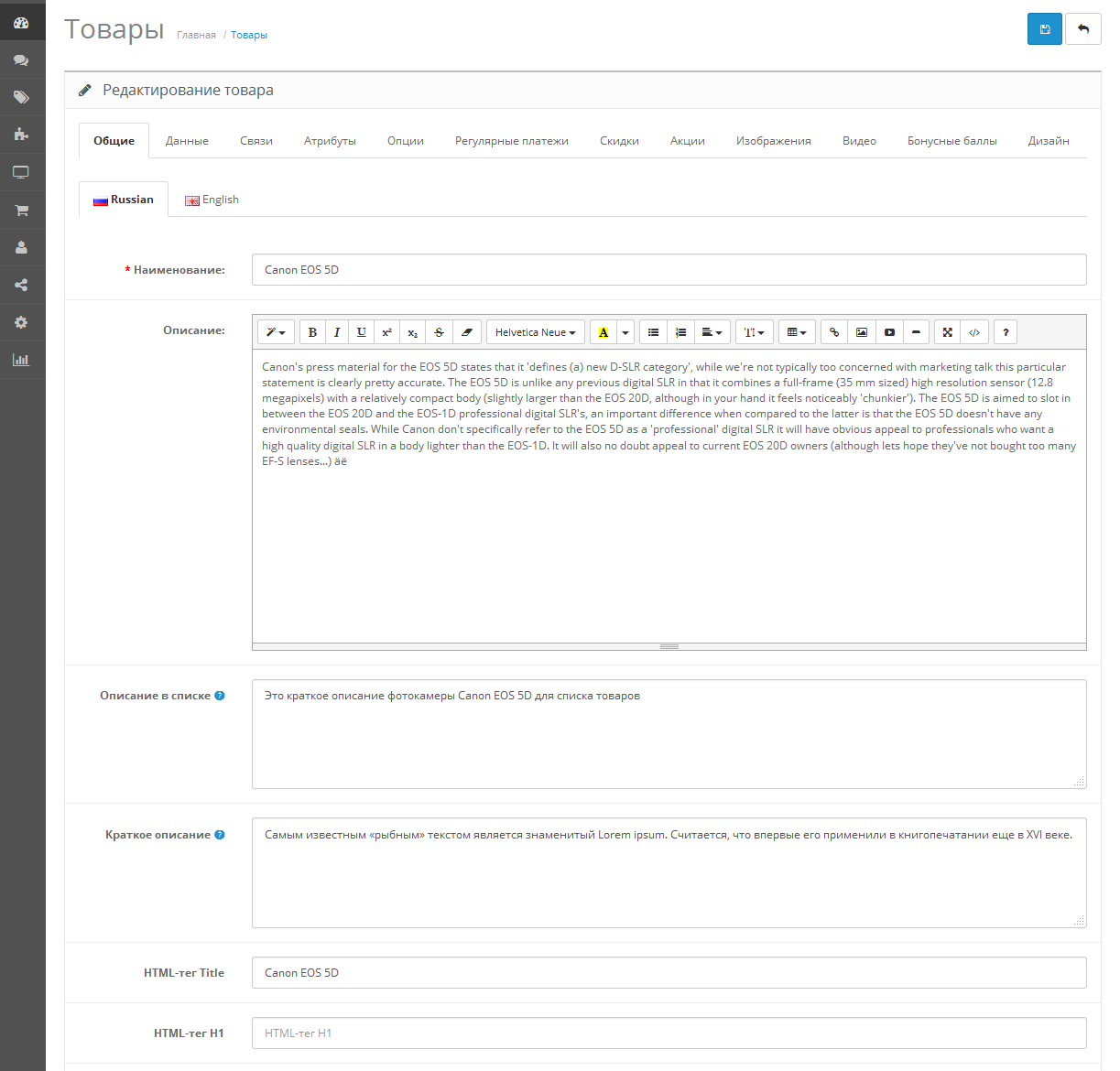
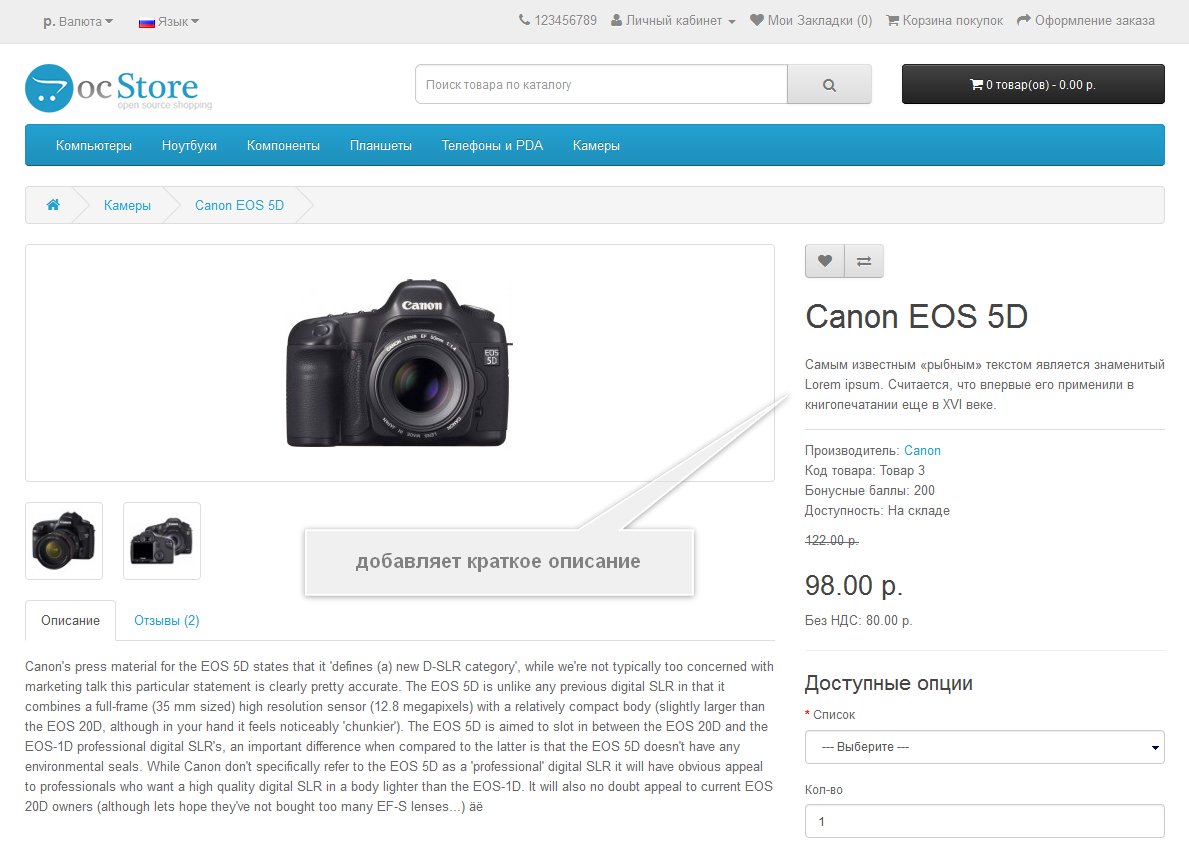
Дополнительное описание категорий и товаров




Що можна обрати замість
Вирішують ту саму задачу, але іншим способом або частково.

.
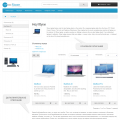
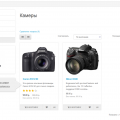
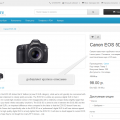
Данный модуль являет собой адаптацию этого под Opencart_15x/ocStore_15x и позволяет добавлять дополнительные поля к товарам.
Любое количество, любые названия/значения.
Длина названия поля - от 1 до 64 символов.
Длина значения поля - от 1 до 255 символов.
Нет поддержки мультиязычности - т.е. как введете данные, так и будет на всех языках отображаться.
Для интерфейса админки есть английский и русский языки.
В каталоге языковых файлов нет.
Данные дополнительных_полей хранятся в отдельной таблице.
Вывести данные можно в любом месте карточки товара.
Инструкция по установке - в архиве...
Updated
[WebMe] AdditionalFields_Free [ocStore_15x]
Free
173
Не замінюють, але додають можливостей до цієї задачі або працюють у парі.
За основу был взят vqmod_product_video_tab_1.5.4.1.zip 1.4 от stalker780.
Код переделан под то, что имеется в наличии а именно Unishop+Opencart.Pro 2.3.0.2.5
Как ставить - через установку модификаторов.
После установки надо обновить кеш модификаторов.
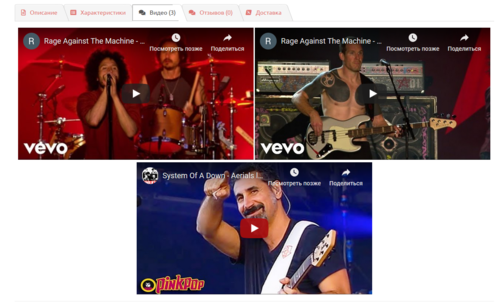
После этого в товаре появится вкладка - Видео(см. картинку)
На youtube открываете нужное видео, под ним ищете "поделиться", выбираете "html код", выставляете размеры видео и копируете код из окошка.
Должно получится что-то вроде:
Примечание:
Модуль создавался и проверялся на OpenCart 1.5.1.3 + vQmod 2.1.4 + default шаблон.
был портирован и тестирован на связке OCPro 2.3, Unishop
!!!Внимание!!! Каждый ролик должен быть внесен одной отдельной строкой.
Иначе в закладке будет неправильно отображаться количество роликов.
Модуль считает количество переносов "/n" в поле "youtube_code".
В таком случае не важно в какой тег вы вставляете видео и пр.
Модуль распространяется as is.
Поддержку не оказываю.
Если хотите отблагодарить - пишите в личку:)..
Updated
Видео на странице товара для OCPro 2.3 Unishop
Free
100

Ранних версиях ocStore 2.1.0.1+ наблюдается такая проблема если в описании при редактировании исходного кода добавить с видео YouTube, то при следующем редактировании CKeditor вырезает из кода тэг
Данное дополнение позволяет решить эту проблему и вставить видео в карточку товара сразу после описания.
В Админе в Разделе Данные при редактировании или добавлении товара появится дополнительное поле Ссылка на видео YouTube.
В него необходимо вставить ссылку на видео и задать ширину и высоту.
Работает на стандартном шаблоне, но по логике будет работать на многих шаблонах, так как видео вставляется после вывода описания -
Делал для своего удобства - выкладываю для общего пользования...
Submitted
Video from YouTube Field in Product
Free
385
Інші рішення в тій самій області магазину.

Модуль HPMR позволяет объединять товары в виде опций на основе их характеристик
Updated
HPMR AJAX: options as individual products + auto-linking
1,300 грн
415 775

Automatic rule-based related products. Matching by category, manufacturer, attributes, name, price range. Cross-sell, upsell, SEO interlinking. AJAX loading, caching, CRON. OpenCart 2.3 / 3.x.
Updated
OcBox AI Smart Related. AI related products for OpenCart and ocStore + rule engine + Bought-Together AI + block analytics + 4-in-1
1,440 грн
23 24
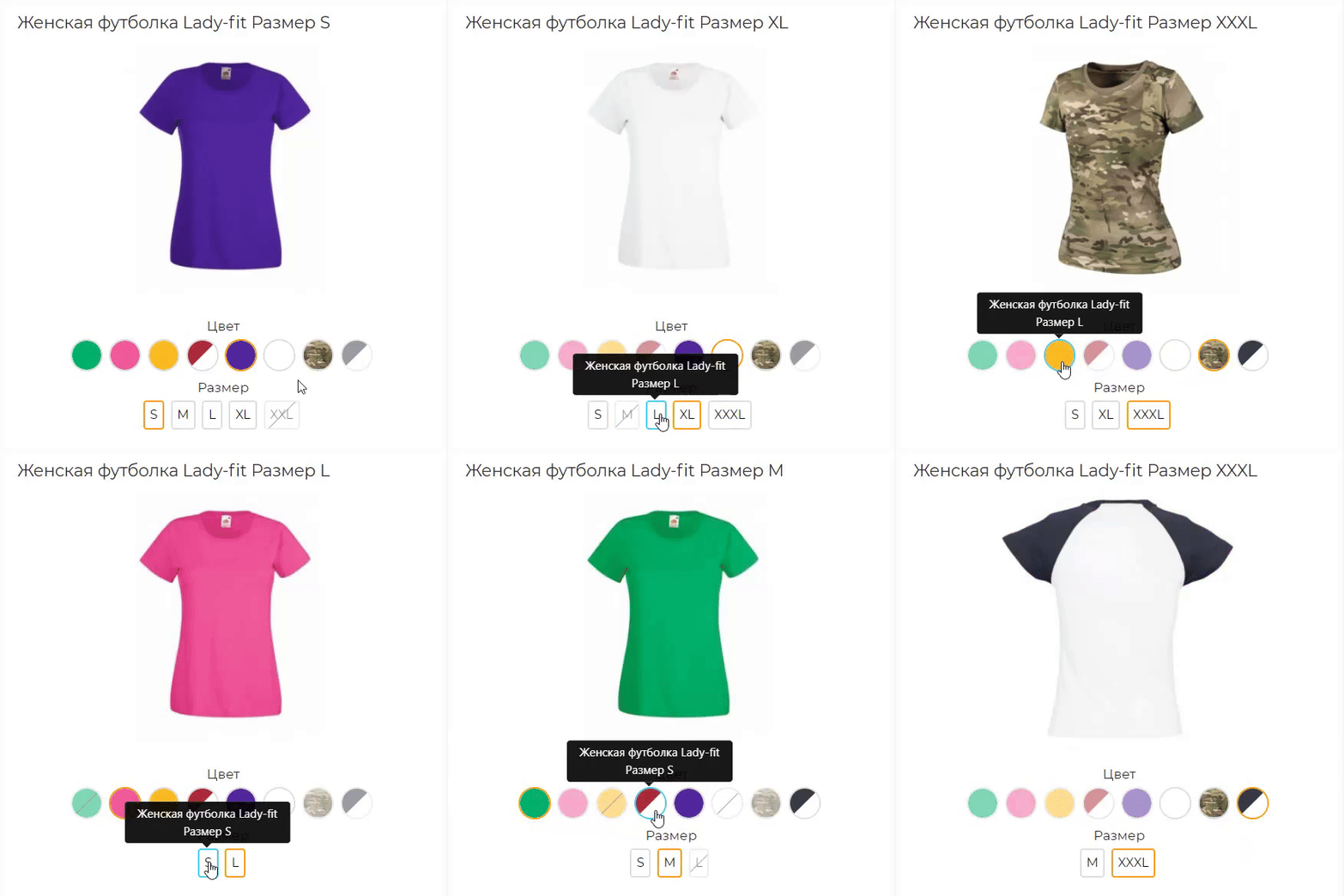
Розширена версія HPMrr AJAX в якій кілька важливих додаткових функцій
Кастомне групування у категорії Мікророзмітка під schema.org Розрізання значення атрибуту по роздільнику (напр. значення1, значення2, значення3) Генерування текстур за значенням атрибуту
Кастомне групування у категорії Мікророзмітка під schema.org Розрізання значення атрибуту по роздільнику (напр. значення1, значення2, значення3) Генерування текстур за значенням атрибуту
Updated
HPMR PRO
2,000 грн
75 67
-40%
 Придбати

Interactive polygon product areas on photos. ASSL Lookbook Single displays one composition, while ASSL LookBook SlideShow combines several lookbooks as a slider or tabs.
Updated
ASSL Lookbook — Products on Photos
1,000грн
600 грн
21 66

Product Features – Module for OpenCart, allows you to conveniently and beautifully display product features. Each feature is presented as a separate block with an image, title, and description.
Main Features:
Automatic display of product-related features. Image support for better visualization of features. Easy integration with any templates. Fully responsive design. Usage Examples:
Clothing:
How to wash (hand wash, machine wash, dry cleaning). How to iron (ironing allowed, ironing prohibited, steam iron). Material composition (100% cotton, polyester, wool). Electronics: Key technologies (AMOLED display, water resistance IP68). Compatibility (wireless charging support, works with iOS and Android). Important features (fast charging, NFC, 5G support). Benefits of Using the Module:
Improved visual perception of product features. Convenient and clear presentation of product details. Enhanced user experience and increased conversion rate. Easy setup. Installation:
Run the query from the product_features_query.sql file in the website database (don’t forget to change the table prefix).
Install the extension using the built-in OpenCart installer.
Refresh the modifications.
Grant access permissions to user groups.
Go to store settings: System → Settings → Edit Store → Options tab and configure the width and height of the feature images.
The feature management page is located at: Catalog → Attributes → Features.
Template Compatibility:
The extension is compatible with the default template. Adaptation is required for other templates (paid adaptation).
DEMO
Admin Page login/password: demo/demodemo Store Page License:
Allowed for use in one online store.
Main Features:
Automatic display of product-related features. Image support for better visualization of features. Easy integration with any templates. Fully responsive design. Usage Examples:
Clothing:
How to wash (hand wash, machine wash, dry cleaning). How to iron (ironing allowed, ironing prohibited, steam iron). Material composition (100% cotton, polyester, wool). Electronics: Key technologies (AMOLED display, water resistance IP68). Compatibility (wireless charging support, works with iOS and Android). Important features (fast charging, NFC, 5G support). Benefits of Using the Module:
Improved visual perception of product features. Convenient and clear presentation of product details. Enhanced user experience and increased conversion rate. Easy setup. Installation:
Run the query from the product_features_query.sql file in the website database (don’t forget to change the table prefix).
Install the extension using the built-in OpenCart installer.
Refresh the modifications.
Grant access permissions to user groups.
Go to store settings: System → Settings → Edit Store → Options tab and configure the width and height of the feature images.
The feature management page is located at: Catalog → Attributes → Features.
Template Compatibility:
The extension is compatible with the default template. Adaptation is required for other templates (paid adaptation).
DEMO
Admin Page login/password: demo/demodemo Store Page License:
Allowed for use in one online store.
Updated
Product Features
320 грн
4 25
-50%
Придбати

When a shopper orders an XL you do not actually have, the shopper is not to blame, stock OpenCart is: options there are only a price surcharge and a shared stock figure. OcBox Product Variants turns every combination into a real product: its own price, SKU, stock, photo and shipping dimensions.
A colour-by-size matrix in the admin, one-click combination generation, cloning from another product and Excel import save weeks of manual work. On the storefront, the photo, price and SKU change the moment you click, unavailable combinations cannot be put in the cart, and the choice is kept in the link. The warehouse and the website finally speak the same language, and the shop sells exactly what it has. $30 instead of $60, licence for the shop domain and a test domain.
A colour-by-size matrix in the admin, one-click combination generation, cloning from another product and Excel import save weeks of manual work. On the storefront, the photo, price and SKU change the moment you click, unavailable combinations cannot be put in the cart, and the choice is kept in the link. The warehouse and the website finally speak the same language, and the shop sells exactly what it has. $30 instead of $60, licence for the shop domain and a test domain.
Updated
OcBox Product Variants for OpenCart 3 and ocStore: a colour by size matrix, per-variant stock, photo and SKU, dimensions for shipping
2,880грн
1,440 грн
0 1

This modifier is designed to enhance the product page interface in OpenCart by allowing the addition of icons and tooltips for product attributes and attribute groups. It helps improve how customers perceive product information, making the selection process more convenient and informative. The modifier includes the ability to customize icons for attributes and add text tooltips that appear as pop-up windows, helping users better understand what each attribute means.
Advantages of the modifier:
Simplified perception of product attributes:
Using icons allows quick and clear representation of attribute information such as color, size, material, and more. Tooltips provide the ability to reveal more detailed information without overloading the page. Improved user experience:
Shoppers can get all the necessary information about a product directly on the page without navigating to other tabs or ignoring technical details. Tooltips and icons make the interface more interactive and visually appealing. Flexibility and customization:
Store administrators can set icons and tooltips for each product attribute or attribute group separately. Support for attribute groups allows applying icons and tooltips to all products within a single attribute group. Multi-language support:
The modifier supports multilingual stores, allowing you to customize tooltips for each language version of the store. Increased conversion:
Tooltips and icons help customers quickly navigate product details and make purchasing decisions, which in turn can increase conversion rates and reduce cart abandonment. Compatibility:
OpenCart 3.x Installation:
Run the query from the attribute_info_query.sql file in the website database (don’t forget to change the table prefix).
Install the extension using the built-in OpenCart installer.
Refresh the modifications.
Template Compatibility:
The extension is compatible with the default template. Adaptation is required for other templates (paid adaptation).
DEMO
Admin Page login/password: demo/demodemo Store Page License:
Allowed for use in one online store.
Advantages of the modifier:
Simplified perception of product attributes:
Using icons allows quick and clear representation of attribute information such as color, size, material, and more. Tooltips provide the ability to reveal more detailed information without overloading the page. Improved user experience:
Shoppers can get all the necessary information about a product directly on the page without navigating to other tabs or ignoring technical details. Tooltips and icons make the interface more interactive and visually appealing. Flexibility and customization:
Store administrators can set icons and tooltips for each product attribute or attribute group separately. Support for attribute groups allows applying icons and tooltips to all products within a single attribute group. Multi-language support:
The modifier supports multilingual stores, allowing you to customize tooltips for each language version of the store. Increased conversion:
Tooltips and icons help customers quickly navigate product details and make purchasing decisions, which in turn can increase conversion rates and reduce cart abandonment. Compatibility:
OpenCart 3.x Installation:
Run the query from the attribute_info_query.sql file in the website database (don’t forget to change the table prefix).
Install the extension using the built-in OpenCart installer.
Refresh the modifications.
Template Compatibility:
The extension is compatible with the default template. Adaptation is required for other templates (paid adaptation).
DEMO
Admin Page login/password: demo/demodemo Store Page License:
Allowed for use in one online store.
Updated
Icons and tips for product attributes
320 грн
30 174

This modification is designed to enhance the product page interface in OpenCart by allowing you to add tooltips to product options. It helps improve how customers perceive product information and makes the selection process more convenient and informative. The modification includes settings for text tooltips displayed as pop-up hints, helping users better understand what each option means.
Benefits of the Modification
Simplified understanding of product options: Pop-up tooltips allow you to provide more detailed information without cluttering the page. Improved user experience: Customers can get all the necessary information directly on the product page without switching tabs or dealing with technical details. Tooltips make the interface more interactive and visually appealing. Flexibility and customization: The store administrator can configure tooltips for each product option individually. Multilingual Support
The modification supports multilingual stores, allowing tooltips to be configured separately for each language version of the store. Conversion Boost
Tooltips help customers navigate product options faster and make purchase decisions more confidently, which can increase conversion rates and reduce cart abandonment. Compatibility
OpenCart 3.x Template Compatibility
The extension is compatible with the standard default template. For other templates, adaptation may be required (paid adaptation).
Installation
Run the SQL query from the file tips_for_product_options_query.sql in the database (taking into account the table prefix). Install the module via the OpenCart admin panel. Refresh the modifications. DEMO
Admin Page login/password: demo/demodemo Store Page License
The license applies to one domain and its subdomain.
Benefits of the Modification
Simplified understanding of product options: Pop-up tooltips allow you to provide more detailed information without cluttering the page. Improved user experience: Customers can get all the necessary information directly on the product page without switching tabs or dealing with technical details. Tooltips make the interface more interactive and visually appealing. Flexibility and customization: The store administrator can configure tooltips for each product option individually. Multilingual Support
The modification supports multilingual stores, allowing tooltips to be configured separately for each language version of the store. Conversion Boost
Tooltips help customers navigate product options faster and make purchase decisions more confidently, which can increase conversion rates and reduce cart abandonment. Compatibility
OpenCart 3.x Template Compatibility
The extension is compatible with the standard default template. For other templates, adaptation may be required (paid adaptation).
Installation
Run the SQL query from the file tips_for_product_options_query.sql in the database (taking into account the table prefix). Install the module via the OpenCart admin panel. Refresh the modifications. DEMO
Admin Page login/password: demo/demodemo Store Page License
The license applies to one domain and its subdomain.
Updated
Product Option Tooltips
250 грн
0 0

«Дополнительное описание категорий и товаров» знято з продажу
Ми підібрали схожі модулі інших розробників — їх можна придбати вже зараз.
Інші варіанти
v11
Ioncube Loader: Ні
Withdrawn from sale
The marketplace administration has withdrawn this file from sale
OpenCart3.0, 2.3, 2.2, 2.1, 2.0, 1.5.6.4, 1.5.6.3, 1.5.6.2, 1.5.6.1, 1.5.6, 1.5.4.1
ocStore3.0, 2.3, 2.1, 1.5.5.1.2, 1.5.5.1.1, 1.5.5.1, 1.5.4.1.2, 1.5.4.1.1, 1.5.4.1
License type На один домен + его поддомены
Activation method Без активации
Ioncube LoaderНі
Get request to server of developerНі
Downloads193
Submitted07/12/2016
Updated02/21/2020
File Size27.98 kB
When buying more 2 discount -15%
255.00 RUB

-
Recently Browsing 0 members
- No registered users viewing this page.