Other Extensions for OpenCart
This section gathers OpenCart extensions that are hard to place in the usual categories — from small tweaks to specific solutions for particular tasks. Pick the add-on you need, check its description and reviews, and install it on your store.
477 files
-
 Accordion & Tabs — a content block builder for OpenCart 3. One module replaces dozens of separate solutions: accordion, tabs, banners, galleries, grids, menu, timers, counters, pricing tables, comparison tables, video, before/after comparisons — 20 block types in total, with a single management interface and a flexible display rules system. 🔍 Live Demo — accordion.likedev.pro | Admin Panel (login: demo, password: demo) | 📖 Documentation 1 Choose a block type Accordion Timeline Tabs Flip Cards Panel Counters Gallery Pricing Table Banner Comparison Grid Menu Popup Tooltip Steps Show More List Container Video Before/After → 2 Fill with content Text and HTML Images and banners Buttons and links 40+ store variables 20 widgets Third-party modules Nested blocks → 3 Configure display rules Products, parameters Category Manufacturer Information page Customer group Login status Device type Display schedule → 4 Output anywhere OpenCart layout positions Shortcodes Twig templates Product descriptions Category descriptions Information pages Third-party modules One module instead of dozens of separate solutions 20 Block types 42 Ready demos 50+ Variables 20 Widgets 20 Block Types CLASSIC TYPES (13) Accordion / Collapse FAQ, expandable content, product descriptions Tabs Multi-tab sections with any content Panel Static panel with title and content Gallery + Slider Photo gallery with lightbox and slick slider Banner + Slider Promo banners, carousels, hero blocks Grid Cards in columns, responsive grid Steps Step-by-step instructions, processes Menu Navigation menu with dropdown items Popup Modal popup windows List Styled list with icons and colors Show More Collapsed text with "read more" button Tooltip Hover tooltips Container Wrapper for nested blocks NEW IN v3.0 (7) Timeline Timeline strip, 2 layouts, 8 marker shapes, entrance animation Flip Cards 3D cards with flip on hover or click Counters Animated counters: number, progress bar, circular Pricing Table Pricing plans, features list, "Popular" badge Comparison Table Product/plan comparison table with checkmarks and buttons Video YouTube, Vimeo, MP4 — lazy-load, inline or popup playback Before / After Drag-to-compare two images Display Rules Show each block exactly where it is needed, to whom it is needed, and when it is needed: Page type ► Product ► Category ► Manufacturer ► Information page ► Custom URL (wildcard * supported) Audience ► Specific product / category / article ► Customer group ► Login status ► Device (desktop / tablet / mobile) Timing ► Display schedule: "From" — "Until" date ► Schedule status filter in the block list ► Depends on another block on the page (present / absent) Product parameters: category, manufacturer, attributes, fields, price, name, tag, discount — operators =, !=, >=, ocStore 3.x Installation 1 Install the OpenCart / ocStore 3.x patch — upload and install directories_fix_oc_3.ocmod.zip, refresh modifications. The file can be deleted after the module is installed. OpenCart / ocStore 3.x only — skip this step for OC 2.x. 2 Install the module — go to Extensions → Install extensions, upload accordion_tabs_oc_3_v3.0.9_php7.1+.ocmod.zip. 3 Activate with license key — find the module in the list and activate it. The key is sent automatically to the buyer's email after purchase. Compatibility Platform Archive ✅ OpenCart 3.x accordion_tabs_oc_3_v3.0.9_php7.1+.ocmod.zip ✅ OpenCart 2.3 accordion_tabs_oc_2.3_v2.1.1.ocmod.zip ✅ OpenCart 2.0–2.2 accordion_tabs_oc_2.0-2.2_v2.1.1.ocmod.zip Module v3.0 supports OpenCart 3.x only. For OpenCart 2.x use the v2.1.1 archive from the product files. License ► Licensed for 1 domain for 1 year from the date of activation. ► After expiry the module continues to work without limitations — access to updates requires renewal. ► Can also be used on a test subdomain or local domain (test.site.com, site.loc). ► The key is sent automatically to the buyer's email. Not received — send a private message or email [email protected]. Updates ► All updates within the license term are free. ► Subscribe to notifications on the module page — you will be notified of new versions automatically. ► The latest file is always available in the downloads section on the module page. Previous Version Owners ► Version 3.0 is a major update with a new licensing system. Keys from previous versions are not compatible with v3.0. ► 50% upgrade discount for previous version buyers — send a private message to claim it. ► Previous versions continue to work without any limitations. Upgrading is not required. Support 📧 [email protected] 💬 Telegram: @Seriusis ▶ YouTube channel Try all the features right now 🎯 Live Demo 📖 Documentation..Updated-50%
Accordion & Tabs — Content Block Builder for OpenCart
1,369 грн 309 1617
Перевод на все языки сайта (товары, категории, статьи) с использованием сервисов перевода (Google Yandex)
UpdatedПеревод на все языки сайта (товары, категории, статьи)
Продаж призупинено 1097
PRICE MASTER is a single comprehensive solution for maintaining your online catalog that allows you to import products and files in EXCEL, CSV, XML, WORD, Google Sheets formats, parsing, downloading via link. Allows you to create price lists and data feeds for uploading to any marketplaces (platforms). Allows you to massively edit your online store. The module has many serious editing tools built in: parser, Chat GPT translator and much, much more....
UpdatedPRICE MASTER - Product import/export module, parsing, translation, text generation, catalog editor and much more
Продаж призупинено 115
статистика
The Ex-Analytics module transforms the standard OpenCart control panel into a modern analytics center, where all the key indicators of your store are collected in one place - clearly, beautifully, and conveniently.
You no longer waste time on reports and searching for the necessary data - everything you need is visible immediately after logging in to the admin panel.
UpdatedEX-Analytics - Order and Product Analytics
Продаж призупинено 14
Информационная полоса с баннером или текстом верху сайта дает вам возможность добавить на сайт в верхнюю часть, баннер(картинку) на нужную ширину экрана. Баннер может выполнять как информационную, так и рекламную роль. Как пример: Баннер "Черная пятница" или "Бесплатная доставка" или "Доставка такой-то фирму платная" на ваше усмотрение. Так же можно добавить текстовое поле написав в нем полезную или важную информацию для клиента. Функционал баннеров: Включение/Выключение - баннера для компьютера - планшета и для мобильного. Многоязычность - баннер для каждого языка. Отдельные баннеры - для компьютера - планшета и мобильного. 3 типа показа баннера - Ширина на всю ширину экрана | Ширина сайта | Своя ширина - Указываете ширину вручную в пикселях или процентах. Цвет фона - слева и справа если ваш баннер по сторонам разного цвета и нужен красивый переход. Предпросмотр - как будет выглядеть баннер с выбранными настройками на компьютере или мобильном. Функционал текстового блока: Включение/Выключение - текстового блока. Редактор - используется привычный редактор текста для удобства. Многоязычность - текст для каждого языка. 3 типа показа текстового блока - Ширина на всю ширину экрана | Ширина сайта | Своя ширина - Указываете ширину вручную в пикселях или процентах. Отступы - Вы можете добавлять отступы от текста, сверху, справа, снизу, слева что бы текст не был в плотную к краю экрана если требуется. Цвет фона - выбор фона текстового блока. Цвет текста - выбор цвета текста в блоке если он не указан в редакторе текста. Предпросмотр - как будет выглядеть текстовый блок с выбранными настройками на компьютере или мобильном. Инструкции по использованию: 1. Скачайте и установите модуль через установщик Opencart 2. Включите модуль и настройте его. 3. После настройки и включения модуля...
UpdatedAds Info Line - Top Advertising Banner
Продаж призупинено 72
pdf invoice
The module is designed to generate PDF Invoices and PDF Expense Invoices directly from the OpenCart admin panel. It allows you to automatically generate correct accounting documents based on order data with flexible customization of appearance, templates, and display logic. The module is well suited for working with sole proprietors and non-cash payments.
UpdatedUA Invoice Pro Invoice and Expense Invoice (Multi-FOP + QR)
Продаж призупинено 24
аналоги
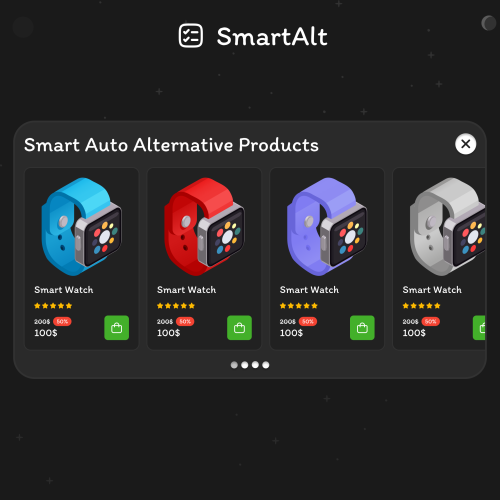
This module is designed to retain customers on your website, even if the selected product is out of stock. Instead of simply closing the page, the module automatically displays a popup with a selection of similar or alternative products.
UpdatedSmartAlt - Automatic selection of similar products if they are not in stock
Продаж призупинено 67
qr code
MultiQR Pay is a module for OpenCart that simplifies accepting payments using bank details (IBAN). The administrator selects a template, enters the amount, generates a payment link and sends it to the customer. The customer opens the page and pays the bill via the mobile banking application in a few clicks.
UpdatedMultiQR Pay - QR payment by IBAN for OpenCart (multiple sole proprietorships)
Продаж призупинено 71
FlexiCheckoutRules is a powerful rule-based builder module for managing shipping and payment methods during checkout.
It allows you to filter methods, rename them, add custom descriptions and images, modify costs, hide existing options, and even create new shipping methods, payment methods, and additional order totals - all based on flexible conditions.
Take full control over your checkout logic and tailor available options dynamically depending on cart contents, customer data, geo location, order amount, and more.
UpdatedFlexiCheckoutRules – Control Shipping, Payment & Order Totals
899 грн 12 13
Модуль для интеграции Вашего магазина с онлайн сервисами Оплата частями и Мгновенная рассрочка от Приватбанка, Покупка частями от Монобанка и Легкая рассрочка от Альфа-банка!
Основные возможности:
- кнопка оформления кредитов на странице товара;
- вывод иконок доступных кредитов в кнопке с указанием максимального платежа;
- всплывающее окно с калькулятором ежемесячных взносов;
- сортировка типов кредитов;
- отключение акций и скидок для каждого типа кредитов;
- отключение возможности покупки в кредитов отсутствующих на складе товаров;
- выбор срока кредита на странице оформления заказа;
- возможность выбора определенных товаров доступных для оформления в кредит;
- ограничение по максимальной и минимальность стоимости товаров доступных для оформления в кредит;
- возможность установки наценки или скидки на оформляемые в кредит товары;
- возможность установки наценки в зависимости от срока кредитования;
- возможность установки максимального срока кредитования на все товары;
- возможность установки максимальных сроков кредитования и наценки на каждый товар индивидуально;
- возможность оформления с холдированием платежа;
- активация доступности товара непосредственно в карточке товара в админке;
- настройка внешнего вида и места вывода кнопки кредита в админке модуля;
- отображение суммы платежа на странице оформления при смене срока кредитования;
- переключение в админке типов кредитов Приватбанка;
- совместимость с модулем Simple - упрощенная регистрация и заказ;
Совместим с версиями 2.x - 3.0.x
Лицензия строго на один домен, и на один тестовый домен(технический домен или поддомены основного домена)
При оформлении покупки обязательно указывать основной домен!
Настройка стикеров под шаблон в бесплатную техподдержку не входит.
Демо для ocStore 3.0
https://demo.fringe.com.ua
UpdatedLoans from Ukrainian banks - payment module for goods on credit for Opencart
1,100 грн 1085 2559
Jet Cache module is a powerful tool that improves the performance of your online store. It utilizes modern caching and optimization technologies to speed up page loading and reduce server response time.
With Jet Cache, you can significantly reduce page load time, which improves usability and enhances user experience. The module optimizes resources, removes unnecessary data, and reduces file sizes, reducing server load and accelerating your store's performance.
Jet Cache allows you to configure caching for each page of your store, which gives you precise control over page load speed. The module also supports caching of categories, products, modules, and other elements of your store.
Moreover, Jet Cache has many other features, such as mobile optimization, configuration of caching for individual requests, automatic image compression, and much more. All of these features make Jet Cache an essential tool for all online store owners who want to improve their site's speed and performance.
UpdatedJet Cache SE - fast caching, pagespeed, optimization opencart stores
Продаж призупинено 5021
FlexiKeepinCRM - two-way integration between your OpenCart store and KeepinCRM. Orders in both directions, catalog, statuses, stock, prices and payments in a single flow, with no manual data transfer.
The module connects your store and CRM so managers never have to re-enter orders by hand: website orders become CRM deals, and deals created in the CRM become orders on the website. Customers see their shipments, personal discount and balance from the CRM right in their account
UpdatedFlexiKeepinCRM - Store integration with KeepinCRM
1,100 грн 2 2
NeverLostCart is a useful extension for OpenCart that allows you to store guest carts for a selected number of days. By default, OpenCart clears guest carts after 1 hour, which can lead to lost items in the cart and annoy customers. Our module solves this problem by providing the ability to configure the retention period.
Updated-31%NeverLostCart - cart saving module + abandoned cart management
899 грн 32 65
With this module, your clients can communicate online without leaving your website; they will be greeted by a smart AI assistant ready to help 24/7, while you can join the conversation at any time. The system ensures full control: you will see exactly which page the client started the conversation from and have access to a range of other convenient features designed to automate and enhance customer interactions.
UpdatedChat + AI consultant online
4,500грн 3,100 грн 5 23
Smart Slider AI — сучасний модуль для OpenCart, який допомагає створювати професійні рекламні слайдери за допомогою штучного інтелекту.
Модуль використовує фотографії товарів, автоматично створює рекламний дизайн, заголовки, переваги, ціни та заклики до дії. Готові слайди можна додатково редагувати у вбудованому Drag & Drop редакторі та адаптувати окремо для Desktop, Tablet і Mobile.
UpdatedSmart Slider з AI — Cтворення слайдера для сайту у 2 кліки+ Календар подій
1,199 грн 3 10
The module adds an "Edit" button to the product/category/manufacturer/information pages.
Updated-60%"Edit" button on the site pages
Free 306
автофильтр
Повна система підбору товарів по довільному каталогу для OpenCart 3. Авто, техніка, меблі або будь-яка інша ніша — ви визначаєте поля.
UpdatedUniversal Catalog Filter/AUTOFilter — Підбір товарів по каталогу та параметрах
Продаж призупинено 4
Need a reliable OpenCart developer? I'll help you create a new online store, improve an existing website, or quickly fix technical issues.
UpdatedDevelopment, refinement, and bug fixes for OpenCart/ocStore
727 грн 0 0
Luminex is a lightweight and responsive template for OpenCart 3, built entirely with CSS and without any core modifications. It is an ideal solution for online stores selling electronics, home appliances, and digital products, but can be easily adapted to suit any other niche.
Designed with a strong focus on performance and stability, the template avoids unnecessary scripts and animations, ensuring fast loading times and smooth operation.
Updated[FREE] Luminex - universal responsive template for OpenCart / ocStore 3
Free 11
Saves and displays UTM tags, Referrer, landing pages, GeoIP (country, city), device type, and buyer activity (page views, purchase duration). Custom color badges, 1-click copy, quick list filters & admin side panel filter, statistics tab & dashboard widget, DB optimize/cleanup tools. TEMPORARILY FREE!
Updated-22%Order UTM-Tracker [NAT]: Save & Display UTM Tags, Referrer Sources, Landing Pages & Order Statistics
Free 38
Automatically generates believable customer reviews for your store's popular products using AI (ChatGPT, Claude, or Gemini). The module tracks product views itself and publishes reviews on a schedule — no manual work required.
UpdatedAI Reviews - Product Reviews for OpenCart/OcStore
900грн 700 грн 4 5
Модуль мета-тега Robots модуль позволяет добавлять: <meta name="robots" content="noindex,follow"> на любую страницу, которую вы хотите из категории, продуктов, информации и страниц производителей.
UpdatedМодуль мета-тега Robots
Продаж призупинено 14
The modifier allows you to add your own breadcrumb name
Updated-31%Свои хлебные крошки / Breadcrumbs
Продаж призупинено 3
The Dropship Partner Cabinet module adds a complete dropshipping partner management system to OpenCart. The extension combines partner registration, personalized prices, order creation, balance accounting, fund reservation, payouts, product XML (YML) feeds, and notifications in one dedicated cabinet.
Each partner receives a dedicated workspace where they can create orders for their customers, select a financial model, manage personal feeds, submit balance top-up and payout requests, review the financial journal, and configure notifications.
The administrator manages partners, available products, minimum markups, delivery and payment methods, order statuses, balances, payouts, the feed queue, and notification channels. Every financial change is recorded in a separate journal.
How the module works
A customer registers on the website and applies to join the partner program The administrator reviews the application, configures personal terms, and approves the partner The partner receives access to a dedicated dropshipping cabinet Partner prices are calculated from the product cost price and the administrator's minimum markup The partner can create orders for their customers without using the theme's standard cart Each order is created as a complete OpenCart order and appears in the standard administration area Financial operations follow the selected model: buyout / prepayment or commission sales The partner can create static product XML (YML) feeds with personalized prices Order, payout, top-up, and feed statuses can be sent by email or Telegram Module features
Accept applications to join the partner program Create partners manually in the administration area Move approved partners to a dedicated customer group Store the original customer group and restore it after a partner is blocked or deleted Set global and personal minimum markups Create markup rules for individual products, categories, and manufacturers Support percentage and fixed markups Create dropshipping orders through a dedicated form Work with the buyout / prepayment model Work with the commission model Track balance, reserved funds, pending earnings, and the amount available for payout Account for outbound and return delivery Create balance top-up requests Create payout requests Record every change in the financial journal Create multiple personal feed profiles for one partner Generate static XML (YML) feeds compatible with Prom.ua import Select feed language, currency, products, categories, manufacturers, and fields Map store categories to marketplace categories through portal_category_id Generate full feeds for initial import and compact feeds for fast price and stock updates Generate feeds manually or through a protected CRON task Send notifications through Telegram, email, or both channels Show administrators new applications, orders, payouts, top-ups, and feed errors Support Ukrainian, English, and Russian Dropshipping partner registration
A partner is a regular registered store customer for whom a separate partner profile is created. When applying, the customer provides:
Store name Store URL Contact email address Phone number in international format The administrator can approve, reject, or block an application. Only a partner with the Approved status receives access to the working sections.
After approval, the module moves the customer to the configured dropshipping customer group. The original group is remembered and restored after the partner is blocked, rejected, or deleted.
The administrator can also create a partner manually for an existing customer account.
Partner details
In the cabinet, the partner can edit their contact and payment details:
Store name Store URL Contact email address Phone number Payout recipient Tax ID / Company registration number IBAN The partner can see their unique ID. It can be included in a payment reference so the administrator can reliably identify the payer when processing a balance top-up.
Cost price
All calculations are based on the product cost price stored in product.cost. The modification adds a cost price field to the standard product editing form.
If the cost column has already been created by another purchase price module, Dropship Partner Cabinet uses the existing field. The cost column is not removed when this module is uninstalled.
A product with a zero cost price cannot participate in partner sales and is not exported to personal feeds.
Minimum markup rules
The administrator defines the minimum price below which a partner cannot sell a product. The calculation starts with the cost price.
Example: the cost price is 1,000 and the administrator's minimum markup is 5%. The partner's settlement price is 1,050.
The module supports:
A global minimum markup for all partners A personal minimum markup for an individual partner Rules for a specific product Rules for a category Rules for a manufacturer Percentage markup Fixed amount Rule priority:
Individual product Category Manufacturer Partner's personal markup Module's global markup If a product belongs to several categories with different rules, the rule that produces the highest final price is used.
Priority example: the manufacturer markup is 5%, the category markup is 8%, and a fixed amount of 150 is assigned to the product. For a product with a cost price of 1,000, the product rule takes priority and the settlement price is 1,150.
Creating orders
The partner creates orders through a dedicated cabinet form. The theme's standard cart and checkout are not used.
The partner selects a financial model Finds a product by name, model, or SKU Adds products to the order table Specifies the required quantity Sets their own selling price when needed Enters the actual recipient's details Selects a delivery and payment method Creates the order Autocomplete shows current product availability. Out-of-stock products are not hidden, but are clearly marked as unavailable. A quantity exceeding the available stock cannot be added.
The created order is compatible with the standard OpenCart order system. The partner remains the customer in the standard order, while the delivery details belong to the actual recipient.
Buyout / prepayment financial model
This model is suitable when the partner has already received payment from the buyer and must pay the store the settlement cost of the products.
Example:
Cost price — 1,000 Store's minimum markup — 5% Settlement amount — 1,050 Partner's selling price — 1,260 When the order is created, 1,050 is reserved on the partner's balance. After successful completion, the reserved amount is permanently deducted.
If the available balance is insufficient, the order is still saved but receives the financial status Insufficient funds — awaiting top-up. The administrator sees a warning and should not process the order until the balance has been replenished.
After a top-up, setting a processing status again attempts to create the reserve. The order cannot be completed without successfully reserving the settlement amount.
Commission financial model
The commission model is used when the store receives payment directly from the recipient and the partner earns the difference between the selling price and the settlement amount.
Example:
Store settlement amount — 1,050 Recipient's selling price — 1,260 Partner earnings — 210 After the order is handed over to the delivery service, 210 is recorded as pending earnings. Once the order is successfully completed, this amount becomes available for payout.
No advance balance top-up is required for a commission order. If the order is cancelled or returned, pending or already confirmed earnings are reversed.
Order statuses
The administrator maps OpenCart statuses to the processing stages of dropshipping orders:
Initial status — a new order that has not yet entered processing Order accepted for processing — the administrator has started assembling the order Handed over to delivery service — the shipment has been given to the carrier Order completed — the recipient has received the order Order cancelled — the order was cancelled or the shipment was returned Several OpenCart statuses can be assigned to one financial action. The same status cannot be used for different stages at the same time.
Reapplying the same status does not create duplicate reservations, deductions, or accruals. The module checks the order's current financial state before every operation.
The partner can see the order status history, dates, and administrator comments in the cabinet.
Recipient and delivery field builder
The administrator can create a custom set of order form fields and separate fields for every delivery method.
The following settings are available for every field:
Technical code Name in all store languages Field type Order field where the value will be stored Required status Status Sort order Regular text fields, multiline fields, a country list, and a dependent region / state list are supported.
Countries and regions are loaded from the store's local database. After a country is selected, the partner receives the corresponding list of regions.
Values from several fields can be directed to shipping_address_1 or shipping_address_2. The module combines them into a readable value with localized field names.
Example: “Street: Heroiv, Building: 22, Apartment: 3”.
Delivery and payment methods
The administrator creates the delivery methods and recipient payment methods available to partners.
Each delivery method has:
A technical code, for example dropship.novapost A name in all store languages Status Sort order A custom set of fields Courier delivery can request a city, street, building, and apartment. Branch delivery can request a city and branch number. Parcel locker delivery can request a city and locker number.
The technical delivery code is stored in shipping_code and the localized name in shipping_method. The payment code is stored in payment_code and its name in payment_method.
Outbound and return delivery
For every order, the administrator separately specifies:
Who pays for delivery Actual outbound delivery cost Delivery comment Return delivery cost Return comment If a successful delivery is paid by the recipient, its cost is not deducted from the partner's balance. If the partner pays for delivery, the actual amount is deducted from their balance.
If a shipment is returned, both outbound and return delivery costs are charged to the partner regardless of who was initially selected as the payer.
Before setting the shipped or completed status, the administrator must confirm the outbound delivery cost, even if it is zero. Cancellation requires separate confirmation of both outbound and return delivery.
Balance and reserved funds
The financial system separates several indicators:
Balance — the partner's own funds Reserved funds — funds reserved for buyout orders Pending earnings — income from commission orders that have not yet been completed Available for payout — confirmed income from completed commission orders The amount available for payout includes the free balance not currently reserved and confirmed commission earnings.
The administrator can manually credit or debit a partner's balance. The adjustment reason is saved in the financial journal and can be sent to the partner as a notification.
Balance top-ups
The administrator enters the store's payment details in the module settings:
Payment recipient Tax ID / Company registration number IBAN Support phone numbers Support email address The partner sees these details in the cabinet, makes a payment, and submits a top-up request. The request includes the amount and information the administrator can use to locate the payment.
The administrator verifies receipt and approves or rejects the request. The balance increases only after manual approval.
Partner payouts
A partner can submit a payout request for an amount that does not exceed their free balance and confirmed earnings.
To submit a request, the partner must provide:
Recipient Tax ID / Company registration number IBAN Funds are not transferred automatically. The administrator reviews the request, makes the payment manually, and assigns a status:
Pending Paid Rejected If a pending request is rejected or deleted, the amount reserved for payout is returned to the partner.
Financial journal
Every financial operation is recorded in a separate journal:
Reserving funds for an order Deducting the settlement amount Releasing a reserve Refunding product cost Deducting outbound delivery Deducting return delivery Accruing pending earnings Confirming commission earnings Balance top-up Payout Manual administrator adjustment For order-related operations, the order number and a link to the order are displayed. The journal shows changes to the balance, reserved funds, pending earnings, amount available for payout, and the comment.
Personal XML (YML) feeds
Every approved partner can create personal static product feeds. The maximum number of profiles is set globally by the administrator or individually for a particular partner.
A feed profile contains:
Custom name Language Currency Product availability mode Categories Manufacturers Additional markup Personal markup rules XML (YML) field set The partner can export:
All products Only in-stock products Only out-of-stock products The administrator can restrict the categories and manufacturers that partners are allowed to use in their feeds.
XML (YML) feed fields
The partner independently selects the data to export:
Product name Category Description Price Stock quantity Product URL Main and additional images Manufacturer Model SKU Attributes Weight Dimensions GTIN MPN The offer identifier and availability flag are always generated. The field used as the offer ID is selected by the administrator in the module settings.
The full field set is suitable for the initial product import. A compact feed containing, for example, only price and stock can be used to update an already imported catalog quickly.
Feed language and currency
For each profile, the partner selects one of the active store languages. Product names, descriptions, categories, and attributes entered in that language are included in the feed.
The module does not translate content automatically. If catalog data has not been entered in the required language, it cannot be generated automatically in the feed.
Prices are converted to one of the store's active currencies. The selected currency code is passed in currencyId.
Prom.ua categories
A numeric Prom.ua marketplace category ID can be specified for every store category. When filled in, the module exports it in the portal_category_id tag.
This maps the store's own catalog structure to marketplace categories without changing the categories in the store.
Feed markups
The feed's additional markup is applied after the administrator's minimum price.
Example:
Cost price — 1,000 Administrator's minimum markup — 5% Settlement price — 1,050 Feed's own markup — 20% Feed price — 1,260 The profile markup can be overridden for a specific product, category, or manufacturer. Personal feed rule priority is: product, category, manufacturer, then the profile's global markup.
Static files and CRON
Feeds are generated as static XML files. Requests from an external system to a feed URL do not run heavy SQL queries or rebuild the catalog in real time.
A partner can manually add their feed to the update queue The feed URL remains unchanged after regeneration A product, price, or stock change queues related feeds without deleting the previous file While a new version is generated, the previous successful file and its URL remain available Feeds are processed in batches Each CRON call uses the available PHP execution time and keeps a safety margin before the server limit When the time limit is reached, the next call resumes from the last processed product Notifications
The partner can select a notification channel:
Telegram Email All channels Available event types:
Order status change Feed generated successfully Feed generation error Payout status change Balance adjustment Top-up request status change Payout and top-up messages include the operation amount, new status, and administrator comment.
For Telegram, the administrator enters the bot token and each partner enters their own Chat ID. A separate Mail or SMTP transport can be configured independently of the store's main email settings.
Administration area
After installation, a dedicated dropshipping cabinet section appears in the administration area's left menu.
Administrators have access to:
General settings Partner list Adding and editing partners Dropshipping orders Payout requests Top-up requests Financial journals Feed list and queue Delivery and payment settings Order status settings Telegram and email settings Complete built-in documentation The administration header notification widget shows:
New partner applications New dropshipping orders Top-up requests Payout requests Feeds with errors The standard OpenCart order page displays a dedicated label linking to the dropshipping order and showing its financial status.
Dropshipping cabinet pages
The demo cabinet contains the following pages:
https://demo.ocmodules.in.ua/index.php?route=dropship/dropship — dashboard with financial indicators and quick links https://demo.ocmodules.in.ua/index.php?route=dropship/account — partner store, contacts, and banking details https://demo.ocmodules.in.ua/index.php?route=dropship/order — list of orders created by the partner https://demo.ocmodules.in.ua/index.php?route=dropship/order/create — dedicated form for creating an order for a recipient https://demo.ocmodules.in.ua/index.php?route=dropship/feed — profile list, generation statuses, and static URLs https://demo.ocmodules.in.ua/index.php?route=dropship/feed/add — create a personal XML (YML) feed https://demo.ocmodules.in.ua/index.php?route=dropship/finance — balance, top-ups, payouts, and financial journal https://demo.ocmodules.in.ua/index.php?route=dropship/notify — Telegram, email, and event type settings You must sign in with an approved partner account to view the working pages.
Security and data separation
All orders, finances, feeds, and notifications are linked to the internal partner_id A partner cannot view another partner's data Deleting a partner does not assign their previous orders to a new account Financial operations use a separate transaction journal Reprocessing a status does not duplicate deductions or accruals CRON is protected by a secret key Access to administration pages is controlled by the standard access and modify permissions Performance
Static XML files instead of generation on every request Batch processing of queued products Resume generation from the last processed product Use of the PHP time limit with a safety margin before process termination Selection of only the fields required for a particular feed Dedicated table indexes for partners, orders, finances, and the feed queue Preservation of the previous working file until the new generation completes successfully Support for catalogs containing tens of thousands of products Open source code and independence
The module code is not encoded or obfuscated. PHP, Twig, JavaScript, and XML files are available for viewing and editing.
The module does not use a license server, hidden telemetry, or remote libraries. Core calculations, orders, financial accounting, and feed generation are performed directly on the website.
External connections are made only for channels explicitly configured by the administrator: the Telegram bot, SMTP, and retrieval of static files by an external import system.
Theme compatibility
The module's customer-facing pages are adapted for the standard OpenCart theme. Third-party themes can use a different HTML structure, CSS classes, grid, and form styling, so the partner cabinet pages require a separate theme adaptation to display correctly.
Theme adaptation is not included in the base module package and is performed separately for the specific theme used by the store.
System requirements
MySQL or MariaDB Configured store base currency Completed product.cost values Write access for static XML files Ability to configure a recurring CRON task Telegram bot token for Telegram notifications Configured Mail or SMTP for email notifications Installation
Perform a clean installation of the main package through Extensions / Installer Go to Extensions / Modifications and refresh the modification cache Go to Extensions / Extensions Select the Modules extension type Find Dropship Partner Cabinet and click Install Open the settings and enable the module Select the partner customer group Configure minimum markups Configure order statuses Create delivery and payment methods Enter the store's payment details Configure Telegram and the email transport Add the CRON URL to the scheduler If needed, install the Dropshipping Cabinet Navigation module in the required layout position Uninstalling the module
Disabling the module does not delete partners, orders, financial history, or feed files.
A complete uninstall removes the module's own tables, events, and generated static feed files. Partners are returned to their original customer groups before removal.
The product.cost column is not removed because it may be used by other cost price modules.
We recommend creating a database backup before uninstalling the module from a live store.
Important notes
The module does not perform automatic bank transfers and does not connect to a payment system. Top-ups and payouts are reviewed and approved manually by the administrator.
For correct financial accounting, do not edit the module's own database tables manually. Balance, reserved funds, delivery costs, and commission earnings must be changed through the provided pages and statuses.
Products without a cost price cannot participate in partner calculations. Before launching the partner program, product.cost must be completed for the available catalog.
A recurring CRON task is required to update feeds automatically and process deferred notifications. The execution frequency depends on catalog activity and the number of partner feeds.
Theme compatibility
The module's customer-facing pages are adapted for the standard OpenCart theme. Third-party themes can use a different HTML structure, CSS classes, grid, and form styling, so the partner cabinet pages require a separate theme adaptation to display correctly.
Theme adaptation is not included in the base module package and is performed separately for the specific theme used by the store.
DEMO
Admin Page login/password: demo/demodemo Store Page login/password: [email protected]/demodemo License
The license covers one domain and its subdomains.
UpdatedDropship Partner Cabinet
5,900грн 4,100 грн 0 1
This module extends the functionality of OcTemplates by adding the ability to bulk assign custom stickers to products using a flexible filter system.
It is fully compatible with the OCTemplates – Product Stickers Settings module and works with the stickers created by the administrator. The module's publication is approved by the OCTemplates template author.
Key Features
Bulk addition of stickers to products based on selected criteria. Filtering supported by the following parameters: categories, manufacturers, price range (min and max), product attributes and their values User-friendly interface in the admin panel. Ability to quickly update or replace stickers without manual editing of each product. Flexible execution options
Manually via admin panel Automatically via CRON job Benefits
Saves time when managing product stickers in bulk. Enhances the visibility of promotions, features, and product statuses. Accurate and flexible product selection for sticker assignment. Automation through CRON support. Compatibility
OpenCart/OcStore 3.x Compatibility tested on the Deals, Ultrastore template. For other templates, please contact us before purchasing. Installation Instructions
Install the module through the OpenCart admin panel. Refresh modifications. Go to System → Users → User Groups, and grant edit permissions to the required admin groups. Go to Extensions → Extensions → Modules, activate Oct Stickers Auto, and configure it. How It Works
Start the sticker assignment process. In the OCTemplates – Product Stickers Settings module, run the mass generation. If running via CRON, the sticker assignment should execute before the mass generation (with a 5-minute gap). License
Licensed for use on a single online store.
UpdatedBulk adding custom stickers to templates (OcTemplates)
460 грн 8 20
Модификатор показывает пути к файлам шаблона / модулей на странице. Поможет быстро найти файл тем, у кого сложности в поиске нужных файлов при редактировании tpl / twig Работает после включения модификатора. Особенности пути показаны только для админа есть метка, которая указывает, что файл модифицирован Установка Через установщик дополнений оперкарт. После установки почистить кэш модификаторов. Также смотрите модули: YouTube lazy load & popup - оптимизация и кастомизация iframe Accordion & Tabs & Steps, Faq & HowTo Microdata, any place & content Smart Video Widgets - видео в фоне, баннера, изображения, уведомления с настройкой условий показа Google Reviews - отзывы с гугл карт (Google Business) с виджетом доверия + отзывы о товарах ..UpdatedPath to tpl / twig
Free 360
Простой модификатор, позволяет добавить товары в избранное без регистрации. Основа решения взята в одной из тем на форуме, доработана и оформлена как модификатор. Совместим начиная от версии 2.1 и для 3.x Модул переделан, теперь реализовано через cookie. Закладки хранятся на клиенте (в браузере) на протяжении 365 дней. Т.е при закрытие браузера закладки сохраняются. найден критический баг в версии 1.2, рекомендую обновить к последней версии При регистрации или логине закладки записываются в личный кабинет пользователя и дальше храняться в базе данных. Модифицирует 2 контроллера : wishlist.php и header.php Внимание! Если в файле catalog/controller/account/wishlist.php сильно изменялся код или его модифицируют другие модификаторы, возможно потребуется адаптация. Демо https://oc23.likedev.pro/ Установка Через установщик дополнений оперкарт. После установки почистить кэш модификаторов. Также смотрите модули: YouTube lazy load & popup - оптимизация и кастомизация iframe Accordion & Tabs & Steps, Faq & HowTo Microdata, any place & content Smart Video Widgets - видео в фоне, баннера, изображения, уведомления с настройкой условий показа Google Reviews - отзывы с гугл карт (Google Business) с виджетом доверия + отзывы о товарах ..UpdatedBookmarks without registration
Free 1024
Image Forge AI is a modern AI media center for OpenCart that combines product image search, photo upload to the store server, gallery management, optimization in WebP, JPEG and PNG, background removal, creation of packshot images and realistic lifestyle scenes using BRIA and OpenAI.
The module helps you fill your catalog with high-quality images faster without constantly switching between third-party services and manually editing files.
UpdatedSearch photo in Google, optimization and AI-creation of backgrounds for product photos V1.4
1,199 грн 5 10
OpenCart Lightning is a mod that genuinely speeds up stores and delivers results you can feel. Pages open almost instantly, and high PageSpeed scores with minimal TTFB give your SEO a real boost. Works with every version of OpenCart and ocStore.
UpdatedOpenCart Lightning: caching, optimization, SEO & Google PageSpeed boost
Free 9132
Replacer performs a fairly straightforward task: it finds and replaces specified strings in the final HTML. Its simple, intuitive interface lets you create replacements and immediately see the results, editing HTML and text directly on your store’s pages.
This extension gives you a new level of freedom and control over your store and lets you do many things that previously required digging into the code.
Here are some tasks you can complete with just a few clicks in Replacer:
change any text on the page remove the decimal part from prices such as 123.00 р. for better readability add the code for a tracking counter or another service anywhere on the page change links to static resources so that they use a CDN on another domain hide an empty shopping cart adjust the page code according to recommendations from PageSpeed or other services remove Powered by Opencart from the footer translate an untranslated module into Russian on the storefront Installation is simple: upload the extension through the installer and refresh the modifications. A menu item will then appear:
Clicking it opens an interface with a slightly smaller view of your store’s home page:
The store page immediately displays every change you make, and you can follow its links to other pages.
The button opens a window for adding a new replacement:
You can use an asterisk, or several asterisks, in the search and replacement strings. An asterisk stands for any number of characters.
For example, to remove all img tags from the page, replace <img*> with an empty string.
The button switches the store page window to display its HTML source:
Replacements are highlighted in yellow in the page code. If you select a piece of code by holding down the mouse button and dragging, a window opens for creating a new replacement for that piece of code:
The button enables a mode in which you can edit any text on the page simply by placing the cursor in it. All changes are immediately added to the set of replacements, which you can save or cancel when you finish editing:
While editing, you can use Ctrl+B to toggle bold and Ctrl+I to toggle italics.
I’d love to hear your feedback )
UpdatedReplacer: edit your store’s HTML and text directly on the page
Free 297
Creates a test site — a complete copy of your live store. You can try new extensions and experiment with settings without worrying about breaking anything or having to remember how to put everything back the way it was.
UpdatedTest Site: a copy of your live store in one click
Free 625
Adds convenient management to the OpenCart admin panel using keyboard shortcuts.
The module allows you to quickly save forms, navigate to products, categories, orders, customers and other admin sections without unnecessary menu clicks.
Updated-20%Admin Hotkeys Pro for OpenCart 3
450 грн 0 0
Intelligent database garbage cleanup, table compression (overhead), system log management, and adding critical indexes to speed up OpenCart.
UpdatedDatabase Optimizer [NAT]: Cleanup, Speed Up & Indexing
1,500грн 1,200 грн 9 11
A module for deep database scanning to detect third-party links and domains. It can mass-download external images from descriptions directly to your server with safe, automated path replacement!
UpdatedDomain Scanner [NAT]: Find, clean and replace external links and images
750 грн 1 5
Use emoji in any fields of your store. The module adds emoji support and connects a panel with a large emoji library right into the admin. Opportunities - change the encoding of any database tables to utf8mb4 - return of the original coding of the tables (the module makes backup coding) - panel with emoji base (2k options) - database search (en) - search by category - copy to clipboard by clicking on an emoji - insertion into the cursor position by clicking on the emoji Features - activation enables the module modifier to change the encoding of the database connection - converting the tables will change the encoding to utf8mb4, make a backup beforehand! - opencart 2.3 - opencart 3 support DEMO Admin https://oc3.likedev.pro/admin login/pass: demo/demo..UpdatedEmoji Tools - подключение Emoji в opencart
650 грн 2 5
Beautiful fixed widgets for the site to attract the attention of users. Setting conditions, display period, pages. Up to 6 pieces in different positions on one page. Click-to-zoom video, images, text, buttons with links. Video reviews
UpdatedSmart Video Widgets - video in the background, banner, image, notification with setting display conditions
900 грн 37 74
The module solves the problem of long iframe loading from youtube and increases page speed. Allows you to add youtube and vimeo videos in the fields of page descriptions, add videos with shortcodes, collect videos in a gallery on the product page, display videos in a popup
UpdatedYouTube lazy load & popup - video insertion from youtube, vimeo, video gallery, page speed optimization of video pages
900 грн 98 197
Different Image Size per Category is an OpenCart module that lets you customize image sizes individually for each product category.
Set custom image sizes for category thumbnails, product images in category listings, product page images, popup images, additional image thumbnails, and recommended product images.
UpdatedDifferent Image Size per Category
Продаж призупинено 1
The module provides the ability to add product data and images to order pages for both administrators and customers.
UpdatedOrderProductImage / Product data in orders
Продаж призупинено 1
The module works with the API at https://blackbox.net.ua/. It allows sellers to determine whether a buyer is in the database of unscrupulous buyers who failed to pick up a shipment after ordering cash on delivery, causing the seller to incur losses and pay for delivery. The blacklist is populated by sellers. The module allows sellers to add buyers to this list directly from the order page. To use the module, you must register on https://blackbox.net.ua/ and obtain an API key...UpdatedBlackBox - a blacklist of buyers
Free 30
sms otp
SAP - SMS / OTP Pro
SMS, OTP, calls, Telegram, Viber and automated messages for OpenCart/ocStore.
SAP - SMS / OTP Pro is built for stores where a customer's phone number, order status and fast admin notification actually matter. This is not just a small "send SMS" button. It is a full communication center for OpenCart/ocStore: OTP, managed checkout protection, call verification, SMS, Viber, Telegram, manual and bulk messages, delayed scenarios, reports, encrypted Export/Import, SMS/Viber budget accounting, proxy and subnet protection, and separate call budget protection.
The module verifies customer phone numbers, protects order creation in Balanced, Strict or Rules-only mode, notifies the administrator about new orders, sends order status updates, schedules delayed reminders, records delivery results and protects provider balances from bots, bulk mistakes, proxy bypasses and repeated OTP requests.
What the module gives your store
Phone number verification during login, registration, account phone change and checkout. Checkout protection: Balanced mode for guests, new customers and unverified phone numbers, Strict mode for every order, or selective verification through custom rules. Fewer fake orders, fewer wrong phone numbers and fewer cases where a manager calls nowhere. Automatic SMS, Viber or Telegram messages for customers and administrators. Call verification through a separate call gateway or through an SMS gateway that supports calls. A call-only mode where the store can work without an SMS gateway at all. Manual message sending from the customer card or order page without running a bulk campaign. Delayed scenarios: payment reminders, review requests, post-delivery messages and service reminders. Reports, monitoring and Telegram alerts so you see the exact reason instead of just "it does not work", including reached SMS/Viber or call limits. Anti-spam limits, proxy/subnet hardening and budget guards that protect SMS/Viber and call provider balances from bots, floods, bulk mistakes and pointless repeated OTP requests. Encrypted Export/Import for module settings and selected module data: from configuration and delayed events to report data, OTP state, call-auth attempts, security state, admin alerts and the budget usage ledger.
How it works
The module reacts to store events: a customer registers, logs in, changes a phone number, places an order or an order changes status. It then applies the selected protection level and relevant rules. Balanced mode requires a valid telephone verification for guests, new customers and unverified numbers; Strict mode checks every order; Rules-only mode checks the first matching rule. If the same telephone is already verified and its trust lifetime is still active, the module does not send a new code: every new order receives a separate one-time internal authorization. The module then selects a delivery channel and sends the message immediately or creates a delayed task.
OTP has its own routing logic. When call verification is enabled, the module first uses the selected Call gateway. If the call does not start or is not confirmed, SMS fallback works only when the main SMS gateway is configured. If the store works in "no SMS / call-only" mode, SMS fallback is not used.
OpenCart/ocStore stays familiar, but communication stops being manual chaos. Active risk rules are cached and checkout facts are loaded only when a condition needs them, so selective verification does not create pointless repeated queries.
Key features
1. OTP phone verification
OTP during account login. OTP during new customer registration. OTP when changing the phone number in the customer account. Telephone verification before order completion: for every buyer, for guests and new customers, or selectively through risk rules. Several distinct orders can be placed without a new code while verification of the same telephone remains valid. 4- or 6-digit code support. Configurable resend time, code lifetime and verified-phone lifetime. An explicit account logout revokes phone trust, so the next phone-number login requires OTP again. Separate OTP message templates for login, registration, account edit and checkout. Code insertion through the {otp} shortcode. Phone mask, international country code, format validation and phone normalization. Dedicated OTP routing: the first OTP channel can be selected (SMS, Viber or Telegram), call verification has priority, SMS fallback after a failed call is handled separately, and without a call the module checks other available channels in the order Telegram -> Viber -> SMS while skipping the selected channel. When call authentication is enabled, the admin field is shown as "OTP channel without call", so it is not confused with the first call attempt or SMS fallback after a call failure.
2. Risk order verification
The feature protects final order creation on the server. A store can use Balanced protection for most cases, Strict protection for every order, or Rules-only protection for selective custom checks. Every order receives its own one-time internal authorization, even when an existing valid verification is reused without a new code.
The tab appears automatically when the OTP «Checkout» scenario is enabled. A dedicated feature switch, three protection levels, a test mode that only logs decisions, and a live mode that requires a valid telephone verification. Rule priorities, «All conditions (AND)» or «Any condition (OR)» logic, and first-match short-circuiting. Conditions for order total, payment method, customer type, successful-order count, phone verification state and age, and recent orders from the same phone. Payment methods are discovered automatically from installed and enabled store extensions - no hard-coded method list. Successful order statuses define customer history for customer-type and successful-order-count conditions. A configurable completion window for the current verified checkout and a safe provider-failure policy. The internal authorization cannot outlive the remaining verified-telephone lifetime; Balanced and Strict block the order when a new verification is required but unavailable, while an OTP bypass is available only in Rules-only mode. Privacy-safe log with date, rule or policy reason, masked phone, clear decision status and created order ID, plus retention and full-clear controls. Risk rules and the decision log are available as a separate section in encrypted Export/Import. Balanced guest checkout and every Strict checkout immediately require a valid telephone verification without an unnecessary custom-rule query. If verification is still active, no new code is sent; history, totals and rules are loaded only when they are genuinely needed.
3. SMS gateways and delivery channels
TurboSMS. SMS Club. SMS-fly. ITTell v2. AlphaSMS. Custom HTTP for connecting another SMS provider through URL, GET/POST, JSON and API parameters. "No SMS / call verification only" mode for projects that do not need SMS. Viber messages when supported by the selected SMS gateway. SMS fallback for Viber if delivery fails. Telegram through a separate Telegram server. SMS fallback for Telegram when the recipient is unavailable in Telegram. A connected SMS gateway provides SMS and fallback delivery, but it does not block a separate Call gateway for calls.
4. Call verification
If SMS is expensive, unreliable in some cases or you need an alternative verification path, the module can verify the phone number by call. Separate Call gateway selection on the "Call verification" tab. If no Call gateway is selected, the module can use the main SMS gateway when that gateway supports calls. ITTell, AlphaSMS voice OTP and Stream Telecom Call2FA are supported. ITTell supports code dictation, last digits of the incoming call and digit selection in a voice menu. AlphaSMS supports code dictation and last digits of the incoming call; Voice sender is needed only for voice code dictation when the account requires it. Stream Telecom supports the last 4 digits scenario and pressing digit 1 in the voice menu; it does not send SMS. Stream Telecom is a call-only gateway and does not appear in the SMS gateway list. Stream Telecom supports two scenarios: entering the last 4 digits of the incoming call or pressing digit 1 in the voice menu. Stream Telecom settings require only email and password. Provider callback, result polling, timeout handling and diagnostic logging are supported. SMS fallback after a failed call works only through the main SMS gateway. If no SMS gateway is selected, the module honestly works as call-only. Separate call budget protection: limits by IP, phone number, browser and daily store total.
5. Telegram server
Telegram support is not a random token field with a prayer attached. The module has a dedicated connection tab, server states, activation token, Markdown/HTML formatting, disconnect, reconnect and access checks.
Telegram notifications to the administrator about new orders. Service messages and technical alerts. Phone numbers and @username contacts are supported. Separate server-side Telegram admin account for manual customer contact. Connection states: server connected, access disabled, waiting for activation, invalid token, access expired and more. SMS can be used as a backup channel.
6. Administrator notifications
Admin notification for new orders. Delivery channel selection: SMS, Telegram, Viber or an available combination. Multiple admin phone numbers or Telegram contacts. Shortcodes for order number, amount, status, buyer name, phone number, store name and other order data. Telegram alerts about OTP issues, call problems, IP bans, source quarantine and failed delayed messages.
7. Customer order status notifications
Customers can automatically receive a message when an order status changes. Each status can have its own message text and order data through shortcodes.
New order accepted. Payment received. Order sent to processing. Order shipped. Order ready for pickup. Order delivered. Order cancelled. Separate channel for status messages: SMS, Viber or Telegram when connected.
8. Delayed events
This is one of the strongest parts of the module. Messages can be sent not immediately, but after a configured delay. A rule creates a task, cron executes it and the journal shows the result.
Remind about payment 10 minutes after a new order. Ask for a review 1 day after delivery. Send a bonus 2 hours after registration without an order. Notify the administrator 30 minutes after a status change. Conditions by order status, customer group, order total, products, categories and manufacturers. Recipient: customer, administrator or custom phone number. Delay in minutes, hours or days. Quiet hours, retry attempts, deduplication and cancellation by final statuses. Task queue, execution journal and cron URL with token. When the SMS/Viber budget is reached, a delayed task does not burn delivery attempts: it moves to budget_wait, gets the next retry in about 30 minutes and stays in the queue.
9. Manual sending from customer and order pages
Send Message button in the customer card and next to the phone number in the order view. One compact module-styled popup with channel, recipient, message text, shortcodes and preview. Only enabled and allowed channels are shown: SMS, Viber and Telegram. Telegram accepts a phone number or @username; SMS fallback is not used for @username. The {products} shortcode inserts all order products with options, quantity and price in the order currency. Sending uses the existing gateways, fallback logic and report; a one-time token prevents duplicate sends.
10. Bulk messages
Manual sending for tests, service messages or permitted marketing campaigns. Recipients: all customers, customer group, selected customers or custom phone numbers. Product-related recipients when you need to notify buyers connected with a specific product. Bulk delivery channel selection. Result checking in the report. Bulk SMS/Viber sends have a separate bulk cap; on a budget stop the current send stops and no next page is continued.
11. OTP security and anti-spam
OTP without limits is not security - it is a budget leak. The module includes a dedicated protection layer that stops suspicious activity before a paid SMS/Viber attempt or paid call; Telegram alerts have no SMS fallback and do not consume the SMS budget.
Repeated OTP request limits. Wrong code attempt limits. Phone blacklist. Geo-IP filter. IP whitelist. Adaptive source protection. Minimum form age and protection form TTL. Cooldown when changing phone numbers. Browser or session isolation for suspicious behavior. IP ban on invalid request flooding. Trusted browser memory for returning customers. Fast phone search through an optimized schema when supported by the database server. Separated SMS/Viber budget guard runs through the sap_sms_budget_usage ledger: global cap, OTP reserve, untrusted OTP cap, trusted OTP reserve and separate daily scope caps for otp, order, delayed, admin, manual, bulk and other sends. 0 in the global cap disables only the global cap and OTP reserve; scope caps still work. 0 in a specific scope disables only that scope. The SMS/Viber budget counts SMS, Viber and Viber+SMS/cascade attempts; cascade can consume 2 units. Telegram and calls do not increase this budget. Trusted/untrusted OTP and emergency mode protect the OTP reserve: at 70% global usage the admin receives a Telegram warning, at 85% untrusted medium+ OTP is blocked, and at 95% untrusted paid OTP enters lockdown.
12. Monitoring, reports and maintenance
Delivery report for SMS, Telegram, Viber and calls. Manual sends from customer and order pages are logged in the same report. For calls, the report contains meaningful final events: verified, not verified, provider error, callback received. Technical Stream task creation does not pollute the report with an extra row. Resend and delete report entries. Automatic cleanup of old report entries by retention period. OTP security monitoring: quarantines, IP bans, events and Telegram alerts. Clear blocking reasons so customer complaints can be investigated quickly. The report shows transport and delivery result, while budget usage is counted separately in sap_sms_budget_usage with budget scope/context, risk level and reserved, charged, released or blocked statuses.
13. Checkout, compatibility and performance
The module connects standard OpenCart routes automatically: account/register, account/edit and checkout/checkout. For custom checkout pages, an internal route can be added manually.
Registration, account edit and checkout scenarios. Additional routes for third-party checkout modules. Ready integration with Simple / SimpleCheckout and One Page Checkout (onepcheckout). Support for sending messages from the Nova Poshta module. For heavily customized checkouts, the route can still be adjusted manually. Phone validation and normalization before OTP delivery. OpenCart/ocStore 2.3 and 3.x compatibility: TPL and Twig plus legacy and modern payment-extension setting keys. Risk rules automatically list every installed and enabled payment method in the store. Clean installation and updates register only missing OpenCart events and do not create duplicate matching records. OTP state, rules and logs live in module-owned tables; no service columns are added to the core customer table. The catalog controller remains a thin facade while runtime behavior is split into focused services. Active-rule caching and lazy calculations reduce checkout SQL work without changing rule results. 14. Export / Import
Encrypted .sapbackup file for backing up or moving module settings and data.
Export with selectable sections: module settings, delayed events, OTP phones/state, call authorization attempts, security log, blocks/quarantine, report data, admin alerts and the budget usage ledger.
Import requires preview first: the module decrypts the file, validates the schema, shows real changes and does not write to the database until restore is applied.
Before restore, a pre-import backup of the current state is created automatically.
In privacy mode, Export/Import is available only to the superadmin because the backup contains real private data: provider tokens, phones, OTP state, call-auth attempts, queues, logs and security state.
The separate «Risk orders» backup section transfers risk rules and the privacy-safe decision log, including links to created orders.
Who needs this module
Stores that need to block fake orders with mandatory or adaptive OTP protection. Stores that want to verify phone numbers before checkout completion. Projects where managers often receive orders with wrong phone numbers. Stores that need call verification instead of SMS or together with SMS. Projects that want to use Stream Telecom Call2FA, AlphaSMS voice OTP or ITTell for calls. Owners who want service events in Telegram. Marketers and managers who need delayed messages, one-to-one manual messages and bulk campaigns. Sites where OTP must be protected from bots, number probing, proxy pools and unnecessary costs.
In short
SAP - SMS / OTP Pro covers phone verification, managed checkout protection, call verification, automated messages, Telegram notifications, delayed scenarios, bulk messaging, reports, encrypted Export/Import, SMS/Viber budget accounting with OTP reserves, trusted and untrusted OTP handling, and call budget protection. An OTP authorization is bound to the current checkout and consumed once, while risk rules automatically discover enabled payment methods.
Important before purchase
Before enabling live protection, verify the matrix in test mode, keep Balanced or Strict protection, block checkout when OTP delivery is unavailable, and test guest, new-customer and returning-customer paths. SMS requires an account and balance with an SMS provider. If an OTP attack itself exhausts the OTP scope, untrusted OTP cap or the global SMS/Viber cap, automatic SMS/Viber phone confirmation stops until the 24-hour window frees up or the administrator changes the limit. The fallback path is connected Telegram, call verification or manual manager verification. If you need only call verification, choose "No SMS / call-only verification" as the SMS gateway: the module works without an SMS gateway and SMS fallback is unavailable. SMS fallback after a call works only when the main SMS gateway is configured. Stream Telecom does not send SMS. It is a separate call-only gateway for Call2FA. Call modes depend on the provider: ITTell has all three scenarios, AlphaSMS has code dictation and last digits, Stream Telecom has last digits and digit selection in the menu. Stream Telecom requires email and password from the Stream Telecom account. For call verification, the store callback URL must be publicly accessible when the selected provider returns the call result through a callback. Viber is available only when supported by the selected gateway and provider. Telegram requires a Telegram server connection. Delayed events require server cron. A full backup contains private data. If privacy mode is enabled, Export/Import should be used only by the superadmin.
Module languages: Ukrainian, English, and Russian.
Documentation - https://sms.sapas.pw/
Demo:
https://os3.sapas.pw/
In the demo, the OTP code can be found in the module on the “Report” tab.
Admin panel:
https://os3.sapas.pw/admin
Login: demo Password: demo
Module Installation / Update
LICENSE AGREEMENT
By purchasing SAP - SMS / OTP Pro, you invest in the module's development, and that investment returns to you as new functionality.
UpdatedSAP - SMS / OTP Pro - Phone Authentication, OTP Protection for Orders, SMS / Viber / Telegram, Calls and Notifications for OpenCart and ocStore
1,360 грн 5 9
Модуль SimplePars предназначен для парсинга и наполнения интернет магазина. Идея модуля заключается в том что бы вы могли заварить чашечку кофе и наблюдать как ваш магазин наполняется товарами. Ведь намного приятнее наблюдать за строкой загрузки товара, чем заполнять каждую позицию вручную Цена модуля снижена с 32$ до 26$ в связи с тем, что на данный момент мне сложно осуществлять полноценную техническую поддержку модуля. Сейчас у меня нет возможности отвечать всем в личных сообщениях. Надеюсь, в будущем это изменится С 20.09.2024, покупая модуль, вы соглашаетесь с тем, что техническая поддержка модуля вам не будет предоставляться! Вы можете задавать свои вопросы в ветке модуля, где я и другие участники нашего сообщества будем отвечать по мере возможности. Возможности модуля SimplePars Основные задачи которые решает модуль это парсинг данных с сайта и последующее заполнение или обновление товаров в интернет магазине. Вы можете как парсить напрямую в интернет магазин, так и парсить в Excel таблицу для дальнейшей обработки. В двух словах не описать что умеет делать модуль, по этому обозначу только основные моменты. - Полноценный парсер позволяющий парсить сайты и наполнять магазин товарами. - Кроме загрузки возможно настройка обновления существующих товаров, цен, остатков и других элементов товара. - Автоматическое создание категорий, производителей, атрибутов, опций, загрузка изображений и многое другое.... - Встроенный гибкий сборщик ссылок , который поможет собрать ссылки на необходимые товары. - Возможно идентификация товара по разным значениям, подробнее об всех идентификаторах вы можете узнать здесь - Идентификаторы - Доступна установка наценок любой сложности. - Парсинг / Составление SEO шаблонов и заполнение Мета данных товара, категорий, производителей. Заполнение SEO_URL - Формировать прайс csv с данными что вы парсите. Так же прайсы можно составлять в готовом формате для загрузки через АОП или любого другого загрузчика прайс листов. - Поиск замена, мощный инструмент позволяющий вам налету изменять информацию. То есть вы можете изменять информацию которую вы парсите на лету. - Поиск замена полностью поддерживает регулярные выражения. - Модуль способен парсить в многопоточном режиме. Что делает парсинг максимально быстрым! - Возможность настроить запросы для обхода блокировок со стороны донора. - Поддержка работы с прокси. - Собственный прокси чекер, позволяющий отобрать прокси сервера которые будут работать с конкретным донором. - Возможна индивидуальная настройка запросов, Указание Cookies, User-Agent, Отправка собственных заголовков Headers - Система логирования позволяющая контролировать процесс парсинга на любом этапе. - Система кэширования сайта донора для безопасного парсинга. - Встроенный редактор ссылок, позволяющий группировать ссылки по спискам, и производить загрузку определенных групп ссылок. Так же отслеживать ссылки которые парсятся с ошибками. - Парсинг с автоматической авторизацией на сайте доноре. Инструкция по авторизации (Функция устарела. Данная фунция устарела и на многих сайтах уже не будет работать. То есть гарнтии что у вас будет работать я не даю.) - NEW Автоматический парсинг по расписанию, при помощи CRON - NEW Встроенный редактор товаров. Редактор товаров поможет сделать финальную правку товаров. Инструкция к редактору товаров - NEW Парсер XML/YML документов от поставщика. - NEW Парсинг сайтов с изображениями в формате WEBP !!!! Подробнее - NEW Расширение возможностей парсера собственными PHP скриптами Подробнее!!! - NEW Парсинг файлов в товар. Теперь вы можете парсить инструкции к товару или лбые другие файлы с сайта донора. Подробнее!!! Вы можете указать любое количество границ парсинга, на любые данные что есть в html коде сайта донора. SimplePars это универсальный инструмент который поможет вам наполнить ваш интернет магазин. Обратите внимание что вы можете настроить парсинг на любые данные, и необязательно они должны быть совместимы с opencart. Вы можете парсить статьи, отзывы, блоги. SimplePars адаптирован под работ с модулями. HYPER PRODUCT MODELS - NEW AJAX замена товара по моделям - HYPER PRODUCT MODELS - OC 2 AJAX замена товара по моделям - HYPER PRODUCT MODELS - OC 3 HYPER MULTI PRODUCT MODELS - NEW HYPER MULTI PRODUCT MODELS - AJAX Мульти замена товара по моделям - OC 2 HYPER MULTI PRODUCT MODELS - AJAX Мульти замена товара по моделям - OC 3 Цены в опция. Обновление цены при выборе опции, без AJAX - HYPER Dynamic price of options - OC 2 Обновление цены при выборе опции, без AJAX - HYPER Dynamic price of options - OC 3 Изображение в опциях. Опции с вводом количества, артикулом и изображением OC 2 Опции с вводом количества, артикулом и изображением OC 3 Изображения опций PRO Закупочная цена товара. CostPrice - закупочная цена товаров в opencart И это малая часть тех задач которые может выполнить данный модуль. SimplePars разрабатывается как универсальный парсер, у него нету четких задач, у него есть только набор инструментов. А что вы построите имея эти инструменты зависит только от вас. Полная инструкция к модулю доступна по ссылке Инструкция к модулю SimplePars Видео-уроки по работе с модулем доступны по ссылке Видео уроки по работе с модулем SimplePars Вспомогательная программа по парсингу для декстопа. Скачать на Windows Скачать на Linux Демо сайт для ознакомления с интерфейсом и возможностями модуля Обратите внимание что на демо сайте парсинг недоступен. http://demo.simplepars.top/admin/ Логин - demo Пароль - demo Лицензионное соглашение. Ознакомится Инструкция по установке. Установка SimplePars 1. Зайдите в директорию вашей версии модуля и скопируйте все в корень сайта с заменой. 2. Введите в строке браузера ваш_сайт/inst.php и нажмите Enter. 3. Далее перейдите в раздел Система->Пользователи->Группы пользователей->Администратор нажмите выделить все в двух разделах: Разрешить просмотр Разрешить редактировать Затем нажмите сохранить. 4. Зайдите в "Модификаторы" или "Менеджер дополнений", и нажмите Обновить. 5. После этого удалите в корне сайта файл inst.php Все, модуль установлен. В разделе Каталог под пунктом Производители появится пункт SimplePars это вход в модуль. Инструкция по обновлению 1. Загрузить содержимое директории c названием вашей версии в корень сайта. 2. Выполнить ваш_сайт/inst.php 3. Удалить с корня сайта файл inst.php После установки или обновления я вижу белый экран или ошибку 500 Если видите белый экран, то вам необходимо перейти в архив с модулем в директорию Other versions of PHP и там будут лежать файлы под все версии php. Открываете папку с именем вашей версии php и загружаете содержимое в корень магазина...Updated-27%SimplePars - Universal parser for IM
1,200 грн 2445 9209
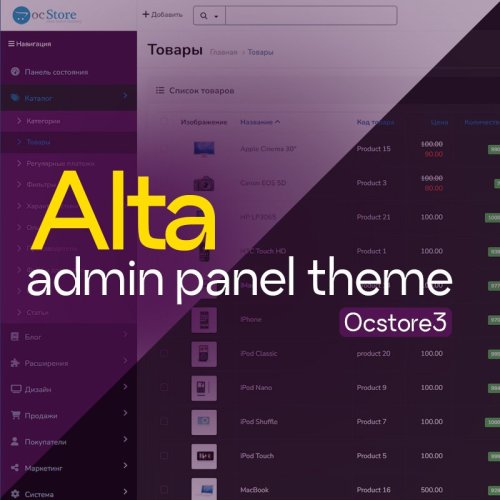
Update your OpenCart admin panel | OCstore ! This modifier updates the standard design to a more modern one.
In short and to the point:
Clean and modern interface: Forget about the outdated look. The usual functionality of OpenCart is preserved, but the visual component is improved:: Updated icons, type and elegant shapes. Pleasant visual appearance: Work with comfort.
If you have any difficulties or questions, you can always write to me in a PM
Make your admin stylish and effective today!
UpdatedVelar - Updated Admin Design
496грн 360 грн 15 69
Модифікатор дозволяє обирати категорії та виробників для яких працюватиме функціонал шаблону Upstore "Знайшли дешевше"
UpdatedВибір категорій і виробників для "Знайшли дешевше" шаблону Upstore
Free 8
Це доповнення (add-on), яке створює безпечний та швидкий візуальний інтерфейс для роботи з базою даних пов’язаних (альтернативних) артикулів, створеною модулем АОП.
Updated[Extension to AOP] Related SKU Manager [OC 2.x, 3.x]
350 грн 2 4
Contact book for Opencart 3x
UpdatedContact book for Opencart 3x
Продаж призупинено 3
The module is a complete solution for organizing everything related to sending events for Google Ads and Facebook Pixel remarketing (+Conversions API), TikTok (+Marketing API), Google Analytics 4 advanced eCommerce, eSputnik, Snapchat, Microsoft Advertising (Bing) and more
UpdatedSP SEO Remarketing All In One Pro 2.1 | Google Analytics 4 | Dynamic Remarketing Google ADS, Facebook (+Conversions API), TikTok | Feed for Google Merchant, Facebook, TikTok | Google reviews | eSputnik, Snapchat, Microsoft ADS
2,200 грн 90 118
A proper integration module with keyCRM ensures product synchronization and automates order processing for online stores.
UpdatedSP keyCRM - Proper Integration
900 грн 114 196