Add-ons on sale
-
 CBLOG allows you to create not only news, but also full-fledged articles, reviews, instructions, service presentations, thematic collections, advertising materials and content pages with individual design. The module combines a modern editor, 22 ready-made content elements, multilingual structure, SEO tools, flexible layouts and integration with OpenCart schemes .
Updated-20%CBLOG — a modern blog and visual article builder for OpenCart.
849грн 849 грн 0 0
С марта 2022 года шаблон навсегда стал бесплатным для украинского бизнеса.
Продающий шаблон Moneymaker 2 – результат развития шаблона Moneymaker 1 – бестселлера маркетплейса OpenCartForum за 2014-2016 годы. Он объединяет в себе как его преимущества, так и нововведения, способные значительно повысить конверсию вашего интернет-магазина.
Начиная с 2016-го года и вплоть до сегодня Moneymaker 2 – это самый рейтинговый шаблон крупнейшего сообщества OpenCart в СНГ на основе 2300+ покупок и 247 отзывов со средней оценкой в 5 звезд (по состоянию на 2021 год). Подобный успех – следствие того, что в основе шаблонов Moneymaker лежит 4-летний опыт работы собственного бизнеса по продаже музыкальных инструментов и звукотехники.
Updated-50%Moneymaker 2 theme
Продаж призупинено 8516
Перевод на все языки сайта (товары, категории, статьи) с использованием сервисов перевода (Google Yandex)
Updated-19%Перевод на все языки сайта (товары, категории, статьи)
Продаж призупинено 1097
хит продаж
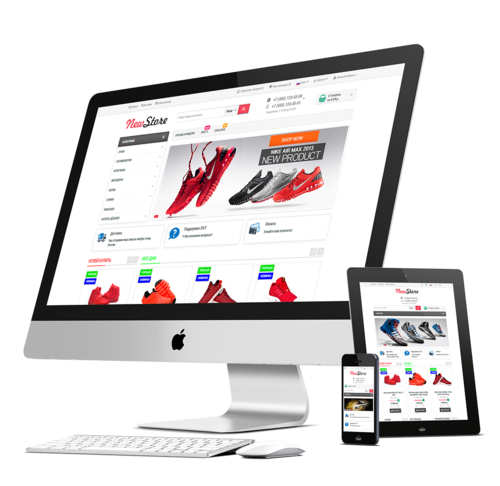
Адаптивный универсальный шаблон NewStore работает на Opencart 2 (Ocstore, Русская Сборка, чиcтый Opencart) 2.1.x 2.2.x 2.3.x Демо - 1: Главная страница Страница категории Страница товара Админка Демо - 2: Главная страница Страница категории Страница товара Админка Демо - 3: Главная страница Страница категории Страница товара Админка Логин demo pass demo Все архивы подписаны согласно версиям движка ! архив PRO только для OpencartPROОбязательная установка IonCube Loader. Cписок функционала и модулей (Все эти модули есть в шаблоне) Управление торговлей 6 Персональный редактор ++ 1.1 Описание модуля Управление торговлей 3 - быстрый заказ Описание модуля Управление торговлей 1 - Обатный звонок Описание модуля Управление торговлей 7 - Product any Описание модуля Быстрая обработка заказов Описание модуля Быстрый просмотр товара Описание модуля Баннеры блоки (модуль баннеров) Стена категорий + производители Цена закупки поле в админке Слайдер для Категорий Мультиязычный (для каждой категории можно задать свой слайдер) Мега меню (горизонтальное и вертикальное) Вкладки модулей ALLTABS (5 в 1) 3 вид Прайс - лист Показать еще товар (ajax загрузка товара) Подписаться на рассылку 16 дополнительных позиций для главной страницы 11 дополнительных позиций для страницы Категорий Стикеры товара(4 вида стикера - акция, хит продаж, новинки, топ продаж. все они настраиваются как Вам угодно) Контактная информация в шапке сайта Контактная информация в подвал сайта Способ оплаты Социальные сети Дополнительные картинки товара во всех модулях, страницах при наведении, можно отключить в настройках, изменить на другую анимацию. Кнопки быстрый заказ, в закладки, в сравнение можно отключить для каждого модуля и для каждой старницы, Описание товара можно отключить для каждого модуля(страницы отдельно) Модель товара можно отключить для каждого модуля(страницы отдельно) Рейтинг товара - можно отключить Количество отзывов - можно включить / выключить в настройках модуля по клику на количество отзывов открываются отзывы товара в карточке товара. Ручная настройка темы Предустановлены 6 цветовые схемы Основное меню постоянно открыто либо закрыто (Настраивается в настройках шаблона) 2 Варианта подвала сайта с (Google Map + Кластеризация меток и Описанием Магазина) Popup Авторизация на сайте ! One Page Checkout Нашли дешевле Дополнительные вкладки для товара Отзывы Покупателей Опция (Цвет) Продукты из категорий + баннеры Дополнительные изображения (слайдер или смена изображения при наведении ну и выкл) 3 вид прайс лист для страниц акций поиска производителя Основной меню всегда открыто(Главная / Категории/ Поиск / Производитель / Информация) Вывод Опций в модулях Вывод Опций на страницах: Категории , Поиск, Акция, Производители Отображать только обязательные опции Кнопка купить когда товара нет в наличии менять текст на любой который задали в админке (да / нет ) Отображение статуса товара когда товара отсутствует (да / нет) Быстрый доступ к настройкам шаблона Ckeditor Фиксированная панель в шапке при прокрутке страницы Оптимизация Стилей и Скриптов + Кеш этих файлов Отзывы(добавил Достоинства, недостатки, уже купил ) Автоматическое создание категорий для меню Возможность открывать ссылку с баннера в popup окне дополнительные ссылки в верхнем меню Упрощенное оформление заказа После покупки шаблона писать в личку для получения ключа активации шаблона..
Updated-17%NewStore - универсальный, адаптивный шаблон
1,599грн 1,299 грн 1465 11861
Justin - доступная доставка. Предложите своим клиентам конкурентный способ доставки, со следующими преимуществами: доступная цена - доставка от 25 грн всегда рядом - 400+ отделений в Сильпо, Fozzy, Фора и в ТЦ без выходных - работа отделений с 8 утра до 8 вечера и без выходных Модуль использует максимум возможностей Justin API и является отличным помощником во время работы с заказами. Кроме стандартных функций модуля доставки имеются инструменты для работы с Накладными: создание, редактирование и удаление ТТН; работа с реестром; печатные формы. Также доступны два калькулятора: расчет стоимости(в том числе комиссии за наложенный платеж) и срока доставки. Расчет стоимости происходит на основе API, что гарантирует получение достоверных данных. Дополнение имеет так же ряд функций, которые за Вас в автоматическом режиме выполняют ежедневную рутинную работу: рассылка уведомлений с номером накладной, смена статусов заказа, напоминание о не забранных посылках и другие. Возможности постоянно расширяются и улучшаются Дополнение является авторской разработкой и защищено соответствующими правами По ссылкам, предоставленным ниже, можно перейти на демонстрационный сайт. Для доступа в админ-панель используйте следующие данные: логин и пароль - demo Панель администратора Создание/редактирование накладной Список накладных Магазин Описание (основная информация) Функциональные возможности Основные возможности большое количество настроек удобное ручное и автоматическое обновление городов, отделений и другой справочной информации создание, редактирование и удаление накладных работа с реестром максимальное заполнение формы накладной в автоматическом режиме скачивание, настройка печати, печать стикеров и реестра просмотр списка накладных непосредственно в админ-панели автоматическое отслеживание отправлений, смена статусов заказа и отправка уведомлений точный предварительный расчет стоимости доставки и учет наложенного платежа расчет ориентировочного срока доставки автоматический расчет параметров отправления выбор и поиск городов, отделений Спойлер Возможности для администратора поддержка мультимагазинов загрузка базовых настроек экспорт/импорт настроек ввод данных доступа к API «Justin» режим отладки загрузка логотипа транспортной компании выбор места отображения логотипа настройка cURL тайм-аут подключения и выполнения настройки доставки в отделение: вкл/выкл способ доставки редактируемое и мультиязычное название доставки выбор географической зоны выбор налогового класса возможность задать минимальную сумму заказа при которой доставка будет доступной возможность задать максимальную сумму заказа при которой доставка будет доступной возможность задать минимальную сумму заказа при которой доставка будет бесплатной редактируемый и мультиязычный текст бесплатной доставки вкл/выкл расчет стоимости доставки вкл/выкл API расчет стоимости доставки (используемая информация для расчета: персональные настройки отправителя, город отправителя и получателя, отделение отправителя и получателя, тип отправления, стоимость товара, вес товара, наложенный платеж) вкл/выкл тарифный расчет стоимости доставки (может использоваться как самостоятельно, так и в случае недоступности API) вкл/выкл расчет срока доставки в днях вкл/выкл фильтр отделений по весу выбор типа отделения выбор статуса отделения настройка тарифного расчета работа с базой: загрузка/обновление областей Украины загрузка/обновление городов компании «Justin» загрузка/обновление отделений компании «Justin» загрузка/обновление справочников компании «Justin» настройка параметров отправителя: отправитель, тип клиента, контактное лицо, телефон, область, город, отделение и адрес отправки настройка параметров получателя: получатель, тип клиента, контактное лицо, телефон, область, город и отделение настройка параметров отправления: вкл/выкл автоопределение типа отправления (посылка, груз, паллеты, шины-диски) выбор типа отправления по умолчанию вкл/выкл учет объёма выбор варианта учета объёма отправления возможность задать количество мест по умолчанию выбор составляющих для объявленной стоимости отправления возможность задать объявленную стоимость по умолчанию возможность задать описание отправления по умолчанию в виде шаблона с использованием макросов заказа и товара выбор способа применения параметров по умолчанию возможность задать вес по умолчанию возможность задать размеры по умолчанию возможность задать допуски к размерам отправления настройка параметров оплаты: выбор плательщика доставки по умолчанию выбор метода оплаты для наложенного платежа вкл/выкл учёт наложенного платежа вкл/выкл учёт комиссии за объявленную стоимость выбор обратной доставки по умолчанию выбор плательщика обратной доставки по умолчанию выбор способа получения денежного перевода ввод платежной карты по умолчанию настройка интеграции ТТН: вкл/выкл отображение всех накладных аккаунта выбор отображаемой информации в списке накладных настройка печати выбор совместимого способа доставки для создания накладных вкл/выкл создание, редактирование, удаление и присвоения накладной в заказе возможность задать мультиязычные названия пунктов меню для работы с накладными в заказе задания Cron: возможность задать ключ безопасности выполнения Cron команд автоматическое обновление базы данных модуля (области, города, отделения, справочники) автоматическое отслеживание отправлений, смена статуса заказа и отправка уведомлений выбор статусов заказа, для которых необходимо отслеживание настройка зависимостей для каждого статуса отправления и статуса заказа в магазине возможность задать задержку выполнения по каждому статусу отправления вкл/выкл уведомления для администратора и покупателя возможность задать мультиязычный шаблон сообщения для e-mail и sms уведомлений используя макросы заказа, товара и накладной и другие стандартные опции модуля доставки Возможности для работы с накладными При просмотре заказа в админ-панели, если клиент выбрал совместимый способ доставки, появляется кнопка для работы с накладной. Возможно создать накладную на основе заказа или присвоить уже существующую. При переходе к созданию, модуль максимально заполняет форму в автоматическом режиме. Если для просматриваемого заказа накладная уже создана, то будет доступен пункт редактирования и удаления. Также при просмотре заказов можно перейти к списку всех накладных. Доступные функциональности: создание, редактирование и удаление накладной работа с реестром настройка печати накладных скачивание стикеров и реестров в формате PDF просмотр накладных по числам создания автоматическое заполнение информации отправителя согласно выбранным настройкам модуля с возможностью смены данных непосредственно перед созданием накладной автоматическое заполнении параметров получателя согласно данным из заказа автоматическое заполнение параметров отправления: тип общий вес общий объем возможность задать параметры каждого места отправления количество мест с калькулятором объявленная стоимость с возможностью корректировки составляющих описание автоматическое заполнение параметров оплаты: плательщик доставки обратная доставка сумма обратной доставки, если выбран наложенный платеж плательщик обратной доставки способ получения денежного перевода ввод карты для получения денежного перевода дополнительные параметры отправления: номер заказа выбор даты отправки поля автоматически, по мере возможности, заполняются или выбираются модулем согласно настроек валидация полей во время редактирования и перед передачей данных на сервер почтовой компании При успешном создании или редактировании будет выполнена переадресация к созданной накладной и ее подсветкой в общем списке. Возможности для клиента выбор типа доставки: доставка в отделение выбор города получения: выпадающий список поиск по названию города выбор отделения: выпадающий список поиск по названию или номеру отделения информация о стоимости доставки информация о сроке доставки Поддерживаемые языки украинский русский английский Некоторые методы API поддерживают украинский, русский и английский языки. Полная поддержка реализована только для украинского языка. Названия городов и отделений Justin доступны на украинском и русском языках. Модуль автоматически показывает нужный перевод в зависимости от настроек OpenCart или выбора покупателя во время оформления заказа. Совместимость OpenCart v. 1.5.Х.Х, 2.X.X.Х, 3.Х.Х.Х (также сборки на базе OpenCart соответствующих версий) формы заказа: Simple checkout & registration (максимальный функционал), стандартное оформление заказов, Ajax Quick Checkout (выбор города и отделения), Journal Quick Checkout (выбор города и отделения), Fast Order (выбор города и отделения), Quick checkout (выбор города и отделения), Revolution Checkout (выбор города и отделения), Uni Checkout (выбор города и отделения) модули отправки уведомлений: стандартная отправка e-mail, OCDEV.pro - СМС уведомления для Opencart, SmsFly order редакторы заказов: OrderPro - Расширенный редактор заказа Возможно потребуется адаптация для конкретных версий. Адаптацию для других модулей и шаблонов выполним ПО ЗАПРОСУ ЗА ДОПОЛНИТЕЛЬНУЮ ПЛАТУ. Лицензия приобретая дополнение Вы получаете пожизненный доступ к бесплатным обновлениям и бесплатную техническую поддержку в течении года лицензия действует только на один домен, тестовые поддомены и тестовые сайты информация о порядке получения лицензии доступна после установки модуля активация лицензии происходит в течении нескольких часов после покупки Требования ionCube Loader версии 5.0 и выше PHP библиотека cURL PHP версии 5.3 и выше Перед установкой на работающем интернет-магазине рекомендуем выполнить установку и тестирование модуля на тестовом сайте или поддомене! Детальная инструкция по установке и настройке модуля доступна в архиве в файле instruction.html..Updated-23%"Justin API" - модуль доставки для OpenCart
Продаж призупинено 257
The only CRM system for Rozetka, Kasta, ALLO, PROM, Epicantr, Vchasno kasa, Telegram, Nova Poshta та Checkbox directly in the OpenCart admin
CRM PRO Marketplace Hub is a professional module for OpenCart that combines all orders, deliveries, statuses, checks and communication with customers in one interface.
You no longer need to open 5 different accounts (Rozetka, Kasta, ALLO, Nova Poshta, Checkbox). All work with orders takes place directly in OpenCart.
Updated-25%CRM PRO Marketplace Hub for OpenCart3 V2.4
5,699грн 4,399 грн 9 84
WMS PRO — професійний складський модуль для CRM PRO та OpenCart з Android WMS Mobile — мобільний термінал для сканування QR-кодів і штрихкодів.
Автоматизація складу — швидкий збір, пакування замовлень, інвентаризація та облік товарів. Повний контроль — складські комірки, залишки, переміщення та статуси замовлень в одній системі.
Updated-85%ADDON for CRM PRO · Warehouse Terminal
1,999грн 1,499 грн 0 0
A ready-made store for OpenCart 3 and ocStore 3: easy checkout, smart search, a filter, sales stats for ads, photo reviews and Google sign-in are already inside. You change the colors yourself, and customer emails carry your logo. $30 instead of $200 for the first 100 buyers. A version for OpenCart 2.3 is planned.
UpdatedOcBox MEGA: theme for OpenCart 3 and ocStore with checkout, live search, filter and structured data
9,600грн 1,440 грн 19 28
Visual catalog manager for OpenCart 3.0: 3-panel UI (tree + products + log), drag-and-drop for categories and products, inline editing, bulk operations, cloning, action log with Undo. Restructure your catalog in an evening instead of a week of clicks.
Updated-50%OcBox AI Category Manager. Visual AI category and product manager for OpenCart 3.0 and ocStore: drag-drop, batch, tree, AI descriptions
1,440грн 1,440 грн 14 31
When a shopper orders an XL you do not actually have, the shopper is not to blame, stock OpenCart is: options there are only a price surcharge and a shared stock figure. OcBox Product Variants turns every combination into a real product: its own price, SKU, stock, photo and shipping dimensions.
A colour-by-size matrix in the admin, one-click combination generation, cloning from another product and Excel import save weeks of manual work. On the storefront, the photo, price and SKU change the moment you click, unavailable combinations cannot be put in the cart, and the choice is kept in the link. The warehouse and the website finally speak the same language, and the shop sells exactly what it has. $30 instead of $60, licence for the shop domain and a test domain.
Updated-50%OcBox Product Variants for OpenCart 3 and ocStore: a colour by size matrix, per-variant stock, photo and SKU, dimensions for shipping
2,880грн 1,440 грн 0 1
Price lists from several suppliers eating your week? OcBox Universal Import reads CSV, Excel, XML, CommerceML, YML and feeds over URL or FTP, maps columns and categories with AI, and pulls in descriptions, SEO tags and translations into every store language. Five pricing strategies for products sold by multiple suppliers, and automatic disabling of items that vanish from the price list, so buyers never see "in stock" on something you no longer carry.
Safe by default: dry run, price change approval queue, undo the last import in one click. The module works at night via CRON, and in the morning you open a report with price changes, new products and errors. Plus export to Prom, Rozetka, Google Merchant, Hotline and Facebook. $50 instead of $100, one-time payment, download access after payment. Grab it while the discount is on.
Updated-20%OcBox Universal Import: supplier price lists for OpenCart 3 and ocStore, nightly price and stock sync, AI descriptions
4,800грн 2,400 грн 4 13
Google Review Request — automatic Google review requests after an order for OpenCart / ocStore 2.3 and 3.x. Once an order is complete, the customer gets a branded email with a button that opens your business review form on Google Maps. Set it up once — the module does the rest. 🔍 Live demo — Admin (login: demo, password: demo) — module: Extensions → Modules → Google Review Request Most happy customers simply forget to leave a review unless they are reminded. Automate Google review requests and turn satisfied customers into the best advertising for your online store. ⭐ Works best together with the Google Reviews — reviews from Google Maps module: locations are imported in one click, and Google Reviews shows the collected reviews on your site. 1 Order complete Sending by order status Delay in hours or days Sending time Email to the customer → 2 Branded email Store logo and color Photos of purchased products Unsubscribe option Flexible email text settings → 3 Go to the Google review form The review form of your business (the customer searches for nothing) Statistics (email sent / click to the form) → 4 You see results 30-day report % who went to Google Email log A second reminder to those who did not open the form More Google Maps reviews — keep the trust of future customers! 1st day — requests to customers of past orders 30 days report with clicks 11 automatic setup checks 0 Google API setup or Cloud keys How it differs from Google Customer Reviews Google Customer Reviews is a Merchant Center survey whose ratings go to the seller rating in Google Shopping. This module, in contrast, collects reviews for your business profile on Google Maps (Google Business Profile) — the ones people see in Search and Maps. Features SENDING Trigger statuses and delay Depending on the order status, delay in hours or days Sending window For example, only 10:00–20:00 — no emails at night No spam One invitation per location, even for frequent customers Second reminder After a set number of days — only to those who did not go to Google from the first email Consent only «Only customers who agreed to newsletters» mode (optional) and an unsubscribe link in every email EMAIL Branded template Store logo and your choice of color, photos of purchased products, responsive Texts for each language Editable. Variables {firstname}, {lastname}, {order_id}, {store_name}, {products} Email language Order language or always one — for example, Ukrainian only Preview and test Preview and a test email to any address LOG AND CONTROL Clicks to Google The button counts clicks; mail scanner clicks right after delivery are filtered out Past orders Requests to customers from recent days (up to 90) with a daily email limit (sent in batches) Setup check Automatic setup check with hints Email queue, cron Run the queue manually from the log — no waiting for cron, or work without cron at all Admin panel 30-day report Invitations and reminders sent, how many went to Google and the percentage, skipped and why, errors, unsubscribes. Log What is queued, what is sent, who went to Google. Any email can be cancelled or sent right away. Setup check See at once what is wrong: mail, cron, links for every store, license — and how to fix it. Results from day one Invite customers of recent orders: the module first shows how many emails will go out, then spreads them over days. Fair to Google rules No review incentives and no rating filter. Google prohibits incentivized and selectively requested reviews and may remove them — so the module asks every customer for a review the same way. Highlights No Google API or Google Cloud — a short review link from Google Business Profile or a place_id is enough Import from Google Reviews — locations from the Google Reviews module are added in one click Multistore and several locations — a separate review link for every store Works without cron too — the queue runs on site visits or with a button in the log No core file changes — orders are tracked via OpenCart events, OCMOD is used only for the no-cron mode Code is not encrypted — customize it for your project Multilingual — admin in Ukrainian, Russian and English, email texts for any number of languages PHP 5.6–8.4 — OpenCart / ocStore 2.3 and 3.x Installation 1 Install the module — upload the archive for your version via Extensions → Installer and refresh modifications. 2 Activate with a license key — install Google Review Request in «Modules» and enter the key. The key is emailed to the buyer automatically after the order. 3 Add the review link — paste the link from Google Business Profile or import a location from Google Reviews (if that module is installed) and assign it to the store. 4 Start the queue — add the line from the «Running» tab to your hosting cron or enable the no-cron mode. 5 Check — look at the «Check» block and send yourself a test email. Optionally invite customers of recent orders. Compatibility Platform Archive ✅ OpenCart / ocStore 3.x ldev_review_request_v1.0.0_oc3.ocmod.zip ✅ OpenCart / ocStore 2.3 ldev_review_request_v1.0.0_oc2.ocmod.zip Store mail must be configured (mail or SMTP; SMTP is more reliable). License ▸ Issued for 1 domain for 1 year from activation. ▸ After the term ends the module keeps working without limits — access to updates requires a renewal. ▸ A test subdomain or local domain (test.site.com, site.loc). ▸ The key is emailed automatically. If it did not arrive, send a private message or write to [email protected]. Updates ▸ All updates within the license term are free. ▸ Follow the module page to get notified about new versions automatically. ▸ The latest file is always available in the downloads section of the module page. Support 📧 [email protected] 💬 Telegram: @Seriusis ▶ YouTube channel Collect reviews with this module — show them on your site with Google Reviews ⭐ Google Reviews — Google Maps reviews on your site..Updated-25%Google Review Request - ask customers for a review after the order
990грн 790 грн 0 0
Return Pro transforms the standard OpenCart return page into a full-featured and convenient service for the buyer and store administrator.
Updated-30%Return Pro - enhanced returns for OpenCart
900грн 673 грн 0 0
oc-max
Complete Nova poshta integration for OpenCart: shipping rates at checkout, consignment notes (TTN), registers, printing, courier calls, tracking, notifications, analytics and multiple sender accounts.
Updated"Nova poshta PRO" - shipping module for OpenCart
5,000грн 3,500 грн 5 4
Jet Cache module is a powerful tool that improves the performance of your online store. It utilizes modern caching and optimization technologies to speed up page loading and reduce server response time.
With Jet Cache, you can significantly reduce page load time, which improves usability and enhances user experience. The module optimizes resources, removes unnecessary data, and reduces file sizes, reducing server load and accelerating your store's performance.
Jet Cache allows you to configure caching for each page of your store, which gives you precise control over page load speed. The module also supports caching of categories, products, modules, and other elements of your store.
Moreover, Jet Cache has many other features, such as mobile optimization, configuration of caching for individual requests, automatic image compression, and much more. All of these features make Jet Cache an essential tool for all online store owners who want to improve their site's speed and performance.
Updated-20%Jet Cache SE - fast caching, pagespeed, optimization opencart stores
Продаж призупинено 5022
Tyre & Wheel Fitment Filter is an all-in-one wheel, tyre, and rim selector for OpenCart and ocStore. The module combines an intelligent vehicle fitment filter by Make, Model, Year, and Trim via the cloud-based Fitment API with advanced technical specification filtering.
Updated-22%Tyre & Wheel Fitment Filter — Tire and wheel selection by vehicle and specifications (with SEO-friendly URLs) for OpenCart 3.x
2,250грн 1,800 грн 0 1
The module automatically tracks customers who added items to their carts but didn't complete their orders and sends them personalized reminders. According to statistics, cart recovery systems recover 5% to 15% of lost sales.
Updated-31%Abandoned Cart - cart recovery for OpenCart/OcStore
900грн 700 грн 4 16
With this module, your clients can communicate online without leaving your website; they will be greeted by a smart AI assistant ready to help 24/7, while you can join the conversation at any time. The system ensures full control: you will see exactly which page the client started the conversation from and have access to a range of other convenient features designed to automate and enhance customer interactions.
Updated-32%Chat + AI consultant online
4,500грн 3,100 грн 6 25
Account Dashboard Editor transforms the standard OpenCart 3 account page into a modern, user-friendly, and informative dashboard.
Updated-33%Account Dashboard Editor – Personal Account Editor for OpenCart
856грн 585 грн 5 5
Smart Order Manager — це повнофункціональне рішення для автоматизації обробки замовлень в інтернет-магазині. Модуль перетворює стандартну рутинну роботу менеджера на швидкий та зручний процес на одному екрані: від миттєвого пошуку товарів та оформлення ТТН Нової Пошти до виставлення рахунків Monobank/IBAN, контролю оплати та перевірки клієнтів за чорними списками.
Updated-60%Smart Order Manager — Розумний менеджер і редактор замовлень для OpenCart / ocStore 3.x
1,499грн 999 грн 0 0
автофильтр
Повна система підбору товарів по довільному каталогу для OpenCart 3. Авто, техніка, меблі або будь-яка інша ніша — ви визначаєте поля.
Updated-18%Universal Catalog Filter/AUTOFilter — Підбір товарів по каталогу та параметрах
Продаж призупинено 4
# Нова Пошта (All-in-One) — ТТН в 1 клік, Автотрекінг, Сповіщення (SMS / Viber / Telegram), Контроль незаборів
**Нова Пошта** — це максимальне комерційне рішення для повної автоматизації доставки Нової Пошти в інтернет-магазинах на OpenCart 3 та ocStore 3.
Модуль об'єднує в собі швидке оформлення замовлення для клієнта, миттєве створення ТТН для менеджера, пакетний друк на термопринтерах, автоматичне відстеження посилок за розкладом та мультиканальні сповіщення покупців.
Updated-18%Нова Пошта (All-in-One) — ТТН в 1 клік, Автотрекінг, Сповіщення (SMS / Viber / Telegram), Контроль незаборів
1,099грн 899 грн 0 3
ShipTime - a module for OpenCart that displays the current shipping time to the customer directly on the product page.
Updated-21%ShipTime - shipping date in the product card OpenCart,ocStore
496грн 406 грн 0 0
Pricer PRO — це не просто модуль для вивантаження, це новий погляд та принцип роботи з використанням АІ, який замінює ручну працю. Налаштовуєте - і йдете пити каву. АІ все зробить за вас
Rozetka · Kasta · ALLO · EVA · Prom.ua · Google Merchant
Pricer PRO — це не просто генератор XML-файлу, а комплексна система керування вивантаженнями з OpenCart: XML/YML + API + AI + автоматичне зіставлення + комісії + націнки + Fast Sync + CRON + діагностика в одному модулі.
Одна з головних переваг — AI-мапінг
Замість ручного пошуку тисяч категорій та характеристик Pricer PRO може автоматично підбирати відповідність OpenCart → категорія маркетплейсу, аналізуючи не тільки назву, а й повний шлях категорії, контекст, характеристики, групи атрибутів та реальні товари.
Використовуються локальний семантичний пошук, OpenAI, embeddings, confidence-рейтинг і база вже підтверджених зіставлень. Сумнівні результати можна перевіряти повторно, а ручні підтвердження мають пріоритет над автоматичними.
UpdatedPicer PRO – smart product uploading to marketplaces via XML, API, and AI.
2,200грн 1,749 грн 1 1
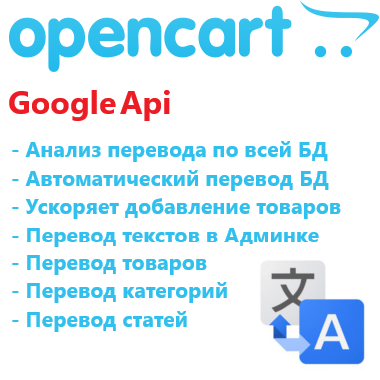
With this module, you will be able to translate the entire site content into any language.
The module speeds up the addition of products, you fill in the value in only one language, and translate it with the "Translate" button.
The module adds a "Translate" button to each multilingual line.
Database multilingual content analysis module, the module will analyze the entire database, find and display everything that needs to be translated.
Mass translation of the entire database or selected tables.
The localization file translation analysis block, the module will analyze the translation files and show what needs to be translated.
Mass translation of missing values in localization files.
Allows manual editing of localization files from the module page.
Free translation of up to 500,000 characters per month.
Google Translate API is giving away $300 in a virtual account to all new users.
Our translation preserves the structure and styles of the HTML code.
More in the module description...
Updated-25%Mass automatic translation of texts, products, categories, articles, etc. with Google translate API - elite module
Free 1871
Compression, resizing, replacement, and backup of ORIGINALS (image/catalog). Smart cleanup of unused images. Watermarks, placeholders, WebP on-the-fly, progressive Lazy Load, SVG, CMYK to sRGB converter, and Cron scheduler. Free up gigabytes of hosting space without 3rd-party APIs or subscriptions!
Updated-22%Image Optimizer [NAT]: Compress originals & remove unused images
1,000грн 750 грн 15 34
Automatically generates believable customer reviews for your store's popular products using AI (ChatGPT, Claude, or Gemini). The module tracks product views itself and publishes reviews on a schedule — no manual work required.
Updated-30%AI Reviews - Product Reviews for OpenCart/OcStore
900грн 700 грн 4 5
The Content Popup module is designed to create popup windows with tabs that can be attached to products in your online store.
It allows you to display additional information in a convenient and visual way — such as size charts, care instructions, delivery and payment terms, warranty details, promotions, and much more.
The module supports bulk assignment by selected categories and manufacturers.
Main Features:
Create popup windows with tabbed content. Unlimited number of content tabs. Bulk add content to product groups by selected categories and manufacturers. Multilingual support. Ability to insert images, tables, text, and HTML content into tabs. Display popup trigger button on the product page. Example Use Cases:
Size chart — add a tab with size tables for different brands or categories. Care instructions — provide helpful product care information. Delivery and payment info — show details without leaving the product page. Promotions, warranty, or certificate information. Benefits:
Improves user experience — customers get all the necessary info without reloading the page. Reduces customer inquiries (especially about sizes and shipping terms). Flexible content assignment — easily update information for many products at once. Theme Compatibility:
default Adaptation for other themes is paid. Please contact before purchase!
Installation:
Upload the module archive via Extensions → Installer. Upload the theme adaptation archive via Extensions → Installer. Refresh modification cache (Extensions → Modifications → Refresh). Go to Extensions → Modules → Content Popup and click Install. Configure the module. After saving settings, always click "Add content to products". Template Compatibility:
The extension is compatible with the default template. Adaptation is required for other templates (paid adaptation).
DEMO
Admin Page login/password: demo/demodemo Store Page License:
Use is allowed in one online store only.
Updated-31%Content Popup
460грн 320 грн 0 9
The Dropship Partner Cabinet module adds a complete dropshipping partner management system to OpenCart. The extension combines partner registration, personalized prices, order creation, balance accounting, fund reservation, payouts, product XML (YML) feeds, and notifications in one dedicated cabinet.
Each partner receives a dedicated workspace where they can create orders for their customers, select a financial model, manage personal feeds, submit balance top-up and payout requests, review the financial journal, and configure notifications.
The administrator manages partners, available products, minimum markups, delivery and payment methods, order statuses, balances, payouts, the feed queue, and notification channels. Every financial change is recorded in a separate journal.
How the module works
A customer registers on the website and applies to join the partner program The administrator reviews the application, configures personal terms, and approves the partner The partner receives access to a dedicated dropshipping cabinet Partner prices are calculated from the product cost price and the administrator's minimum markup The partner can create orders for their customers without using the theme's standard cart Each order is created as a complete OpenCart order and appears in the standard administration area Financial operations follow the selected model: buyout / prepayment or commission sales The partner can create static product XML (YML) feeds with personalized prices Order, payout, top-up, and feed statuses can be sent by email or Telegram Module features
Accept applications to join the partner program Create partners manually in the administration area Move approved partners to a dedicated customer group Store the original customer group and restore it after a partner is blocked or deleted Set global and personal minimum markups Create markup rules for individual products, categories, and manufacturers Support percentage and fixed markups Create dropshipping orders through a dedicated form Work with the buyout / prepayment model Work with the commission model Track balance, reserved funds, pending earnings, and the amount available for payout Account for outbound and return delivery Create balance top-up requests Create payout requests Record every change in the financial journal Create multiple personal feed profiles for one partner Generate static XML (YML) feeds compatible with Prom.ua import Select feed language, currency, products, categories, manufacturers, and fields Map store categories to marketplace categories through portal_category_id Generate full feeds for initial import and compact feeds for fast price and stock updates Generate feeds manually or through a protected CRON task Send notifications through Telegram, email, or both channels Show administrators new applications, orders, payouts, top-ups, and feed errors Support Ukrainian, English, and Russian Dropshipping partner registration
A partner is a regular registered store customer for whom a separate partner profile is created. When applying, the customer provides:
Store name Store URL Contact email address Phone number in international format The administrator can approve, reject, or block an application. Only a partner with the Approved status receives access to the working sections.
After approval, the module moves the customer to the configured dropshipping customer group. The original group is remembered and restored after the partner is blocked, rejected, or deleted.
The administrator can also create a partner manually for an existing customer account.
Partner details
In the cabinet, the partner can edit their contact and payment details:
Store name Store URL Contact email address Phone number Payout recipient Tax ID / Company registration number IBAN The partner can see their unique ID. It can be included in a payment reference so the administrator can reliably identify the payer when processing a balance top-up.
Cost price
All calculations are based on the product cost price stored in product.cost. The modification adds a cost price field to the standard product editing form.
If the cost column has already been created by another purchase price module, Dropship Partner Cabinet uses the existing field. The cost column is not removed when this module is uninstalled.
A product with a zero cost price cannot participate in partner sales and is not exported to personal feeds.
Minimum markup rules
The administrator defines the minimum price below which a partner cannot sell a product. The calculation starts with the cost price.
Example: the cost price is 1,000 and the administrator's minimum markup is 5%. The partner's settlement price is 1,050.
The module supports:
A global minimum markup for all partners A personal minimum markup for an individual partner Rules for a specific product Rules for a category Rules for a manufacturer Percentage markup Fixed amount Rule priority:
Individual product Category Manufacturer Partner's personal markup Module's global markup If a product belongs to several categories with different rules, the rule that produces the highest final price is used.
Priority example: the manufacturer markup is 5%, the category markup is 8%, and a fixed amount of 150 is assigned to the product. For a product with a cost price of 1,000, the product rule takes priority and the settlement price is 1,150.
Creating orders
The partner creates orders through a dedicated cabinet form. The theme's standard cart and checkout are not used.
The partner selects a financial model Finds a product by name, model, or SKU Adds products to the order table Specifies the required quantity Sets their own selling price when needed Enters the actual recipient's details Selects a delivery and payment method Creates the order Autocomplete shows current product availability. Out-of-stock products are not hidden, but are clearly marked as unavailable. A quantity exceeding the available stock cannot be added.
The created order is compatible with the standard OpenCart order system. The partner remains the customer in the standard order, while the delivery details belong to the actual recipient.
Buyout / prepayment financial model
This model is suitable when the partner has already received payment from the buyer and must pay the store the settlement cost of the products.
Example:
Cost price — 1,000 Store's minimum markup — 5% Settlement amount — 1,050 Partner's selling price — 1,260 When the order is created, 1,050 is reserved on the partner's balance. After successful completion, the reserved amount is permanently deducted.
If the available balance is insufficient, the order is still saved but receives the financial status Insufficient funds — awaiting top-up. The administrator sees a warning and should not process the order until the balance has been replenished.
After a top-up, setting a processing status again attempts to create the reserve. The order cannot be completed without successfully reserving the settlement amount.
Commission financial model
The commission model is used when the store receives payment directly from the recipient and the partner earns the difference between the selling price and the settlement amount.
Example:
Store settlement amount — 1,050 Recipient's selling price — 1,260 Partner earnings — 210 After the order is handed over to the delivery service, 210 is recorded as pending earnings. Once the order is successfully completed, this amount becomes available for payout.
No advance balance top-up is required for a commission order. If the order is cancelled or returned, pending or already confirmed earnings are reversed.
Order statuses
The administrator maps OpenCart statuses to the processing stages of dropshipping orders:
Initial status — a new order that has not yet entered processing Order accepted for processing — the administrator has started assembling the order Handed over to delivery service — the shipment has been given to the carrier Order completed — the recipient has received the order Order cancelled — the order was cancelled or the shipment was returned Several OpenCart statuses can be assigned to one financial action. The same status cannot be used for different stages at the same time.
Reapplying the same status does not create duplicate reservations, deductions, or accruals. The module checks the order's current financial state before every operation.
The partner can see the order status history, dates, and administrator comments in the cabinet.
Recipient and delivery field builder
The administrator can create a custom set of order form fields and separate fields for every delivery method.
The following settings are available for every field:
Technical code Name in all store languages Field type Order field where the value will be stored Required status Status Sort order Regular text fields, multiline fields, a country list, and a dependent region / state list are supported.
Countries and regions are loaded from the store's local database. After a country is selected, the partner receives the corresponding list of regions.
Values from several fields can be directed to shipping_address_1 or shipping_address_2. The module combines them into a readable value with localized field names.
Example: “Street: Heroiv, Building: 22, Apartment: 3”.
Delivery and payment methods
The administrator creates the delivery methods and recipient payment methods available to partners.
Each delivery method has:
A technical code, for example dropship.novapost A name in all store languages Status Sort order A custom set of fields Courier delivery can request a city, street, building, and apartment. Branch delivery can request a city and branch number. Parcel locker delivery can request a city and locker number.
The technical delivery code is stored in shipping_code and the localized name in shipping_method. The payment code is stored in payment_code and its name in payment_method.
Outbound and return delivery
For every order, the administrator separately specifies:
Who pays for delivery Actual outbound delivery cost Delivery comment Return delivery cost Return comment If a successful delivery is paid by the recipient, its cost is not deducted from the partner's balance. If the partner pays for delivery, the actual amount is deducted from their balance.
If a shipment is returned, both outbound and return delivery costs are charged to the partner regardless of who was initially selected as the payer.
Before setting the shipped or completed status, the administrator must confirm the outbound delivery cost, even if it is zero. Cancellation requires separate confirmation of both outbound and return delivery.
Balance and reserved funds
The financial system separates several indicators:
Balance — the partner's own funds Reserved funds — funds reserved for buyout orders Pending earnings — income from commission orders that have not yet been completed Available for payout — confirmed income from completed commission orders The amount available for payout includes the free balance not currently reserved and confirmed commission earnings.
The administrator can manually credit or debit a partner's balance. The adjustment reason is saved in the financial journal and can be sent to the partner as a notification.
Balance top-ups
The administrator enters the store's payment details in the module settings:
Payment recipient Tax ID / Company registration number IBAN Support phone numbers Support email address The partner sees these details in the cabinet, makes a payment, and submits a top-up request. The request includes the amount and information the administrator can use to locate the payment.
The administrator verifies receipt and approves or rejects the request. The balance increases only after manual approval.
Partner payouts
A partner can submit a payout request for an amount that does not exceed their free balance and confirmed earnings.
To submit a request, the partner must provide:
Recipient Tax ID / Company registration number IBAN Funds are not transferred automatically. The administrator reviews the request, makes the payment manually, and assigns a status:
Pending Paid Rejected If a pending request is rejected or deleted, the amount reserved for payout is returned to the partner.
Financial journal
Every financial operation is recorded in a separate journal:
Reserving funds for an order Deducting the settlement amount Releasing a reserve Refunding product cost Deducting outbound delivery Deducting return delivery Accruing pending earnings Confirming commission earnings Balance top-up Payout Manual administrator adjustment For order-related operations, the order number and a link to the order are displayed. The journal shows changes to the balance, reserved funds, pending earnings, amount available for payout, and the comment.
Personal XML (YML) feeds
Every approved partner can create personal static product feeds. The maximum number of profiles is set globally by the administrator or individually for a particular partner.
A feed profile contains:
Custom name Language Currency Product availability mode Categories Manufacturers Additional markup Personal markup rules XML (YML) field set The partner can export:
All products Only in-stock products Only out-of-stock products The administrator can restrict the categories and manufacturers that partners are allowed to use in their feeds.
XML (YML) feed fields
The partner independently selects the data to export:
Product name Category Description Price Stock quantity Product URL Main and additional images Manufacturer Model SKU Attributes Weight Dimensions GTIN MPN The offer identifier and availability flag are always generated. The field used as the offer ID is selected by the administrator in the module settings.
The full field set is suitable for the initial product import. A compact feed containing, for example, only price and stock can be used to update an already imported catalog quickly.
Feed language and currency
For each profile, the partner selects one of the active store languages. Product names, descriptions, categories, and attributes entered in that language are included in the feed.
The module does not translate content automatically. If catalog data has not been entered in the required language, it cannot be generated automatically in the feed.
Prices are converted to one of the store's active currencies. The selected currency code is passed in currencyId.
Prom.ua categories
A numeric Prom.ua marketplace category ID can be specified for every store category. When filled in, the module exports it in the portal_category_id tag.
This maps the store's own catalog structure to marketplace categories without changing the categories in the store.
Feed markups
The feed's additional markup is applied after the administrator's minimum price.
Example:
Cost price — 1,000 Administrator's minimum markup — 5% Settlement price — 1,050 Feed's own markup — 20% Feed price — 1,260 The profile markup can be overridden for a specific product, category, or manufacturer. Personal feed rule priority is: product, category, manufacturer, then the profile's global markup.
Static files and CRON
Feeds are generated as static XML files. Requests from an external system to a feed URL do not run heavy SQL queries or rebuild the catalog in real time.
A partner can manually add their feed to the update queue The feed URL remains unchanged after regeneration A product, price, or stock change queues related feeds without deleting the previous file While a new version is generated, the previous successful file and its URL remain available Feeds are processed in batches Each CRON call uses the available PHP execution time and keeps a safety margin before the server limit When the time limit is reached, the next call resumes from the last processed product Notifications
The partner can select a notification channel:
Telegram Email All channels Available event types:
Order status change Feed generated successfully Feed generation error Payout status change Balance adjustment Top-up request status change Payout and top-up messages include the operation amount, new status, and administrator comment.
For Telegram, the administrator enters the bot token and each partner enters their own Chat ID. A separate Mail or SMTP transport can be configured independently of the store's main email settings.
Administration area
After installation, a dedicated dropshipping cabinet section appears in the administration area's left menu.
Administrators have access to:
General settings Partner list Adding and editing partners Dropshipping orders Payout requests Top-up requests Financial journals Feed list and queue Delivery and payment settings Order status settings Telegram and email settings Complete built-in documentation The administration header notification widget shows:
New partner applications New dropshipping orders Top-up requests Payout requests Feeds with errors The standard OpenCart order page displays a dedicated label linking to the dropshipping order and showing its financial status.
Dropshipping cabinet pages
The demo cabinet contains the following pages:
https://demo.ocmodules.in.ua/index.php?route=dropship/dropship — dashboard with financial indicators and quick links https://demo.ocmodules.in.ua/index.php?route=dropship/account — partner store, contacts, and banking details https://demo.ocmodules.in.ua/index.php?route=dropship/order — list of orders created by the partner https://demo.ocmodules.in.ua/index.php?route=dropship/order/create — dedicated form for creating an order for a recipient https://demo.ocmodules.in.ua/index.php?route=dropship/feed — profile list, generation statuses, and static URLs https://demo.ocmodules.in.ua/index.php?route=dropship/feed/add — create a personal XML (YML) feed https://demo.ocmodules.in.ua/index.php?route=dropship/finance — balance, top-ups, payouts, and financial journal https://demo.ocmodules.in.ua/index.php?route=dropship/notify — Telegram, email, and event type settings You must sign in with an approved partner account to view the working pages.
Security and data separation
All orders, finances, feeds, and notifications are linked to the internal partner_id A partner cannot view another partner's data Deleting a partner does not assign their previous orders to a new account Financial operations use a separate transaction journal Reprocessing a status does not duplicate deductions or accruals CRON is protected by a secret key Access to administration pages is controlled by the standard access and modify permissions Performance
Static XML files instead of generation on every request Batch processing of queued products Resume generation from the last processed product Use of the PHP time limit with a safety margin before process termination Selection of only the fields required for a particular feed Dedicated table indexes for partners, orders, finances, and the feed queue Preservation of the previous working file until the new generation completes successfully Support for catalogs containing tens of thousands of products Open source code and independence
The module code is not encoded or obfuscated. PHP, Twig, JavaScript, and XML files are available for viewing and editing.
The module does not use a license server, hidden telemetry, or remote libraries. Core calculations, orders, financial accounting, and feed generation are performed directly on the website.
External connections are made only for channels explicitly configured by the administrator: the Telegram bot, SMTP, and retrieval of static files by an external import system.
Theme compatibility
The module's customer-facing pages are adapted for the standard OpenCart theme. Third-party themes can use a different HTML structure, CSS classes, grid, and form styling, so the partner cabinet pages require a separate theme adaptation to display correctly.
Theme adaptation is not included in the base module package and is performed separately for the specific theme used by the store.
System requirements
MySQL or MariaDB Configured store base currency Completed product.cost values Write access for static XML files Ability to configure a recurring CRON task Telegram bot token for Telegram notifications Configured Mail or SMTP for email notifications Installation
Perform a clean installation of the main package through Extensions / Installer Go to Extensions / Modifications and refresh the modification cache Go to Extensions / Extensions Select the Modules extension type Find Dropship Partner Cabinet and click Install Open the settings and enable the module Select the partner customer group Configure minimum markups Configure order statuses Create delivery and payment methods Enter the store's payment details Configure Telegram and the email transport Add the CRON URL to the scheduler If needed, install the Dropshipping Cabinet Navigation module in the required layout position Uninstalling the module
Disabling the module does not delete partners, orders, financial history, or feed files.
A complete uninstall removes the module's own tables, events, and generated static feed files. Partners are returned to their original customer groups before removal.
The product.cost column is not removed because it may be used by other cost price modules.
We recommend creating a database backup before uninstalling the module from a live store.
Important notes
The module does not perform automatic bank transfers and does not connect to a payment system. Top-ups and payouts are reviewed and approved manually by the administrator.
For correct financial accounting, do not edit the module's own database tables manually. Balance, reserved funds, delivery costs, and commission earnings must be changed through the provided pages and statuses.
Products without a cost price cannot participate in partner calculations. Before launching the partner program, product.cost must be completed for the available catalog.
A recurring CRON task is required to update feeds automatically and process deferred notifications. The execution frequency depends on catalog activity and the number of partner feeds.
Theme compatibility
The module's customer-facing pages are adapted for the standard OpenCart theme. Third-party themes can use a different HTML structure, CSS classes, grid, and form styling, so the partner cabinet pages require a separate theme adaptation to display correctly.
Theme adaptation is not included in the base module package and is performed separately for the specific theme used by the store.
DEMO
Admin Page login/password: demo/demodemo Store Page login/password: [email protected]/demodemo License
The license covers one domain and its subdomains.
Updated-30%Dropship Partner Cabinet
5,900грн 4,100 грн 0 1
The AI LLM Feed extension adds a tool to OpenCart 3 and ocStore 3 for creating a structured store description for language models and AI agents in llms.txt and Markdown format.
The extension creates llms.txt and llms-full.txt files, as well as separate Markdown files for products, categories, manufacturers, and information pages. Updates are processed through a queue and Cron, allowing the extension to be used in stores with large catalogues.
Important information about llms.txt
llms.txt is a proposed open format for presenting essential website information to language models and AI agents. It helps provide an AI system with a clear website description and structured links to important pages without requiring it to analyse menus, JavaScript, and the entire HTML layout.
The llms.txt protocol is not currently used by every AI system. Its support and practical use are still developing, so publishing these files does not guarantee website crawling, inclusion of its pages in AI answers, or improved search rankings.
The extension does not replace XML or HTML Sitemaps, robots.txt, canonical URLs, Schema.org structured data, conventional SEO, internal linking, or page content available to users. It is an additional technical channel that helps prepare a website for the future development of AI search and AI agents.
The llms-full.txt file in this extension is an extended index containing links to selected sections. The extension intentionally does not combine the entire catalogue into one large text file: complete data is stored in separate Markdown files, making it easier to update and use.
Important information about URL generation
The extension includes its own mechanism for building links to products, categories, manufacturers, and information pages. SEO URLs are generated using the standard seo_url table, the category_path structure, and the extension’s own URL settings.
During generation, the extension does not call OpenCart’s standard URL rewriting mechanism and does not depend on third-party SEO modifications being executed. This reduces the risk of errors caused by conflicts or special behaviour in third-party SEO URL and multilingual extensions.
The link format must be configured to match the website’s actual structure: select language folders or separate domains, a full or short category path, and a URL suffix. Before starting a full generation, we recommend opening the product preview and confirming that the generated links match the storefront URLs.
Extension features
Create the root llms.txt file Create the additional llms-full.txt file Create separate Markdown files for products Create separate Markdown files for categories Create separate Markdown files for manufacturers Create separate Markdown files for information pages Create section indexes and a language index Export all, selected, or no records for each entity type Create a separate set of files for each active store language Add separate titles, descriptions, static text, and Sitemap URLs for each language Add separate HTML and XML Sitemaps to llms.txt and llms-full.txt Automatically add queue jobs when catalogue data changes Process the queue in batches via Cron Content modes
The extension lets you choose how llms.txt and llms-full.txt are generated.
Links only — the extension creates indexes, entity files, and structured links Static text only — llms.txt and llms-full.txt are created from the specified title, short description, manual text, and Sitemap URLs Static text + links — manual text is displayed after the short description, followed by automatically generated links Separate title, short description, text, HTML Sitemap, and XML Sitemap fields are provided for llms.txt and llms-full.txt. Values are configured separately for each active language.
Export settings
One of three modes can be selected for products, categories, manufacturers, and information pages.
Export all records Export selected records only Do not export this entity type When “Selected only” is enabled for categories or manufacturers, these settings are also applied to products. For example, files can be created only for products from selected categories or only for products from specific manufacturers.
Product Markdown file content
Depending on the settings, a product file can contain:
Product name and short description Link to the product page Product ID Model and SKU Manufacturer Main category Regular and special prices Availability status Last update date Product attributes Available options Cleaned description in plain text or Markdown format Main image Additional images with a configurable limit URL settings
The extension allows you to configure the link format to match the structure of a particular website.
Short SEO URLs Full URLs with parent category paths Product URLs with a full category path Category URLs with the complete hierarchy URL endings: no suffix, /, or .html Files for the default language only or for all active languages Language folders such as /ru/ or /en/ Separate domains, subdomains, or base URLs for different languages The internal OpenCart language code, such as uk-ua or en-gb, is used only for file storage and is not added to public URLs.
URL configuration examples
Website without language folders
When only the default language is exported and it does not use a language folder, the public URLs will look like this:
https://example.com/llms.txt https://example.com/llms-full.txt https://example.com/llms/products/145.md Default language without a folder, other languages with folders
If the default language opens without a prefix while other languages use folders, leave the default language field empty and enter the appropriate values for the other languages.
https://example.com/llms.txt https://example.com/ru/llms.txt https://example.com/en/llms.txt https://example.com/en/llms/products/145.md Languages on separate domains or subdomains
If separate domains or subdomains are used for languages, specify the base URL for each language in the extension settings.
https://example.com/llms.txt https://ru.example.com/llms.txt https://en.example.com/llms.txt SEO URLs ending in .html
If the store pages end in .html, specify it in the SEO URL suffix setting.
https://example.com/product-url.html https://example.com/category/product-url.html Automatic file updates
The extension uses standard OpenCart events. When a product, category, or information page is added, edited, deleted, or has its status changed using the quick action, the corresponding entity is added to the queue. Manufacturer changes are also added to the queue.
When a category is changed, the extension also adds related products and child categories to the queue. When a manufacturer is changed, its products are added to the queue. This is required because category names, paths, and manufacturers are used in product files and indexes.
Direct SQL queries do not trigger OpenCart events. If a third-party import changes the database directly, updating date_modified alone will not create a job. After such an import, run Full Reconcile or add the full catalogue to the queue manually.
Cron jobs
The extension provides separate URLs for different scenarios.
Regular Cron without action — processes the existing queue in batches. Add this URL to the scheduler with an interval of approximately 1–5 minutes action=full — adds the entire current catalogue to the queue. Run it manually after installation or when all files need to be generated again action=index — adds only root files and indexes to the queue. Use it after changing titles, descriptions, Sitemap URLs, language URLs, or section placement action=reconcile — removes stale records and adds the current catalogue to the queue. Run it manually after a direct import, bulk deletion, or file synchronisation problem URLs containing action=full, action=index, or action=reconcile should not be added to the regular recurring Cron job. They are intended for separate manual scenarios.
Queue, files, and log
View queued jobs Queue pagination and sorting Process the queue manually Delete an individual job View generated files and their public URLs File list pagination and sorting Delete an individual file Delete all generated files Localised operation, change, and error log Log pagination and sorting Clear the log Protection against simultaneous manual and Cron processing Advantages
Structured catalogue representation for AI systems Preparation for the future development of AI search and AI agents No API keys or paid AI services required Automatic file updates after standard catalogue changes Batch processing for large catalogues through a queue and Cron Flexible selection of products, categories, manufacturers, and information pages Separate content for each language Built-in link generation mechanism Support for language folders, domains, and subdomains Result monitoring through the file list and log Built-in detailed help with configuration examples Compatibility
OpenCart 3.x / ocStore 3.x PHP 7.x–8.x Ukrainian, English, and Russian localisations Access to a Cron scheduler Write permission for the OpenCart storage directory Installation
Upload the extension archive through Extensions / Installer Go to Extensions / Modifications and click Refresh Go to Extensions / Extensions Select the Feeds extension type Find AI LLM Feed and click Install Recommended configuration sequence
Enable the extension Enable llms.txt and, if required, llms-full.txt Select the content mode Enter the title, short description, text, and Sitemap URLs for the required languages Select the entity types and their export modes Configure the product Markdown file content Configure language folders or domains to match the website structure Configure the full category path and SEO URL suffix Check the generated Markdown using the product preview Save the settings Add a full generation to the queue once Configure a regular Cron job to process the queue Check the public llms.txt and llms-full.txt URLs If the server returns a 403 error when opening llms.txt or llms-full.txt, you may need to add an exception for these files to the standard FilesMatch rule in the .htaccess file. An example rule is provided in the extension help section.
DEMO
Admin Page login/password: demo/demodemo llms.txt llms-full.txt Licence
The licence covers one domain and its subdomains.
Updated-32%AI LLM Feed
460грн 320 грн 1 2
The IndexNow module adds a tool for submitting website page URLs from OpenCart 3 and ocStore 3 to search engines using the IndexNow protocol.
The extension can automatically notify search engines when products, categories, manufacturers, and information pages are created, edited, or deleted. It also allows you to generate a URL queue for bulk submission via Cron.
Important Information About IndexNow
IndexNow is a protocol for quickly notifying search engines about new, updated, or deleted pages on a website. The module submits URLs through the IndexNow endpoint, but it does not guarantee page indexing.
Not all search engines use the IndexNow protocol. Support depends on each specific search engine, so URL submission through IndexNow does not replace standard SEO optimization, XML Sitemap, canonical URLs, robots.txt, or internal linking.
Important Information About URL Generation
The module uses its own URL generation mechanism for submitting URLs to IndexNow. It does not automatically read or reproduce all settings from third-party SEO URL or multilingual modules.
The URL format must be configured manually according to how links actually work on your website. Before bulk submission, it is recommended to enable debug mode and check the generated URLs.
Module Features
Automatically add URLs to the queue when products are created Automatically add URLs to the queue when products are edited Automatically add URLs to the queue when products are deleted Work with products, categories, manufacturers, and information pages Submit URLs immediately after a page is changed Generate a URL queue for bulk submission Add URLs manually Submit URLs in batches via Cron Store the history of successfully submitted URLs Avoid re-adding already submitted URLs during bulk scanning Keep URLs in the queue for retry if an error occurs View the submission log View the list of URLs submitted to IndexNow URL Settings
The module allows you to configure the URL format according to the structure of a specific website.
Short SEO URLs Full URLs with category paths Product URLs with the full category path Category URLs with full nesting URL ending: empty, /, or .html URLs for one language or all active languages Language prefixes, for example /ua/, /ru/, /en/ Separate domains or subdomains for different languages URL Configuration Examples
Website Without Language Prefixes
If all pages open without a language prefix, select the mode without prefixes.
https://example.com/product-url https://example.com/category/product-url Default Language Without Prefix, Other Languages With Prefixes
If the default language opens without a prefix and other languages use prefixes, leave the default language prefix empty and specify prefixes for the other languages.
https://example.com/product-url https://example.com/ua/product-url https://example.com/en/product-url Languages on Subdomains
If separate subdomains are used for languages, specify the base URL for each language.
https://example.com/product-url https://ua.example.com/product-url https://en.example.com/product-url URLs With .html Ending
If SEO URLs on the website use the .html ending, specify it in the module settings.
https://example.com/product-url.html https://example.com/category/product-url.html Recommended Setup Order
Install the module through the OpenCart admin panel Refresh modifications Go to the modules section and open IndexNow Enable the module Set or generate the IndexNow API key Configure the URL format according to your website structure Configure multilingual settings if the website uses multiple languages Enable debug mode Generate a test URL queue Check that the generated URLs match the real website URLs If the URLs are correct, disable debug mode Configure Cron for queue generation Configure Cron for URL submission Cron Jobs
For large websites, it is recommended to use two separate Cron jobs.
The first Cron gradually scans the website and generates the URL queue The second Cron submits URLs from the queue to IndexNow This approach allows the module to work with large catalogs and avoid exceeding submission limits. If an error occurs during submission, URLs remain in the queue and will be submitted again during the next Cron run.
Queue and Log
View URLs in the queue Pagination for the URL list Clear the entire queue Delete individual URLs from the queue Submission log Log pagination IndexNow response status List of URLs submitted to IndexNow Benefits
Fast notification of search engines about website changes Automation of new and updated page submission Convenient work with large catalogs Ability to check URLs before real submission Flexible configuration for multilingual websites Result control through the submission log Installation
Install the module through the OpenCart admin panel Refresh modifications Go to Extensions and open IndexNow Enable the module and set the API key Configure URL generation, multilingual settings, and Cron jobs DEMO
Admin Page login/password: demo/demodemo License
The license applies to one domain and its subdomains.
Updated-16%IndexNow
680грн 460 грн 0 1
AI Product Video — product video generation with Gemini Omni
AI Product Video is a module for OpenCart 3 and ocStore 3 that creates short product videos from photos and a text prompt. The completed MP4 file is automatically downloaded to the store server and linked to the corresponding product.
The current version works with Gemini Omni 1.1 Flash using a standard Gemini API key. The key is created in Google AI Studio and saved in the module settings.
The main package includes the “Product Video in a Pop-up Window” integration: manage generated and manually added videos on the product editing page and display them in the default theme’s gallery.
Key features
Product video generation with Gemini Omni 1.1 Flash. Three input modes: text only, the main photo, or the main photo together with additional images. Up to six images per job, including the main photo. Portrait 9:16 and landscape 16:9 formats. 360p, 720p, 1080p, and 4K resolutions. Duration from 3 to 10 seconds; one video per job. Automatic saving of the MP4 file and linking the video to the product. Queue processing from the admin panel without page reloads or via CRON. A global prompt template and a custom prompt for an individual product. According to Google’s specifications, the model generates videos at 24 frames per second. Videos in 1080p and 4K are produced using upscaling. Learn more: Gemini Omni Flash specifications and Google API release notes.
Main photo and additional images
The settings let you choose which input data to use for generation:
Text only — the video is generated from a prompt without sending any photos. Main image — only the product’s main photo is sent. Additional images — the main photo and images from the product gallery are sent in their sort order. Prompt and product information
The prompt is created from your template. You can insert the required product data using these variables:
{name} — product name; {description} — product description; {model} — model; {sku} — SKU; {attributes} — attributes and specifications. When adding an individual product to the queue, you can enter a custom prompt. If you leave the field empty, the global template from the settings is used.
You can separately configure instructions for added text, the language of text and speech, preservation of existing labels and logos, and audio: silent, ambient sounds, or background music. The “What to Avoid” field is appended to the prompt as an additional instruction.
These settings are sent to the model through the prompt. They do not physically remove the audio track or guarantee that added text will be blocked. How accurately the product’s appearance is preserved and instructions are followed depends on the model and the source materials.
Selecting products for generation
You can add the following to the queue:
an individual product selected through autocomplete; products with an exact model match; products from a selected category; products from a selected manufacturer; products without videos; all store products that match the specified filters. You can filter by product status and creation date, and set a limit on the number of products to add. Products that already have an active job are not added to the queue again.
Queue and manual processing
Adding products to the queue does not start generation by itself. Processing begins after clicking “Process Queue” or when CRON is called.
Sequential batch processing in the admin panel without page reloads. Display of job statuses, error messages, and Google operation IDs. Configurable number of jobs per worker call and concurrent Google operations. Generation settings saved for each job when it is added. Resume processing an existing operation by its ID without starting a new generation. Delete individual jobs, cancel them locally, and clear the queue. The “Stop” button prevents further manual worker calls from the browser. Cancelling a job locally does not cancel a paid operation already running on Google’s side. If the outcome of a start request is unknown, check the operation before creating a new job.
Automatic processing via CRON
The module provides a URL with a secret key and a command for your hosting scheduler. CRON has a separate enable/disable setting, so you can turn off automatic processing while keeping manual queue processing available.
Each call processes a limited number of jobs: it checks previously started operations, downloads completed results, and starts new jobs when capacity is available. The amount of work depends on the configured limits. The schedule is configured separately in your hosting control panel.
Manual processing and CRON use a shared worker protected against concurrent calls. After temporary polling or download errors, the existing operation is checked again. Queue processing does not run when the module itself is disabled.
Generated videos and file names
The “Generated Videos” tab lets you preview results, access the MP4 file, open the product or its editing page, and delete generated videos.
Files are saved in a selected folder within image/catalog/, for example image/catalog/ai-video/. File names are generated from a template using {name}, {model}, {sku}, {product_id}, and {number}.
For example, you can use the template {name}-{model}. Invalid characters are replaced with hyphens. Suffixes such as -2, -3, and so on are added only when names collide, to avoid overwriting another file.
Managing product videos
A “Video” tab is added to the product editing page. It lets you manage both AI-generated videos and videos added manually.
Add multiple videos to one product. Support for local and external video files, YouTube, YouTube Shorts, and Vimeo. Enable, disable, and sort videos individually. Preview videos in the admin panel. Select a local video file through the OpenCart file manager. Automatically convert YouTube, Shorts, and Vimeo links into video IDs. Videos on the product page
In the default theme, videos appear among the additional product images and open in a pop-up window. YouTube and Vimeo videos use video thumbnails; local and AI-generated videos use the product image. Both portrait and landscape videos are supported.
Schema.org VideoObject structured data is added to the product page, including information about the video, its thumbnail, and a link to the player or video file.
Theme compatibility
The extension is compatible with the standard default theme. Other themes may require adaptation, which is a paid service.
Google API access and billing
Generation requires a Gemini API key and an enabled paid tier with access to Gemini Omni Flash. Google API usage is paid for separately by the store owner and is not included in the module price.
The cost depends on the input data, generation settings, and actual API usage. Current rates are published on the official Google Gemini API Pricing page.
Requirements and operating details
OpenCart 3 or ocStore 3. PHP with the cURL and mbstring extensions. GD with WebP support if the source photos are in WebP format. Outbound HTTPS access to the Google API. A writable output folder within image/catalog/. A CRON scheduler for automatic queue processing. The generated prompt and selected product photos are sent to Google. Processing time, generation availability, and API limits depend on Google’s service and your account. Review the result before using it; a new generation may differ from the previous one.
Installation
Upload the ai_product_video_v_1_1_oc3.ocmod.zip archive through “Extensions → Installer”. Refresh modifications and clear the theme cache. Under “Extensions → Extensions → Modules”, find “AI Product Video” and click “Install”. Open the settings and enter your Gemini API key, video settings, image mode, and prompt template. Enable the module and save your changes. Add products to the queue and click “Process Queue” to start manual processing. For automatic processing, enable CRON in the module settings and add its URL or command to your hosting scheduler. The required tables are created when the module is installed.
Disabling and uninstalling the module
Disabling the module stops queue processing but does not delete completed product videos. Uninstalling the module from the admin panel removes its settings and queue history; saved video files and their product associations are retained.
License
One license covers one domain and its subdomains.
Google Gemini API services, video generation charges, third-party hosting configuration, and adaptation for custom themes are not included in the module license price.
Updated-25%AI Product Video — Product Video Generation + Pop-up Gallery
1,360грн 1,140 грн 0 1
Ticket System is a full-featured customer support (HelpDesk) solution directly inside the OpenCart customer account and admin panel. The module allows customers to create tickets, communicate with the administrator in a chat format, and manage the status of their requests.
Main Features
For customers (Front-end)
My Tickets page in the customer account Create a new ticket: subject, priority, first message View conversation history in chat format Send messages without page reload (AJAX) Auto refresh every 15 seconds Ability to change ticket priority and status (Open / Completed) Automatic status change after customer reply → Waiting for admin response Access protection: guests are redirected to login page, customers cannot access чужие tickets For administrators (Back-end)
Dedicated ticket management page in admin panel All tickets list with filters, sorting and pagination Filtering by customer, status and priority Chat-style conversation view Reply to customers without page reload (AJAX) Change ticket status and priority Visual separation of customer and admin messages Automatic message refresh Modern Chat Interface
Messenger-style message design (Telegram style) Fixed message input field Auto scroll to latest message Compatibility
OpenCart 3.x Theme Compatibility
The extension is compatible with the default OpenCart theme. Adaptation may be required for third-party themes (paid service).
Installation
Install the module via OpenCart admin panel Refresh modifications Grant access permissions to administrator groups Go to “Tickets & Requests” → “Settings” and configure the module DEMO
Admin Page login/password: demo/demodemo Store Page login/password: [email protected]/demodemo License
The license is valid for one domain and its subdomain.
UpdatedTicket System
910грн 680 грн 0 0