


Що можна обрати замість
Вирішують ту саму задачу, але іншим способом або частково.

This module allows you to upload and update products to the ocStore and OpenCart 2.3.x / 3.x websites from the ERC.ua website via the API.
To use this module, you need an account at https://connect.erc.ua/Logon.aspx with permission to upload products. You will also need to add your website's IP address to ERC.ua, as they only allow uploads to added IP addresses.
This module allows you to select categories to upload from and match them with categories on the website. If you don't specify a category on the website, a new category will be created with the same name as on ERC.ua. The module uploads products in two languages.
You can also upload products from specific manufacturers from selected categories.
When updating, the price and availability are updated.
You can also add a CRON task to automatically update and add products...
Updated
Downloading products via API from ERC.ua
900 грн
0 1
Інші рішення в тій самій області магазину.
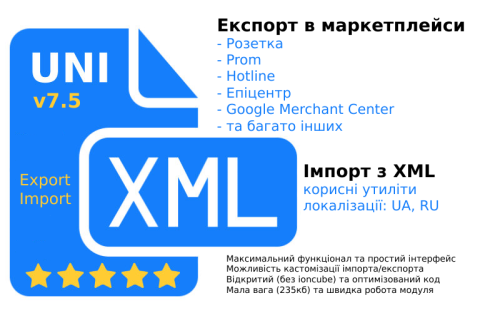
A tool that will allow you to increase your online store sales by integrating with marketplaces (upload and update products there)
A wide import functionality that allows you to import supplier products from XML (YML) into Opencart
A wide import functionality that allows you to import supplier products from XML (YML) into Opencart
Updated
UniXML - module for unloading in XML format + import from XML
1,800 грн
3296 6685

Быстрый настраиваемый фид для Facebook и Google Merchant Center
Updated
SP Fast XML Feed - выгрузка товаров в Google Merchant и Facebook Catalog 2.1.x-2.3.x-3.0.x
500 грн
108 179
-10%
 Придбати

Demo XML file: https://cities.developer-best.site/index.php?route=extension/feed/rozetka_xml
Demo Admin panel: https://cities.developer-best.site/admin/
Login: demo
Password: demo
Product selection from Rozetka for ocStore and OpenCart versions 2.3.x and 3.x
Module for creating XML Feed for cultivating products from a store on Rozetka. The module fills the fields for Rozetka with Russian and Ukrainian languages, which is suitable for Rozetka. You can select categories and products that you would like to purchase from Rozetka.
Basic possibilities
Possibility of creating product variations with options on other products (skin variations are transferred from Feed as a product)
Ability to add information from selected attributes to the product name
Okrem field sales_notes
Vivantage of options in offer>param
Vivantage of attributes in offer>param
Possibility to indicate a markup on goods..
Updated
XML Feed product export to Rozetka
500грн
450 грн
3 3
-21%
Придбати

Pricer PRO — це не просто модуль для вивантаження, це новий погляд та принцип роботи з використанням АІ, який замінює ручну працю. Налаштовуєте - і йдете пити каву. АІ все зробить за вас
Rozetka · Kasta · ALLO · EVA · Prom.ua · Google Merchant
Pricer PRO — це не просто генератор XML-файлу, а комплексна система керування вивантаженнями з OpenCart: XML/YML + API + AI + автоматичне зіставлення + комісії + націнки + Fast Sync + CRON + діагностика в одному модулі.
Одна з головних переваг — AI-мапінг
Замість ручного пошуку тисяч категорій та характеристик Pricer PRO може автоматично підбирати відповідність OpenCart → категорія маркетплейсу, аналізуючи не тільки назву, а й повний шлях категорії, контекст, характеристики, групи атрибутів та реальні товари.
Використовуються локальний семантичний пошук, OpenAI, embeddings, confidence-рейтинг і база вже підтверджених зіставлень. Сумнівні результати можна перевіряти повторно, а ручні підтвердження мають пріоритет над автоматичними.
Rozetka · Kasta · ALLO · EVA · Prom.ua · Google Merchant
Pricer PRO — це не просто генератор XML-файлу, а комплексна система керування вивантаженнями з OpenCart: XML/YML + API + AI + автоматичне зіставлення + комісії + націнки + Fast Sync + CRON + діагностика в одному модулі.
Одна з головних переваг — AI-мапінг
Замість ручного пошуку тисяч категорій та характеристик Pricer PRO може автоматично підбирати відповідність OpenCart → категорія маркетплейсу, аналізуючи не тільки назву, а й повний шлях категорії, контекст, характеристики, групи атрибутів та реальні товари.
Використовуються локальний семантичний пошук, OpenAI, embeddings, confidence-рейтинг і база вже підтверджених зіставлень. Сумнівні результати можна перевіряти повторно, а ручні підтвердження мають пріоритет над автоматичними.
Updated
Picer PRO – smart product uploading to marketplaces via XML, API, and AI.
2,200грн
1,749 грн
1 1

Demo XML file: https://cities.developer-best.site/index.php?route=extension/feed/prom_xml
Demo Admin Panel: https://cities.developer-best.site/admin/
Login: demo
Password: demo
Product Upload to Prom.ua for ocStore and OpenCart 2.3.x / 3.x
This module is designed to generate an XML feed and automatically upload products from ocStore and OpenCart-based online stores to the Prom.ua marketplace.
The solution fully complies with Prom.ua requirements and ensures accurate data transfer in Russian and Ukrainian.
Key Features:
XML Feed generation according to Prom.ua standards
Support for ocStore and OpenCart versions 2.3.x and 3.x
Automatic filling of all required fields
Data upload in Russian and Ukrainian
Select categories and manufacturers for export
Flexible customization of the uploaded product range
Option to set a markup as a percentage or a fixed amount
Simple setup and integration
The module allows you to quickly configure product uploads and keep information on Prom.ua up to date without manual editing...
Updated
XML Feed product export to Prom.ua
450 грн
1 2
-12%
Придбати

XML file demo: https://cities.developer-best.site/index.php?route=extension/feed/multisearch_xml&language_id=1
Admin Panel Demo: https://cities.developer-best.site/admin/
Login: demo
Password: demo
XML Feed — Product Export to Multisearch.io
A module for ocStore / OpenCart designed to generate XML product feeds and transfer product data to Multisearch.io. Flexible settings allow you to control the feed content, select product categories and ocfilter pages, and include additional product information.
Main Features
Category Selection
Select the product categories to include in the XML feed. This allows you to control which parts of your catalog are exported and exclude unnecessary categories.
ocfilter Support
If ocfilter is installed on your website, the module allows you to select existing ocfilter pages for inclusion in the feed alongside product categories.
Attributes and Options
Configure the export of product attributes and options. These settings allow you to customize the feed according to your catalog's needs.
Multilingual Feeds
The module generates feeds for all languages configured on your website. A separate XML feed URL is provided for each language, simplifying the integration of multilingual product catalogs.
Flexible Export Settings
Enable or disable the module through the administration panel.
Configure the store name and currency used in the feed.
Select product categories for export.
Select ocfilter pages if the corresponding module is installed.
Configure product stock statuses.
Choose image sizes: 160 × 160 or the original image.
Enable or disable the export of product attributes and options.
Use a separate XML feed URL for each website language.
Integration with Multisearch.io
The module has been developed in accordance with the Multisearch.io product feed documentation. The XML feed is designed to transfer your online store's product information to the Multisearch.io service.
Multisearch.io XML Feed Documentation →
Module Benefits
✓ Convenient export management through the administration panel.
✓ Control over the categories and pages included in the feed.
✓ Support for additional product data, including attributes and options.
✓ Support for multilingual online stores.
✓ Separate XML feed URLs for each language.
✓ Flexible feed configuration to match your catalog structure.
Who Is This Module For?
This module is suitable for owners of ocStore and OpenCart online stores who need to export their product catalogs to Multisearch.io, control the contents of their XML feeds, and maintain separate feeds for different language versions of their websites...
Submitted
XML feed export of products to Multisearch.io
500грн
440 грн
0 0

The Google Automated Discounts extension integrates OpenCart with the Google Merchant Center Automated Discounts program. It supports two operating modes: calculating minimum allowed prices locally and sending them through a supplemental XML feed, or accepting a ready personalised price calculated by Google Merchant Center.
The extension receives a personalised price from the signed pv2 parameter, validates it, and applies it on product pages, product listings, the cart, and checkout. The regular product price and special price are not changed in the database: the personalised offer is stored only for the relevant visitor.
The solution supports multiple stores, currencies, and Merchant Center accounts. A separate channel can be created for each required combination, with its own Merchant Center ID, currency, Offer ID field, and pricing restriction source.
Two operating modes
The pricing restriction source can be selected separately for every channel:
Extension settings — the extension determines which products participate in the program, calculates their minimum allowed prices, and generates a supplemental XML feed containing auto_pricing_min_price and, when a product cost is available, cost_of_goods_sold Google Merchant Center — products, gross margin, and maximum discount are configured directly in Google. The extension’s supplemental minimum-price XML feed is not used, and the personalised price is accepted from the signed JWT without rechecking it against local rules or a locally calculated minimum price In both modes, the extension validates the cryptographic signature, Merchant Center ID, Offer ID, currency, expiration time, and matching product. The received price must be positive and lower than the product’s current price. The only difference is where product eligibility and the permitted price floor are configured.
Google Merchant Center mode does not replace the store’s primary product feed. Google must still receive the main product data and valid Offer IDs from the standard product data source.
How Automated Discounts work
The administrator creates a channel for the required store, Merchant Center account, and currency A pricing restriction source is selected: extension settings or Google Merchant Center In local mode, the administrator configures product eligibility and minimum-price rules, then CRON generates a supplemental XML feed In Google Merchant Center mode, products, margin, and maximum discount are configured in Google without using the extension’s supplemental feed Google determines a personalised price and sends it to the shopper as a signed JWT in the pv2 GET parameter The extension validates the ES256 signature, Merchant Center ID, Offer ID, product, currency, price, and expiration time In local mode, product eligibility and compliance with the calculated minimum price are also validated After successful validation, the personalised price appears in the storefront and is carried into the cart and order The personalised price is retained for at least 30 minutes on the product page and for 48 hours in the cart. It does not become the product’s public price and is not shown to other shoppers.
Extension features
Separate channels for different stores, Merchant Center accounts, and currencies A separate pricing restriction source for every channel Local pricing rules with a supplemental minimum-price XML feed Acceptance of Google prices without local minimum-price validation Operation without the extension’s supplemental XML feed when products, margin, and maximum discount are configured in Merchant Center Static XML feeds in Google Merchant Center format A custom file name for every XML feed Protected feed generation using a secret CRON key Selection of the OpenCart field used as Offer ID Product eligibility management by category, manufacturer, and individual product Product inclusion and exclusion rules Filtering by current price and active special price Minimum-price calculation as a maximum discount from the current price Minimum-price calculation as a markup on product cost Individual settings directly in the OpenCart product form Validation of signed Google personalised prices using ES256 Personalised pricing on the storefront, in the cart, and in orders Administrative labels for production and test Google orders Local test links for checking the entire flow before connecting Merchant Center Statistics for active prices and related orders Automatic cleanup of expired records and old history Logging of reasons for accepting or rejecting a personalised price Ukrainian, English, and Russian interfaces Channels and Offer ID
A channel combines the settings of one store, Merchant Center account, and currency. Each channel has a name, store, Merchant Center ID, currency, Offer ID, pricing restriction source, XML file name, and status.
Offer ID can be read from the standard OpenCart fields: product_id, model, sku, upc, ean, jan, isbn, or mpn.
The selected value must exactly match the ID of the same offer in the primary Merchant Center product data source. Otherwise, the extension cannot accept a personalised price for that product.
Local pricing rules
Pricing rules are used only when Extension settings is selected as the pricing restriction source. In Google Merchant Center mode, local rules, product cost, and manually entered minimum prices do not restrict the offer received in the signed JWT.
Rules are checked from the lowest sort order to the highest. The first matching rule is used for the product.
Allow or deny participation — includes or excludes matching products Categories, manufacturers, and products — define the scope of a rule Special price condition — all products, only products with a current special, or only products without one Price from and to — optional current-price limits Method and value — maximum discount from current price or markup on product cost Categories, manufacturers, and individual products in the same rule are combined: matching any selected list is sufficient. When all lists are empty, the rule applies to every product in the channel.
Minimum-price calculation methods
Maximum discount from current price — the minimum price equals the current price minus the specified percentage. Product cost is not required Markup on product cost — the minimum price equals product cost plus the specified percentage. The cost field is required for this method When product cost is provided, the extension sends it as cost_of_goods_sold and does not allow the local minimum price to fall below cost. If cost equals zero, this attribute is omitted from the XML feed.
Product form settings
The modification adds product cost, a manual automated minimum price, and an Automated Discounts participation mode to the standard OpenCart product form. These settings are used in local mode and take priority over automatic rules.
The product cost field can be hidden if the store already uses a compatible purchasing extension that stores data in the same cost field.
Static XML feed and CRON
The static XML feed is used in local pricing restriction mode. Each channel creates a separate XML file in the price directory. Google receives a ready file without running expensive SQL queries on every request to the feed URL.
One CRON request completely rebuilds the selected feed The CRON URL is protected by a shared secret key A ready URL and crontab command are displayed for every channel File size, modification date, and generation statistics are available in the settings A product without cost can provide Offer ID and auto_pricing_min_price When cost is provided, cost_of_goods_sold is also included When Google Merchant Center is selected as the pricing restriction source, the XML feed generated by the extension does not need to be connected. Eligibility, gross margin, and maximum discount are configured directly in Google.
Testing personalised prices
The built-in testing tab creates a temporary link with a test personalised price and allows the entire flow to be checked before receiving a production test link from Google.
In local mode, the test price must be below the current price and not below the calculated minimum. In Google Merchant Center mode, the local minimum is not checked, but the price must still be positive and below the current product price.
For testing, the extension creates a separate ES256 key pair in the protected storage directory. Local testing does not alter the official Google public key and does not replace Merchant Center production validation.
Security validation
ES256 cryptographic signature validation Merchant Center ID, Offer ID, and matching product validation Currency, expiration time, and personalised price validation Comparison with the product’s current price Local minimum-price validation when the channel uses extension rules Binding of local test links to the visitor’s IP address Acceptance and rejection logging without storing the JWT itself The official Google ES256 public key is already included in the settings. It is shared by Automated Discounts integrations and does not need to be created by the store administrator.
Personalised price display
The personalised price is integrated into product pages, categories, manufacturer pages, search, specials, standard product modules, the cart, standard checkout, and the administrative order page.
Quick-order extensions using the standard OpenCart Cart and addOrder mechanisms receive the personalised price automatically. Extensions that read prices or create orders using direct SQL queries may require a separate adaptation.
Order labels
When a personalised price is used at checkout, the extension links it to the order. The administrator sees a Google Automated Discounts label, while locally generated test orders receive a separate test label.
SEO URLs and the pv2 parameter
An SEO extension, CDN, or redirect from index.php to an SEO URL must not remove the pv2 GET parameter. When SeoPro or another URL modification is used, pv2 must be added to the permitted parameter list. Pages containing a personalised price must not be stored in a shared full-page cache.
Multistore and currencies
Each channel uses a specific OpenCart store and one active currency. Rules are isolated between channels, allowing different conditions for individual countries, currencies, storefronts, or Merchant Center accounts.
Performance
Static XML files instead of feed generation on every Google request Selection of only the product data required for feed generation Indexes on extension tables for key operations Batch application of personalised prices to product result sets Use of standard OpenCart Currency, Tax, Cart, Events, and DB APIs No external API requests while storefront pages are loading Theme and third-party extension compatibility
The main pricing logic works through standard OpenCart product models, cart, events, and order mechanisms. A targeted adaptation may be required when a theme or third-party extension reads prices through direct SQL queries, uses a custom cart, or creates orders without the standard addOrder method.
Open source code and independence
The extension code is not encoded or obfuscated. It does not use licence servers, telemetry, or remote libraries. JWT validation, pricing rules, personalised price storage, and XML generation are performed directly on the store server.
System requirements
OpenCart 3.0.3.x PHP OpenSSL with ES256 support A Google Merchant Center account with access to Automated Discounts Purchase conversion tracking with cart data For local mode: permission to write XML files to the price directory and the ability to configure recurring CRON Installation
Install the archive through Extensions / Installer Refresh the cache in Extensions / Modifications Install and open Google Automated Discounts under Feeds Enable the extension and create a channel for the required store, Merchant Center account, and currency Verify the Offer ID field and select the pricing restriction source For local mode, configure rules, run CRON, and connect the XML file as a supplemental Merchant Center data source For Google Merchant Center mode, configure products, gross margin, and maximum discount directly in Google Check both local and production test links The extension does not directly modify OpenCart core files. Integration is implemented using standard OpenCart Events and OCMOD.
Important notes
The extension does not automatically enrol a store in Google Automated Discounts. Program availability, Merchant Center configuration, and final store approval are determined by Google.
The primary Merchant Center product data source must contain products with correct Offer IDs in either operating mode. The Offer ID selected in the extension must exactly match the corresponding offer identifier in Google’s primary product data source.
In local mode, the extension XML is used as a supplemental source for Automated Discounts attributes. In Google Merchant Center mode, this supplemental file is not required because pricing restrictions are configured directly in Google.
The extension does not replace analytics and does not send purchase conversions to Google. A separate Google Analytics, Google Ads, or compatible integration is required for this purpose.
DEMO
Admin Page login/password: demo/demodemo Licence
The licence covers one domain and its subdomains.
The extension receives a personalised price from the signed pv2 parameter, validates it, and applies it on product pages, product listings, the cart, and checkout. The regular product price and special price are not changed in the database: the personalised offer is stored only for the relevant visitor.
The solution supports multiple stores, currencies, and Merchant Center accounts. A separate channel can be created for each required combination, with its own Merchant Center ID, currency, Offer ID field, and pricing restriction source.
Two operating modes
The pricing restriction source can be selected separately for every channel:
Extension settings — the extension determines which products participate in the program, calculates their minimum allowed prices, and generates a supplemental XML feed containing auto_pricing_min_price and, when a product cost is available, cost_of_goods_sold Google Merchant Center — products, gross margin, and maximum discount are configured directly in Google. The extension’s supplemental minimum-price XML feed is not used, and the personalised price is accepted from the signed JWT without rechecking it against local rules or a locally calculated minimum price In both modes, the extension validates the cryptographic signature, Merchant Center ID, Offer ID, currency, expiration time, and matching product. The received price must be positive and lower than the product’s current price. The only difference is where product eligibility and the permitted price floor are configured.
Google Merchant Center mode does not replace the store’s primary product feed. Google must still receive the main product data and valid Offer IDs from the standard product data source.
How Automated Discounts work
The administrator creates a channel for the required store, Merchant Center account, and currency A pricing restriction source is selected: extension settings or Google Merchant Center In local mode, the administrator configures product eligibility and minimum-price rules, then CRON generates a supplemental XML feed In Google Merchant Center mode, products, margin, and maximum discount are configured in Google without using the extension’s supplemental feed Google determines a personalised price and sends it to the shopper as a signed JWT in the pv2 GET parameter The extension validates the ES256 signature, Merchant Center ID, Offer ID, product, currency, price, and expiration time In local mode, product eligibility and compliance with the calculated minimum price are also validated After successful validation, the personalised price appears in the storefront and is carried into the cart and order The personalised price is retained for at least 30 minutes on the product page and for 48 hours in the cart. It does not become the product’s public price and is not shown to other shoppers.
Extension features
Separate channels for different stores, Merchant Center accounts, and currencies A separate pricing restriction source for every channel Local pricing rules with a supplemental minimum-price XML feed Acceptance of Google prices without local minimum-price validation Operation without the extension’s supplemental XML feed when products, margin, and maximum discount are configured in Merchant Center Static XML feeds in Google Merchant Center format A custom file name for every XML feed Protected feed generation using a secret CRON key Selection of the OpenCart field used as Offer ID Product eligibility management by category, manufacturer, and individual product Product inclusion and exclusion rules Filtering by current price and active special price Minimum-price calculation as a maximum discount from the current price Minimum-price calculation as a markup on product cost Individual settings directly in the OpenCart product form Validation of signed Google personalised prices using ES256 Personalised pricing on the storefront, in the cart, and in orders Administrative labels for production and test Google orders Local test links for checking the entire flow before connecting Merchant Center Statistics for active prices and related orders Automatic cleanup of expired records and old history Logging of reasons for accepting or rejecting a personalised price Ukrainian, English, and Russian interfaces Channels and Offer ID
A channel combines the settings of one store, Merchant Center account, and currency. Each channel has a name, store, Merchant Center ID, currency, Offer ID, pricing restriction source, XML file name, and status.
Offer ID can be read from the standard OpenCart fields: product_id, model, sku, upc, ean, jan, isbn, or mpn.
The selected value must exactly match the ID of the same offer in the primary Merchant Center product data source. Otherwise, the extension cannot accept a personalised price for that product.
Local pricing rules
Pricing rules are used only when Extension settings is selected as the pricing restriction source. In Google Merchant Center mode, local rules, product cost, and manually entered minimum prices do not restrict the offer received in the signed JWT.
Rules are checked from the lowest sort order to the highest. The first matching rule is used for the product.
Allow or deny participation — includes or excludes matching products Categories, manufacturers, and products — define the scope of a rule Special price condition — all products, only products with a current special, or only products without one Price from and to — optional current-price limits Method and value — maximum discount from current price or markup on product cost Categories, manufacturers, and individual products in the same rule are combined: matching any selected list is sufficient. When all lists are empty, the rule applies to every product in the channel.
Minimum-price calculation methods
Maximum discount from current price — the minimum price equals the current price minus the specified percentage. Product cost is not required Markup on product cost — the minimum price equals product cost plus the specified percentage. The cost field is required for this method When product cost is provided, the extension sends it as cost_of_goods_sold and does not allow the local minimum price to fall below cost. If cost equals zero, this attribute is omitted from the XML feed.
Product form settings
The modification adds product cost, a manual automated minimum price, and an Automated Discounts participation mode to the standard OpenCart product form. These settings are used in local mode and take priority over automatic rules.
The product cost field can be hidden if the store already uses a compatible purchasing extension that stores data in the same cost field.
Static XML feed and CRON
The static XML feed is used in local pricing restriction mode. Each channel creates a separate XML file in the price directory. Google receives a ready file without running expensive SQL queries on every request to the feed URL.
One CRON request completely rebuilds the selected feed The CRON URL is protected by a shared secret key A ready URL and crontab command are displayed for every channel File size, modification date, and generation statistics are available in the settings A product without cost can provide Offer ID and auto_pricing_min_price When cost is provided, cost_of_goods_sold is also included When Google Merchant Center is selected as the pricing restriction source, the XML feed generated by the extension does not need to be connected. Eligibility, gross margin, and maximum discount are configured directly in Google.
Testing personalised prices
The built-in testing tab creates a temporary link with a test personalised price and allows the entire flow to be checked before receiving a production test link from Google.
In local mode, the test price must be below the current price and not below the calculated minimum. In Google Merchant Center mode, the local minimum is not checked, but the price must still be positive and below the current product price.
For testing, the extension creates a separate ES256 key pair in the protected storage directory. Local testing does not alter the official Google public key and does not replace Merchant Center production validation.
Security validation
ES256 cryptographic signature validation Merchant Center ID, Offer ID, and matching product validation Currency, expiration time, and personalised price validation Comparison with the product’s current price Local minimum-price validation when the channel uses extension rules Binding of local test links to the visitor’s IP address Acceptance and rejection logging without storing the JWT itself The official Google ES256 public key is already included in the settings. It is shared by Automated Discounts integrations and does not need to be created by the store administrator.
Personalised price display
The personalised price is integrated into product pages, categories, manufacturer pages, search, specials, standard product modules, the cart, standard checkout, and the administrative order page.
Quick-order extensions using the standard OpenCart Cart and addOrder mechanisms receive the personalised price automatically. Extensions that read prices or create orders using direct SQL queries may require a separate adaptation.
Order labels
When a personalised price is used at checkout, the extension links it to the order. The administrator sees a Google Automated Discounts label, while locally generated test orders receive a separate test label.
SEO URLs and the pv2 parameter
An SEO extension, CDN, or redirect from index.php to an SEO URL must not remove the pv2 GET parameter. When SeoPro or another URL modification is used, pv2 must be added to the permitted parameter list. Pages containing a personalised price must not be stored in a shared full-page cache.
Multistore and currencies
Each channel uses a specific OpenCart store and one active currency. Rules are isolated between channels, allowing different conditions for individual countries, currencies, storefronts, or Merchant Center accounts.
Performance
Static XML files instead of feed generation on every Google request Selection of only the product data required for feed generation Indexes on extension tables for key operations Batch application of personalised prices to product result sets Use of standard OpenCart Currency, Tax, Cart, Events, and DB APIs No external API requests while storefront pages are loading Theme and third-party extension compatibility
The main pricing logic works through standard OpenCart product models, cart, events, and order mechanisms. A targeted adaptation may be required when a theme or third-party extension reads prices through direct SQL queries, uses a custom cart, or creates orders without the standard addOrder method.
Open source code and independence
The extension code is not encoded or obfuscated. It does not use licence servers, telemetry, or remote libraries. JWT validation, pricing rules, personalised price storage, and XML generation are performed directly on the store server.
System requirements
OpenCart 3.0.3.x PHP OpenSSL with ES256 support A Google Merchant Center account with access to Automated Discounts Purchase conversion tracking with cart data For local mode: permission to write XML files to the price directory and the ability to configure recurring CRON Installation
Install the archive through Extensions / Installer Refresh the cache in Extensions / Modifications Install and open Google Automated Discounts under Feeds Enable the extension and create a channel for the required store, Merchant Center account, and currency Verify the Offer ID field and select the pricing restriction source For local mode, configure rules, run CRON, and connect the XML file as a supplemental Merchant Center data source For Google Merchant Center mode, configure products, gross margin, and maximum discount directly in Google Check both local and production test links The extension does not directly modify OpenCart core files. Integration is implemented using standard OpenCart Events and OCMOD.
Important notes
The extension does not automatically enrol a store in Google Automated Discounts. Program availability, Merchant Center configuration, and final store approval are determined by Google.
The primary Merchant Center product data source must contain products with correct Offer IDs in either operating mode. The Offer ID selected in the extension must exactly match the corresponding offer identifier in Google’s primary product data source.
In local mode, the extension XML is used as a supplemental source for Automated Discounts attributes. In Google Merchant Center mode, this supplemental file is not required because pricing restrictions are configured directly in Google.
The extension does not replace analytics and does not send purchase conversions to Google. A separate Google Analytics, Google Ads, or compatible integration is required for this purpose.
DEMO
Admin Page login/password: demo/demodemo Licence
The licence covers one domain and its subdomains.
Updated
Google Automated Discounts
1,150 грн
1 4

Demo XML file: https://cities.developer-best.site/index.php?route=extension/feed/google_merchant_xml&language_id=1
Demo Admin Panel: https://cities.developer-best.site/admin/
Login: demo
Password: demo
Exporting products to Google Shopping for ocStore and OpenCart versions 2.3.x and 3.x
A module for creating an XML Feed for uploading products from your store to Google Merchant Center according to their documentation.
The module allows you to select categories for uploading and map them to Google categories.
It is possible to upload product offers in any store language; a separate link will be provided for each language...
Updated
XML Feed export of goods to Google Shopping
450 грн
0 1

Demo XML file: https://cities.developer-best.site/index.php?route=extension/feed/hotline_market_xml
Demo Admin Panel: https://cities.developer-best.site/admin/
Login: demo
Password: demo
Uploading products to Hotline for ocStore and OpenCart versions 2.3.x and 3.x
A module for creating an XML Feed for uploading products from a store to Hotline. The module populates Hotline fields in Ukrainian, according to Hotline requirements. You can select the categories of products to upload to Hotline.
Key Features
· The module is based on Hotline documentation
· Ability to add pickup points
· Ability to add delivery methods
· Attributes upload
· Ability to specify a markup on a product
..
Updated
XML Feed product export to Hotline
450 грн
0 0
Продаж «Bil24.pro - Api создания товаров» призупинено
Ми підібрали схожі модулі інших розробників — їх можна придбати вже зараз.
Інші варіанти
1.0.0
Ioncube Loader: Так
Sales paused
Продаж призупинено адміністрацією форуму.
OpenCart2.3
ocStore2.3
License type
Activation method По запросу в ЛС, По запросу на почту, По емейлу
Ioncube LoaderТак
Get request to server of developerНі
Downloads1
Submitted08/02/2018
Updated03/30/2022
File Size488.47 kB


User Feedback
Previous FileFeed для Google Shopping товарный фид для гугл шоппинг, выгрузка товара в РУБЛЯХ.
Next FileВопрос-ответ


-
Recently Browsing 0 members
- No registered users viewing this page.