

Що можна обрати замість
Роблять те саме — можна поставити замість.

Інші рішення в тій самій області магазину.
-40%
 Придбати

Interactive polygon product areas on photos. ASSL Lookbook Single displays one composition, while ASSL LookBook SlideShow combines several lookbooks as a slider or tabs.
Updated
ASSL Lookbook — Products on Photos
1,000грн
600 грн
21 66

Купить в 1 клик PRO - Быстрый заказ Demo Opencart 3x Главная Demo Opencart 3x Категории Demo Opencart 3x Товар Админка login: demo pass: demo 1) Пользователь видит дополнительные кнопки "Быстрого заказа" - кнопки имеют гибкие настройки как по цвету, так и по иконкам(более 400) 2) Быстрый заказ не только с карточки товара но и с категории и модулей 3) Регистрация всех заказов в админке + информер + ссылка на страницу товара, заказ на который был сделан 4) Гибкие настройки цветов, названий ,отправки СМС и отправки на почту 5) Заказ падает в заказ 6) В модуль добавлен выбор опций. 7) При выборе количества и опции автоматический пересчет цены. 8) В админке в графе регистрации быстрых заказов отображается присвоеный порядковый номер заказа + название и картинка заказанного товара ( очень удобно для визуального контроля) 9) Быстрая обработка с переходом в сам заказ 10) купить все что в корзине в 1 клик (Корзина покупок) ..
Updated
Купить в 1 клик PRO - Быстрый заказ oc 3.x 7.3
450 грн
278 481

Купить в 1 клик PRO - oc 2.x Быстрый заказ Версия для 15 купить все что в корзине в 1 клик заказ падает в заказ демо Opencart 2.x карточка товара демо Страница категорий login: demo pass: demo http://opencart20.waterfilter.in.ua/fastimage/quickorderv7.2_0.jpg http://opencart20.waterfilter.in.ua/fastimage/quickorderv7.2_1.jpg http://opencart20.waterfilter.in.ua/fastimage/quickorderv7.2_2.jpg 1) Пользователь видит дополнительные кнопки "Быстрого заказа" - кнопки имеют гибкие настройки как по цвету, так и по иконкам(более 400) 2) Быстрый заказ не только с карточки товара но и с категории 3) Регистрация всех заказов в админке + информер + ссылка на страницу товара, заказ на который был сделан. 4) Гибкие настройки цветов, названий ,отправки СМС. 5) Заказ падает в заказ 6) В модуль добавлен выбор опций. 7) При выборе количества и опции автоматический пересчет цены. 8) В админке в графе регистрации быстрых заказов отображается присвоеный порядковый номер заказа + название и картинка заказанного товара ( очень удобно для визуального контроля) 9) Быстрая обработка с переходом в сам заказ , присвоение статуса. Модуль использует ionCube с онлайн проверкой ключа после приобретения писать в личку заглавив письмо" КУпил, Скачал, Жду ключа на Купить в 1 клик"..
Updated
Купить в 1 клик PRO - oc 2.x
450 грн
414 1491

The module creates a block of similar products on the product page based on the data of this product using morphology and relevance.
Updated
Similar products with morphology and relevance
450 грн
124 151
-29%
Придбати

This module will help solve the problem of clarifying the purpose of options, attributes and their values for a better understanding of the characteristics of the product item by the client.
Updated
Information (hint) of Options and Attributes
700грн
500 грн
14 29
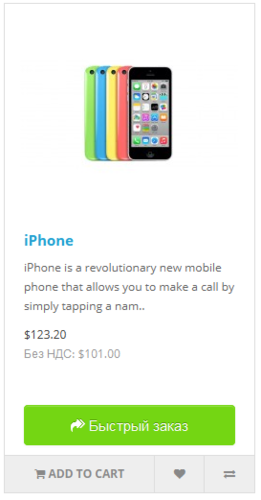
Управление торговлей 3 Быстрый заказ купить в 1 клик, купить все что в корзине в 1 клик, заказ падает в заказ демо Opencart 2.x карточка товара демо Страница категорий login: demo pass: demo Демка OcStore Opencart login: demo pass: demo http://opencart20.waterfilter.in.ua/fastimage/quickorderv7.2_0.jpg http://opencart20.waterfilter.in.ua/fastimage/quickorderv7.2_1.jpg http://opencart20.waterfilter.in.ua/fastimage/quickorderv7.2_2.jpg Все версии поддерживают выбор опций Обновил версию для Opencart 2.0.0.0 - 2.1.0.1 1)Поля можно настраивать 2)Вывод в корзине кнопки купить в 1 клик 3)Добавил настройки модуля - можно задать шаблон письма для покупателя - можно задать шаблон письма для Админа - поддерживает переменные - можно подтягивать форму шаблона с товаром который заказали для отправки на почту как себе так и покупателю - почту задавать для получения теперь в самом модуле 4)изменил дизайн 5)заказ падает в заказ 6)всплывающие окно после покупки можно редактировать. посмотреть все настройки модуля можно в админке ПРОДАЖИ / БЫСТРЫЙ ЗАКАЗ или нажать на информер. Совместимость: OCSTORE 15 2x OPENCART 15 OPENCART 2.х - все версии Модуль использует ionCube с онлайн проверкой ключа после приобретения писать в личку заглавив письмо" КУпил, Скачал, Жду ключа на управление 3" Это третий модуль из серии "Управление торговлей" , в него так же включено дальнешее расширение и совместимость со всеми остальными модулями серии "Управление торговлей" Для тех "Кто в теме" полезные ссылки Управление торговлей 7 Управление торговлей 6 Управление торговлей 5 Управление торговлей 4 Управление торговлей 2 Управление торговлей 1 Модуль наличия товара на складе разный цвет..
Updated
Управление торговлей 3 Быстрый заказ
450 грн
470 2275

This modifier is designed to enhance the product page interface in OpenCart by allowing the addition of icons and tooltips for product attributes and attribute groups. It helps improve how customers perceive product information, making the selection process more convenient and informative. The modifier includes the ability to customize icons for attributes and add text tooltips that appear as pop-up windows, helping users better understand what each attribute means.
Advantages of the modifier:
Simplified perception of product attributes:
Using icons allows quick and clear representation of attribute information such as color, size, material, and more. Tooltips provide the ability to reveal more detailed information without overloading the page. Improved user experience:
Shoppers can get all the necessary information about a product directly on the page without navigating to other tabs or ignoring technical details. Tooltips and icons make the interface more interactive and visually appealing. Flexibility and customization:
Store administrators can set icons and tooltips for each product attribute or attribute group separately. Support for attribute groups allows applying icons and tooltips to all products within a single attribute group. Multi-language support:
The modifier supports multilingual stores, allowing you to customize tooltips for each language version of the store. Increased conversion:
Tooltips and icons help customers quickly navigate product details and make purchasing decisions, which in turn can increase conversion rates and reduce cart abandonment. Compatibility:
OpenCart 3.x Installation:
Run the query from the attribute_info_query.sql file in the website database (don’t forget to change the table prefix).
Install the extension using the built-in OpenCart installer.
Refresh the modifications.
Template Compatibility:
The extension is compatible with the default template. Adaptation is required for other templates (paid adaptation).
DEMO
Admin Page login/password: demo/demodemo Store Page License:
Allowed for use in one online store.
Updated
Icons and tips for product attributes
320 грн
30 174

This modification is designed to enhance the product page interface in OpenCart by allowing you to add tooltips to product options. It helps improve how customers perceive product information and makes the selection process more convenient and informative. The modification includes settings for text tooltips displayed as pop-up hints, helping users better understand what each option means.
Benefits of the Modification
Simplified understanding of product options: Pop-up tooltips allow you to provide more detailed information without cluttering the page. Improved user experience: Customers can get all the necessary information directly on the product page without switching tabs or dealing with technical details. Tooltips make the interface more interactive and visually appealing. Flexibility and customization: The store administrator can configure tooltips for each product option individually. Multilingual Support
The modification supports multilingual stores, allowing tooltips to be configured separately for each language version of the store. Conversion Boost
Tooltips help customers navigate product options faster and make purchase decisions more confidently, which can increase conversion rates and reduce cart abandonment. Compatibility
OpenCart 3.x Template Compatibility
The extension is compatible with the standard default template. For other templates, adaptation may be required (paid adaptation).
Installation
Run the SQL query from the file tips_for_product_options_query.sql in the database (taking into account the table prefix). Install the module via the OpenCart admin panel. Refresh the modifications. DEMO
Admin Page login/password: demo/demodemo Store Page License
The license applies to one domain and its subdomain.
Updated
Product Option Tooltips
250 грн
0 0
Продаж «AP Copy-Paste | Ссылка на первоисточник» призупинено
Ми підібрали схожі модулі інших розробників — їх можна придбати вже зараз.
Інші варіанти
User Feedback
Previous FileНормальная постраничная навигация (OC 2)
Next FileOCappLab - Запрет удаление товара, какой есть в корзине





-
Recently Browsing 0 members
- No registered users viewing this page.