

Що можна обрати замість
Роблять те саме — можна поставити замість.
 otp
Модуль із російськими сайтами/хостингами не працює!
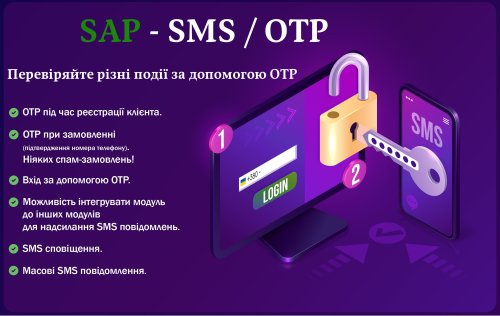
SAP - SMS / OTP is an ocStore / OpenCart module that allows you to authenticate your customers with a verification code (OTP) sent via SMS. The module can also be integrated with any other module to send any SMS.
The main capabilities of the module:
You can enable the mobile checkout process on your website. You can send messages in Telegram (through your account, without using bots) to customers' phone numbers, provided that their number is in Telegram and is not hidden. You can allow sending OTP to the user via SMS/Telegram to log in to your account. Can allow sending OTP to user via SMS/Telegram to verify mobile number during registration. You can allow the user to receive an OTP via SMS/Telegram to verify their mobile phone number when changing it in their personal account. You can set the length of the OTP and the message sent. You can limit the output of the module by country. The module works with all SMS service providers. Auto detection of the OTP code from SMS in mobile browsers that support this function. Ability to integrate the module into any other module. Helps prevent fake registrations and user spam. A sense of security for customers who register on your site. You can allow SMS/Telegram to be sent to the user when ordering. You can allow SMS/Telegram to be sent to the user when the order status changes. Multilingual SMS for users. You can send SMS/Telegram to administrators when ordering. You can send mass SMS/Telegram from the module to all buyers, a group of buyers, selected buyers, arbitrary numbers, buyers who bought selected goods. The module supports sending SMS/Telegram from the Nova Poshta module by @Prorab337
THE MODULE WORKS EXACTLY WITH THE Default TEMPLATE, OTHER TEMPLATES AND MODULES SUCH AS Simple AND OTHERS NEED ADAPTATION!!!
If you have any doubts about compatibility, I will tell you everything, ask questions before purchasing the module.
Updated
SAP - SMS / OTP (Authorization by phone) / SMS notifications / Telegram
810 грн
143 200
Вирішують ту саму задачу, але іншим способом або частково.
 sms otp
SAP - SMS / OTP Pro
SMS, OTP, calls, Telegram, Viber and automated messages for OpenCart/ocStore.
SAP - SMS / OTP Pro is built for stores where a customer's phone number, order status and fast admin notification actually matter. This is not just a small "send SMS" button. It is a full communication center for OpenCart/ocStore: OTP, managed checkout protection, call verification, SMS, Viber, Telegram, manual and bulk messages, delayed scenarios, reports, encrypted Export/Import, SMS/Viber budget accounting, proxy and subnet protection, and separate call budget protection.
The module verifies customer phone numbers, protects order creation in Balanced, Strict or Rules-only mode, notifies the administrator about new orders, sends order status updates, schedules delayed reminders, records delivery results and protects provider balances from bots, bulk mistakes, proxy bypasses and repeated OTP requests.
What the module gives your store
Phone number verification during login, registration, account phone change and checkout. Checkout protection: Balanced mode for guests, new customers and unverified phone numbers, Strict mode for every order, or selective verification through custom rules. Fewer fake orders, fewer wrong phone numbers and fewer cases where a manager calls nowhere. Automatic SMS, Viber or Telegram messages for customers and administrators. Call verification through a separate call gateway or through an SMS gateway that supports calls. A call-only mode where the store can work without an SMS gateway at all. Manual message sending from the customer card or order page without running a bulk campaign. Delayed scenarios: payment reminders, review requests, post-delivery messages and service reminders. Reports, monitoring and Telegram alerts so you see the exact reason instead of just "it does not work", including reached SMS/Viber or call limits. Anti-spam limits, proxy/subnet hardening and budget guards that protect SMS/Viber and call provider balances from bots, floods, bulk mistakes and pointless repeated OTP requests. Encrypted Export/Import for module settings and selected module data: from configuration and delayed events to report data, OTP state, call-auth attempts, security state, admin alerts and the budget usage ledger.
How it works
The module reacts to store events: a customer registers, logs in, changes a phone number, places an order or an order changes status. It then applies the selected protection level and relevant rules. Balanced mode requires a valid telephone verification for guests, new customers and unverified numbers; Strict mode checks every order; Rules-only mode checks the first matching rule. If the same telephone is already verified and its trust lifetime is still active, the module does not send a new code: every new order receives a separate one-time internal authorization. The module then selects a delivery channel and sends the message immediately or creates a delayed task.
OTP has its own routing logic. When call verification is enabled, the module first uses the selected Call gateway. If the call does not start or is not confirmed, SMS fallback works only when the main SMS gateway is configured. If the store works in "no SMS / call-only" mode, SMS fallback is not used.
OpenCart/ocStore stays familiar, but communication stops being manual chaos. Active risk rules are cached and checkout facts are loaded only when a condition needs them, so selective verification does not create pointless repeated queries.
Key features
1. OTP phone verification
OTP during account login. OTP during new customer registration. OTP when changing the phone number in the customer account. Telephone verification before order completion: for every buyer, for guests and new customers, or selectively through risk rules. Several distinct orders can be placed without a new code while verification of the same telephone remains valid. 4- or 6-digit code support. Configurable resend time, code lifetime and verified-phone lifetime. An explicit account logout revokes phone trust, so the next phone-number login requires OTP again. Separate OTP message templates for login, registration, account edit and checkout. Code insertion through the {otp} shortcode. Phone mask, international country code, format validation and phone normalization. Dedicated OTP routing: the first OTP channel can be selected (SMS, Viber or Telegram), call verification has priority, SMS fallback after a failed call is handled separately, and without a call the module checks other available channels in the order Telegram -> Viber -> SMS while skipping the selected channel. When call authentication is enabled, the admin field is shown as "OTP channel without call", so it is not confused with the first call attempt or SMS fallback after a call failure.
2. Risk order verification
The feature protects final order creation on the server. A store can use Balanced protection for most cases, Strict protection for every order, or Rules-only protection for selective custom checks. Every order receives its own one-time internal authorization, even when an existing valid verification is reused without a new code.
The tab appears automatically when the OTP «Checkout» scenario is enabled. A dedicated feature switch, three protection levels, a test mode that only logs decisions, and a live mode that requires a valid telephone verification. Rule priorities, «All conditions (AND)» or «Any condition (OR)» logic, and first-match short-circuiting. Conditions for order total, payment method, customer type, successful-order count, phone verification state and age, and recent orders from the same phone. Payment methods are discovered automatically from installed and enabled store extensions - no hard-coded method list. Successful order statuses define customer history for customer-type and successful-order-count conditions. A configurable completion window for the current verified checkout and a safe provider-failure policy. The internal authorization cannot outlive the remaining verified-telephone lifetime; Balanced and Strict block the order when a new verification is required but unavailable, while an OTP bypass is available only in Rules-only mode. Privacy-safe log with date, rule or policy reason, masked phone, clear decision status and created order ID, plus retention and full-clear controls. Risk rules and the decision log are available as a separate section in encrypted Export/Import. Balanced guest checkout and every Strict checkout immediately require a valid telephone verification without an unnecessary custom-rule query. If verification is still active, no new code is sent; history, totals and rules are loaded only when they are genuinely needed.
3. SMS gateways and delivery channels
TurboSMS. SMS Club. SMS-fly. ITTell v2. AlphaSMS. Custom HTTP for connecting another SMS provider through URL, GET/POST, JSON and API parameters. "No SMS / call verification only" mode for projects that do not need SMS. Viber messages when supported by the selected SMS gateway. SMS fallback for Viber if delivery fails. Telegram through a separate Telegram server. SMS fallback for Telegram when the recipient is unavailable in Telegram. A connected SMS gateway provides SMS and fallback delivery, but it does not block a separate Call gateway for calls.
4. Call verification
If SMS is expensive, unreliable in some cases or you need an alternative verification path, the module can verify the phone number by call. Separate Call gateway selection on the "Call verification" tab. If no Call gateway is selected, the module can use the main SMS gateway when that gateway supports calls. ITTell, AlphaSMS voice OTP and Stream Telecom Call2FA are supported. ITTell supports code dictation, last digits of the incoming call and digit selection in a voice menu. AlphaSMS supports code dictation and last digits of the incoming call; Voice sender is needed only for voice code dictation when the account requires it. Stream Telecom supports the last 4 digits scenario and pressing digit 1 in the voice menu; it does not send SMS. Stream Telecom is a call-only gateway and does not appear in the SMS gateway list. Stream Telecom supports two scenarios: entering the last 4 digits of the incoming call or pressing digit 1 in the voice menu. Stream Telecom settings require only email and password. Provider callback, result polling, timeout handling and diagnostic logging are supported. SMS fallback after a failed call works only through the main SMS gateway. If no SMS gateway is selected, the module honestly works as call-only. Separate call budget protection: limits by IP, phone number, browser and daily store total.
5. Telegram server
Telegram support is not a random token field with a prayer attached. The module has a dedicated connection tab, server states, activation token, Markdown/HTML formatting, disconnect, reconnect and access checks.
Telegram notifications to the administrator about new orders. Service messages and technical alerts. Phone numbers and @username contacts are supported. Separate server-side Telegram admin account for manual customer contact. Connection states: server connected, access disabled, waiting for activation, invalid token, access expired and more. SMS can be used as a backup channel.
6. Administrator notifications
Admin notification for new orders. Delivery channel selection: SMS, Telegram, Viber or an available combination. Multiple admin phone numbers or Telegram contacts. Shortcodes for order number, amount, status, buyer name, phone number, store name and other order data. Telegram alerts about OTP issues, call problems, IP bans, source quarantine and failed delayed messages.
7. Customer order status notifications
Customers can automatically receive a message when an order status changes. Each status can have its own message text and order data through shortcodes.
New order accepted. Payment received. Order sent to processing. Order shipped. Order ready for pickup. Order delivered. Order cancelled. Separate channel for status messages: SMS, Viber or Telegram when connected.
8. Delayed events
This is one of the strongest parts of the module. Messages can be sent not immediately, but after a configured delay. A rule creates a task, cron executes it and the journal shows the result.
Remind about payment 10 minutes after a new order. Ask for a review 1 day after delivery. Send a bonus 2 hours after registration without an order. Notify the administrator 30 minutes after a status change. Conditions by order status, customer group, order total, products, categories and manufacturers. Recipient: customer, administrator or custom phone number. Delay in minutes, hours or days. Quiet hours, retry attempts, deduplication and cancellation by final statuses. Task queue, execution journal and cron URL with token. When the SMS/Viber budget is reached, a delayed task does not burn delivery attempts: it moves to budget_wait, gets the next retry in about 30 minutes and stays in the queue.
9. Manual sending from customer and order pages
Send Message button in the customer card and next to the phone number in the order view. One compact module-styled popup with channel, recipient, message text, shortcodes and preview. Only enabled and allowed channels are shown: SMS, Viber and Telegram. Telegram accepts a phone number or @username; SMS fallback is not used for @username. The {products} shortcode inserts all order products with options, quantity and price in the order currency. Sending uses the existing gateways, fallback logic and report; a one-time token prevents duplicate sends.
10. Bulk messages
Manual sending for tests, service messages or permitted marketing campaigns. Recipients: all customers, customer group, selected customers or custom phone numbers. Product-related recipients when you need to notify buyers connected with a specific product. Bulk delivery channel selection. Result checking in the report. Bulk SMS/Viber sends have a separate bulk cap; on a budget stop the current send stops and no next page is continued.
11. OTP security and anti-spam
OTP without limits is not security - it is a budget leak. The module includes a dedicated protection layer that stops suspicious activity before a paid SMS/Viber attempt or paid call; Telegram alerts have no SMS fallback and do not consume the SMS budget.
Repeated OTP request limits. Wrong code attempt limits. Phone blacklist. Geo-IP filter. IP whitelist. Adaptive source protection. Minimum form age and protection form TTL. Cooldown when changing phone numbers. Browser or session isolation for suspicious behavior. IP ban on invalid request flooding. Trusted browser memory for returning customers. Fast phone search through an optimized schema when supported by the database server. Separated SMS/Viber budget guard runs through the sap_sms_budget_usage ledger: global cap, OTP reserve, untrusted OTP cap, trusted OTP reserve and separate daily scope caps for otp, order, delayed, admin, manual, bulk and other sends. 0 in the global cap disables only the global cap and OTP reserve; scope caps still work. 0 in a specific scope disables only that scope. The SMS/Viber budget counts SMS, Viber and Viber+SMS/cascade attempts; cascade can consume 2 units. Telegram and calls do not increase this budget. Trusted/untrusted OTP and emergency mode protect the OTP reserve: at 70% global usage the admin receives a Telegram warning, at 85% untrusted medium+ OTP is blocked, and at 95% untrusted paid OTP enters lockdown.
12. Monitoring, reports and maintenance
Delivery report for SMS, Telegram, Viber and calls. Manual sends from customer and order pages are logged in the same report. For calls, the report contains meaningful final events: verified, not verified, provider error, callback received. Technical Stream task creation does not pollute the report with an extra row. Resend and delete report entries. Automatic cleanup of old report entries by retention period. OTP security monitoring: quarantines, IP bans, events and Telegram alerts. Clear blocking reasons so customer complaints can be investigated quickly. The report shows transport and delivery result, while budget usage is counted separately in sap_sms_budget_usage with budget scope/context, risk level and reserved, charged, released or blocked statuses.
13. Checkout, compatibility and performance
The module connects standard OpenCart routes automatically: account/register, account/edit and checkout/checkout. For custom checkout pages, an internal route can be added manually.
Registration, account edit and checkout scenarios. Additional routes for third-party checkout modules. Ready integration with Simple / SimpleCheckout and One Page Checkout (onepcheckout). Support for sending messages from the Nova Poshta module. For heavily customized checkouts, the route can still be adjusted manually. Phone validation and normalization before OTP delivery. OpenCart/ocStore 2.3 and 3.x compatibility: TPL and Twig plus legacy and modern payment-extension setting keys. Risk rules automatically list every installed and enabled payment method in the store. Clean installation and updates register only missing OpenCart events and do not create duplicate matching records. OTP state, rules and logs live in module-owned tables; no service columns are added to the core customer table. The catalog controller remains a thin facade while runtime behavior is split into focused services. Active-rule caching and lazy calculations reduce checkout SQL work without changing rule results. 14. Export / Import
Encrypted .sapbackup file for backing up or moving module settings and data.
Export with selectable sections: module settings, delayed events, OTP phones/state, call authorization attempts, security log, blocks/quarantine, report data, admin alerts and the budget usage ledger.
Import requires preview first: the module decrypts the file, validates the schema, shows real changes and does not write to the database until restore is applied.
Before restore, a pre-import backup of the current state is created automatically.
In privacy mode, Export/Import is available only to the superadmin because the backup contains real private data: provider tokens, phones, OTP state, call-auth attempts, queues, logs and security state.
The separate «Risk orders» backup section transfers risk rules and the privacy-safe decision log, including links to created orders.
Who needs this module
Stores that need to block fake orders with mandatory or adaptive OTP protection. Stores that want to verify phone numbers before checkout completion. Projects where managers often receive orders with wrong phone numbers. Stores that need call verification instead of SMS or together with SMS. Projects that want to use Stream Telecom Call2FA, AlphaSMS voice OTP or ITTell for calls. Owners who want service events in Telegram. Marketers and managers who need delayed messages, one-to-one manual messages and bulk campaigns. Sites where OTP must be protected from bots, number probing, proxy pools and unnecessary costs.
In short
SAP - SMS / OTP Pro covers phone verification, managed checkout protection, call verification, automated messages, Telegram notifications, delayed scenarios, bulk messaging, reports, encrypted Export/Import, SMS/Viber budget accounting with OTP reserves, trusted and untrusted OTP handling, and call budget protection. An OTP authorization is bound to the current checkout and consumed once, while risk rules automatically discover enabled payment methods.
Important before purchase
Before enabling live protection, verify the matrix in test mode, keep Balanced or Strict protection, block checkout when OTP delivery is unavailable, and test guest, new-customer and returning-customer paths. SMS requires an account and balance with an SMS provider. If an OTP attack itself exhausts the OTP scope, untrusted OTP cap or the global SMS/Viber cap, automatic SMS/Viber phone confirmation stops until the 24-hour window frees up or the administrator changes the limit. The fallback path is connected Telegram, call verification or manual manager verification. If you need only call verification, choose "No SMS / call-only verification" as the SMS gateway: the module works without an SMS gateway and SMS fallback is unavailable. SMS fallback after a call works only when the main SMS gateway is configured. Stream Telecom does not send SMS. It is a separate call-only gateway for Call2FA. Call modes depend on the provider: ITTell has all three scenarios, AlphaSMS has code dictation and last digits, Stream Telecom has last digits and digit selection in the menu. Stream Telecom requires email and password from the Stream Telecom account. For call verification, the store callback URL must be publicly accessible when the selected provider returns the call result through a callback. Viber is available only when supported by the selected gateway and provider. Telegram requires a Telegram server connection. Delayed events require server cron. A full backup contains private data. If privacy mode is enabled, Export/Import should be used only by the superadmin.
Module languages: Ukrainian, English, and Russian.
Documentation - https://sms.sapas.pw/
Demo:
https://os3.sapas.pw/
In the demo, the OTP code can be found in the module on the “Report” tab.
Admin panel:
https://os3.sapas.pw/admin
Login: demo Password: demo
Module Installation / Update
LICENSE AGREEMENT
By purchasing SAP - SMS / OTP Pro, you invest in the module's development, and that investment returns to you as new functionality.
Updated
SAP - SMS / OTP Pro - Phone Authentication, OTP Protection for Orders, SMS / Viber / Telegram, Calls and Notifications for OpenCart and ocStore
1,360 грн
5 9
Не замінюють, але додають можливостей до цієї задачі або працюють у парі.
-32%
 Придбати

Account Dashboard Editor transforms the standard OpenCart 3 account page into a modern, user-friendly, and informative dashboard.
Updated
Account Dashboard Editor – Personal Account Editor for OpenCart
856грн
585 грн
5 5
-22%
Придбати

Custom Account is an OpenCart module that gives you full control over your customer's personal account. Rename standard pages, add descriptions and SEO URLs to them, create new information pages with any content, configure menus separately for authorized users, guests, and customer groups - all through a convenient admin panel without editing code.
Updated
Custom Account - custom personal account for OpenCart/OcStore
900грн
700 грн
0 2
Інші рішення в тій самій області магазину.
 авторизация
The module with Russian sites/hostings does not work!
SAP - Login Social Networks
Social login, Google One Tap, pop-up registration and customer data control for OpenCart/ocStore
When a customer is ready to place an order, a long registration form, password creation and extra redirects can easily interrupt the purchase. SAP - Login Social Networks removes that barrier: the customer signs in or registers through a familiar social network, while the store receives clean data, a linked profile and a controlled authorization flow.
This is not just a block of Google or Facebook icons. The module covers the full login experience: social providers, Google One Tap, pop-up authorization without page reloads, collection of required missing fields, phone masks, GeoIP, account linking, login statistics and integration with popular checkout solutions.
In short: the module reduces abandoned registrations, helps avoid duplicate customer accounts, makes login fast and gives the store owner real control over the data collected during authorization.
What the module gives your store
Fast login and registration through Google, Facebook, Apple, Telegram, Twitter/X, LinkedIn, Discord and Reddit. Google One Tap: a native Google sign-in prompt on the home page or across the whole store. A branded pop-up window for login, registration and password recovery without redirecting to separate pages. Collection of only the fields that are missing after social login. Support for required OpenCart fields, custom fields, customer group, newsletter and agreement checkbox. Phone number with country code, input masks, number normalization and a way to gradually update old phone data. Multiple social networks linked to one customer account. Admin dashboard with social users, latest logins, avatar, network, profile and total spent. Flexible button placement on login, registration, checkout and account pages. OCMOD integration with standard OpenCart/ocStore pages and popular checkout/theme solutions. How it works
The administrator enables the required social networks, adds application keys and chooses exactly where buttons should appear: login, registration, checkout or customer account. For each placement, the button text, icon and visual type can be controlled.
When a customer signs in through a social network, the module receives the available profile data, checks whether this buyer already exists and either logs into the linked account or creates a new one. If the store requires additional fields, the customer sees a short completion form instead of an error or broken registration.
For the customer, the process is simple: click the button, approve access, finish login. For the store owner, it is a controlled flow with validation, CSRF protection, phone control, a social user journal and a clear admin panel.
Key features
1. Social networks and providers
Google, Facebook, Apple, Telegram, Twitter/X, LinkedIn, Discord and Reddit. Separate keys, secrets and status settings for each provider. Apple Sign In support with Team ID, Key ID, Services ID and .p8 key upload. Profile photo, profile URL, network identifier and last login type are saved for further analysis. Enable only the networks you need and avoid overloading the buyer with unnecessary buttons. 2. Google One Tap
Display the native Google One Tap prompt on the home page or the whole site. Four display positions: top/bottom and left/right. Configurable behavior when the user clicks outside the prompt. Silent auto sign-in option when the store flow allows it. Dedicated One Tap endpoint protection: nonce, CSRF, Origin/Referer checks and processing only valid POST requests. 3. Pop-up authorization without page reloads
One polished window for login, registration and password recovery. Intercepts standard login buttons and opens a modal without losing the current page. Show/hide password support and one-click strong password generation. Captcha support on registration when enabled in store settings. Ability to hide the email/password login completely and leave phone authorization through SAP SMS/OTP when that module is installed and configured. 4. Data completion and custom fields
Control standard fields: first name, last name, email, email confirmation, phone, phone confirmation, password, customer group, newsletter and agreement. For each field, configure visibility, required status, sort order, minimum/maximum length, mask, numeric mode and regex. Support for OpenCart custom fields in the account location. Separate labels, tips and error messages for store languages. The customer enters only missing data instead of completing the full registration form again. 5. Phone, country code and GeoIP
Phone field with country flag and international country code. Preferred country list and allowed country list. New storage format: country code saved together with the phone in the telephone field. Old storage format: phone separately and country code in a separate column, useful for existing stores. Ask old customers to update their phone number with country code after login. GeoIP detection of country, region, postcode and city during registration. intl-tel-input integration for masks and a cleaner phone field UX. 6. SAP SMS/OTP integration
If SAP SMS/OTP is installed, the module can show OTP login inside the pop-up window. Supports a phone-and-SMS-code-only login scenario without the email/password form. OTP phone verification during social login registration is possible when the related gate flow is enabled. The integration uses SAP SMS/OTP settings, so SMS gateways, OTP logic and limits remain in the dedicated module. 7. Account linking and social users
Customers can link social networks to their account from the customer cabinet. If a buyer returns through another network, the module helps prevent unnecessary duplicate accounts. The administrator sees the social users list: name, email, avatar, identifier, network, registration date, last login and total spent. From the admin panel, you can quickly open the customer card or social profile when the provider returns it. 8. Design, placement and button control
Buttons can be shown as large button blocks or compact icons. Separate heading text above social buttons. Button text, hover title, icon and logo settings for each placement. Output on login, registration, checkout and account pages. Custom CSS for the pop-up window directly from the admin panel. Disable extra DateTimePicker or Font Awesome libraries when the theme already provides its own resources. 9. Checkout and theme compatibility
OCMOD integration for OpenCart/ocStore 2.x and 3.x: .tpl and .twig templates are supported. Standard account/login, account/register, account/edit, checkout/login and checkout/checkout pages. Simple/SimpleCheckout, One Page Checkout (onepcheckout), NewStoreCheckout. OCT FastOrder, OCT SmartCheckout and OCT mobile menu in Octemplates themes. Aridius mobile menu and custom login module. Highly customized templates may still require project-specific adaptation, but the common popular flows are already covered by OCMOD. 10. Security, stability and performance
CSRF tokens for pop-up forms, phone changes, OAuth and social link deletion. Google One Tap protection against Login CSRF / Session Swap. Origin/Referer and nonce checks for critical requests. Rate-limit table for suspicious repeated requests. Safer handling of Apple .p8 keys and file uploads. Indexes for social users, connect logs, rate-limit records and customer phone numbers. Optimizations for large customer databases and careful cleanup of outdated settings during upgrades. Who needs this module
Stores where registration and login should not interrupt checkout. Projects that want to add Google, Apple, Telegram and other social logins without custom development. Owners who need to collect phone, customer group, agreements and other required data even after social login. Stores using SimpleCheckout, One Page Checkout, Octemplates or custom checkout. Teams that want to see social accounts, latest logins and customer links in the admin panel. Sites that need to combine social login with SMS/OTP authorization through SAP SMS/OTP. In short
SAP - Login Social Networks makes OpenCart authorization fast for the buyer and controlled for the store owner. Fewer unnecessary forms, fewer abandoned logins, fewer duplicate customers, cleaner data and more flows that can be configured without manual coding.
If your store needs modern social authorization with Google One Tap, pop-up login, field control, phone masks, checkout support and optional OTP integration, this module covers the task as a complete solution.
Important before purchase
Each social network requires creating an app in the related service and adding API keys in module settings. Apple Sign In requires correct Services ID, Team ID, Key ID and a .p8 key. SMS/OTP authorization works through the separate SAP SMS/OTP module and requires it to be installed and configured. Non-standard checkout pages or heavily modified themes may require adaptation for the specific store.
Module languages: Ukrainian, English, and Russian.
Demo:
https://sapas.pw
Admin panel:
https://sapas.pw/admin
Login: demo Password: demo
When purchasing the module, you automatically receive an email with the module activation data to the email address specified in your forum profile.
LICENSE AGREEMENT
By purchasing SAP - Login Social Networks, you invest in the module's development, and that investment returns to you as new functionality.
Telegram - Opencart SAP
Updated
SAP - Login Social Networks (Login/registration through social networks) + One Tap Google + Popup (Login/Register) + GeoIP
900 грн
453 1152
-22%
Придбати

The module automatically creates and sends promotional codes by mail and SMS after registration on the site, as well as a bonus button with a pop-up information window and the ability to register or log in directly in the modal window. This solution will help you attract more of your customers to register on the site, which in turn will provide an additional base of emails for advertising mailings.
Updated
Auto Promo Code at Registration + Authorization/Registration in Modal + Promo Banner
900грн
700 грн
24 62
-25%
Придбати

Return Pro transforms the standard OpenCart return page into a full-featured and convenient service for the buyer and store administrator.
Updated
Return Pro - enhanced returns for OpenCart
900грн
673 грн
0 0
-22%
Придбати
This solution will help your customers track their orders without first registering on the site.
Updated
Where my order? (Order Tracking)
900грн
700 грн
12 31
-25%
Придбати

Ticket System is a full-featured customer support (HelpDesk) solution directly inside the OpenCart customer account and admin panel. The module allows customers to create tickets, communicate with the administrator in a chat format, and manage the status of their requests.
Main Features
For customers (Front-end)
My Tickets page in the customer account Create a new ticket: subject, priority, first message View conversation history in chat format Send messages without page reload (AJAX) Auto refresh every 15 seconds Ability to change ticket priority and status (Open / Completed) Automatic status change after customer reply → Waiting for admin response Access protection: guests are redirected to login page, customers cannot access чужие tickets For administrators (Back-end)
Dedicated ticket management page in admin panel All tickets list with filters, sorting and pagination Filtering by customer, status and priority Chat-style conversation view Reply to customers without page reload (AJAX) Change ticket status and priority Visual separation of customer and admin messages Automatic message refresh Modern Chat Interface
Messenger-style message design (Telegram style) Fixed message input field Auto scroll to latest message Compatibility
OpenCart 3.x Theme Compatibility
The extension is compatible with the default OpenCart theme. Adaptation may be required for third-party themes (paid service).
Installation
Install the module via OpenCart admin panel Refresh modifications Grant access permissions to administrator groups Go to “Tickets & Requests” → “Settings” and configure the module DEMO
Admin Page login/password: demo/demodemo Store Page login/password: [email protected]/demodemo License
The license is valid for one domain and its subdomain.
Updated
Ticket System
910грн
680 грн
0 0

Продаж «Авторизация по номеру телефона» призупинено
Ми підібрали схожі модулі інших розробників — їх можна придбати вже зараз.
Інші варіанти
User Feedback
Совместим с версиями 2.x (включая различные сборки на базе этих версий)
Модуль авторизации по номеру телефона Email/Telephone
Характеристики
License type Доменов не ограничено
Activation method Без активации
Ioncube LoaderНі
В продажеДа
OpenCart2.3, 2.2, 2.1, 2.0
ocStore2.3, 2.2, 2.1
СкидкаYes
Версія1.0.2
File Size4.23 kB
Submitted10/24/2017
Updated11/12/2017
-
Recently Browsing 0 members
- No registered users viewing this page.