

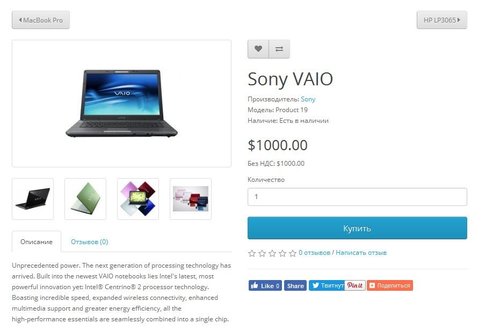


Пов'язані
Інші рішення в тій самій області магазину.

Product Features – Module for OpenCart, allows you to conveniently and beautifully display product features. Each feature is presented as a separate block with an image, title, and description.
Main Features:
Automatic display of product-related features. Image support for better visualization of features. Easy integration with any templates. Fully responsive design. Usage Examples:
Clothing:
How to wash (hand wash, machine wash, dry cleaning). How to iron (ironing allowed, ironing prohibited, steam iron). Material composition (100% cotton, polyester, wool). Electronics: Key technologies (AMOLED display, water resistance IP68). Compatibility (wireless charging support, works with iOS and Android). Important features (fast charging, NFC, 5G support). Benefits of Using the Module:
Improved visual perception of product features. Convenient and clear presentation of product details. Enhanced user experience and increased conversion rate. Easy setup. Installation:
Run the query from the product_features_query.sql file in the website database (don’t forget to change the table prefix).
Install the extension using the built-in OpenCart installer.
Refresh the modifications.
Grant access permissions to user groups.
Go to store settings: System → Settings → Edit Store → Options tab and configure the width and height of the feature images.
The feature management page is located at: Catalog → Attributes → Features.
Template Compatibility:
The extension is compatible with the default template. Adaptation is required for other templates (paid adaptation).
DEMO
Admin Page login/password: demo/demodemo Store Page License:
Allowed for use in one online store.
Main Features:
Automatic display of product-related features. Image support for better visualization of features. Easy integration with any templates. Fully responsive design. Usage Examples:
Clothing:
How to wash (hand wash, machine wash, dry cleaning). How to iron (ironing allowed, ironing prohibited, steam iron). Material composition (100% cotton, polyester, wool). Electronics: Key technologies (AMOLED display, water resistance IP68). Compatibility (wireless charging support, works with iOS and Android). Important features (fast charging, NFC, 5G support). Benefits of Using the Module:
Improved visual perception of product features. Convenient and clear presentation of product details. Enhanced user experience and increased conversion rate. Easy setup. Installation:
Run the query from the product_features_query.sql file in the website database (don’t forget to change the table prefix).
Install the extension using the built-in OpenCart installer.
Refresh the modifications.
Grant access permissions to user groups.
Go to store settings: System → Settings → Edit Store → Options tab and configure the width and height of the feature images.
The feature management page is located at: Catalog → Attributes → Features.
Template Compatibility:
The extension is compatible with the default template. Adaptation is required for other templates (paid adaptation).
DEMO
Admin Page login/password: demo/demodemo Store Page License:
Allowed for use in one online store.
Updated
Product Features
320 грн
4 25

The module creates a block of similar products on the product page based on the data of this product using morphology and relevance.
Updated
Similar products with morphology and relevance
450 грн
123 149
-30%
 Придбати

The Content Popup module is designed to create popup windows with tabs that can be attached to products in your online store.
It allows you to display additional information in a convenient and visual way — such as size charts, care instructions, delivery and payment terms, warranty details, promotions, and much more.
The module supports bulk assignment by selected categories and manufacturers.
Main Features:
Create popup windows with tabbed content. Unlimited number of content tabs. Bulk add content to product groups by selected categories and manufacturers. Multilingual support. Ability to insert images, tables, text, and HTML content into tabs. Display popup trigger button on the product page. Example Use Cases:
Size chart — add a tab with size tables for different brands or categories. Care instructions — provide helpful product care information. Delivery and payment info — show details without leaving the product page. Promotions, warranty, or certificate information. Benefits:
Improves user experience — customers get all the necessary info without reloading the page. Reduces customer inquiries (especially about sizes and shipping terms). Flexible content assignment — easily update information for many products at once. Theme Compatibility:
default Adaptation for other themes is paid. Please contact before purchase!
Installation:
Upload the module archive via Extensions → Installer. Upload the theme adaptation archive via Extensions → Installer. Refresh modification cache (Extensions → Modifications → Refresh). Go to Extensions → Modules → Content Popup and click Install. Configure the module. After saving settings, always click "Add content to products". Template Compatibility:
The extension is compatible with the default template. Adaptation is required for other templates (paid adaptation).
DEMO
Admin Page login/password: demo/demodemo Store Page License:
Use is allowed in one online store only.
It allows you to display additional information in a convenient and visual way — such as size charts, care instructions, delivery and payment terms, warranty details, promotions, and much more.
The module supports bulk assignment by selected categories and manufacturers.
Main Features:
Create popup windows with tabbed content. Unlimited number of content tabs. Bulk add content to product groups by selected categories and manufacturers. Multilingual support. Ability to insert images, tables, text, and HTML content into tabs. Display popup trigger button on the product page. Example Use Cases:
Size chart — add a tab with size tables for different brands or categories. Care instructions — provide helpful product care information. Delivery and payment info — show details without leaving the product page. Promotions, warranty, or certificate information. Benefits:
Improves user experience — customers get all the necessary info without reloading the page. Reduces customer inquiries (especially about sizes and shipping terms). Flexible content assignment — easily update information for many products at once. Theme Compatibility:
default Adaptation for other themes is paid. Please contact before purchase!
Installation:
Upload the module archive via Extensions → Installer. Upload the theme adaptation archive via Extensions → Installer. Refresh modification cache (Extensions → Modifications → Refresh). Go to Extensions → Modules → Content Popup and click Install. Configure the module. After saving settings, always click "Add content to products". Template Compatibility:
The extension is compatible with the default template. Adaptation is required for other templates (paid adaptation).
DEMO
Admin Page login/password: demo/demodemo Store Page License:
Use is allowed in one online store only.
Updated
Content Popup
460грн
320 грн
0 9

Быстрый просмотр товара DEMO 2х login: demo pass: demo DEMO 15 login: demo pass: demo Сделаю совместимость с любым шаблоном. Если у Вас установлен модуль быстрый заказ, то кнопку выведу и в быстром просмотре. http://opencart20.waterfilter.in.ua/quickview_image/quickview_2.png http://opencart20.waterfilter.in.ua/quickview_image/quickview_3.png http://opencart20.waterfilter.in.ua/quickview_image/quickview_4.png дублей страниц не будет !!!! 1) модуль быстрый просмотр товара можно включить в модуле рекомендуем, акции, хит продаж, последние поступления , страница поиска, страница категорий, страница акция и производителя 2) 4 вкладки в модуле (Оснавная вкладка / Описание товара / Характеристики / Отзывы) 3) отзыв можно оставлять с быстрого просмотра 4 вкладки можно отключать 5) отображаение опций товара с возможностью свернуть опции от определенного количества (настроить можно в админке) 6) Возможность купить товар (кнопку можно отключать в админке) 7) добавить в закладки и сравнение (кнопки можно отключать в админке) 8) настроить цвет кнопки можно в админке 9) просмотр дополнительных изображене Ниже, для того, что бы не искать приведены ссылки на полезные модули "Для тех, кто в теме" (будет пополняться) Управление торговлей 1 Управление торговлей 2 Управление торговлей 3 Управление торговлей 4 Управление торговлей 5 Управление торговлей 6 Управление торговлей 7 Добавил версию для Opencart v2.2.0.0 Добавил версию для Opencart v2.2.0.0 PRO Ru перед открытием поставил индикатор загрузки Quickview_Pro_v2101_2102.zip Quickview_Pro_2010-2031.zip QuickviewPro_v2200.zip..
Updated
Быстрый просмотр товара PRO oc 15x / 2.x
450 грн
135 396
Продаж «Предыдущий Следующий товар» призупинено
Ми підібрали схожі модулі інших розробників — їх можна придбати вже зараз.
Інші варіанти
1.2
Ioncube Loader: Ні
Sales paused
Продаж призупинено адміністрацією форуму.
OpenCart3.0, 2.3, 2.1
ocStore3.0, 2.3, 2.1
License type На один домен
Activation method Без активации
Ioncube LoaderНі
Get request to server of developerНі
Downloads207
Submitted01/20/2017
Updated04/03/2022
File Size39.2 kB









-
Recently Browsing 0 members
- No registered users viewing this page.