



Що можна обрати замість


OcBox AI Smart Related — AI related products for OpenCart and ocStore + rule engine + Bought-Together AI + block analytics + 4-in-1

Similar products with morphology and relevance

Benefits of the Modification
Simplified understanding of product options: Pop-up tooltips allow you to provide more detailed information without cluttering the page. Improved user experience: Customers can get all the necessary information directly on the product page without switching tabs or dealing with technical details. Tooltips make the interface more interactive and visually appealing. Flexibility and customization: The store administrator can configure tooltips for each product option individually. Multilingual Support
The modification supports multilingual stores, allowing tooltips to be configured separately for each language version of the store. Conversion Boost
Tooltips help customers navigate product options faster and make purchase decisions more confidently, which can increase conversion rates and reduce cart abandonment. Compatibility
OpenCart 3.x Template Compatibility
The extension is compatible with the standard default template. For other templates, adaptation may be required (paid adaptation).
Installation
Run the SQL query from the file tips_for_product_options_query.sql in the database (taking into account the table prefix). Install the module via the OpenCart admin panel. Refresh the modifications. DEMO
Admin Page login/password: demo/demodemo Store Page License
The license applies to one domain and its subdomain.
Product Option Tooltips

It allows you to display additional information in a convenient and visual way — such as size charts, care instructions, delivery and payment terms, warranty details, promotions, and much more.
The module supports bulk assignment by selected categories and manufacturers.
Main Features:
Create popup windows with tabbed content. Unlimited number of content tabs. Bulk add content to product groups by selected categories and manufacturers. Multilingual support. Ability to insert images, tables, text, and HTML content into tabs. Display popup trigger button on the product page. Example Use Cases:
Size chart — add a tab with size tables for different brands or categories. Care instructions — provide helpful product care information. Delivery and payment info — show details without leaving the product page. Promotions, warranty, or certificate information. Benefits:
Improves user experience — customers get all the necessary info without reloading the page. Reduces customer inquiries (especially about sizes and shipping terms). Flexible content assignment — easily update information for many products at once. Theme Compatibility:
default Adaptation for other themes is paid. Please contact before purchase!
Installation:
Upload the module archive via Extensions → Installer. Upload the theme adaptation archive via Extensions → Installer. Refresh modification cache (Extensions → Modifications → Refresh). Go to Extensions → Modules → Content Popup and click Install. Configure the module. After saving settings, always click "Add content to products". Template Compatibility:
The extension is compatible with the default template. Adaptation is required for other templates (paid adaptation).
DEMO
Admin Page login/password: demo/demodemo Store Page License:
Use is allowed in one online store only.
Content Popup


User Feedback
Модуль Сопутствующие категории позволяет Вам обратить внимание покупателей на определенную категорию товаров, сопутствующих данному.
Например, Ваш магазин торгует одеждой, в таком случае к категории "Пиджаки" логично привязать категории "Брюки" и "Галстуки". Теперь, зайдя в карточку любого товара из категории "Пиджаки", мы увидим блок с сопутствующими категориями, в данном случае "Брюки" и "Галстуки". Это позволит покупателю узнать, что в Вашем магазине к пиджаку он сможет купить себе брюки и галстук.
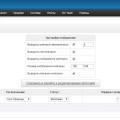
Модуль позволяет настраивать выводимые карточки категорий. Вы можете вывести в любом сочетании название категории, ее изображение и описание. Так же размер выводимого изображения категории можно указывать в настройках модуля. Сопутствующие категории устанавливаются при редактировании категории на вкладке "Данные". В версии 1.1 добавлена возможность выводить сопутствующие категории автоматически, для этого надо в настройках модуля поставить флажок "Выводить категории автоматически" и указать необходимое количество категорий для вывода. Категории будут выводится следующие за текушей с того же уровня вложенности. Если после текущей категории для заполнения списка их не хватит, то следующие будут браться с начала списка. При снятии флажка, категории снова будут браться исходя из связей на странице редактирования категории.
Для работы модуля требуется vqmod.
Изменения в версии 1.1:
1. Добавлена возможность выводить сопутствующие категории автоматически, для этого надо в настройках модуля поставить флажок "Выводить категории автоматически" и указать необходимое количество категорий для вывода. Категории будут выводится следующие за текушей с того же уровня вложенности. Если после текущей категории для заполнения списка их не хватит, то следующие будут браться с начала списка. При снятии флажка, категории снова будут браться исходя из связей на странице редактирования категории.
2. Добавленна возможность вывода сопутствующих категорий на странице категории.
3. Оптимизирован код, что позволило существенно увеличить скорость работы модуля.
Установка:
Скопировать все содержимое папки "upload" в корень сайта.
Зайти в "Дополнения->Модули" и установить модуль "Сопутствующие категории"
Тестировалось на:
ocstore_v1.5.3.1
ocstore_v1.5.4.1
ocstore_v1.5.5.1
Демо:
Сайт:
Админка:
Доступ в админку:
Логин: demo
Пароль: demo
Характеристики
-
 1
-
Recently Browsing 0 members
- No registered users viewing this page.