Модуль "Баннеры расширенные" для OpenCart 1.5.+




Що можна обрати замість

Place promotional banners directly among products on category pages and manufacturer product pages. Inform customers about promotions, new arrivals, seasonal collections, and special offers while they browse your catalog.
Banners are added to the product listing without reducing the number of products displayed per page. Banner management is available directly when editing a category or manufacturer, without modifying the template code.
Two Banner Types
Product card banner — occupies a single product grid cell.
Full-width banner — spans the entire width of the product listing area.
For each banner, you can choose its position: at the beginning of the list, after a specific product, after a specific row, or at the end.
Positioning after a row automatically takes into account the number of columns displayed on the current screen.
Separate Display Settings for Desktop and Mobile Devices
Banners can be displayed on all devices, only on desktops and tablets, or only on mobile devices.
To use different images, aspect ratios, or positions, create separate banners and select the appropriate devices.
For example, you can display a wide horizontal banner on desktop screens and a compact vertical banner on smartphones. Each banner will have its own positioning and display settings.
Catalog Display Mode Support
Banners can be displayed in grid view, list view, or both modes.
This allows you to use different banners depending on the catalog layout.
Banners for Different Pagination Pages
Configure separate promotional offers for the first, second, and subsequent catalog pages.
For each banner, you can specify individual page numbers or ranges, such as 1,3-5.
Banner positions are calculated independently within each pagination page.
If a page does not contain enough products or rows to reach the specified position, the banner will not be displayed.
Multilingual Support
Add separate banners for each store language.
Images, titles / ALT text, and links are configured according to the language version currently viewed by the customer.
Additional Features
Multiple banners per category or manufacturer.
Enable or disable individual banners.
Set banner display start and end dates.
Configure sorting order for banners with the same position.
Use banners with or without links.
Optionally add the rel="nofollow" attribute to links.
Configure image dimensions.
Choose between scaling the entire image to fit the available area or filling the area by cropping the edges.
Compatibility
OpenCart 3.x
ocStore 3.x
Theme Compatibility
The base version is compatible with the standard default theme.
Other themes may require additional adaptation.
Themes that include a Price List display mode require adaptation.
Theme adaptation is a paid service.
Installation Instructions
For a new installation, execute the SQL script from promo_banners_in_categories_and_manufacturers_v_3_0_install.sql, making sure to use your store's database table prefix.
Upload promo_banners_in_categories_and_manufacturers_v_3_0_oc3.ocmod.zip via Extensions → Installer.
Refresh modifications and clear the theme cache.
Open the category or manufacturer editing page and navigate to the Promo Banners tab.
Add banners, configure their display conditions, and save your changes.
License
The license is valid for one domain and all its subdomains.
DEMO
Admin Page login/password: demo/demodemo Store Page Important!
Adaptations developed for version 2.0 are not compatible with this version!
Promo banners in categories and manufacturers

Smart Promo Banner - flexible banner module for OpenCart 3



Smart Video Widgets - video in the background, banner, image, notification with setting display conditions

Info Panel Notifications + Running line


User Feedback
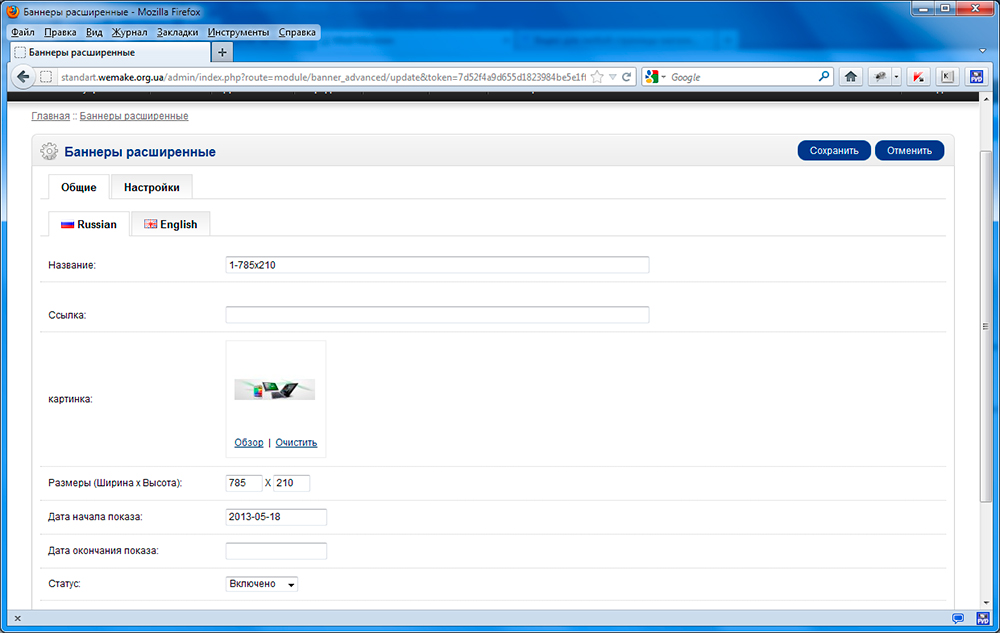
Возможности:
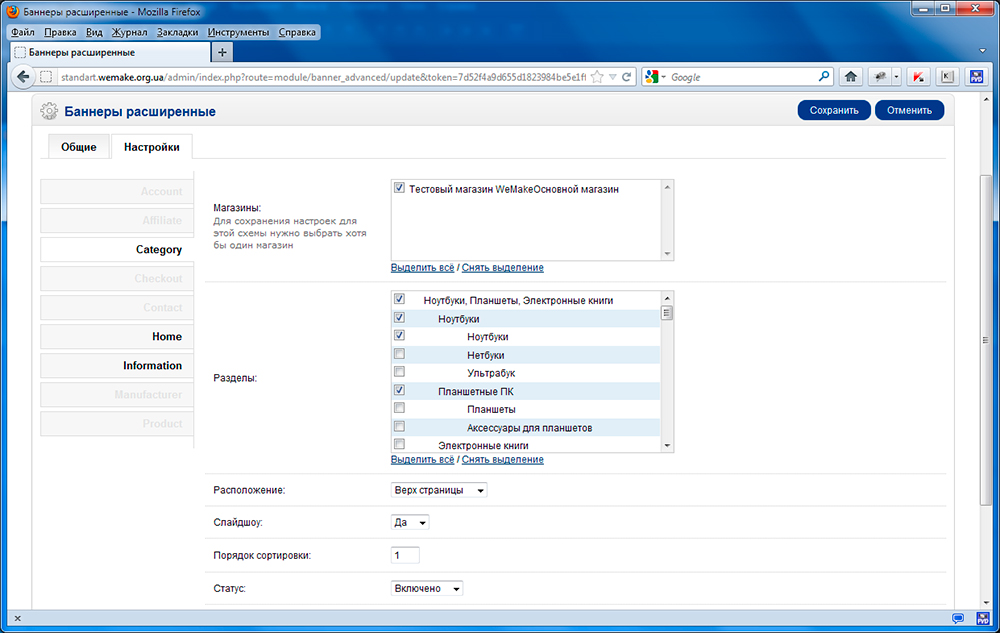
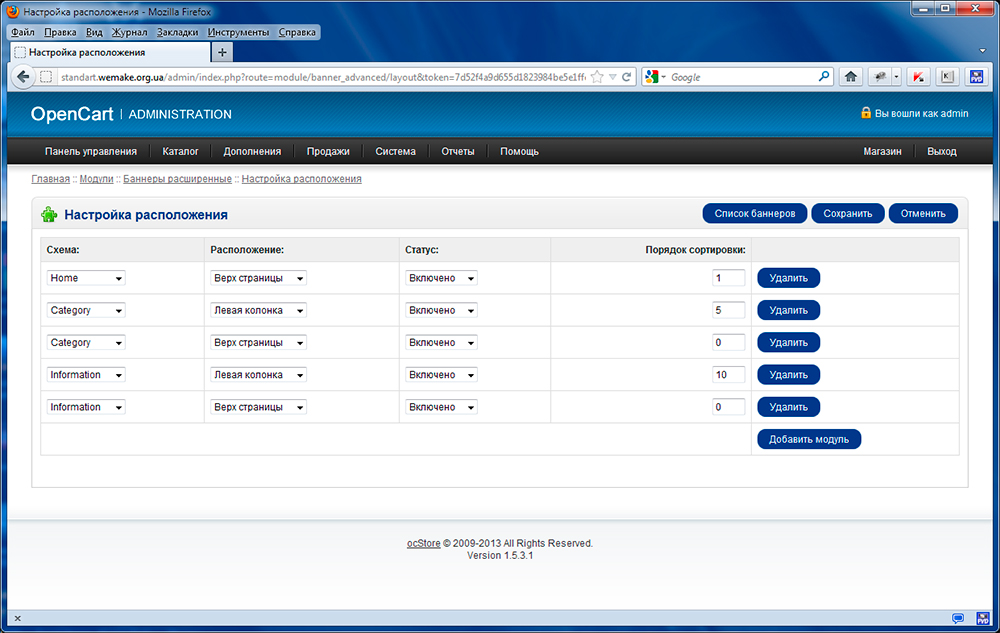
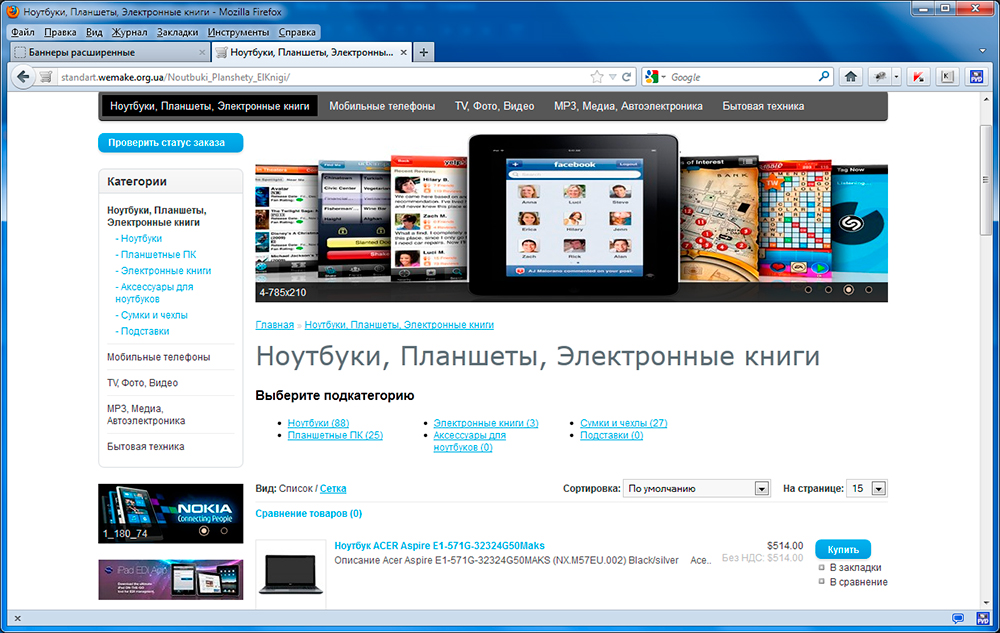
1. Разные наборы баннеров для разных страниц – то есть, например для двух разных категорий можно создать два разных набора баннеров
2. Один и тот же баннер может использоваться в разных наборах
3. Один баннер можно отключить из показа на всех страницах одним кликом
4. Установка даты начала и окончания показа баннера или слайдера (по-умолчанию даты не указываются, то есть нет ограничения по датам для показа)
5. Все настройки производятся в одном месте (Дополнения - Модули - Баннеры расширенные), не нужно переходить по нескольким пунктам меню
В системе управления OpenCart существует функционал, который позволяет размещать баннеры и слайд-шоу на страницах сайта, но этот функционал не предусматривает следующее:
- нет возможности насройки разных баннеров (слайд-шоу) для разных категорий, товаров, производителей - то есть если задается баннер для схемы "Категории", то он будет отображаться во всех категориях
- нет возможности настраивать даты показа баннера (слайд-шоу) - то есть не возможно настроить план рекламных акций
Эти недостатки не дают в полной мере использовать инструмент баннерной рекламы на вашем сайте.
Используется скрипт стандартного NivoSlider. Не использует vqMod.
Ипользуется на сайтах:
feelbeauty.ru
isplit.ru
vircom-energo.ru
robocarshop.ru
sredstvo-ot-komarov.ru
krovatmashina.ru
Установка:
1. Из директории upload скопировать всё в корень сайта.
2. Выполнить установку для модуля «Баннеры расширенные» в пункте Дополнения – Модули.
3. Настроить и включить модуль.
Демо:
Демо-сайт:
Админка демо-сайта: (логин: demo, пароль: demo)
Лицензия:
1. Запрещается передавать файлы шаблона третьим лицам, как на платной, так и на безвозмездной основе.
2. Покупатель имеет право использовать приобретенный модуль только для установки на собственный интернет-магазин.
3. Модуль реализуется по принципу "1 покупатель – 1 домен"
4. Если покупатель будет уличен в нарушении правил описанных выше – он автоматически лишается технической поддержки.
5. За нарушение пункта 1 - данного правила, покупатель будет забанен на форуме. Читайте Правила форума.
Техническая поддержка:
Техническая поддержка модуля «Баннеры расширенные» доступна только пользователям, числящимся в списке покупателей.
Разработка модуля:
Группа разработчиков WeMake
Характеристики
-
Recently Browsing 0 members
- No registered users viewing this page.