OpenCart Review Modules with Ukrainian Support
Browse OpenCart review modules with Ukrainian localization. Add product ratings, photo reviews, review reminders and spam protection to your store. Choose a ready solution that fits your OpenCart version.
11 files
-
 VisualForge AI — content & image generator for OpenCart. Creates SEO descriptions, articles, and AI images (including lifestyle) in one click. Supports block-based editing, multi-language, and bulk generation. Save time and boost sales.
Updated-22%VisualForge AI — Content & Image Generator for OpenCart V 3.0
2,699 грн 14 55
Automatically generates believable customer reviews for your store's popular products using AI (ChatGPT, Claude, or Gemini). The module tracks product views itself and publishes reviews on a schedule — no manual work required.
Updated-19%AI Reviews - Product Reviews for OpenCart/OcStore
900грн 700 грн 4 5
AI Reviews (OpenAI) — Automatic Review Generation for OpenCart Products
AI Reviews (OpenAI) is a module for OpenCart and ocStore that automatically creates product reviews using OpenAI models.
The module uses the product name, model, manufacturer, description, attributes, and configured prompt. Based on this data, OpenAI generates the review text, author name, and rating.
Reviews can be created for individual products or in bulk—for the entire catalog, products without reviews, a selected category, or a manufacturer. To safely process a large number of products, the module uses a persistent task queue with step-by-step AJAX processing and cron support.
Main Module Features
Review generation via the OpenAI Responses API Automatic generation of review text, author name, and rating Selection of an OpenAI model from a list Configurable system instruction Custom product prompt template Use of the product name, model, manufacturer, description, and attributes Review generation in one or multiple languages Random language selection for each review Random number of reviews for each product within a specified range Random review date and time within a specified range Automatic or manual review publication Bulk addition of products to the queue Step-by-step queue processing without a long-running PHP process Automatic background processing via cron Automatic retries after API errors Protection against stuck tasks Control of repeated author names and review texts Viewing, editing, enabling, and deleting generated reviews Using Product Information
The module automatically retrieves product information from the OpenCart database and uses it to build the request sent to OpenAI.
The following variables can be used in the prompt template:
{name} — product name {model} — product model {manufacturer} — manufacturer or brand {description} — product description without HTML markup {attributes} — product attributes and specifications {language} — language of the current review The desired rating range can be specified as plain text directly in the prompt, for example: “Desired rating: from 3 to 5”.
If a product has no manufacturer, description, or attributes, the module sends the available data. It is recommended not to require the model to mention characteristics that are not present in the product information.
Flexible OpenAI Configuration
OpenAI API key Model selection from a list Temperature configuration Maximum number of output tokens Reasoning effort configuration Timeout for a single API request Number of retry attempts after an error Delay between API requests Number of tasks processed per cron run Secret access key for cron System instruction for all reviews Separate task template for products Additional instruction for generating the author name For reasoning models, the module takes into account that internal reasoning tokens may also use the configured response limit. When reasoning is enabled, the module automatically uses at least 1,000 output tokens.
For standard generation of short reviews, it is recommended to use Reasoning effort: none or low.
Review Language Settings
One or multiple languages can be specified in the general settings, separated by commas.
Example: Ukrainian, Russian, English
If multiple languages are specified, one of them is selected randomly for each new review. There is no need to select a language separately when adding products to the bulk queue—the module’s general language setting is used.
Rating Control
The rating is generated by the OpenAI model according to the instruction in the prompt. The module accepts only values from 1 to 5.
To control the rating, simply add the required condition to the prompt template:
Desired rating: from 3 to 5 Desired rating: from 4 to 5 Desired rating: 5 A separate {rating} variable is not used.
Number of Reviews per Product
When adding products to the bulk queue, you can set a range for the number of reviews to create for each product.
From 3 to 5 — 3, 4, or 5 tasks will be created randomly for each product From 3 to 3 — exactly 3 tasks will be created for each product From 1 to 1 — one review for each product Each review is processed as a separate queue task. This allows only a failed task to be retried without regenerating the entire set.
Review Date Settings
The module allows you to set a start and end date for new reviews.
For each generated review, the date and time are selected randomly within the specified range. This prevents all reviews from being created with the same date.
Lower review date limit Upper review date limit Random time during the selected day Automatic range correction if the start date is later than the end date Preventing Repeated Names
The module can send OpenAI a list of previously used author names. The model receives an instruction not to repeat these names when creating a new review.
In the settings, you can specify the maximum number of the most recent unique names sent to the model.
A higher value reduces the likelihood of repeated names A lower value reduces input token usage A value of 0 completely disables sending previously used names For a more natural result, the module can generate full names, shortened forms, names with initials, and other appropriate variants depending on the review language.
Preventing Repeated Review Texts
To reduce similarity between new reviews, the module can send OpenAI the latest review texts for the current product.
The number of previous reviews sent to the model can be configured Only the latest reviews for the specific product are sent The length of each transmitted text is limited The model receives an instruction not to repeat phrases, structure, openings, or endings A separate thematic direction is selected for each new review A value of 0 disables sending previous reviews Increasing the number of transmitted texts improves repetition control but increases OpenAI input token usage.
Review Themes
To prevent reviews for the same product from differing only by a few words, the module automatically changes the recommended focus of the text.
Possible themes include:
First impression and reason for choosing the product Everyday use and convenience Manufacturing and material quality Packaging, delivery, and initial setup How well the product met the buyer’s expectations A specific practical use case A useful detail noticed during use Value for money Ease of setup, care, or maintenance Recommendation for a specific type of buyer Adding Products to the Queue
The module allows you to add either an individual product or a group of products to the queue based on specified conditions.
One selected product Products without reviews All store products Products from a selected category Products from a selected manufacturer Enabled products only Disabled products only Products with any status Filter by product creation start date Filter by product creation end date Range for the number of reviews per product An individual product can be found by name or model using the standard OpenCart autocomplete.
Generation Queue
Each future review is stored as a separate task in a persistent database queue. Pagination is provided for the queue. The number of rows per page is determined by the OpenCart config_limit_admin setting. If the value is missing or equals zero, 20 rows per page are used.
Task Statuses
pending — the task is waiting to be processed processing — the task is being processed retry — an error occurred and the task is waiting for another attempt done — the review was created successfully failed — the permitted number of retry attempts has been exhausted If a task remains in the processing state because the PHP process terminated unexpectedly, the module automatically returns it to the retry state after 15 minutes.
Queue Management
Deleting an individual task Clearing the entire queue Protecting an active task from deletion while it is being processed Task list pagination Displaying the latest error message Automatic retry after a temporary error Step-by-Step Manual Processing
When the start button is clicked, the module does not attempt to process the entire queue in a single PHP request.
Instead, step-by-step AJAX processing is used:
The browser starts processing one task The module generates and saves one review The progress indicator is updated The browser automatically starts the next task The process continues until all available tasks have been processed Progress Indicator
The bulk queue tab displays an indicator of the current progress.
Number of pending tasks Number of tasks being processed Number of successfully completed tasks Number of tasks with errors Overall queue completion percentage After each AJAX request, the indicator is updated without a full page reload.
Automatic Processing via Cron
The module automatically generates a ready-to-use cron URL and crontab command in its settings. The recommended cron frequency depends on the number of products, OpenAI API limits, and the configured batch size. For gradual continuous queue processing, running it once per minute is usually sufficient.
Retries After Errors
If the OpenAI API is temporarily unavailable, the request limit is exceeded, or the response does not contain valid structured data, the task is not deleted.
The number of retry attempts is configurable The error text is stored in the queue After all attempts are exhausted, the task receives the failed status Managing Generated Reviews
A separate tab is provided in the administration area for reviews created by the module.
Viewing the list of generated reviews Displaying the product and author Displaying the rating and status Displaying the review creation date Displaying the OpenAI model used Displaying the number of input and output tokens Editing the author, text, rating, and status Editing in a modal window without reloading the page Quickly enabling or disabling a review Green button for an enabled review Red button for a disabled review Deleting an individual review Bulk deletion of all generated reviews Review list pagination Through its own interface, the module allows editing and deleting only reviews that were created by the module and registered in the generated reviews table. Regular customer reviews are not modified.
Publishing Reviews
The initial status of new reviews can be selected in the settings.
Enabled — the review becomes immediately available in the store Disabled — the review is saved for prior administrator approval The status can be changed at any time from the generated reviews list or in the editing modal window.
Saving Reviews
Completed reviews are saved in the standard OpenCart reviews table. Therefore, they are compatible with the standard review display and management system.
Token Usage
The cost of one request depends on the selected model, the length of the product description, attributes, prompt, and the number of transmitted names and previous reviews.
Separate settings are provided to control costs:
Maximum number of output tokens Number of names used for repetition control Number of previous reviews for the product Reasoning level OpenAI model selection To save tokens, you can reduce the number of transmitted names and reviews or set the value to 0. A high reasoning level is usually not required for short product reviews.
OpenAI API Usage Cost
Important: reviews are generated through the paid OpenAI API. API usage is not included in the module price and is paid directly to OpenAI by the store owner.
The actual cost depends on:
The selected OpenAI model The number of input tokens The number of output and reasoning tokens The length of product descriptions and attributes The number of transmitted names and previous reviews The number of generated reviews Pricing, model availability, limits, and billing rules may change. Current information is available on the official page: OpenAI API Pricing.
Benefits
Automating content preparation for a large catalog Bulk generation without running a single long PHP process Flexible selection of products for processing Use of actual product information Custom prompts and generation rules Support for multiple languages Control of dates, ratings, and publication status Reduced repetition of names and texts Manual and automatic queue processing Editing results before publication Tracking token usage Use of the standard OpenCart review system Security
The cron URL is protected by a separate secret key Administrator permissions are checked for AJAX operations Cron generation is blocked when the module is disabled Only reviews created by the module can be edited through its interface Compatibility
OpenCart 3.x ocStore 3.x Standard OpenCart review system Standard OpenCart 3 administration interface Ukrainian, English, and Russian localizations The module does not modify the product page template. Reviews are displayed in the storefront using the installed OpenCart theme.
System Requirements
PHP 7.2 or a newer compatible version PHP cURL PHP JSON PHP mbstring is recommended Ability to send outbound HTTPS requests to api.openai.com OpenAI account Active OpenAI API key Positive balance or active OpenAI API billing Cron on the server or in the hosting control panel—for automatic processing Important Limitations
The result depends on the selected model, prompt, and product information The module does not guarantee identical results when generation is repeated OpenAI may refuse to process certain requests according to its policies Model availability depends on the OpenAI account and region Request limits depend on the OpenAI API usage tier Increasing the context and number of previous reviews increases token usage Generated text should be reviewed before publication The module cannot verify a real buyer’s actual experience with the product Installation
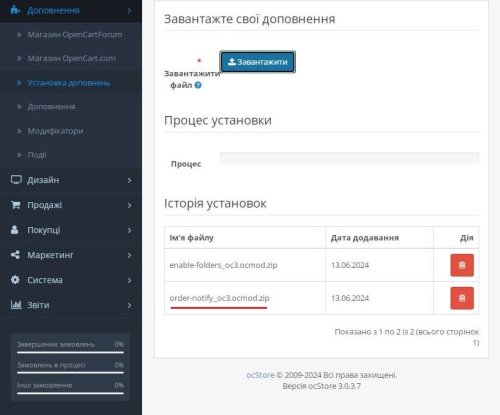
Upload the archive through “Extensions → Extension Installer” Go to “Extensions → Modifications” and refresh the modification cache Open “Extensions → Extensions → Modules” Install the AI Reviews (OpenAI) module Open the module settings Enter the OpenAI API key Select the model and generation parameters Review the system and product prompts Set the language, date range, and status of new reviews Enable the module and save the settings If necessary, add the generated cron command in the hosting control panel DEMO
Admin Page login/password: demo/demodemo Store Page License
One license covers one domain and its subdomains.
OpenAI API services, payment for used tokens, topping up the OpenAI balance, and configuration of third-party hosting, servers, or cron are not included in the module license price.
Adaptation for a non-standard administration panel, a modified database structure, or a third-party review system is provided separately.
UpdatedAI Reviews (OpenAI) — Product Review Generator
1,400грн 1,140 грн 3 5
A full-fledged tool for integrating Google reviews on the site and increasing user trust to your site!
The module connects to the google business api and receives reviews of your company for display on the site. Alternatively, you can display reviews of opencart products.
Api connection requires careful configuration in Google Cloud Platform! Full turnkey customization is possible!
The module adds a feedback page, there is also an additional module to display feedback via layouts.
"Show more" button, "Grid", "List", "Slider" views
Updated-20%Google Reviews - reviews from Google maps (Google Business) with trust widget
1,900 грн 78 238
Google Review Request — automatic Google review requests after an order for OpenCart / ocStore 2.3 and 3.x. Once an order is complete, the customer gets a branded email with a button that opens your business review form on Google Maps. Set it up once — the module does the rest. 🔍 Live demo — Admin (login: demo, password: demo) — module: Extensions → Modules → Google Review Request Most happy customers simply forget to leave a review unless they are reminded. Automate Google review requests and turn satisfied customers into the best advertising for your online store. ⭐ Works best together with the Google Reviews — reviews from Google Maps module: locations are imported in one click, and Google Reviews shows the collected reviews on your site. 1 Order complete Sending by order status Delay in hours or days Sending time Email to the customer → 2 Branded email Store logo and color Photos of purchased products Unsubscribe option Flexible email text settings → 3 Go to the Google review form The review form of your business (the customer searches for nothing) Statistics (email sent / click to the form) → 4 You see results 30-day report % who went to Google Email log A second reminder to those who did not open the form More Google Maps reviews — keep the trust of future customers! 1st day — requests to customers of past orders 30 days report with clicks 11 automatic setup checks 0 Google API setup or Cloud keys How it differs from Google Customer Reviews Google Customer Reviews is a Merchant Center survey whose ratings go to the seller rating in Google Shopping. This module, in contrast, collects reviews for your business profile on Google Maps (Google Business Profile) — the ones people see in Search and Maps. Features SENDING Trigger statuses and delay Depending on the order status, delay in hours or days Sending window For example, only 10:00–20:00 — no emails at night No spam One invitation per location, even for frequent customers Second reminder After a set number of days — only to those who did not go to Google from the first email Consent only «Only customers who agreed to newsletters» mode (optional) and an unsubscribe link in every email EMAIL Branded template Store logo and your choice of color, photos of purchased products, responsive Texts for each language Editable. Variables {firstname}, {lastname}, {order_id}, {store_name}, {products} Email language Order language or always one — for example, Ukrainian only Preview and test Preview and a test email to any address LOG AND CONTROL Clicks to Google The button counts clicks; mail scanner clicks right after delivery are filtered out Past orders Requests to customers from recent days (up to 90) with a daily email limit (sent in batches) Setup check Automatic setup check with hints Email queue, cron Run the queue manually from the log — no waiting for cron, or work without cron at all Admin panel 30-day report Invitations and reminders sent, how many went to Google and the percentage, skipped and why, errors, unsubscribes. Log What is queued, what is sent, who went to Google. Any email can be cancelled or sent right away. Setup check See at once what is wrong: mail, cron, links for every store, license — and how to fix it. Results from day one Invite customers of recent orders: the module first shows how many emails will go out, then spreads them over days. Fair to Google rules No review incentives and no rating filter. Google prohibits incentivized and selectively requested reviews and may remove them — so the module asks every customer for a review the same way. Highlights No Google API or Google Cloud — a short review link from Google Business Profile or a place_id is enough Import from Google Reviews — locations from the Google Reviews module are added in one click Multistore and several locations — a separate review link for every store Works without cron too — the queue runs on site visits or with a button in the log No core file changes — orders are tracked via OpenCart events, OCMOD is used only for the no-cron mode Code is not encrypted — customize it for your project Multilingual — admin in Ukrainian, Russian and English, email texts for any number of languages PHP 5.6–8.4 — OpenCart / ocStore 2.3 and 3.x Installation 1 Install the module — upload the archive for your version via Extensions → Installer and refresh modifications. 2 Activate with a license key — install Google Review Request in «Modules» and enter the key. The key is emailed to the buyer automatically after the order. 3 Add the review link — paste the link from Google Business Profile or import a location from Google Reviews (if that module is installed) and assign it to the store. 4 Start the queue — add the line from the «Running» tab to your hosting cron or enable the no-cron mode. 5 Check — look at the «Check» block and send yourself a test email. Optionally invite customers of recent orders. Compatibility Platform Archive ✅ OpenCart / ocStore 3.x ldev_review_request_v1.0.0_oc3.ocmod.zip ✅ OpenCart / ocStore 2.3 ldev_review_request_v1.0.0_oc2.ocmod.zip Store mail must be configured (mail or SMTP; SMTP is more reliable). License ▸ Issued for 1 domain for 1 year from activation. ▸ After the term ends the module keeps working without limits — access to updates requires a renewal. ▸ A test subdomain or local domain (test.site.com, site.loc). ▸ The key is emailed automatically. If it did not arrive, send a private message or write to [email protected]. Updates ▸ All updates within the license term are free. ▸ Follow the module page to get notified about new versions automatically. ▸ The latest file is always available in the downloads section of the module page. Support 📧 [email protected] 💬 Telegram: @Seriusis ▶ YouTube channel Collect reviews with this module — show them on your site with Google Reviews ⭐ Google Reviews — Google Maps reviews on your site..Updated-25%Google Review Request - ask customers for a review after the order
990грн 790 грн 0 0
Advanced Product Reviews with Photos for OpenCart / ocStore Demo: https://cities.developer-best.site Demo administrative part: https://cities.developer-best.site/admin/ Login | Password demo | demo Advanced Product Reviews with Photos is an extension for OpenCart and ocStore that significantly enhances the default product review system by allowing customers to upload photos along with their reviews. Reviews with real customer photos build trust, help potential buyers make informed purchasing decisions, and increase the overall conversion rate of your online store. Key Features 📷 Upload photos with product reviews. ⭐ Fully integrated with the default OpenCart review system. 🖼 Display review images directly on the product page. 👨💼 Manage review photos from the administration panel. 🗑 Delete individual images without removing the review. 📱 Responsive design for mobile and desktop devices. ⚡ Fast performance with minimal impact on your store. 🔒 Secure image upload validation. 🎨 Compatible with most OpenCart and ocStore themes. Benefits Increase customer trust and confidence. Improve product page conversion rates. Provide more informative and engaging product reviews. Show real customer photos instead of promotional images. Reduce pre-sale questions by providing visual proof. Enhance the overall shopping experience. Administrator Features View all images attached to product reviews. Delete individual review photos. Moderate reviews with uploaded images. Open images in full size for inspection. Extension Advantages Does not replace the standard OpenCart review system. Works through OCMOD without modifying core files. Easy installation using the built-in Extension Installer. No complicated configuration required. Compatible with most modern OpenCart and ocStore themes. Compatibility OpenCart 2.3.x OpenCart 3.x ocStore 2.x ocStore 3.x Advanced Product Reviews with Photos helps make product reviews more informative, increases customer trust, and boosts sales by allowing shoppers to see real photos uploaded by your customers...UpdatedExtended product reviews with photos
600грн 450 грн 1 3
This module lets your customers share detailed product feedback and add images and videos to their reviews and questions. Their contributions help visitors learn from other buyers’ experiences and make a choice.
UpdatedRQ Reviews - Reviews and questions with photos, videos, YouTube videos
Продаж призупинено 382
multilang
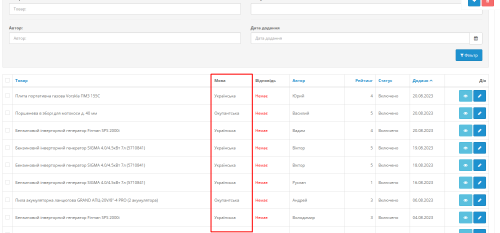
Модуль дозволяє під час модерації відгуків для товарів обрати мову відгуку. Відповідно в картці товару будуть відображатися англомовні відгуки, на англомовній версії сайу, відгуки написані українською мовою, будуть відображатися тільки для цієї мови. Це дозволяє позбутися міксованого контенту коли у вас для сторінки вказаний hreflang="uk", а відгуки є різними мовами.
Updated-39%Multi language Reviews for goods
350 грн 1 3
With the help of this module, you will be able to maximize the potential of reviews on the site and, accordingly, increase your sales, since customers will be able not only to leave reviews, but also to add their photos and videos, and the motivation system in the form of bonus points for reviews will increase and facilitate the receipt of these very reviews.
UpdatedReviews PRO with Photos and Videos
1,800грн 1,100 грн 14 46
Interactive polls for your store. Discover what your customers want: unlimited voting widgets, a visual design builder (colors, buttons, progress bars), smart statistics with fraud protection, and manual result adjustments.
UpdatedPoll Widget [NAT]: Interactive Polls & Voting (Custom Stats, Visual Builder)
Free 25
Module allows users to leave reaction for products and articles.
UpdatedReactions for product, information, blog for Opencart 3x
Продаж призупинено 0