Реклама и продвижение
29 files
-
 Smart Slider AI — сучасний модуль для OpenCart, який допомагає створювати професійні рекламні слайдери за допомогою штучного інтелекту.
Модуль використовує фотографії товарів, автоматично створює рекламний дизайн, заголовки, переваги, ціни та заклики до дії. Готові слайди можна додатково редагувати у вбудованому Drag & Drop редакторі та адаптувати окремо для Desktop, Tablet і Mobile.
UpdatedSmart Slider з AI — Cтворення слайдера для сайту у 2 кліки+ Календар подій
1,199 грн 3 9
Saves and displays UTM tags, Referrer, landing pages, GeoIP (country, city), device type, and buyer activity (page views, purchase duration). Custom color badges, 1-click copy, quick list filters & admin side panel filter, statistics tab & dashboard widget, DB optimize/cleanup tools. TEMPORARILY FREE!
Updated-30%Order UTM-Tracker [NAT]: Save & Display UTM Tags, Referrer Sources, Landing Pages & Order Statistics
Free 36
The modifier lets you add a product to the cart via a direct link like: https://yourshop.com/index.php?route=checkout/checkout&{key}=VALUE
Where {key} is a configurable field (supported: model, sku, upc, ean, jan, isbn, mpn). The quantity added is always 1. No options are requested: if the product has options, the shopper is automatically redirected to the product page. Why this matters
Google Merchant Center Next (GMC), works only USA, “Add a cart or checkout page URL.” With our module, you can supply a dedicated Checkout URL per product in GMC. As a result, your ads will show two buttons: Standard: “Go to product page” New: “Buy” — takes users straight to the cart with the product pre-added For details, see your GMC account: Settings → Business information → Payments.
Where is the module useful outside of GMC
E-mail/SMS/Viber/Telegram: "Buy Now" button with a link Social networks and influencers: links directly to the cart in posts/stories/video descriptions. Banners, landing pages, blog. Offline QR codes: scan → product in the cart (showroom, price tags, booklets). B2B price lists/commercial offers: clickable "Buy" in PDF/Excel. Support/chat bots: quick answers with an add to cart link. Retargeting (outside of GMC): ads with a direct link to the cart (with UTM). Key benefits
Instant add-to-cart via URL. Flexible matching: choose which field to use — model, sku, upc, ean, jan, isbn, mpn. Smart options handling: if the product has options (size/color, etc.), users are correctly redirected to the product page. Clean UX: after adding, the module redirects to /checkout/ without GET parameters (prevents duplicates on refresh). Fast GMC integration: use SKU/MPN/Model in links to easily match feed data. Cart compatibility
Default cart Simple cart @octemplates cart @29aleksey cart Platform compatibility
OpenCart 3.x / ocStore 3.x OpenCart 2.3 / ocStore 2.3 Google Merchant Center setup
Your feed already carries an identifier (e.g., model). In GMC, go to Settings → Business information → Payments and set “Add a cart or checkout page URL” using: Default cart: https://yourshop.com/index.php?route=checkout/checkout&model={id} Simple cart: https://yourshop.com/index.php?route=checkout/simplecheckout&model={id} @octemplates cart: https://yourshop.com/index.php?route=checkout/oct_smartcheckout&model={id} @29aleksey cart: https://yourshop.com/index.php?route=checkout/onepcheckout&model={id} If your checkout page uses SEO_URL, you can specify: https://yourshop.com/checkout?model={id} Users coming from ads can either open the product page or go straight to the cart with that item.
Link examples
Product with options:
https://demo.ocmodules.in.ua/checkout?model=SM-X910NZAA https://demo.ocmodules.in.ua/index.php?route=checkout/checkout&model=SM-X910NZAA Product without options:
https://demo.ocmodules.in.ua/checkout?model=SM-X826BZAREUC https://demo.ocmodules.in.ua/index.php?route=checkout/checkout&model=SM-X826BZAREUC Installation
Upload the modifier via the standard installer. Refresh the modifications cache. Go to System → Settings → Edit store settings → “Options” tab. Find “Product key for link generation” and choose the field that matches your GMC feed identifier. Save store settings. Test the links using the examples above. Questions?
Contact us before purchasing — we’ll help you assess whether the module fits your store.
License
Licensed for use on one online store.
UpdatedFast link to cart item
460грн 320 грн 1 4
"SendPulse Address Book" module is designed to automatically transfer customer and order data from your OpenCart online store to the address books in the SendPulse service.
Key Features
Automatic submission of new customers to the selected SendPulse address book Adding customer's email, phone number, and name Sending order details (email, phone, first name, last name) Ability to segment customer groups and order statuses into different address books Benefits
Easy installation and configuration through the admin panel No system file modifications (OCMOD) Boosts marketing effectiveness and repeat sales Additional Integrations
Compatible with the subscription system from Octemplates Feel free to contact via PM for integration with other subscription modules Installation Instructions
Install the module through the OpenCart admin panel Refresh the modification cache Go to System → Users → User Groups in the admin panel and assign editing permissions to the appropriate administrator groups Navigate to Extensions → Extensions → Modules, activate the "SendPulse Address Book" module, and configure it DEMO
Admin Page login/password: demo/demodemo Requirements
OpenCart 3.x / OcStore 3.x SendPulse account SendPulse API keys License
Allowed for use in one online store only.
UpdatedSendPulse Address Book
460 грн 4 8
The Google Automated Discounts extension integrates OpenCart with the Google Merchant Center Automated Discounts program. It supports two operating modes: calculating minimum allowed prices locally and sending them through a supplemental XML feed, or accepting a ready personalised price calculated by Google Merchant Center.
The extension receives a personalised price from the signed pv2 parameter, validates it, and applies it on product pages, product listings, the cart, and checkout. The regular product price and special price are not changed in the database: the personalised offer is stored only for the relevant visitor.
The solution supports multiple stores, currencies, and Merchant Center accounts. A separate channel can be created for each required combination, with its own Merchant Center ID, currency, Offer ID field, and pricing restriction source.
Two operating modes
The pricing restriction source can be selected separately for every channel:
Extension settings — the extension determines which products participate in the program, calculates their minimum allowed prices, and generates a supplemental XML feed containing auto_pricing_min_price and, when a product cost is available, cost_of_goods_sold Google Merchant Center — products, gross margin, and maximum discount are configured directly in Google. The extension’s supplemental minimum-price XML feed is not used, and the personalised price is accepted from the signed JWT without rechecking it against local rules or a locally calculated minimum price In both modes, the extension validates the cryptographic signature, Merchant Center ID, Offer ID, currency, expiration time, and matching product. The received price must be positive and lower than the product’s current price. The only difference is where product eligibility and the permitted price floor are configured.
Google Merchant Center mode does not replace the store’s primary product feed. Google must still receive the main product data and valid Offer IDs from the standard product data source.
How Automated Discounts work
The administrator creates a channel for the required store, Merchant Center account, and currency A pricing restriction source is selected: extension settings or Google Merchant Center In local mode, the administrator configures product eligibility and minimum-price rules, then CRON generates a supplemental XML feed In Google Merchant Center mode, products, margin, and maximum discount are configured in Google without using the extension’s supplemental feed Google determines a personalised price and sends it to the shopper as a signed JWT in the pv2 GET parameter The extension validates the ES256 signature, Merchant Center ID, Offer ID, product, currency, price, and expiration time In local mode, product eligibility and compliance with the calculated minimum price are also validated After successful validation, the personalised price appears in the storefront and is carried into the cart and order The personalised price is retained for at least 30 minutes on the product page and for 48 hours in the cart. It does not become the product’s public price and is not shown to other shoppers.
Extension features
Separate channels for different stores, Merchant Center accounts, and currencies A separate pricing restriction source for every channel Local pricing rules with a supplemental minimum-price XML feed Acceptance of Google prices without local minimum-price validation Operation without the extension’s supplemental XML feed when products, margin, and maximum discount are configured in Merchant Center Static XML feeds in Google Merchant Center format A custom file name for every XML feed Protected feed generation using a secret CRON key Selection of the OpenCart field used as Offer ID Product eligibility management by category, manufacturer, and individual product Product inclusion and exclusion rules Filtering by current price and active special price Minimum-price calculation as a maximum discount from the current price Minimum-price calculation as a markup on product cost Individual settings directly in the OpenCart product form Validation of signed Google personalised prices using ES256 Personalised pricing on the storefront, in the cart, and in orders Administrative labels for production and test Google orders Local test links for checking the entire flow before connecting Merchant Center Statistics for active prices and related orders Automatic cleanup of expired records and old history Logging of reasons for accepting or rejecting a personalised price Ukrainian, English, and Russian interfaces Channels and Offer ID
A channel combines the settings of one store, Merchant Center account, and currency. Each channel has a name, store, Merchant Center ID, currency, Offer ID, pricing restriction source, XML file name, and status.
Offer ID can be read from the standard OpenCart fields: product_id, model, sku, upc, ean, jan, isbn, or mpn.
The selected value must exactly match the ID of the same offer in the primary Merchant Center product data source. Otherwise, the extension cannot accept a personalised price for that product.
Local pricing rules
Pricing rules are used only when Extension settings is selected as the pricing restriction source. In Google Merchant Center mode, local rules, product cost, and manually entered minimum prices do not restrict the offer received in the signed JWT.
Rules are checked from the lowest sort order to the highest. The first matching rule is used for the product.
Allow or deny participation — includes or excludes matching products Categories, manufacturers, and products — define the scope of a rule Special price condition — all products, only products with a current special, or only products without one Price from and to — optional current-price limits Method and value — maximum discount from current price or markup on product cost Categories, manufacturers, and individual products in the same rule are combined: matching any selected list is sufficient. When all lists are empty, the rule applies to every product in the channel.
Minimum-price calculation methods
Maximum discount from current price — the minimum price equals the current price minus the specified percentage. Product cost is not required Markup on product cost — the minimum price equals product cost plus the specified percentage. The cost field is required for this method When product cost is provided, the extension sends it as cost_of_goods_sold and does not allow the local minimum price to fall below cost. If cost equals zero, this attribute is omitted from the XML feed.
Product form settings
The modification adds product cost, a manual automated minimum price, and an Automated Discounts participation mode to the standard OpenCart product form. These settings are used in local mode and take priority over automatic rules.
The product cost field can be hidden if the store already uses a compatible purchasing extension that stores data in the same cost field.
Static XML feed and CRON
The static XML feed is used in local pricing restriction mode. Each channel creates a separate XML file in the price directory. Google receives a ready file without running expensive SQL queries on every request to the feed URL.
One CRON request completely rebuilds the selected feed The CRON URL is protected by a shared secret key A ready URL and crontab command are displayed for every channel File size, modification date, and generation statistics are available in the settings A product without cost can provide Offer ID and auto_pricing_min_price When cost is provided, cost_of_goods_sold is also included When Google Merchant Center is selected as the pricing restriction source, the XML feed generated by the extension does not need to be connected. Eligibility, gross margin, and maximum discount are configured directly in Google.
Testing personalised prices
The built-in testing tab creates a temporary link with a test personalised price and allows the entire flow to be checked before receiving a production test link from Google.
In local mode, the test price must be below the current price and not below the calculated minimum. In Google Merchant Center mode, the local minimum is not checked, but the price must still be positive and below the current product price.
For testing, the extension creates a separate ES256 key pair in the protected storage directory. Local testing does not alter the official Google public key and does not replace Merchant Center production validation.
Security validation
ES256 cryptographic signature validation Merchant Center ID, Offer ID, and matching product validation Currency, expiration time, and personalised price validation Comparison with the product’s current price Local minimum-price validation when the channel uses extension rules Binding of local test links to the visitor’s IP address Acceptance and rejection logging without storing the JWT itself The official Google ES256 public key is already included in the settings. It is shared by Automated Discounts integrations and does not need to be created by the store administrator.
Personalised price display
The personalised price is integrated into product pages, categories, manufacturer pages, search, specials, standard product modules, the cart, standard checkout, and the administrative order page.
Quick-order extensions using the standard OpenCart Cart and addOrder mechanisms receive the personalised price automatically. Extensions that read prices or create orders using direct SQL queries may require a separate adaptation.
Order labels
When a personalised price is used at checkout, the extension links it to the order. The administrator sees a Google Automated Discounts label, while locally generated test orders receive a separate test label.
SEO URLs and the pv2 parameter
An SEO extension, CDN, or redirect from index.php to an SEO URL must not remove the pv2 GET parameter. When SeoPro or another URL modification is used, pv2 must be added to the permitted parameter list. Pages containing a personalised price must not be stored in a shared full-page cache.
Multistore and currencies
Each channel uses a specific OpenCart store and one active currency. Rules are isolated between channels, allowing different conditions for individual countries, currencies, storefronts, or Merchant Center accounts.
Performance
Static XML files instead of feed generation on every Google request Selection of only the product data required for feed generation Indexes on extension tables for key operations Batch application of personalised prices to product result sets Use of standard OpenCart Currency, Tax, Cart, Events, and DB APIs No external API requests while storefront pages are loading Theme and third-party extension compatibility
The main pricing logic works through standard OpenCart product models, cart, events, and order mechanisms. A targeted adaptation may be required when a theme or third-party extension reads prices through direct SQL queries, uses a custom cart, or creates orders without the standard addOrder method.
Open source code and independence
The extension code is not encoded or obfuscated. It does not use licence servers, telemetry, or remote libraries. JWT validation, pricing rules, personalised price storage, and XML generation are performed directly on the store server.
System requirements
OpenCart 3.0.3.x PHP OpenSSL with ES256 support A Google Merchant Center account with access to Automated Discounts Purchase conversion tracking with cart data For local mode: permission to write XML files to the price directory and the ability to configure recurring CRON Installation
Install the archive through Extensions / Installer Refresh the cache in Extensions / Modifications Install and open Google Automated Discounts under Feeds Enable the extension and create a channel for the required store, Merchant Center account, and currency Verify the Offer ID field and select the pricing restriction source For local mode, configure rules, run CRON, and connect the XML file as a supplemental Merchant Center data source For Google Merchant Center mode, configure products, gross margin, and maximum discount directly in Google Check both local and production test links The extension does not directly modify OpenCart core files. Integration is implemented using standard OpenCart Events and OCMOD.
Important notes
The extension does not automatically enrol a store in Google Automated Discounts. Program availability, Merchant Center configuration, and final store approval are determined by Google.
The primary Merchant Center product data source must contain products with correct Offer IDs in either operating mode. The Offer ID selected in the extension must exactly match the corresponding offer identifier in Google’s primary product data source.
In local mode, the extension XML is used as a supplemental source for Automated Discounts attributes. In Google Merchant Center mode, this supplemental file is not required because pricing restrictions are configured directly in Google.
The extension does not replace analytics and does not send purchase conversions to Google. A separate Google Analytics, Google Ads, or compatible integration is required for this purpose.
DEMO
Admin Page login/password: demo/demodemo Licence
The licence covers one domain and its subdomains.
UpdatedGoogle Automated Discounts
1,150 грн 1 4
Image Forge AI is a modern AI media center for OpenCart that combines product image search, photo upload to the store server, gallery management, optimization in WebP, JPEG and PNG, background removal, creation of packshot images and realistic lifestyle scenes using BRIA and OpenAI.
The module helps you fill your catalog with high-quality images faster without constantly switching between third-party services and manually editing files.
Updated-12%Search photo in Google, optimization and AI-creation of backgrounds for product photos V1.4
1,199 грн 5 10
XML file demo: https://cities.developer-best.site/index.php?route=extension/feed/multisearch_xml&language_id=1 Admin Panel Demo: https://cities.developer-best.site/admin/ Login: demo Password: demo XML Feed — Product Export to Multisearch.io A module for ocStore / OpenCart designed to generate XML product feeds and transfer product data to Multisearch.io. Flexible settings allow you to control the feed content, select product categories and ocfilter pages, and include additional product information. Main Features Category Selection Select the product categories to include in the XML feed. This allows you to control which parts of your catalog are exported and exclude unnecessary categories. ocfilter Support If ocfilter is installed on your website, the module allows you to select existing ocfilter pages for inclusion in the feed alongside product categories. Attributes and Options Configure the export of product attributes and options. These settings allow you to customize the feed according to your catalog's needs. Multilingual Feeds The module generates feeds for all languages configured on your website. A separate XML feed URL is provided for each language, simplifying the integration of multilingual product catalogs. Flexible Export Settings Enable or disable the module through the administration panel. Configure the store name and currency used in the feed. Select product categories for export. Select ocfilter pages if the corresponding module is installed. Configure product stock statuses. Choose image sizes: 160 × 160 or the original image. Enable or disable the export of product attributes and options. Use a separate XML feed URL for each website language. Integration with Multisearch.io The module has been developed in accordance with the Multisearch.io product feed documentation. The XML feed is designed to transfer your online store's product information to the Multisearch.io service. Multisearch.io XML Feed Documentation → Module Benefits ✓ Convenient export management through the administration panel. ✓ Control over the categories and pages included in the feed. ✓ Support for additional product data, including attributes and options. ✓ Support for multilingual online stores. ✓ Separate XML feed URLs for each language. ✓ Flexible feed configuration to match your catalog structure. Who Is This Module For? This module is suitable for owners of ocStore and OpenCart online stores who need to export their product catalogs to Multisearch.io, control the contents of their XML feeds, and maintain separate feeds for different language versions of their websites...SubmittedXML feed export of products to Multisearch.io
500грн 440 грн 0 0
For just $15 you get the friendliness and transparency of an online store for search engines. This will set your site apart from your competitors!
The micro-markup module allows you to make a good snippet in search engine results. Which significantly increases click-through rates, and as a result, sales.
The module creates structured data for Products, Categories, Articles, Blog, Photos, Videos, markup for social networks, etc.
Updated-10%MicrodataPro - microdata markup for online store
690 грн 3899 10475
Demo XML file: https://cities.developer-best.site/index.php?route=extension/feed/rozetka_xml Demo Admin panel: https://cities.developer-best.site/admin/ Login: demo Password: demo Product selection from Rozetka for ocStore and OpenCart versions 2.3.x and 3.x Module for creating XML Feed for cultivating products from a store on Rozetka. The module fills the fields for Rozetka with Russian and Ukrainian languages, which is suitable for Rozetka. You can select categories and products that you would like to purchase from Rozetka. Basic possibilities Possibility of creating product variations with options on other products (skin variations are transferred from Feed as a product) Ability to add information from selected attributes to the product name Okrem field sales_notes Vivantage of options in offer>param Vivantage of attributes in offer>param Possibility to indicate a markup on goods..Updated-20%XML Feed product export to Rozetka
500грн 450 грн 3 3
auto post
Модуль із російськими сайтами/хостингами не працює!
Модуль SAP поддерживает автопостинг на площадки Facebook, Instagram, Threads, Twitter, Pinterest, Telegram, Youtube, Reddit, Google Business Profile, Blogger.
SAP дает вам прекрасную возможность автоматически публиковать ваши товары в самых популярных социальных сетях. Используя SAP, вы также сможете планировать публикации, повторно публиковать ранее созданные товары и т. Д.
ПЕРЕД ПОКУПКОЙ МОДУЛЯ НАСТОЯТЕЛЬНО РЕКОМЕНДУЮ ИЗУЧИТЬ ДОКУМЕНТАЦИЮ!!!
👇👇👇
Сайт (документация) модуля: https://doc.sapas.pw
И ЗАДАВАЙТЕ ВОПРОСЫ, ВЫЯСНЯЙТЕ ВСЕ НЮАНСЫ...
Демо: https://sapas.pw/admin
Логин: demo Пароль: demo
Язык модуля - украинский, русский.
Згідно з новою політикою Twitter, Twitter надає обмеження на 50 публікацій на день для додатку Twitter 2 версії, тому ми не можемо надати стандартну додаток, яким можуть користуватися всі користувачі модуля Social Auto Post. Ми рекомендуємо створити свій додаток, щоб не стикатися з помилками денного ліміту: https://doc.sapas.pw/ru/add-account/twitter (Варіант2).
Какие преимущества дает покупка нашего модуля?
Экономьте свое время. Вы сможете сэкономить свое время, автоматически поделившись своими товарами. Улучшает SEO сайта. Вы сможете увеличить количество ссылок на свой сайт из социальных сетей. Поддерживайте актуальность ваших социальных сетей. Вы сможете обновлять свои социальные сети, часто публикуя с помощью модуля «Расписание». Увеличение количества посетителей сайта. Чем больше публикаций, тем больше посетителей на вашем сайте.
Ви зможете публікувати свої продукти одночасно у 10 соціальних мережах:
Facebook (акаунти, сторінки, групи, сторіс)
Twitter (акаунти, перший коментар)
Instagram (акаунти, історії, перший коментар, посилання в біографії)
Threads
Pinterest (дошки)
Youtube (спільнота)
Reddit (аккаунты, subreddits)
Telegram (чати, канали, групи)
Google Мій бізнес (locations)
Blogger
Основные функции:
Установка / Обновление модуля для версий 2.1
Установка / Обновление модуля для версий 2.3
Установка / Обновление модуля для версий 3.0
Лицензия.
Приобретая модуль SAP вы инвестируете в развития модуля которая вернется вам в виде нового функционала.
После покупки модуля пишите в личку для получения лицензионного ключа активации.
Telegram група - Opencart SAP
Сайт (документация) модуля: https://doc.sapas.pw
Для тих, хто дочитує до кінця - 952402-sap
UpdatedSAP - Social Auto Post (Publication of goods in social networks)
2,000грн 1,600 грн 112 818
The module is a complete solution for organizing everything related to sending events for Google Ads and Facebook Pixel remarketing (+Conversions API), TikTok (+Marketing API), Google Analytics 4 advanced eCommerce, eSputnik, Snapchat, Microsoft Advertising (Bing) and more
UpdatedSP SEO Remarketing All In One Pro 2.1 | Google Analytics 4 | Dynamic Remarketing Google ADS, Facebook (+Conversions API), TikTok | Feed for Google Merchant, Facebook, TikTok | Google reviews | eSputnik, Snapchat, Microsoft ADS
2,200 грн 90 118
The module is a complete solution for organizing everything related to sending events for Google Ads and Facebook Pixel remarketing (+Conversions API), TikTok (+Marketing API), Google Analytics 4 advanced eCommerce, eSputnik, Snapchat, Microsoft Advertising (Bing) and more
Updated-88%SP SEO Remarketing All In One Pro 2.3.x - 3.x | Google Analytics 4 | Dynamic Remarketing Google ADS, Facebook (+Conversions API), TikTok | Feed for Google Merchant, Facebook, TikTok | Google reviews | eSputnik, Snapchat, Microsoft ADS
1,450 грн 3482 6792
made by humans
This need for multiple product editing in one module: Batch price recalculation, Formula price recalculation, Bulk promotion addition, Bulk addition of options and attributes, Copy product batches to categories... Integration with many popular modules: OCFilter, SP AUTO SEO FAQ, ATS... And also: Category tree management, Find and replace, Duplication and copying of categories, Multiple product creation, and much more... Customization is possible for your website...
UpdatedUniversal Batch Edit products in OpenCart! Search and replace. MULTIEDIT LITE
Продаж призупинено 2393
The Lookbook module for OpenCart is a universal tool for creating interactive and attractive blocks on your site,
which is easily adapted to any product category. With the help of this module, you can present products in the form of images with active points or prices,
that significantly improves the user experience and makes the purchase process more interesting.
Updated-51%LookBook
499 грн 7 8
google api
Add your website products with Content API for Shopping
Updated-83%Google Content API for Shopping - Добавьте свои продукты в Merchant Center
Продаж призупинено 18
Click-Uni — це сучасний сервіс для автоматичної відправки повідомлень клієнтам через Viber, Telegram та WhatsApp 💬📲
Ідеально підходить для інтернет-магазинів на OpenCart: дозволяє оперативно інформувати покупців про нові замовлення, зміну статусу, акції та інші події 🛒✨
🧩 Модуль синхронізації з OpenCart забезпечує миттєву відправку повідомлень при оформленні або оновленні замовлення.
🔍 Система автоматично перевіряє, чи є номер клієнта в потрібних месенджерах, і надсилає повідомлення в доступні канали.
⚙️ Основні переваги:
💬 Підтримка Viber, Telegram та WhatsApp — автоматичне визначення доступного каналу
🔁 Автоматична відправка повідомлень при новому замовленні або зміні статусу
🔍 Перевірка наявності клієнта в месенджерах перед відправкою
🧾 Контроль статусу доставки кожного повідомлення в історії замовлення
⚡ Швидке підключення до OpenCart — без складних інтеграцій
💰 Дешевше за SMS — вартість одного повідомлення від Click-Uni близько 4 копійок
📲 Можливість відповіді клієнта — якщо клієнт відповість, ви або ваш менеджер зможете відповісти напряму з Viber на телефоні або ПК
Click-Uni — зручний і надійний спосіб підтримувати зв’язок з клієнтами та покращувати сервіс у вашому інтернет-магазині.
📩 Для підтримки, оновлень та пропозицій — підписуйтесь на канал: https://t.me/fishka_opencart
Ви прямо в Вашому телефоні бачите повідомлення які ви відправляєте клієнтам, можете наприклад задати уточнююче питання
На скріншотах виразно видно які повідомлення відправлені автоматично, а які вручну менеджером
Увага, програма і модуль Opencart працює в Demo режимі, тому можливі часті оновлення!
У разі виникнення питань або проблем пишіть у телеграм https://t.me/avto_fishka
Updated-53%Viber, Telegram та WhatsApp order and status change notifications for buyers from Cilck-Uni
Продаж призупинено 165
Automatically track Google indexing status for products and categories. Multi-language support, daily limits control, and easy export.
UpdatedGoogle Indexing Monitor Pro
Продаж призупинено 7
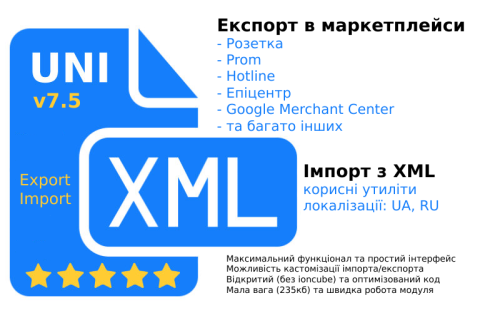
A tool that will allow you to increase your online store sales by integrating with marketplaces (upload and update products there)
A wide import functionality that allows you to import supplier products from XML (YML) into Opencart
UpdatedUniXML - module for unloading in XML format + import from XML
1,800 грн 3296 6686
Быстрый настраиваемый фид для Facebook и Google Merchant Center
UpdatedSP Fast XML Feed - выгрузка товаров в Google Merchant и Facebook Catalog 2.1.x-2.3.x-3.0.x
500 грн 108 179
Электронная торговля Google Analytics 4
UpdatedSP Google Analytics 4 Tracking 2.x-3.x
450 грн 274 685
📤 Модуль OLX 1.0: Публікація товарів з OpenCart прямо на OLX
Модуль створений для зручної та швидкої публікації товарів із вашого магазину OpenCart на платформі OLX — всього в кілька кліків! Ідеальне рішення для тих, хто хоче розширити охоплення без дублювання роботи 🛠️
⚙️ Основний функціонал:
🔘 Кнопка "На OLX" — зʼявляється на сторінці редагування товару в адмін-панелі OpenCart
📤 Автоматична публікація оголошення на OLX після натискання кнопки
🖼️ Підтримка фото, опису, назви, ціни, категорій — дані з товару автоматично передаються в оголошення
✍️ Можливість редагування шаблону опису перед відправкою (через налаштування модуля)
👤 Редагування автора оголошення: вказуйте свої контактні дані, телефон, ім’я, область, тощо
⚡ Інтеграція через офіційний API OLX (з підтримкою токена)
Цей модуль значно економить час при роботі з OLX, спрощує керування оголошеннями і зменшує кількість помилок, повʼязаних з ручним додаванням 🧠
📩 Для підтримки, оновлень та пропозицій — підписуйтесь на канал: https://t.me/fishka_opencart
UpdatedСинхронізація OLX.ua та Opencart
Продаж призупинено 24
Jet Sitemap - fast multilanguage sitemap
❖ Dynamic sitemap
❖ Static sitemap
❖ Background generation of a static sitemap via Cron
❖ Caching of sitemap
❖ Splitting sitemap into custom parts (example: https://site.com/jetsitemap-categories-lang-en-page-1.xml)
❖ Custom settings (via widgets) for the homepage, category pages, products, manufacturers, brands, articles, blogs (ocStore, OCTemplates, 29aleksey)
❖ Supports OCFilter
❖ Supports sitemap tags: lastmod, changefreq, priority
❖ Supports sitemap image:image, xhtml:link rel="alternate" hreflang
❖ Full support for multilingual hreflang and x-default, as well as multilingual prefixes
❖ Images: output of all images of products, blogs, choice of displaying original images (for speed) or resized images with adjustable output sizes
❖ Ability to choose template and templater for output
❖ Full support for SEO URL of sitemap pages (sitemap) (example: https://site.com/jetsitemap-categories.xml or with language and part splitting https://site.com/jetsitemap-categories-lang-en-page-1.xml)
❖ Flexible settings system
❖ Deletion or replacement of URLs in sitemap output
❖ Add Custom links in sitemap output
❖ Checking URLs in robots.txt
❖ Language page output on one page or separate page for each language in sitemap (sitemap) (example: https://site.com/jetsitemap-categories-lang-en.xml)
❖ Flexible cache cleaning
❖ Easy installation and update
❖ Export / Import of module settings
❖ Multilingual support
❖ Multi-store support
❖ Compatible with any theme and modules adhering to code style standards
❖ The module does not replace system files
❖ The module does not use ioncube
UpdatedJet Sitemap - fast sitemap
Продаж призупинено 184
Adding markup will allow Google robots to correctly interpret the data and display concentrated information about your site on the search page to attract users' attention to the content
UpdatedRich Snippet - SEO Structured Data
Продаж призупинено 21
Viewed Products is not just a "you viewed" module. It is a full-fledged marketing tool for OpenCart 3 that helps return visitors and increase sales without manager participation.
Most visitors leave the site without making a purchase. This module remembers their interests (even if they haven't registered) and automatically "catches up" with them via email if they forgot to place an order or if the price of a viewed product has dropped.
Submitted-20%Viewed products + Customer Retention
Продаж призупинено 0
AI Analytics is a modern OpenCart extension that adds a smart AI-assistant block to every product page. The module automatically generates prompts based on product data and lets customers instantly open their preferred AI service with a ready-made query.
Updated-25%AI Analytics — AI Assistant
Продаж призупинено 1
Promotion pages for OpenCart - module that allows you to create individual pages with products according to specified conditions: categories, manufacturers, availability of discounts or manual selection. Add banners, timers, text and social media buttons. There is support for Layouts and a separate filter module. Great for promoting seasonal sales and special offers. 🚀
UpdatedPromotion pages
Продаж призупинено 2
The module displays on the category page in the text-description of the product category (or the OcFilter landing page) a window marked with Schema Org with the output of the author of the article, the date of the content update.
UpdatedSEO Author of category/filter/blog text with content update date + micro-markup
Продаж призупинено 28
A very simple module that changes the behavior of the “Buy” or “Add to Cart” button of your store.
Using this "Redirections" module, when you click on the "Buy" or "Add to Cart" button, you can redirect
buyer to the product card on the Partner website. You can set up redirection for certain products.
For example, a Partner offers the same product but at a price 10% or even 20% lower. And at the same time, the Partner often offers rewards for referred buyers. In general, if for one reason or another you want to redirect a customer to another store website when trying to buy a certain product, then this module is for you.
SubmittedRedirections
Продаж призупинено 1
SEO VIEWED - Переглянуті товари
Проста адаптація (до 90% шаблонів (тем) адаптація навіть не потрібна)
Посадкова сторінка всіх переглянутих товарів (як категорія товарів)
Коректна робота з кешувальниками
UpdatedSEO VIEWED - Переглянуті товари
Продаж призупинено 12