Слайдшоу, баннеры, галереи
24 files
-
 Accordion & Tabs — a content block builder for OpenCart 3. One module replaces dozens of separate solutions: accordion, tabs, banners, galleries, grids, menu, timers, counters, pricing tables, comparison tables, video, before/after comparisons — 20 block types in total, with a single management interface and a flexible display rules system. 🔍 Live Demo — accordion.likedev.pro | Admin Panel (login: demo, password: demo) | 📖 Documentation 1 Choose a block type Accordion Timeline Tabs Flip Cards Panel Counters Gallery Pricing Table Banner Comparison Grid Menu Popup Tooltip Steps Show More List Container Video Before/After → 2 Fill with content Text and HTML Images and banners Buttons and links 40+ store variables 20 widgets Third-party modules Nested blocks → 3 Configure display rules Products, parameters Category Manufacturer Information page Customer group Login status Device type Display schedule → 4 Output anywhere OpenCart layout positions Shortcodes Twig templates Product descriptions Category descriptions Information pages Third-party modules One module instead of dozens of separate solutions 20 Block types 42 Ready demos 50+ Variables 20 Widgets 20 Block Types CLASSIC TYPES (13) Accordion / Collapse FAQ, expandable content, product descriptions Tabs Multi-tab sections with any content Panel Static panel with title and content Gallery + Slider Photo gallery with lightbox and slick slider Banner + Slider Promo banners, carousels, hero blocks Grid Cards in columns, responsive grid Steps Step-by-step instructions, processes Menu Navigation menu with dropdown items Popup Modal popup windows List Styled list with icons and colors Show More Collapsed text with "read more" button Tooltip Hover tooltips Container Wrapper for nested blocks NEW IN v3.0 (7) Timeline Timeline strip, 2 layouts, 8 marker shapes, entrance animation Flip Cards 3D cards with flip on hover or click Counters Animated counters: number, progress bar, circular Pricing Table Pricing plans, features list, "Popular" badge Comparison Table Product/plan comparison table with checkmarks and buttons Video YouTube, Vimeo, MP4 — lazy-load, inline or popup playback Before / After Drag-to-compare two images Display Rules Show each block exactly where it is needed, to whom it is needed, and when it is needed: Page type ► Product ► Category ► Manufacturer ► Information page ► Custom URL (wildcard * supported) Audience ► Specific product / category / article ► Customer group ► Login status ► Device (desktop / tablet / mobile) Timing ► Display schedule: "From" — "Until" date ► Schedule status filter in the block list ► Depends on another block on the page (present / absent) Product parameters: category, manufacturer, attributes, fields, price, name, tag, discount — operators =, !=, >=, ocStore 3.x Installation 1 Install the OpenCart / ocStore 3.x patch — upload and install directories_fix_oc_3.ocmod.zip, refresh modifications. The file can be deleted after the module is installed. OpenCart / ocStore 3.x only — skip this step for OC 2.x. 2 Install the module — go to Extensions → Install extensions, upload accordion_tabs_oc_3_v3.0.9_php7.1+.ocmod.zip. 3 Activate with license key — find the module in the list and activate it. The key is sent automatically to the buyer's email after purchase. Compatibility Platform Archive ✅ OpenCart 3.x accordion_tabs_oc_3_v3.0.9_php7.1+.ocmod.zip ✅ OpenCart 2.3 accordion_tabs_oc_2.3_v2.1.1.ocmod.zip ✅ OpenCart 2.0–2.2 accordion_tabs_oc_2.0-2.2_v2.1.1.ocmod.zip Module v3.0 supports OpenCart 3.x only. For OpenCart 2.x use the v2.1.1 archive from the product files. License ► Licensed for 1 domain for 1 year from the date of activation. ► After expiry the module continues to work without limitations — access to updates requires renewal. ► Can also be used on a test subdomain or local domain (test.site.com, site.loc). ► The key is sent automatically to the buyer's email. Not received — send a private message or email [email protected]. Updates ► All updates within the license term are free. ► Subscribe to notifications on the module page — you will be notified of new versions automatically. ► The latest file is always available in the downloads section on the module page. Previous Version Owners ► Version 3.0 is a major update with a new licensing system. Keys from previous versions are not compatible with v3.0. ► 50% upgrade discount for previous version buyers — send a private message to claim it. ► Previous versions continue to work without any limitations. Upgrading is not required. Support 📧 [email protected] 💬 Telegram: @Seriusis ▶ YouTube channel Try all the features right now 🎯 Live Demo 📖 Documentation..Updated
Accordion & Tabs — Content Block Builder for OpenCart
1,369 грн 308 1613
Promo Banners in Categories and Manufacturers
Place promotional banners directly among products on category pages and manufacturer product pages. Inform customers about promotions, new arrivals, seasonal collections, and special offers while they browse your catalog.
Banners are added to the product listing without reducing the number of products displayed per page. Banner management is available directly when editing a category or manufacturer, without modifying the template code.
Two Banner Types
Product card banner — occupies a single product grid cell.
Full-width banner — spans the entire width of the product listing area.
For each banner, you can choose its position: at the beginning of the list, after a specific product, after a specific row, or at the end.
Positioning after a row automatically takes into account the number of columns displayed on the current screen.
Separate Display Settings for Desktop and Mobile Devices
Banners can be displayed on all devices, only on desktops and tablets, or only on mobile devices.
To use different images, aspect ratios, or positions, create separate banners and select the appropriate devices.
For example, you can display a wide horizontal banner on desktop screens and a compact vertical banner on smartphones. Each banner will have its own positioning and display settings.
Catalog Display Mode Support
Banners can be displayed in grid view, list view, or both modes.
This allows you to use different banners depending on the catalog layout.
Banners for Different Pagination Pages
Configure separate promotional offers for the first, second, and subsequent catalog pages.
For each banner, you can specify individual page numbers or ranges, such as 1,3-5.
Banner positions are calculated independently within each pagination page.
If a page does not contain enough products or rows to reach the specified position, the banner will not be displayed.
Multilingual Support
Add separate banners for each store language.
Images, titles / ALT text, and links are configured according to the language version currently viewed by the customer.
Additional Features
Multiple banners per category or manufacturer.
Enable or disable individual banners.
Set banner display start and end dates.
Configure sorting order for banners with the same position.
Use banners with or without links.
Optionally add the rel="nofollow" attribute to links.
Configure image dimensions.
Choose between scaling the entire image to fit the available area or filling the area by cropping the edges.
Compatibility
OpenCart 3.x
ocStore 3.x
Theme Compatibility
The base version is compatible with the standard default theme.
Other themes may require additional adaptation.
Themes that include a Price List display mode require adaptation.
Theme adaptation is a paid service.
Installation Instructions
For a new installation, execute the SQL script from promo_banners_in_categories_and_manufacturers_v_3_0_install.sql, making sure to use your store's database table prefix.
Upload promo_banners_in_categories_and_manufacturers_v_3_0_oc3.ocmod.zip via Extensions → Installer.
Refresh modifications and clear the theme cache.
Open the category or manufacturer editing page and navigate to the Promo Banners tab.
Add banners, configure their display conditions, and save your changes.
License
The license is valid for one domain and all its subdomains.
DEMO
Admin Page login/password: demo/demodemo Store Page Important!
Adaptations developed for version 2.0 are not compatible with this version!
Updated-16%Promo banners in categories and manufacturers
900 грн 25 99
AI Product Video — product video generation with Gemini Omni
AI Product Video is a module for OpenCart 3 and ocStore 3 that creates short product videos from photos and a text prompt. The completed MP4 file is automatically downloaded to the store server and linked to the corresponding product.
The current version works with Gemini Omni 1.1 Flash using a standard Gemini API key. The key is created in Google AI Studio and saved in the module settings.
The main package includes the “Product Video in a Pop-up Window” integration: manage generated and manually added videos on the product editing page and display them in the default theme’s gallery.
Key features
Product video generation with Gemini Omni 1.1 Flash. Three input modes: text only, the main photo, or the main photo together with additional images. Up to six images per job, including the main photo. Portrait 9:16 and landscape 16:9 formats. 360p, 720p, 1080p, and 4K resolutions. Duration from 3 to 10 seconds; one video per job. Automatic saving of the MP4 file and linking the video to the product. Queue processing from the admin panel without page reloads or via CRON. A global prompt template and a custom prompt for an individual product. According to Google’s specifications, the model generates videos at 24 frames per second. Videos in 1080p and 4K are produced using upscaling. Learn more: Gemini Omni Flash specifications and Google API release notes.
Main photo and additional images
The settings let you choose which input data to use for generation:
Text only — the video is generated from a prompt without sending any photos. Main image — only the product’s main photo is sent. Additional images — the main photo and images from the product gallery are sent in their sort order. Prompt and product information
The prompt is created from your template. You can insert the required product data using these variables:
{name} — product name; {description} — product description; {model} — model; {sku} — SKU; {attributes} — attributes and specifications. When adding an individual product to the queue, you can enter a custom prompt. If you leave the field empty, the global template from the settings is used.
You can separately configure instructions for added text, the language of text and speech, preservation of existing labels and logos, and audio: silent, ambient sounds, or background music. The “What to Avoid” field is appended to the prompt as an additional instruction.
These settings are sent to the model through the prompt. They do not physically remove the audio track or guarantee that added text will be blocked. How accurately the product’s appearance is preserved and instructions are followed depends on the model and the source materials.
Selecting products for generation
You can add the following to the queue:
an individual product selected through autocomplete; products with an exact model match; products from a selected category; products from a selected manufacturer; products without videos; all store products that match the specified filters. You can filter by product status and creation date, and set a limit on the number of products to add. Products that already have an active job are not added to the queue again.
Queue and manual processing
Adding products to the queue does not start generation by itself. Processing begins after clicking “Process Queue” or when CRON is called.
Sequential batch processing in the admin panel without page reloads. Display of job statuses, error messages, and Google operation IDs. Configurable number of jobs per worker call and concurrent Google operations. Generation settings saved for each job when it is added. Resume processing an existing operation by its ID without starting a new generation. Delete individual jobs, cancel them locally, and clear the queue. The “Stop” button prevents further manual worker calls from the browser. Cancelling a job locally does not cancel a paid operation already running on Google’s side. If the outcome of a start request is unknown, check the operation before creating a new job.
Automatic processing via CRON
The module provides a URL with a secret key and a command for your hosting scheduler. CRON has a separate enable/disable setting, so you can turn off automatic processing while keeping manual queue processing available.
Each call processes a limited number of jobs: it checks previously started operations, downloads completed results, and starts new jobs when capacity is available. The amount of work depends on the configured limits. The schedule is configured separately in your hosting control panel.
Manual processing and CRON use a shared worker protected against concurrent calls. After temporary polling or download errors, the existing operation is checked again. Queue processing does not run when the module itself is disabled.
Generated videos and file names
The “Generated Videos” tab lets you preview results, access the MP4 file, open the product or its editing page, and delete generated videos.
Files are saved in a selected folder within image/catalog/, for example image/catalog/ai-video/. File names are generated from a template using {name}, {model}, {sku}, {product_id}, and {number}.
For example, you can use the template {name}-{model}. Invalid characters are replaced with hyphens. Suffixes such as -2, -3, and so on are added only when names collide, to avoid overwriting another file.
Managing product videos
A “Video” tab is added to the product editing page. It lets you manage both AI-generated videos and videos added manually.
Add multiple videos to one product. Support for local and external video files, YouTube, YouTube Shorts, and Vimeo. Enable, disable, and sort videos individually. Preview videos in the admin panel. Select a local video file through the OpenCart file manager. Automatically convert YouTube, Shorts, and Vimeo links into video IDs. Videos on the product page
In the default theme, videos appear among the additional product images and open in a pop-up window. YouTube and Vimeo videos use video thumbnails; local and AI-generated videos use the product image. Both portrait and landscape videos are supported.
Schema.org VideoObject structured data is added to the product page, including information about the video, its thumbnail, and a link to the player or video file.
Theme compatibility
The extension is compatible with the standard default theme. Other themes may require adaptation, which is a paid service.
Google API access and billing
Generation requires a Gemini API key and an enabled paid tier with access to Gemini Omni Flash. Google API usage is paid for separately by the store owner and is not included in the module price.
The cost depends on the input data, generation settings, and actual API usage. Current rates are published on the official Google Gemini API Pricing page.
Requirements and operating details
OpenCart 3 or ocStore 3. PHP with the cURL and mbstring extensions. GD with WebP support if the source photos are in WebP format. Outbound HTTPS access to the Google API. A writable output folder within image/catalog/. A CRON scheduler for automatic queue processing. The generated prompt and selected product photos are sent to Google. Processing time, generation availability, and API limits depend on Google’s service and your account. Review the result before using it; a new generation may differ from the previous one.
Installation
Upload the ai_product_video_v_1_1_oc3.ocmod.zip archive through “Extensions → Installer”. Refresh modifications and clear the theme cache. Under “Extensions → Extensions → Modules”, find “AI Product Video” and click “Install”. Open the settings and enter your Gemini API key, video settings, image mode, and prompt template. Enable the module and save your changes. Add products to the queue and click “Process Queue” to start manual processing. For automatic processing, enable CRON in the module settings and add its URL or command to your hosting scheduler. The required tables are created when the module is installed.
Disabling and uninstalling the module
Disabling the module stops queue processing but does not delete completed product videos. Uninstalling the module from the admin panel removes its settings and queue history; saved video files and their product associations are retained.
License
One license covers one domain and its subdomains.
Google Gemini API services, video generation charges, third-party hosting configuration, and adaptation for custom themes are not included in the module license price.
UpdatedAI Product Video — Product Video Generation + Pop-up Gallery
1,360грн 1,140 грн 0 1
The modifier adds functionality for displaying video clips in the list of additional product images on the product page. Videos open in a pop-up window, supporting platforms like YouTube (including Shorts) and Vimeo. Administrators can add video IDs, select the video source directly on the product edit page, and specify the sorting order. The modifier also automatically adds microdata for videos on the product page, improving SEO.
Video support:
YouTube, YouTube Shorts, Vimeo. Integration with the image gallery:
Videos are displayed in the list of additional product images. Clicking on a video thumbnail opens it in a pop-up window. Simple setup for administrators:
A block is added to the product editing page for entering the video ID, selecting the source, and specifying the sorting order.
Customer convenience:
Intuitive interface with video display in a modal window.
SEO microdata:
Automatic generation of VideoObject microdata. The generated microdata includes:
Video title (taken from the product description). Description (taken from the product description). Link to the video source. Publication date (taken from the product description). Compatibility:
OpenCart 2.3. OpenCart 3.x. Installation:
Execute the query from the product_video_query.sql file in the website database (do not forget to change the table prefix). Install the extension using the built-in OpenCart installer. Refresh the modifications. Videos are added when editing products. Template compatibility:
The extension is compatible with the default template. Adaptation is required for other templates (adaptation is paid).
DEMO
Admin Page login/password: demo/demodemo Store Page License:
Allowed for use in a single online store.
Updated-40%Video on the product page in the pop-up window (YouTube/Shorts/Vimeo)
460 грн 56 239
Interactive polygon product areas on photos. ASSL Lookbook Single displays one composition, while ASSL LookBook SlideShow combines several lookbooks as a slider or tabs.
UpdatedASSL Lookbook — Products on Photos
1,000грн 600 грн 21 66
A module for OpenCart 3 that allows you to display responsive promotional banners over the pages of your store. Suitable for promotions, special offers, news, mobile applications and other advertising campaigns.
Updated-26%Smart Promo Banner - flexible banner module for OpenCart 3
450 грн 1 2
Updated pro version of the Grapes Web Builder module. The module integrates as a visual editor into most Opencart pages and allows you to create full-fledged landing pages. The editor includes a block manager, a layer manager, and a style manager. The source code of the editor is as close as possible to professional html/css layout DEMO Admin panel Login/Password: demo/demo Home Goods: Backpack CITY R01 BedroomGlow MH luminaire Article - Auto accessories INTEGRATION An additional tab appears for pages in the admin panel: Product, category, manufacturer, information (article), blog, HTML content module. The module is adapted to work with third -party modules: ocfilter page blog @octemplates blog CyberStore blog @aridius Different modes of operation: replacing the existing description field, "gluing" before/after the description field, output with a variable in the file WORK FEATURES · Ability to enable/disable for a specific page · Through the HTML Content module, you can create separate modules and add them to layouts like a regular opencart module · Working with the editor using drag and drop · Working with blocks on the page (like a professional html layout) · Saving custom editor blocks to a local library for reuse · Copy and paste editor content between pages · History and cancellation of actions in the process of working with the page · Import and edit source code · The editor generates the "correct" html and css code (without "inline"), which is convenient to edit and maintain · The editor stores data in separate tables · Page responsiveness (separate styling PC/Tablet/Mobile) · Emoji Support (Service -> Enable Emoji Support) TYPES OF CONTENT · Columns with any content · Forms with sending data to the administrator · Slider with any content · Tabs · Countdown timer · Tooltips · Tables with Cell Merge · Text, headings, images · Other Slider in the Grapes Web Builder Working with forms in the Grapes Web Builder module INSTALL https://www.youtube.com/watch?v=E6FQX_sO8iQ ..UpdatedGrapes Web Builder PRO - more than a visual editor
1,550грн 1,150 грн 20 51
Забудьте про обмеження шаблонів. Наш інтерактивний конструктор дозволяє самостійно вибудовувати структуру кожного рекламного блоку
Updated-29%qBanner конструктор
550 грн 66 227
Using this module, you can display a carousel of your customers' reviews, both recently added and random ones from all reviews, by setting it in the module settings. Also, one of the advantages of the module is that if you display a carousel of reviews in product categories, then first of all reviews will be displayed directly from this category in which the user is located.
Updated-22%Review Carousel
700грн 500 грн 10 19
Multilingual custom banner with different animations and individual design settings for each device, placement scheme and product category.
UpdatedBanner Advanced with Countdown Timer
900грн 700 грн 31 93
DEMO Login: demo pass: demohttp://megasliderpro.waterfilter.in.ua/image/megaslider_banner.png Слайдер с эффектами паралакс, наличие которого уже само по себе еще один + для поисковых машин. Легкая интуитивная настройка – понятная даже незнакомому с фотошоп пользователю. Возможность сохранения настроек для предпросмотра. Выбор времени показа слайда. Цветовые выделения и эффекты вызывающие подсознательную сопричастность (положительно влияют на время просмотра страницы, как следствие улучшают поведенческие факторы) Теперь создание интересных, анимированных баннеров становится простым и увлекательным занятием. В несколько кликов стала возможна настройка параллакс эффектов, анимаций, и информационных блоков. Модуль разрабатывался с учетом пожеланий людей, которых жутко раздражает дефолтные баннеры, ключевые слова при создании - «Простота и эффектность»..
UpdatedMegaslider PRO
450 грн 84 145
The Lookbook module for OpenCart is a universal tool for creating interactive and attractive blocks on your site,
which is easily adapted to any product category. With the help of this module, you can present products in the form of images with active points or prices,
that significantly improves the user experience and makes the purchase process more interesting.
UpdatedLookBook
499 грн 7 8
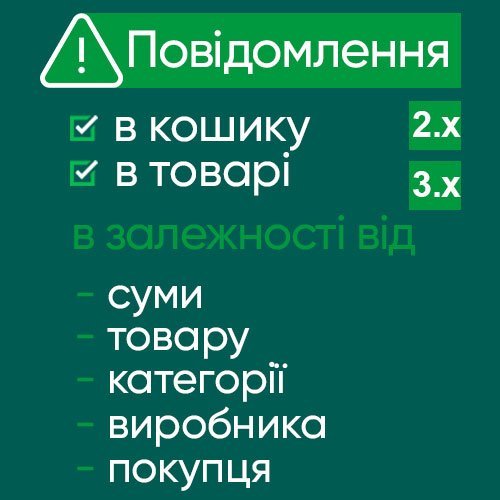
Модуль позволяет создать неограниченное количество уведомлений с текстом, html + добавить баннер на странице корзины, оформления заказа, в зависимости от товаров корзины, производителя, категории, покупателя, суммы корзины. Дополнительно модуль можно выводить в товаре. Для РФ и РБ модуль не продается и поддержка не предоставляется. ВОЗМОЖНОСТИ Вывод в позицию в зависимости от: производителя товара в корзине категории товара в корзине присутствие конкретного товара в корзине суммы в корзине (больше чем, меньше чем) *указывать в основной валюте группы зарегистрированного покупателя авторизирован или гость Вывод на странице товара работает по тем же привязкам, исключая сумму в корзине ДЕМО Добавьте товар в корзину для показа уведомлений https://oc23.likedev.pro/iphone Админка https://oc23.likedev.pro/admin/ логин/пароль: demo/demo ОСОБЕННОСТИ нет ограничений для количества условий. можно создавать разные условия для разных групп товаров комбинировать несколько условий мультиязычность поля: название, текст, баннер, ссылка для баннера, статус, размеры изображений, стиль ВАРИАНТЫ ПРИМЕНЕНИЯ вывод важной информации для определенных групп товаров при покупке вывод информации о скидках, предложениях, подарках и т.д. вывод простых баннеров в корзине или товаре показ купонов, предложений для определенной суммы в корзине показ информации в зависимости от группы покупателя или статуса авторизации ВАЖНО Условия работают по принципу "..и..и..", т.е учитываются все выбранные условия одновременно. Чем больше условий - тем меньше выборка. Если не выбрать ни одно условие - уведомление будет выводиться всегда. Если в корзине присутствует хотя бы один товар по заданным условиям, уведомление будет показано Модуль Simple Для обновления при изменении количества товара добавить в поле модуля "КОД JAVASCRIPT" эту запись: updateCartNotify() УСТАНОВКА видео установки (фикс для oc3 НЕ НУЖЕН) Спойлер Через установщик в админке загружаете архив модуля ocmod для своей версии опенкарт. Для версий 2.x убедитесь, что у вас уже установлен модификатор localcopy.ocmod, если его нет - установите. ЛИЦЕНЗИЯ Лицензия выдается на один домен. Также при необходимости на тестовый поддомен. Теперь ключ будет выслан автоматически на почту покупателя сразу после вашего заказа. ПРОСЬБА УКАЗЫВАТЬ ДОМЕН СРАЗУ ПРИ ПОКУПКЕ Также смотрите модули: Accordion & Tabs v2 - конструктор контента YouTube lazy load & popup - вставка видео с youtube, vimeo, галерея видео, оптимизация page speed страниц из видео Smart Video Widgets - видео в фоне, баннера, изображения, уведомления с настройкой условий показа Google Reviews - отзывы с гугл карт (Google Business) с виджетом доверия + отзывы о товарах ..UpdatedCart Notify - notifications in the cart and product depending on the conditions
Продаж призупинено 26
Product PDF card generator with actual price, image, SKU, description, attributes, store logo and contacts for OpenCart 3 and ocStore 3.
UpdatedProduct PDF Generator PRO для OpenCart 3 та ocStore 3
Продаж призупинено 22
Beautiful timer module
UpdatedSP Cool Timer
400 грн 5 4
Add YouTube videos directly into product pages and boost conversion, engagement, and trust.
📈 Show your product in action — help customers make decisions faster.
SubmittedYouTube video on the product page
Продаж призупинено 5
Attract the attention of visitors to various promotions and increase sales of your online store
UpdatedMega Swipe Slider
Продаж призупинено 8
Viewed Products is not just a "you viewed" module. It is a full-fledged marketing tool for OpenCart 3 that helps return visitors and increase sales without manager participation.
Most visitors leave the site without making a purchase. This module remembers their interests (even if they haven't registered) and automatically "catches up" with them via email if they forgot to place an order or if the price of a viewed product has dropped.
SubmittedViewed products + Customer Retention
Продаж призупинено 0
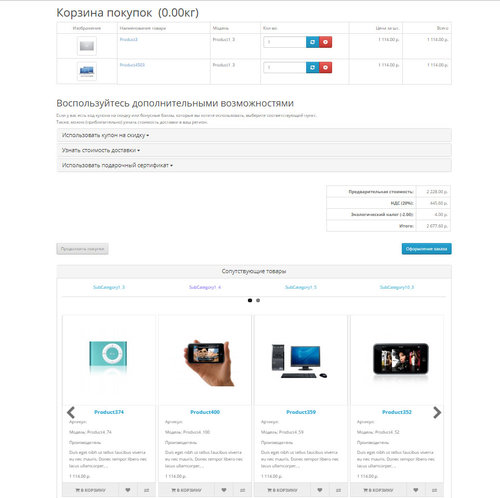
Модуль, выводит сопутствующие товары из выбранных категорий.
Принцип работы:
выбираем главную категорию, привязываем к ней сопутствующие.
для каждой категории, можно задать количество выводимых товаров.
товары, выбираются рандомно. так же можно привязать отдельные товары.
Настройки:
Вывод - товары из категорий, отдельные товары или и то и другое вместе.
Вид - плитка или слайдер
настройка слайдера
настойка полей для вывода
выводить или нет заголовок
размеры изображений
модуль выводит
товары из привязанных категорий(количество задается в админке, выбор рандом)
определенные товары(выбираются в админке)
товары из категорий + произвольные товары
категории
настроили связи
создали модуль
добавили модуль в макет
готово.
Установка ;
Загрузить архив через установщик дополнений.
Система -> Пользователи -> Группы пользователей даем права на просмотр и редактирование
Для вывода в корзине и в карточке товара(в табе), в дополнениях смотрите модуль "Товары из сопутствующих категорий в корзине и карточке товара"
Модуль, работает с главной категорий товара.
для корректной работы, у товаров должна быть задана главная категория.
Для корректной работы модуля, нужен SeoPro
Внимание
Убедительная просьба. перед покупкой модуля, задавайте вопросы, выясняйте все нюансы.
Чтобы потом не было типа - а я думал, что работает немного по другому и т.д и т.п.
Гарантировано, работает только на дефолтном шаблоне, на других, возможно нужна будет адаптация.
Адаптация - это сделать так, чтобы заявленный функционал работал на вашем шаблоне.
Изменение внешнего вида(дизайн, верстка) в адаптацию не входит( я не дизайнер).
Поддрержка:
При обращении о поддержке, описывайте сразу подробно проблему, а не два слова "Караул, не работает."
пишите сразу доступы - админка, ftp
через TeamViewer, не работаю
с шаблоном joornal, не работаю
Тестировалось на OpenCart , OcStore 2.3. opencart 3.x ocstore 3.x
Демо:
страница товара(в табе)
страница категории
Админка login demo pass demo
Updated-12%Товары из сопутствующих категорий
Продаж призупинено 219
Video from YouTube in the product card
The module allows you to show YouTube videos in a pop-up window in the product card.
That is, the video does not load the page when it is loaded, as if the video were inserted into the product description. And it is loaded only at the moment of clicking on the video icon.
UpdatedVideo from YouTube in the pop-up window for the product card
Продаж призупинено 69
The "Before/After" module for OpenCart allows you to create interactive images that show changes before and after using the product. This module is especially useful for online stores that sell products that can showcase their effects on photos.
Updated"Create a before and after effect with the Before/After module for OpenCart!" 3.
Продаж призупинено 14
Customizable multilingual Video banner for your website. Supports multilingualism, you can download different videos for mobile and for desktop through the image manager.deobanner (video banner)
UpdatedCustomizable multilingual video banner (adaptive video banner)
Продаж призупинено 54
Модуль позволяет очень просто, быстро настроить отдельные схемы кода и просто любой информации для схем, групп продуктов, категорий и производителей. Возможности модуля: 1. Гибкие настройки и фильтры, вывод любой информации на всех страницах сайта, вывод по отдельным категориям, товарам, производителям, добавление настроек ко всем товаров категории (Продукты категорий) и ко всем товарам производителя (Продукты производителей), макетам. 2.Фильтр "URL содержит". Можно добавить настройку для отдельных страниц сайта, если в url страницы содержится введенное значение. В карточке товар поиск из полного урла, в категории - ключевое слово из таблицы seo_url. 3. Возможность вывода любой информации в любой части страницы: Любой html, js, jquery, ajax–код и в любой части странице Выберите селектор блока и положение данных, относительно блока (перед, после, вместо). 4. Возможность замены блока полностью или только его содержимого. 5. Селекторы можно использовать абсолютно любые, от класса, заканчивая набором элементов, любые схемы селекторов, для jquery. 6. Копировать настройки из ранее созданных схем. 7. Настройка гибких условий отображения настроек в товарах. Условия И, ИЛИ, НЕ. Например, выбираем для вывода Продукты категорий КРОМЕ определенных товаров; выбираем продукты категорий И товары производителей. ИЛИ используется по-умолчанию. Название блоков являются кнопками, которые можно использовать для составления условий. 8. Использовать в настройках переменные товара. Введены переменные $product и $products, которое можно использовать в настройке в блок Код блока. $products - массив со всеми выбранными товарами. $product - данные текущего товара ( работает только в карточке товара). Данные продукта, которые могут использоваться в настройках: date_added: Дата создания date_available: Дата поступления date_modified: Дата изменения description: Описание ean: EAN height: Высота image: Изображение товара isbn: ISBN jan: JAN location: Расположение manufacturer: Наименование производителя manufacturer_id: Id производителя meta_description: Мета-тег Description meta_keyword: Мета-тег Keyword meta_title: Мета-тег Title minimum: Минимальное кол-во заказа model: Модель mpn: MPN name: Название товара price: Цена товара product_id: Id товара quantity: Кол-во товара sku: SKU sort_order: Сортировка status: Статус stock_status: Статус на складе stock_status_id: Id статуса на складе tag: Теги tax_class_id: Id налога upc: UPC weight: Ширина width: Длина Пример: вывод название текущего товара будет иметь вид $product.name; вывод цена 3-го товара из массива $products[2].price;. Можно задать лимит вывода товара из переменной $products. 9. Библиотека Настроек. Можно выбрать настройку из библиотеки кода. 10. Фильтр настроек. Позволит быстро найти и применить настройку из библиотеки. 11. Добавление своих настроек в библиотеку готовых решений. 12. Добавление неограниченного количества настроек к одной схеме товаров. 13. Автоматическое добавление нового товара к схеме. 14. Новый удобный фильтр. 15. Добавлены переменные (стандартные переменные - данные товара). 16. Возможность создания и редактирования собственных переменных. Преимущества модуля: Модуль способен заменить более 100 других модулей. Совместим с более 95% шаблонов. Рекомендован для каждого интернет-магазина. Модуль позволяет расположить любую информацию на любой странице сайта. Модуль мультиязычный. Примеры использования: Создание посадочных страниц Создание тем и шаблонов Возможность создания блога на сайте, отредактировав карточку товара как статью Возможность создания портфолио, отредактировав карточку товара, под объект портфолио Замена общего номера телефона в определенных продуктах или категориях на номер менеджера направления Скрыть или заменить некоторые элементы в продуктах или категориях , например цену, кнопку, (цено от и прочее) Добавить любой кастомный HTML код в любое место или убрать.. Добавить для категории блок с доставкой и гарантиями Добавить в моб версии кнопку позвонить и заказать у определенных продуктов У определенных продуктов скрыть корзину и добавит цена от с вызовом формы обратной связи Добавить свои стили для определенного вида страниц Замена имейла и номера у определенной группы продуктов Мультимагазин Безграничные возможности Инструкция по установке и настройке версия 2.9 Demo Admin (demo/demo) ДОБАВИТЬ МОЖНО В ГРУППЫ ТОВАРОВ (очень удобный фильтр) , ВО ВСЕ ТОВАРЫ, В КАТЕГОРИИ, ПРОИЗВОДИТЕЛЕЙ, ТАКЖЕ ПО СХЕМАМ . и !!!Новинка!!! если url содержит. ЕСЛИ НУЖНА С ЭТИМ ПОМОЩЬ - ПИШИТЕ В ПОДДЕРЖКУ! Библиотека готовых решений 1. Закрепленные кнопки Позвонить и Написать внизу страницы для мобильной версии Добавляются кнопки Написать - при клике, клиент переходит на страницу обратной связи и Позвонить - подключен номер телефона Данное решение представлено на сайте https://newstone.com.ua/. Отображение в мобильной версии https://prnt.sc/w4lfvn 2. Перелинковка товаров При необходимости добавить ссылки на похожие товары, например: другого размера или цвета, типа и т.д. можно использовать данное решение. Связь товаров на основе одинаковой модели. Данное решение представлено на сайтах https://newstone.com.ua/CL-101AURORASNOW_pryamaya https://au.torg.town/odessa-shirokoformatnaya-pechat/pechat-na-bannernoi-tkani/print-frontlit Блок имеет вид https://prnt.sc/w4pf1i 3. Замена кнопки купить Замена кнопки Купить на произвольное значение, это может быть любой html-код или текст 4. Автоматическая подгрузка товаров Замена стандартной пагинации на аjax подгрузку товаров. Данное решение реализовано на сайте https://pizza.torg.town/ukraina/odessa 5. Модальное окно "Заказать консультацию" Вывод модульного окна с формой обратной связи Данное решение представлено на сайте https://dveriotido.com.ua/ (кнопка Презентация в скайпе) 6. Кратное описание в карточке товара В карточке товара выводится часть описания с ссылкой Подробнее (скролл на полное описание) Данное решение представлено на сайте https://dveriotido.com.ua/dvery_mechkom/mezhkomnatnaya-dver-03-dub-temnyj-po 7. Форма обратной связи Форма для отправки обратной связи с полями ввода Имя, Телефон, Email, Комментарий. 8. Полезная информация для клиента ( о доставка, гарантии и т.д.) Вывод блок с информацией для клиента в карточке товара, категории или любой другой странице сайта 9. Прелоадер перед загрузкой страницы Вывод индикатора загрузки страницы до полной загрузки страницы 10. Таймер обратного отчета Вывод таймера обратного отчета на любую страницу. Время отчета задается в коде, по-умолчанию 5 дней. Библиотека будет дополняться..UpdatedМодуль "Super Custom Html Fields"
Продаж призупинено 273
При наведении на фото товара в каталоге и в стандартных модулях главная фотография меняется на первое дополнительное изображения товара. Модуль сделан в виде модификатора (ocmod). === Описание: При наведении на фото товара в каталоге (category,special,search,manufacturer_info) и стандартных модулях (latest,special,featured,bestseller,product_tab,popular,ajax_viewed) главная фотография меняется на первое дополнительное изображения товара. === При наличии этой функции очень упрощается выбор товаров в интернет-магазине. Это незаменимая вещь для упрощения поиска товаров. У многих крупных магазинов эта функция присутствует. Пример работы: http://hardcandy.top Модуль реализован для 2.0-3 версий. Модуль гарантировано будет работать на стандартном шаблоне. Также Бесплатный допил под нестандартные темы в случае покупки модуля и некорректной работы. Тех поддержка присутствует. Установка: 1. Перейдите в раздел установки расширений 2. Установите ocmod расширение 3. Обновите модификаторы...UpdatedAdditional photo of the product in the catalog on hover
Продаж призупинено 99