OpenCart Options with Russian Language Support
This category gathers OpenCart options that extend the default product features — extra characteristics, variants and flexible settings. All extensions include Russian language support and work with popular versions of the platform.
22 files
-
 This modification is designed to enhance the product page interface in OpenCart by allowing you to add tooltips to product options. It helps improve how customers perceive product information and makes the selection process more convenient and informative. The modification includes settings for text tooltips displayed as pop-up hints, helping users better understand what each option means.
Benefits of the Modification
Simplified understanding of product options: Pop-up tooltips allow you to provide more detailed information without cluttering the page. Improved user experience: Customers can get all the necessary information directly on the product page without switching tabs or dealing with technical details. Tooltips make the interface more interactive and visually appealing. Flexibility and customization: The store administrator can configure tooltips for each product option individually. Multilingual Support
The modification supports multilingual stores, allowing tooltips to be configured separately for each language version of the store. Conversion Boost
Tooltips help customers navigate product options faster and make purchase decisions more confidently, which can increase conversion rates and reduce cart abandonment. Compatibility
OpenCart 3.x Template Compatibility
The extension is compatible with the standard default template. For other templates, adaptation may be required (paid adaptation).
Installation
Run the SQL query from the file tips_for_product_options_query.sql in the database (taking into account the table prefix). Install the module via the OpenCart admin panel. Refresh the modifications. DEMO
Admin Page login/password: demo/demodemo Store Page License
The license applies to one domain and its subdomain.
UpdatedProduct Option Tooltips
250 грн 0 0
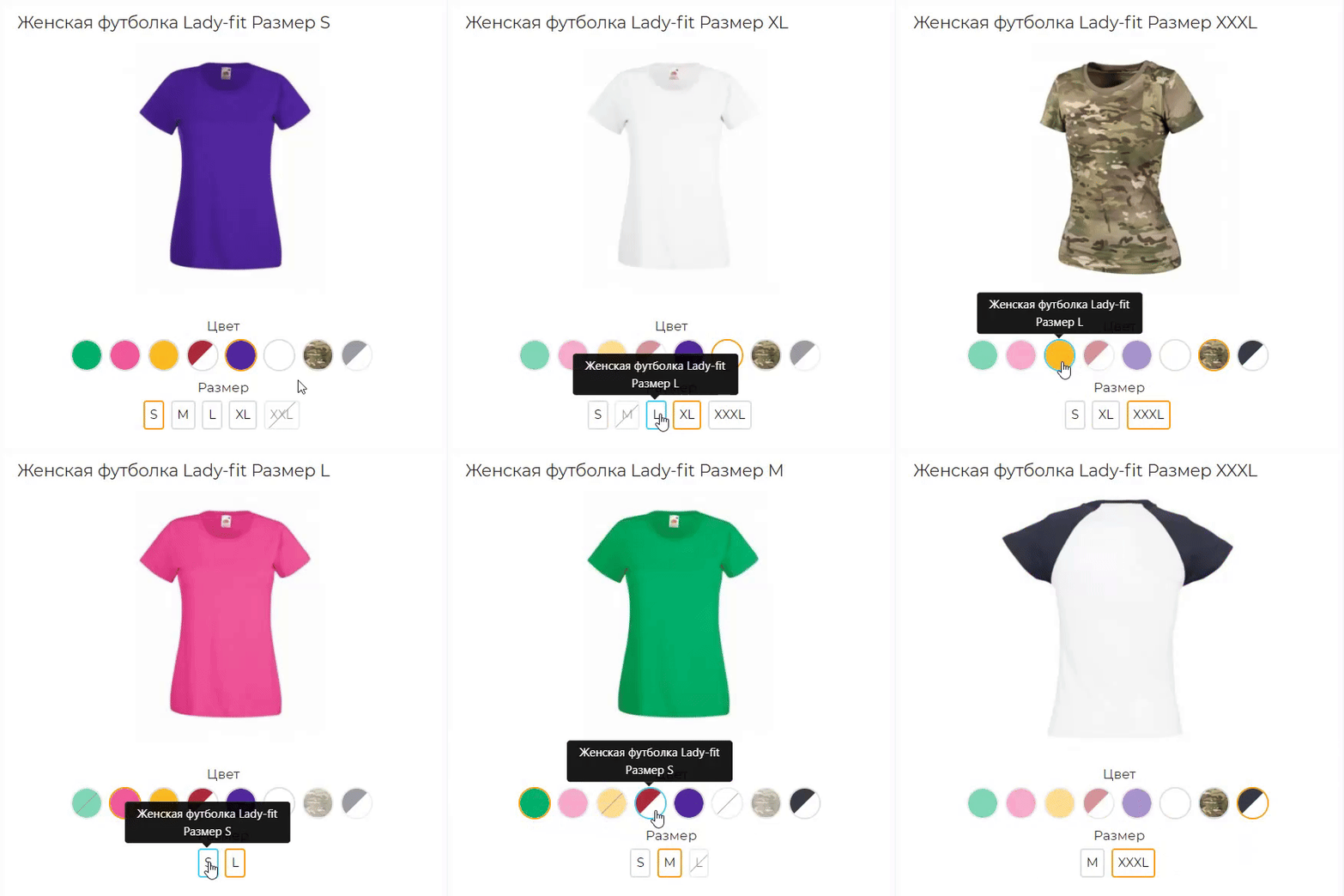
The Linked Products as Options module combines separate product variant pages into logical groups and displays links between them as familiar options. Customers can select a color, size, storage capacity, material, or another attribute, while each variant remains a separate product with its own URL, price, special price, stock level, model, image, and SEO data.
This approach is suitable for stores where different colors, sizes, or configurations have already been created as separate products. The module does not replace or modify standard OpenCart options: it adds a separate mechanism for linking complete product pages.
Integration with the standard OpenCart theme is included, along with separate adaptations for OCTemplates Promo, OCTemplates Deals, Chameleon.
How the module works
The administrator selects one of the standard OpenCart fields as the product group identifier: UPC, EAN, JAN, ISBN, or MPN. Products with the same non-empty value in the selected field are automatically assigned to one group.
Option types are then created in the module, such as “Color,” “Size,” “Storage Capacity,” “Material,” or any other option required by the store. One or more product attributes can be selected for each type. If several attributes are selected, the module checks them in the specified order and uses the first non-empty value.
After synchronization, the available group variants appear on the product page. Clicking a value opens the corresponding product page, so every variant retains its own data, page address, and standard OpenCart product behavior.
Module features
Automatically group products by the UPC, EAN, JAN, ISBN, or MPN field Use only exact matches of non-empty group identifiers Create any required number of option types Obtain option values from product attributes Use several attributes for one option type with configurable priority Display values as text buttons, HEX colors, or product images Configure multiple colors for a single value Configure the value sort order Create fully manual product groups Include or exclude products in an automatic group Set a manual option value for a specific product Control the display of out-of-stock products Index large catalogs in batches via CRON Automatically add changed products to the indexing queue through OpenCart Events Generate Schema.org structured data for product variants Product group identifier
One of the standard product fields is used for automatic linking. The field is selected in the module settings and must contain the same value for every variant of the same model.
UPC — Universal Product Code EAN — European Article Number JAN — Japanese Article Number ISBN — International Standard Book Number MPN — model or group code assigned by the manufacturer or administrator For example, six separate Samsung Galaxy product pages may have different models, colors, storage capacities, prices, and stock levels, but the same group MPN. After indexing, the module links them and displays color and storage as navigation between variants.
Option types and attributes
Option type names are not predefined or restricted. The store creates the variants required for its catalog: color, size, storage, material, style, length, configuration, or any other attribute.
Several attributes can be assigned to one option type. This is useful when the same information is stored under different names in different categories, such as “Color,” “Body Color,” or “Primary Color.” The attribute order determines the priority in which they are checked.
Text — values are displayed as compact buttons Color — values are displayed as a HEX palette Image — the main image of the corresponding product is used The module does not create separate images for option values. Image mode uses the existing main product image and the thumbnail dimensions configured in the module.
HEX palette and value sorting
After indexing, the module collects the detected attribute values on a separate tab. A sort order can be set for every value, while one or more HEX codes can be assigned to colors.
If a value consists of several colors, the module creates a multicolor swatch. Configured HEX codes and sorting are retained independently of the current display type. Switching an option from color to image and back does not remove the previously configured palette.
Display on the product page
The current option value is highlighted and is not an active link Text values are displayed as buttons Colors are displayed as solid or multicolor swatches The main image of the corresponding product is used in image mode The product name is available on hover in image mode Out-of-stock products can be displayed, disabled, or completely hidden Unavailable values have a separate visual style When a value is selected, the customer is taken to the separate page of the corresponding product. The module does not replace the price, stock, or image through JavaScript, so the page always uses current standard OpenCart product data.
Manual groups
Automatic mode can be supplemented with manual management. A separate page provides a list of all created groups with filtering, sorting, and pagination.
Search by group name or identifier Search for a group by product, model, or SKU Filter automatic, manual, and mixed groups Create a new manual group Add products using autocomplete Manually sort products within a group Set manual option values separately for each language Disable an individual group Lock an automatic group A manual value takes priority over an automatically obtained attribute value. This makes it possible to add a product with incomplete data to a group without changing its standard attributes.
Clearing groups
The module provides three separate clearing modes:
Automatic groups — clears the automatic index and groups created by synchronization Manual groups — removes groups created manually by the administrator All groups — completely clears the module’s automatic and manual groups Indexing and CRON
For fast storefront performance, the module builds its own relationship index in advance. Data is processed in batches, allowing the module to be used with large catalogs without a long-running query when a product page is opened.
Configurable number of products per batch Manual full synchronization from the administration panel Secret-key-protected URL for CRON Ready-to-use crontab command Indexing status, progress, and statistics The current index remains operational during full synchronization. The new data generation becomes active only after the rebuild completes successfully. Customers do not see partially populated groups while the catalog is being updated.
Automatic updates after product changes
The module uses standard OpenCart Events. After a product is added, edited, or deleted, its identifier is placed in a queue. The next CRON run updates only the changed products and their related groups.
Direct SQL queries and some third-party imports may not trigger OpenCart Events. A full synchronization is recommended after a bulk direct import or changes to group identifiers.
SEO and structured data
A corresponding Schema.org property can be selected for each option type. If no property is selected, the module does not add structured data for that option.
ProductGroup — a logical group of product variants productGroupID — the product group identifier hasVariant and isVariantOf — the relationship between the group and its variants variesBy — the list of properties by which products differ color — color size — size material — material pattern — pattern suggestedAge — suggested age suggestedGender — suggested gender additionalProperty — another product attribute For the standard theme, the module generates its own structured data block. The OCTemplates Promo, Deals, Chameleon adaptations also integrate the variant relationship into the native product structured data of the corresponding theme.
Performance
Separate index tables with database indexes for primary queries Batch loading of product attributes Batch insertion of index records Active data is not cleared before full synchronization is complete Incremental updates for changed products Option type settings cached through the standard OpenCart cache No external API requests on the product page Multilingual and multistore support
Group names, option type names, and manual values can be specified separately for each language. When displaying variants, the module respects the current OpenCart language and store and does not show products that are not assigned to the current store.
The module administration interface is localized in Ukrainian, English, and Russian.
Theme integration
Default — support is included in the main package OCTemplates Promo — a separate adaptation package with its own Twig template and CSS OCTemplates Deals — a separate adaptation package with its own Twig template and CSS Chameleon — a separate adaptation package with its own Twig template and CSS For Promo, Deals, Chameleon install only the adaptation that matches the active theme. The main module must always be installed.
Open source code and independence
The module code is not encrypted or obfuscated. All PHP, Twig, JavaScript, CSS, and XML files are available for review and modification.
The module does not connect to third-party resources, external APIs, or remote servers and does not require third-party libraries or system services. Product processing, group building, caching, and variant block generation are performed directly on the website.
Thanks to a separate Twig template, CSS file, and targeted OCMOD integration, the module can be adapted to other OpenCart themes without changing its core logic. For a custom product page, it is usually sufficient to prepare a separate adaptation with the appropriate output position and styles for the active theme.
Installation
Perform a clean installation of the main package through Extensions / Installer If OCTemplates Promo, Deals, Chameleon is used, upload the corresponding adaptation package Go to Extensions / Modifications and click Refresh Go to Extensions / Extensions Select the Modules extension type Find Linked Products as Options and click Install Open the module settings Select the group identifier field and create the required option types Run a full synchronization Add the protected URL to your CRON scheduler The module does not modify OpenCart core files directly. Integration is performed through standard OpenCart Events and OCMOD.
Important notes
To create groups automatically, at least two enabled products must have the same non-empty value in the selected UPC, EAN, JAN, ISBN, or MPN field. A full synchronization must be performed after changing the group identifier field, the attribute configuration, or running a bulk direct import. Regular CRON runs process the changed-product queue and continue an unfinished full synchronization. For a small catalog, synchronization can also be started manually from the administration panel. Uninstalling the module with the Uninstall button removes the tables, index, automatic and manual groups, palettes, and other value settings created by the module. Products, attributes, and standard OpenCart data are not removed. DEMO
Admin Page login/password: demo/demodemo Store Page License
The license covers one domain and its subdomains.
UpdatedLinked Products as Options
680 грн 3 11
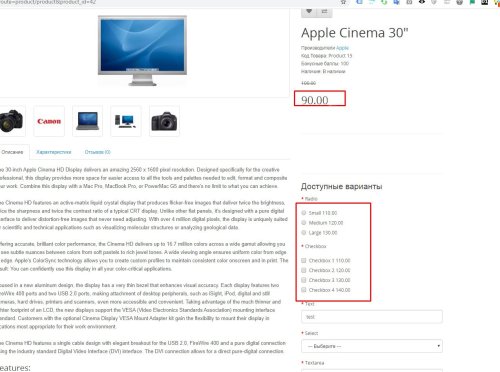
Стандартний висновок ціни в opencart м'яко кажучи дуже незручний, він виводить тільки значення для додавання/зменшення основної ціни. Даний модифікатор вважає підсумкову ціну опції та виводить її. Т. е якщо ціна товару 90.00грн , а опції обрано "+", і значення 10грн, то замість (+10) біля значення опції буде виведено 100грн Сумісність 2. x - 3. x 1.01 - покращено сумісність із шаблонами (проблема +-) Робота на всіх шаблонах не гарантована. Якщо встановлені модифікатори для роботи з опціями, оновлення ціни при виборі опції тощо - вони можуть перетирати зміни, тоді прибирайте +- вручную в product.twig (product.tpl) Також дивіться модулі: Accordion & Tabs v2 - конструктор контенту YouTube lazy load & popup - вставка відео з youtube, vimeo, галерея відео, оптимізація page speed сторінок з відео Smart Video Widgets - відео в фоні, банери, зображення, сповіщення з налаштуванням умов показу Google Reviews - відгуки з гугл карт (Google Business) з віджетом довіри + відгуки про товари ..UpdatedThe final price of the option in the card instead of the withdrawal (+amount), (-amount)
Free 582
Модуль HPMR позволяет объединять товары в виде опций на основе их характеристик
UpdatedHPMR AJAX: options as individual products + auto-linking
1,300 грн 413 764
Розширена версія HPMrr AJAX в якій кілька важливих додаткових функцій
Кастомне групування у категорії Мікророзмітка під schema.org Розрізання значення атрибуту по роздільнику (напр. значення1, значення2, значення3) Генерування текстур за значенням атрибутуUpdatedHPMR PRO
2,000 грн 75 66
варіанти
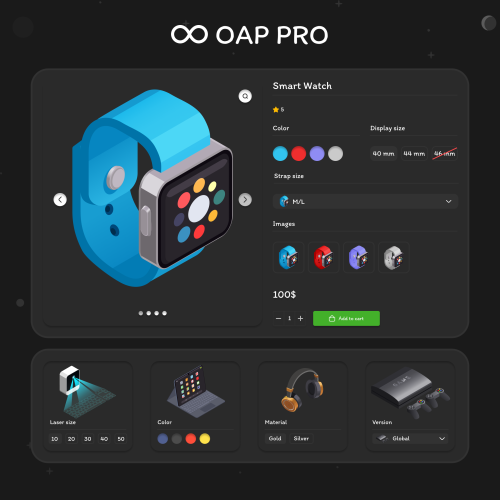
The module combines separate products into variant groups - by color, memory size, size, material and so on. Customers switch variants on the product page and in categories as easily as options, yet each variant stays a full product with its own price, stock, SKU, photos and SEO page.
UpdatedOAP PRO - MULTI AJAX options as separate products with automatic linking
Продаж призупинено 1272
The OAP module allows you to combine products in the form of options as separate products - by color, volume, size, etc.
UpdatedOAP - options as a separate product
Продаж призупинено 241
Automatic (Cron) and manual visibility control for empty categories and brands, SEO optimization for out-of-stock products, and deep database cleanup of unused options and attributes.
Updated-88%Catalog Optimizer [NAT]: Hide/Show Empty Categories/Brands (Cron) + Clean DB from Unused Options/Attributes
Free 54
made by humans
This need for multiple product editing in one module: Batch price recalculation, Formula price recalculation, Bulk promotion addition, Bulk addition of options and attributes, Copy product batches to categories... Integration with many popular modules: OCFilter, SP AUTO SEO FAQ, ATS... And also: Category tree management, Find and replace, Duplication and copying of categories, Multiple product creation, and much more... Customization is possible for your website...
Updated-36%Universal Batch Edit products in OpenCart! Search and replace. MULTIEDIT LITE
Продаж призупинено 2393
Automatically import products from any website into your online store. Once configured, the module automatically parses on a schedule, downloads photos, creates categories, and updates prices.
UpdatedCompetitor Parser - website parsing for OpenCart/OcStore
1,800грн 1,150 грн 4 10
The module allows you to change the image on the product page depending on the selected option for this product.
To do this, in the admin panel, when creating / editing a product, certain options are attached to the necessary images.
UpdatedOption Image Change
450 грн 781 1261
The module adds the ability to add special image and text statuses and stickers to each product, which can be displayed in the product card, catalog and other site pages and modules.
UpdatedProduct statuses PRO Speed, auto statuses, stickers, text statuses
450 грн 556 1095
модуль дозволяє створити комплект товарів зі знижкою
UpdatedКомплектыPro
1,400 грн 407 869
the module implements product variations in several display options
Updated-43%KIT SERIES
1,300 грн 548 1575
The Handy Product Manager module allows you to mass edit and conveniently add products to OpenCart.
UpdatedHandy Product Manager module - WITHOUT SUPPORT
Продаж призупинено 3241
Increase your conversion rate by showing your visitors relevant ads based on their activity on your site.
UpdatedGoogle Dynamic Remarketing Feed
Продаж призупинено 19
Хорошая новость! Мега Калькулятор стал дешевле! В стоимость теперь НЕ входит установка и настройка формулы!
Универсальный инструмент, который позволит внедрить калькулятор на Ваш сайт!
Калькулятор имеет множество сфер применения: Строительный материалы, напольные покрытия, мебельная фурнитура, широкоформатная печать, кредитный калькулятор, калькулятор доставки, калькулятор растаможивания автомобилей и множество других.
Инструмент, который поможет сделать Ваш сайт удобным и понятным для покупателя.
Мы добавили множество возможностей для настройки и не будем на этом останавливаться!
1. Модуль позволит настроить формулу на основе опций, атрибутов, цену товара или произвольных значений.
2. Несколько вариантов отображения: в карточке товара, в категории
3. Вывод калькулятора в модальном окне
4. Вывод калькулятора на любую страницу сайта
5. Возможность настройки формул как для отдельных категорий товаров, так и для определенных товаров
6. Уникальный новый тип опций, который множество вариантов отображений6 текстовое поле с кнопками +/-, скроллбар или просто надпись
7. Настройки промежуточных/зависимых формул
8. Возможность вывода результат формул в значение опций
9. Использования уникальных операторов в формуле: округление в большую или меньшую сторону, корень.
10. Возможность добавление сопутствующих товаров и настраивать для них отдельные формулы
11. Настройки формул на уровне групп клиентов
12. Настройки отображения элементов в карточке товара
13. Массовое добавление опций в товары
14. Быстрая форма оформления заказа в карточке товара
15. Изменения отображения поля количества для сопутствующих товаров
16. Древообразное отображение списка формул, главные и зависимые формулы
17. Настройки внешнего виде карточки на уровне формулы new
18. Возможность добавления сопутствующих товаров в редакторе формулы, их группировка и сортировка new
19. Вывод способов доставки в форме быстрого заказа new
20. Скрытие некоторых опций в корзине и заказе new
21. Копирование формул с настройками new
22. Вывод результата расчета в опции (тип опций Флажок, Переключатель, Список, Текст, Число) и селекторы new
23. Просмотр карточки товара на странице редактирования формулы new
24. Добавлены множество математических функция, которые можно использовать в расчете new
25. Возможность вывода просчета в админ панели new
26. Адаптирован к большинству тем Opencart new
27. Вывод расчета в модальном окне в категориях new
28. Более гибкие настройки для опции типа Число new
Наши клиенты
Типография
au.torg.town
1 - пакет.укр
2 - пакет.укр
ed-shop.md
postersprint.ru
packbox.com.ua
tvorchi.art
Калькулятор для обои и краски
1 - indoorstyle.ru
2 - indoorstyle.ru
3 - indoorstyle.ru
regstroy.com
4 - indoorstyle.ru
Калькулятор ремонта
remontlyx.ru
Напольные покрытия
polygon-stroy.ru
stk.lviv.ua
praktyk.com.ua
insulationgo.co.uk
полы-россии.рф
1 - 3gnom.com
2 - 3gnom.com
Строительные материалы
1 - izomaxx.ru
2 - izomaxx.ru
3 - izomaxx.ru
4 - izomaxx.ru
Утепления фасада
regstroy.com
sonant.borodatiu.site
Калькулятор для дверей
dveriotido.com.ua
https://xn---48-eddjhv7d.xn--p1ai/mezhkomnatnie-dveri/finish-fleks/kollektsiya-gost/gost-0-l-12-milanoreh-092-0499/
Калькулятор кондиционирования
atmk.ru
Калькулятор столешниц
newstone.com.ua
Некоторые демо примеры
DEMO - Ламинат
Калькулятор в карточке товара
DEMO - Обои
Калькулятор в карточке товара
DEMO - Широкоформатная печать
Калькулятор в карточке товара
ADMIN
demo/demo
Инструкция по настройке
Установка модуля:
Сделать резервную копию сайта и БД. Скачать архив. Не распаковывая его загрузить в админ-панель. Модули - Установка расширения - Загрузить. Обновить модификаторы. Дополнительно активировать модуль. Модули - Модули - Активировать. Установить в разрешения а группе пользователей
Updated-75%Мега Калькулятор
Продаж призупинено 223
Module for bulk editing of product fields, options, attributes, discounts, and more. Features include saving search/edit settings, running via cron, undoing changes, and configuring custom fields and product tables.
UpdatedProduct Manipulator
Продаж призупинено 18
Модификатор добавляет возможность задать опции, которые будут выбраны по умолчанию в карточке товара. Тестировалось на opencart, ocstore 2.3. шаблон default/ На других шаблонах(сильно отличающихся от дефолтного) фронтенд может не работать. установка: админка->дополнения->установка дополнений Внимание Убедительная просьба. перед покупкой модуля, задавайте вопросы, выясняйте все нюансы. Чтобы потом не было типа - а я думал, что работает немного по другому и т.д и т.п. Гарантировано, работает только на дефолтном шаблоне, на других, возможно нужна будет адаптация. Адаптация - это сделать так, чтобы заявленный функционал работал на вашем шаблоне. Изменение внешнего вида(дизайн, верстка) в адаптацию не входит( я не дизайнер). Поддрержка: При обращении о поддержке, описывайте сразу подробно проблему, а не два слова "Караул, не работает." пишите сразу доступы - админка, ftp через TeamViewer, не работаю с шаблоном joornal, не работаю demo admin demo/demo сайт..
UpdatedОпции в карточке товара выбранные по умолчанию
Продаж призупинено 30
Техническая поддержка модуля для доменнов РФ и РБ на данный момент оказываться не будет ! Модуль создаёт ещё одну опцию под названием "Ссылка на товар", которая позволяет выводить новый блок ссылок на товар в виде опций Opencart в карточке товара. Настройка и создание аналогично стандартным опциям и отличается только заполняемыми полями в карточке товара. Особенности модуля:- простая и быстрая установка; - модуль не заменяет файлы Opencart, все изменения вносятся через Ocmod файл; - 4 варинта отображения (списком, выпадающий список, таблицей, расширенная таблица); - возможность указать выводить или нет название и изображение для каждого товара в отдельности; - при выводе новая опция появится только в карточке товара - для хранения данных используется стандартная база Opencart - возможность прописать свои стили для каждого варианта отображения - возможность скопировать опцию в привязанные товары - поиск товара по Модели (Код товара) и Артикулу (SKU) - выбор какое фото отображать (товара или опции)Новый блок появится в том месте, где в вашем шаблоне выводятся стандартные Опции в карточке товара. Если в вашем шаблоне есть какие-то нестандартные решения, то в данном модуле (при выводе именно нового блока) они, скорее всего, работать не будут.Перед покупкой убедитесь что в вашем шаблоне предусмотрена возможность вывода опций в карточке товара. На нестандартных шаблонах возможны проблемы при выводе, это связано с тем, что авторы могут изменить код, отвечающий за вывод опций. Адаптация под ваш шаблон бесплатно (если не появилась в карточке товара). Внешний вид опций на разных шаблонах может отличаться и не всегда идентичен с стандартными опциями Opencart, т.к. в шаблоне могут быть заданы свои стили. По возможности помогу с адаптацией.100 % работоспособность модуля гарантируется только на дефолтном шаблоне...
UpdatedProduct Option Link - Опция как ссылка на товар (OC 2.1-3.0)
Free 821
Модуль создаёт ещё одну опцию под названием "Ссылка на товар", которая позволяет выводить новый блок ссылок на товар в виде опций Opencart в карточке товара. Настройка и создание аналогично стандартным опциям и отличается только заполняемыми полями в карточке товара. Особенности модуля:- простая и быстрая установка; - модуль не заменяет файлы Opencart, все изменения вносятся через Vqmod файл; - 4 варинта отображения (списком, выпадающий список, таблицей, расширенная таблица); - возможность указать выводить или нет название и изображение для каждого товара в отдельности; - при выводе новая опция появится только в карточке товара - для хранения данных используется стандартная база Opencart - возможность прописать свои стили для каждого варианта отображения - возможность скопировать опцию в привязанные товары - поиск товара по Модели (Код товара) и Артикулу (SKU) - выбор какое фото отображать (товара или опции)Новый блок появится в том месте, где в вашем шаблоне выводятся стандартные Опции в карточке товара. Если в вашем шаблоне есть какие-то нестандартные решения, то в данном модуле (при выводе именно нового блока) они, скорее всего, работать не будут.Перед покупкой убедитесь что в вашем шаблоне предусмотрена возможность вывода опций в карточке товара. На нестандартных шаблонах возможны проблемы при выводе, это связано с тем, что авторы могут изменить код, отвечающий за вывод опций. Адаптация под ваш шаблон бесплатно (если не появилась в карточке товара). Внешний вид опций на разных шаблонах может отличаться и не всегда идентичен с стандартными опциями Opencart, т.к. в шаблоне могут быть заданы свои стили. По возможности помогу с адаптацией.100 % работоспособность модуля гарантируется только на дефолтном шаблоне...
UpdatedProduct Option Link - Опция как ссылка на товар (OC 1.5)
Free 12
Что делает модуль: 1. Добавляет возможность задать разные цены на товары и опции для групп покупателей. 2. Вывод всех цен на страницах - категории, производителя, акций, поиска (задается в админке). 3. Вывод всех цен в модулях - рекомендуемые, последние. (задается в админке). Установка: Загрузить архив через - "Установка расширений". демо: Сайт Админка demo/demo Внимание Убедительная просьба. перед покупкой модуля, задавайте вопросы, выясняйте все нюансы. Чтобы потом не было типа - а я думал, что работает немного по другому и т.д и т.п. Гарантировано, работает только на дефолтном шаблоне, на других, возможно нужна будет адаптация. Адаптация - это сделать так, чтобы заявленный функционал работал на вашем шаблоне. Изменение внешнего вида(дизайн, верстка) в адаптацию не входит( я не дизайнер). Поддрержка: При обращении о поддержке, описывайте сразу подробно проблему, а не два слова "Караул, не работает." пишите сразу доступы - админка, ftp через TeamViewer, не работаю с шаблоном joornal, не работаю..
UpdatedРазные цены товаров и опций для групп покупателей
Продаж призупинено 52