Product Filters for OpenCart in Ukrainian
This category lists product filter modules for OpenCart with Ukrainian language support. They let customers quickly narrow the catalog by attributes, price and brand. Pick a ready-made solution and tune catalog filtering for your store.
25 files
-
 фильтр
OCFilter is a fast and functional product filter in categories, search, manufacturer, specials and other catalog pages.
The main emphasis is on the speed of product search and the ease of use of the filter by both buyers and shop owners.
Updated-60%OCFilter - SEO Product Filter
2,100 грн 6829 15430
автофильтр
Повна система підбору товарів по довільному каталогу для OpenCart 3. Авто, техніка, меблі або будь-яка інша ніша — ви визначаєте поля.
UpdatedUniversal Catalog Filter/AUTOFilter — Підбір товарів по каталогу та параметрах
Продаж призупинено 4
This module allows customers to quickly find products compatible with their vehicles and filter the catalog by manufacturers and product attributes.
Updated-20%AutoFilterPlus - фильтр автомобилей
700 грн 95 631
Tyre & Wheel Fitment Filter is an all-in-one wheel, tyre, and rim selector for OpenCart and ocStore. The module combines an intelligent vehicle fitment filter by Make, Model, Year, and Trim via the cloud-based Fitment API with advanced technical specification filtering.
UpdatedTyre & Wheel Fitment Filter — Tire and wheel selection by vehicle and specifications (with SEO-friendly URLs) for OpenCart 3.x
2,250грн 1,800 грн 0 0
admin product quick edit
SAP- Admin Product Quick Edit
Fast and bulk editing of products without pain, clicks and opening the product editing form
SAP - Admin Product Quick Edit created for stores where the catalog is actually used, not just admired on weekends. If you have dozens, hundreds or thousands of products, the module removes one of the most annoying things in OpenCart: endlessly opening the product card for every small edit.
Here you edit products directly in the table.
Without reloading the page.
Without unnecessary transitions.
Without the classic admin quest of "open, wait, change one field, save, come back, repeat 200 more times."
No more needed:
open a product card for one edit reload the page after each movement update the catalog manually where it should have been done en masse long ago
Now available:
Edit directly in the product list Bulk change data by filter or by selected products Manage prices, promotions, discounts, SEO, categories, images, and related data in one place
In other words: OpenCart won't stop being OpenCart, but at least it will stop punishing you for every catalog edit.
What does this mean in practice?
Faster point edits in the catalog. Mass updates without manual hell. Fewer clicks, fewer errors, less chance of hating the product edit form. Convenient work for a content manager, SEO specialist, marketer, merchandiser, and store owner.
How it works
Catalog -> Products -> Edit the required fields -> AJAX save without reloading
That is, the module does not force you to go into the full product card every time you need to correct the name, SKU, price, category, promotion, or image.
Key features
1. Inline editing in the product list
Editing data without opening the full product card. AJAX saving without page reload. Popover windows for quick editing of more complex fields. Separate quick actions for titles, descriptions, attributes, options, OCFilter, prices, promotions, dates, categories, images. Quick toggles for Status and Noindex if the noindex field is present in the product table. Simple fields such as model, SKU, price, quantity and dates can now be edited inline: click the value in the table, edit it in place, and save without opening a popover. Empty model and SKU values still show the familiar + button, but the edit field opens empty and does not save + as a value.
2. Multilingual titles, descriptions and SEO
Editing the product name in all store languages. Quick editing of product descriptions by language. Product names are now edited in one compact multilingual popover: all store languages are visible at once, with flags, without switching tabs. Description editing now opens in a separate modal window with the product name in the header and more workspace for language and SEO fields. The description editor can be selected in module settings: Summernote by default, CKEditor, or TinyMCE. CKEditor and TinyMCE use local assets and the admin language when available. Support for SEO fields with product_description, if they are in your build: - Description
- HTML H1 / Meta H1 tag
- Meta Title
- Meta Description
3. Prices, promotions and discounts
Quick editing of the base price. Editing special prices directly from the product list. One popover for multiple active special records. Validation of dates and checking the correctness of values. The promotional price cannot be higher than the basic price.
4. Features, options and OCFilter
Quick editing of product characteristics. Create new attributes directly in the characteristics popover without leaving the product list. Inline + button in the attribute search field for creating a new attribute from the typed name when no exact match is found. Saved value suggestions above each language field with instant insertion into the text area. Copy the value to empty languages and see an empty-state indicator for faster multilingual filling. Attribute group display for existing and new characteristics, duplicate validation, and correct saving of the same attribute with different values. Quick editing of product options. Quick edit of OCFilter if the module is installed and active. For OCFilter, product categories are taken into account, and when dragging and copying, the compatibility of filters with the target product categories is checked.
5. Magnet Drag-Copy between products
Copy data between products by simple drag and drop. Drag-copy is supported for: descriptions and SEO fields, characteristics, options, OCFilter. It is especially useful when the products are similar, and duplicating the same connections manually is simply ridiculous.
6. Images without pain and without unnecessary shamanism
Editing the main image and product gallery in a separate window. Drag & Drop to sort images in the gallery. Drag & Drop to assign an additional photo as the main one. Batch upload images to the gallery. Automatic cleaning of temporary files after saving or canceling. Support for jpg, jpeg, png, gif, webp formats.
7. Flexible image storage, naming and display
Image storage mode by category folders. Automatic grouping mode into folders of 100 files. Configurable file naming when saving an image: keep the original file name or generate a name from a template. The template supports {product_name}, {model}, {sku}, {product_id}, plus live preview and quick token insertion in module settings. If a file name is already taken, the module automatically adds a sequential index (-2, -3, -4 ...) and keeps the real extension of the uploaded image. Two image display modes in the product list: gallery or single photo For single photo mode, you can set your own width and height for the preview in the product catalog.
8. Flexible columns and normal list organization in settings
Turning columns on and off in a table. Drag columns to change the order. Select the default sort column. Select ASC/DESC sorting direction. Option to work without default sorting. Controlling the display of quick action buttons: descriptions, characteristics, options, OCFilter
9. Custom columns from the product table
Adding custom fields from the `product` table to the product list. Support for custom column names. Support for various field types: text, number, date, datetime, boolean/tinyint(1) as toggle For relation fields, convenient display via select is supported.
10. Product sales analytics
A dedicated sales statistics window is available directly from the product list without opening the full product card. Periods 7 / 30 / 90 / 365 / all time, comparison with the previous period, average sale price, last sale, and a grouped chart for quantity, revenue, and orders. Additional sections include customers, bought together, reviews, promotions and discounts, product share in category turnover, general metrics, and stock forecast. Settings allow choosing the default period, the order-status calculation base, and enabling or disabling individual analytics sections.
Bulk operations
Mass changes: for all products in the current filter or only for selected ones.
Fields for mass update
Price Promotional price Discount Number Status Noindex if the field exists in the `product` table Model SKUs Producer Categories Attributes Date added Date of change Subtract from the composition Delivery required Out of stock status
Numeric field change modes
Set value Increase by a fixed value Reduce by a fixed value Increase by % Reduce by % Multiply by a factor Divide by the coefficient
Mass work with shares
Support for multiple rules in one bulk operation. Work in groups of buyers. Stock priorities. Start and end dates. Separate "Change only end date" mode: updates only the end date in existing active records, does not create new records and skips products without promotions. Removing a promotional price. Option to clear previous entries before applying. Protection against date conflicts for the same group of buyers.
Bulk work with discounts
Support for multiple rules in one bulk operation. Buyer groups. Quantity for discount. Priority. Start and end dates. Separate "Change only end date" mode: updates only the end date in existing active records, does not create new records and skips products without discounts. Removing a discount. Option to clear previous entries before applying. Protection against date conflicts for the same buyer group and quantity.
Bulk work with attributes
Add/update, append, delete, replace text, migrate/rename attributes and sync values from product fields in one bulk operation. Apply changes to all store languages, only the current language, or selected languages. Copy attributes from a reference product in merge or overwrite mode before applying commands. Cleanup tools normalize case, trim extra spaces, remove duplicate words and remove empty attributes. Preview Before / After changes before applying, with optional sorting by attribute group and sort order.
Filters for quick work
The module adds filters that are really missing when working live with the catalog:
Product ID SKUs Manufacturer with multi-select and live search Category with multi-select and live search Presence / absence of image Special price: quick selection of products with an active special price or without one The standard OpenCart / ocStore filters do not disappear. That is, you do not change the usual catalog page to something else, you simply get an adequate version of it.
Security, validation and change control
Checking the uniqueness of SKUs. Checking the uniqueness of the model. Validation of price, quantity and dates. Checking for `date_modified` conflict to avoid overwriting another user's changes. Correct processing of special / discount rules with conflict checking.
Interface improvements
Button to collapse/expand the left menu. Ability to hide the right filter block for OS3. More workspace for the table. Fixed horizontal navigation buttons for wide tables. More convenient to work on laptops and small screens. Popover arrows for quick-edit windows are aligned to the element that opened them, so the popup visually points to the correct product row. TinyMCE fullscreen mode in the description modal opens across the full screen instead of being limited by the modal window.
What can be edited directly in the product list
Product name by language Description by language HTML H1 / Meta H1 tag Meta Title Meta Description Model SKUs Producer Categories Main category, if supported by SEO Pro / main_category Price Promotional prices Number Status Noindex if the field exists in the product table Date added Date of change Main image Image gallery Characteristics Options OCFilter, if installed Custom fields from the product table
Module for
stores with a large or small catalog. teams that edit titles, prices, promotions, categories, and SEO every day. those who want to work with products quickly, rather than through the traditional OpenCart endurance marathon.
Module languages
Ukrainian English Russian
SAP- Admin Product Quick Edit transforms the product list from a simple view into a full-fledged working tool. The module covers both point-by-point inline edits and serious mass updates on prices, promotions, discounts, quantities, categories, images and related product data.
If your catalog is larger than "a few test items", this module shows its value very quickly. Because when a product is edited in one or two movements instead of a small administrative drama, working simply becomes faster. And, oddly enough, more pleasant.
Installation/Update of the module
Demo
🔗 Product catalog
https://oc34.sapas.pw/admin/index.php?route=catalog/product
🔗 Module settings
https://oc34.sapas.pw/admin/index.php?route=extension/module/sap_quick_edit
Login: demo
Password: demo
Performance tips
Disable unnecessary columns Work through filters Especially effective for large catalogs
By purchasing the SAP - Admin Product Quick Edit module, you are investing in the development of the module, which will return to you in the form of new functionality.
Telegram group - Opencart SAP
Telegram @doc_sap
For those who read to the end - 952402-sap
UpdatedSAP - Admin Product Quick Edit (Quick / Bulk Product Editing) + Product Statistics for OpenCart/ocStore
810 грн 45 111
Clicking the standard dropdown in OpenCart 3 every time feels like going back to 2012.
This module replaces the standard dropdown list in the Extensions → Modules tab with convenient visual blocks.
UpdatedExtension Tabs Plus — UX upgrade of the extensions menu
350 грн 2 5
Replaces OpenCart's default ID-based sorting with actual chronological sorting. A powerful 3-in-1 module: auto-generated SEO page, 4 types of tabbed widgets (slider, grid, list), built-in Twig code editor, and visual design customizer directly from the admin panel.
UpdatedNew Arrivals [NAT]: True Date Sorting 3-in-1 (SEO Page, Product Slider/Grid, Sidebar Menu)
Free 25
The modification automatically moves out-of-stock products to the end of catalog lists without hiding them from shoppers. It applies to category, search, manufacturer and special-offer pages.
Updated-23%Out-of-stock products at the end of the list
Free 400
Craft Fitment - is a module for OpenCart that allows you to quickly select wiper blades by make, model, generation and year of manufacture of the car. The module is designed for online stores of automotive products and greatly simplifies the search for compatible wipers for buyers. Module page Product issue page Admin panel demo demo Main features Selection of wipers by car. Search by make, model, generation and year of manufacture. Display of all compatible products for the selected car. Support for multiple manufacturers at once (Bosch, Denso, Valeo, SWF and others). Separate compatibility database of cars and products. Convenient modern administration panel. Ability to import and update the compatibility database. SEO-friendly URLs for selection pages. Automatic generation of selection pages for search engines. SEO A separate page with its own address is created for each car, for example: /avto/dvirnyky/toyota/camry/2018/ Such pages can be indexed by search engines and attract additional organic traffic for queries such as: What wipers are on Toyota Camry 2018 Toyota Camry XV70 wiper blades Toyota Camry 2018 wiper size Advantages Quick selection of the necessary wipers. Convenience for the buyer. Increase in store conversion. Additional SEO pages. Simple administration. The ability to expand the base of cars and manufacturers. Compatibility OpenCart 3.x ocStore 3.x Development plans The module is actively developing. In future versions, support for other categories of auto products (lamps, filters, brake pads, etc.) is planned, as well as expanding SEO and data import capabilities. I would be grateful for feedback, suggestions, and wishes regarding the development of the module...Updated-16%Craft Fitment — a module for selecting wiper blades for a car for OpenCart
Продаж призупинено 3
Search module. Designed for stores that need high-quality and fast search. That is, for almost all stores, because with a bad search, stores constantly lose tens of percent of their profits! Your customers won't have to manually browse through tens of thousands of pages on your site to find the right product. If the product is not found in the first seconds through the search, then the user simply leaves your site.
The main features of the module are: very high search speed and good search using morphology and relevance.
The module works great both on large sites with thousands of products, and on sites that work on weak hosting.
The module was tested on a store with more than a million products!
UpdatedSearch Engine with morphology and relevance PRO
950грн 800 грн 1352 1745
The module makes it much easier to add attributes when adding a product
UpdatedAttribute Category
450 грн 277 424
The module helps to add attribute values when adding or editing a product
UpdatedAttribute Select
450 грн 260 369
The module adds a category filter on the search page.
Updated-43%Filter category search
450 грн 101 108
The Handy Product Manager module allows you to mass edit and conveniently add products to OpenCart.
Updated-58%Handy Product Manager module - WITHOUT SUPPORT
Продаж призупинено 3241
без гмо
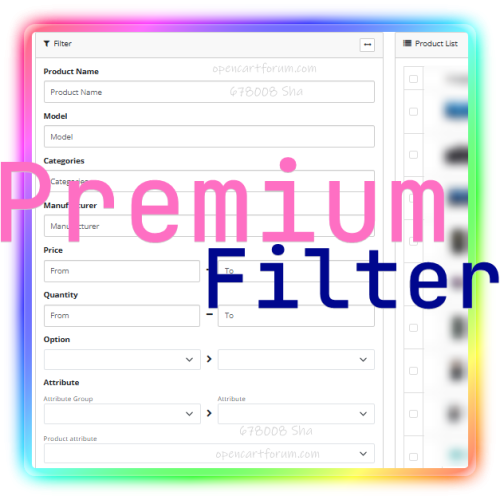
Our Advanced Premium product filter will help, the module will add a convenient functionality for selecting products to the admin panel of the store on opencart!
It will help you not to get lost in the list of products when working with the content of the store, Visually put on the shelves (categories) the pile that has accumulated over the years or just appeared after importing price lists from different sources!
Filter products by option;
Filter products by attributes;
Filter products by SEO URL;
Select products by dimensions (length, width, height);
Taking into account the units of measurement of sizes;
Show products larger than the specified sizes or with dimensions up to the specified number;
Show "lost" products, without a category;
Filter products that are running out;
Show hidden products;
Filter only included (published) products;
Filter by "Out of Stock" status;
Filter by quantity;
Find products cheaper than the specified price;
Set a price range for filtering;
Specify a weight range;
With the ability to take into account weight units;
A unique opportunity to select products by specifying a range of the date of addition;
You can also select by the range of the date of modification;
Filter products earlier or later than the date of receipt (available) from the supplier;
You can select products that contain the specified word or phrase in the name, not necessarily at the beginning, but anywhere in the name;
Select a product by a word or phrase in the model;
Select a product by a word or phrase in the manufacturer;
Select a product by SKU article;
Filter products of the specified category;
...
UpdatedPremium Filter for admin
Продаж призупинено 66
SEO Attributes is a tool for internal linking for your store. The module automatically converts plain text attributes into links leading to the corresponding filter pages
UpdatedSEO Attributes
Продаж призупинено 1
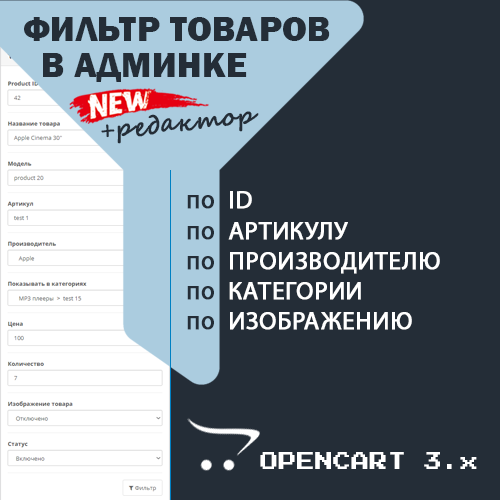
Convenient editor in the admin panel with the ability to filter products. The add-on adds the ability to filter products in the Opencart admin panel by manufacturer, category, article number (Sku), images, and product ID. Adds columns Product ID, Article, Manufacturers and Categories in the list of products and allows you to enable/disable for viewing the columns of your choice.
UpdatedProduct Editor in the Admin Panel + Filter by Manufacturer, Category, Article, Image and ID
Продаж призупинено 570
Modification adds the ability to search for orders in the admin panel by the customer phone number or e-mail.
Added display of phone number and e-mail in the customer column on the order list page.
On the order viewing page, the ability to search for orders by phone number or e-mail has been added.
The search can also be performed by part of the number or email address
Updated-75%Orders Phone Email Filter
Free 287
Module for bulk editing of product fields, options, attributes, discounts, and more. Features include saving search/edit settings, running via cron, undoing changes, and configuring custom fields and product tables.
UpdatedProduct Manipulator
Продаж призупинено 18
The extension allows you to create a list of buttons for quickly selecting order statuses when viewing the list.
Useful when there are many work statuses, but choosing from a large list takes time The list of buttons is customizable for each user
- Will it work in other order lists?
- Of course not, adaptation is required, possibly free
UpdatedQuick filter by order status
Продаж призупинено 24
The module in the administration adds a set of filters for products, which allows you to find products with empty critical fields
SubmittedВалідатор товарів
Продаж призупинено 1
Эта простая модификация изменяет логику стандартного фильтра. Лучше объяснить на примере. Допустим есть фильтры: Цвет: - синий - зеленый Размер: - большой - маленький Если пользователь выберет напр. "синий", "зеленый" И "большой" то стандартный фильтр OpenCart покажет все товары, у которых есть хотя бы один из фильтров: "синий" ИЛИ "зеленый" ИЛИ "большой" После установки этой модификации будут отображаться товары, у которых есть фильтры И ("синий" ИЛИ "зеленый") И "большой" То есть, фильтры из одной группы работают по логике "ИЛИ", стандартно, а фильтры из разных групп по логике "И", что более логично, правильно и удобно для пользователя. На оф. сайте есть модуль, который делает тоже самое, что и этот: https://www.opencart.com/index.php?route=extension/extension/info&extension_id=23603 он рабочий, если судить по отзывам, но когда я открыл код этого модуля, то увидел там вот это: // FixFilter $minq=$this->db->query(" SELECT id.product_id FROM(SELECT product_id, count(i.product_id) as t, c.filter_group as b FROM (SELECT f.filter_id, f.product_id, p.filter_group_id FROM ". DB_PREFIX ."product_filter f left join ". DB_PREFIX ."filter p ON p.filter_id = f.filter_id where p.filter_id IN (" . implode(',', $implode) . ") GROUP BY product_id , filter_group_id) as i, (select count(distinct filter_group_id) as filter_group from ". DB_PREFIX ."filter_description f_b WHERE f_b.filter_id in (" . implode(',', $implode) . ")) as c GROUP BY product_id HAVING t = as id"); $min=array(); for($x=0;$xrows);$x++){ foreach($minq->rows[$x] as $value){ $min[]=$value; } } $imp=implode(',',$min); // FixFilter END // FixFilter if(isset($filters)){ if(!count($min)){ $imp='0000000'; } $sql .= " AND p.product_id IN(".$imp.")"; } // FixFilter END Мне это решение не понравилось и я решил написать свой вариант, который на мой взгляд получился более элегантным, простым и, возможно, даже и более быстрым (скорость этих 2-х решений я не проверял, если кто-то это сможет сделать - буду благодарен). Поэтому теперь у пользователей есть выбор какое решение использовать. Модуль тестировался на OpenCart 2.1.0.2, на других версиях - не тестировался, у кого есть возможно - протестируйте...UpdatedИсправление логики работы стандартного фильтра
Free 792
навігація
OCDepartment is a module for displaying categories on the pages of manufacturer, promotions, search and regular categories. The list of categories is formed based on which page (layout) the module is displayed on. Technically, the categories of all products on the page are displayed.
UpdatedOCDepartment - Categories in Brands, Specials, Search
Продаж призупинено 565
Modification adds the ability to search for orders in the admin panel by date range.
SubmittedOrders Date Range Filter
Free 62
The module provides convenient sorting by popularity (considering sales volumes) and by date added for tracking new arrivals on category, search, manufacturer, and special offer pages.
UpdatedSorting by Popularity (Sales Volumes) and Date Added
Продаж призупинено 14