All add-ons
-
 Different Image Size per Category is an OpenCart module that lets you customize image sizes individually for each product category.
Set custom image sizes for category thumbnails, product images in category listings, product page images, popup images, additional image thumbnails, and recommended product images.
UpdatedDifferent Image Size per Category
Продаж призупинено 1
This module extends the functionality of OcTemplates by adding the ability to bulk assign custom stickers to products using a flexible filter system.
It is fully compatible with the OCTemplates – Product Stickers Settings module and works with the stickers created by the administrator. The module's publication is approved by the OCTemplates template author.
Key Features
Bulk addition of stickers to products based on selected criteria. Filtering supported by the following parameters: categories, manufacturers, price range (min and max), product attributes and their values User-friendly interface in the admin panel. Ability to quickly update or replace stickers without manual editing of each product. Flexible execution options
Manually via admin panel Automatically via CRON job Benefits
Saves time when managing product stickers in bulk. Enhances the visibility of promotions, features, and product statuses. Accurate and flexible product selection for sticker assignment. Automation through CRON support. Compatibility
OpenCart/OcStore 3.x Compatibility tested on the Deals, Ultrastore template. For other templates, please contact us before purchasing. Installation Instructions
Install the module through the OpenCart admin panel. Refresh modifications. Go to System → Users → User Groups, and grant edit permissions to the required admin groups. Go to Extensions → Extensions → Modules, activate Oct Stickers Auto, and configure it. How It Works
Start the sticker assignment process. In the OCTemplates – Product Stickers Settings module, run the mass generation. If running via CRON, the sticker assignment should execute before the mass generation (with a 5-minute gap). License
Licensed for use on a single online store.
UpdatedBulk adding custom stickers to templates (OcTemplates)
460 грн 8 20
Module allows users to leave reaction for products and articles.
UpdatedReactions for product, information, blog for Opencart 3x
Продаж призупинено 0
A proper integration module with keyCRM ensures product synchronization and automates order processing for online stores.
UpdatedSP keyCRM - Proper Integration
900 грн 114 197
NDR QuickStatus – це модуль для зручного керування статусами сутностей прямо зі списку, без необхідності відкривати кожну сутність окремо. Це значно спрощує адміністрування вашого магазину, дозволяючи змінювати статуси в один клік. 📌 Підтримувані сутності: ✅ Категорії ✅ Товари ✅ Виробники (додано статус для цієї сутності, за замовчуванням він відсутній) ✅ Інформаційні сторінки ✅ Банери ✅ Сертифікати ✅ Клієнти ✅ Додаткові поля ✅ Купони ✅ Користувачі ✅ API ✅ Мови ✅ Валюти ✅ Країни ✅ Регіони 🛠 Встановлення: 1️⃣ Встановити архів модуля через "Установка доповнень" 2️⃣ Активувати модуль у "Модулі/Розширення" 3️⃣ Оновити модифікатори в "Модифікатори" 4️⃣ Очистити кеш браузера, якщо потрібно..UpdatedNDR Quick Status
Free 25
"SendPulse Address Book" module is designed to automatically transfer customer and order data from your OpenCart online store to the address books in the SendPulse service.
Key Features
Automatic submission of new customers to the selected SendPulse address book Adding customer's email, phone number, and name Sending order details (email, phone, first name, last name) Ability to segment customer groups and order statuses into different address books Benefits
Easy installation and configuration through the admin panel No system file modifications (OCMOD) Boosts marketing effectiveness and repeat sales Additional Integrations
Compatible with the subscription system from Octemplates Feel free to contact via PM for integration with other subscription modules Installation Instructions
Install the module through the OpenCart admin panel Refresh the modification cache Go to System → Users → User Groups in the admin panel and assign editing permissions to the appropriate administrator groups Navigate to Extensions → Extensions → Modules, activate the "SendPulse Address Book" module, and configure it DEMO
Admin Page login/password: demo/demodemo Requirements
OpenCart 3.x / OcStore 3.x SendPulse account SendPulse API keys License
Allowed for use in one online store only.
UpdatedSendPulse Address Book
460 грн 4 8
Модуль See Alson - робить можливість виводити у категоріях кастомні блоки для направлення гостей сайту на потрібний Вам товар.
Встановлення:
1. Через менеджер встановлення модулів та розширень занантажте додаток
2. Переходимо у "Модулі/Розширення" та у списку модулів шукаємо "Web Crafters - Дивіться також"
3. Натискаємо на "Інсталювати".
4. Додавати необхідне
5. Натиснути на "зберегти"
!!УВАГА!!!
Даний модуль тестувався виключно на стандартній темі. Але має підходити і до інших.
see_alson_oc2.1_default_v1.0.25_custom_maket.ocmod.zip - скачуйте цю версію якщо хочете виводити інформацію через макети. У всіх інших випадках використовуйте інші архіви.
Для версій 2.3 та 3.x аналогічні варіанти будуть трохи згодом
UpdatedSee Alson
Продаж призупинено 7
This OCMOD extends the default coupon system in OpenCart, adding the ability to apply coupons by manufacturer (brand).
Features
Add manufacturers to coupon conditions. Fully compatible with the default OpenCart coupon system. No core file changes — implemented via OCMOD. Easy installation: upload via Extension Installer + refresh modifications. Installation
Run the SQL query from the coupons_by_manufacturer_query.sql file (update table prefix if needed). Go to Admin → Extensions → Extension Installer. Upload the *.ocmod.zip file. Go to Modifications and click "Refresh". How to use
When creating or editing a coupon in the admin panel, a new "Manufacturers" field will appear. You can select one or more brands — the coupon will apply to all products from the selected manufacturers.
DEMO
Admin Page login/password: demo/demodemo License
Allowed for use in one online store.
UpdatedCoupons by manufacturer
320 грн 12 34
Extension Multilingual Product Images allows you to use different product images for each store language.
SubmittedMultilingual Product Images
Free 39
Module autofill fields + SEO url
UpdatedSEO Autofill – Always Update
Продаж призупинено 4
NeverLostCart is a useful extension for OpenCart that allows you to store guest carts for a selected number of days. By default, OpenCart clears guest carts after 1 hour, which can lead to lost items in the cart and annoy customers. Our module solves this problem by providing the ability to configure the retention period.
UpdatedNeverLostCart - cart saving module + abandoned cart management
899 грн 32 66
Automate Price & Stock Management in OpenCart with Google Spreadsheets!
Updating prices and stock levels manually in OpenCart is time-consuming and inconvenient. The "Google Spreadsheets Data Exchange" module allows you to easily edit prices and stock levels directly in Google Sheets and then import them into OpenCart.
Why is this convenient?
Speed & flexibility – make changes in Google Sheets and update your store in one click. Bulk editing – update thousands of products without accessing the admin panel. Better data visualization – sort, filter, and analyze products in Google Sheets. Team collaboration – edit product data without giving access to the OpenCart admin panel. Export with category filtering – download selected product data, such as specific categories only. Import from multiple Google Sheets – update product data from supplier price lists. Scheduled import/export with CRON – automate data updates on a schedule. What data can be imported into OpenCart?
Price Stock quantity Product status Indexing/Noindex Promotional prices for customer groups (with start & end dates) Supported product identifiers: product_id, model, sku, upc, ean, jan, isbn, mpn What data can be exported from OpenCart to Google Sheets?
Price Stock quantity Product status Indexing/Noindex Promotional prices for customer groups Product identifiers: product_id, model, sku, upc, ean, jan, isbn, mpn What's included in the module?
After purchasing the module, you will receive:
composer_google_api.zip – Google API files (upload via FTP). google_spreadsheets_v_1_0_oc3.ocmod.zip – install via OpenCart. How to set up the module?
For importing into OpenCart: Get an API key with Google Sheets API enabled in Google Cloud. For exporting from OpenCart: Set up a Google Cloud service account and grant access to your spreadsheet. You can find more information about receiving and setting up in the video manual at the link below.
Installation Instructions
Unzip the composer_google_api.zip archive and transfer the contents to the root of the site using FTP. Install the module via OpenCart. Refresh modifications. Go to System → Users → User Groups and grant admin rights. Navigate to Extensions → Extensions → Modules, activate Google Spreadsheets, and configure it. DEMO
Admin Page login/password: demo/demodemo License:
Allowed for use in one online store.
Updated-25%Data Exchange with Google Spreadsheets
460 грн 16 67
Promotion pages for OpenCart - module that allows you to create individual pages with products according to specified conditions: categories, manufacturers, availability of discounts or manual selection. Add banners, timers, text and social media buttons. There is support for Layouts and a separate filter module. Great for promoting seasonal sales and special offers. 🚀
UpdatedPromotion pages
Продаж призупинено 2
Beautiful timer module
UpdatedSP Cool Timer
400 грн 5 4
Product Features – Module for OpenCart, allows you to conveniently and beautifully display product features. Each feature is presented as a separate block with an image, title, and description.
Main Features:
Automatic display of product-related features. Image support for better visualization of features. Easy integration with any templates. Fully responsive design. Usage Examples:
Clothing:
How to wash (hand wash, machine wash, dry cleaning). How to iron (ironing allowed, ironing prohibited, steam iron). Material composition (100% cotton, polyester, wool). Electronics: Key technologies (AMOLED display, water resistance IP68). Compatibility (wireless charging support, works with iOS and Android). Important features (fast charging, NFC, 5G support). Benefits of Using the Module:
Improved visual perception of product features. Convenient and clear presentation of product details. Enhanced user experience and increased conversion rate. Easy setup. Installation:
Run the query from the product_features_query.sql file in the website database (don’t forget to change the table prefix).
Install the extension using the built-in OpenCart installer.
Refresh the modifications.
Grant access permissions to user groups.
Go to store settings: System → Settings → Edit Store → Options tab and configure the width and height of the feature images.
The feature management page is located at: Catalog → Attributes → Features.
Template Compatibility:
The extension is compatible with the default template. Adaptation is required for other templates (paid adaptation).
DEMO
Admin Page login/password: demo/demodemo Store Page License:
Allowed for use in one online store.
UpdatedProduct Features
320 грн 4 25
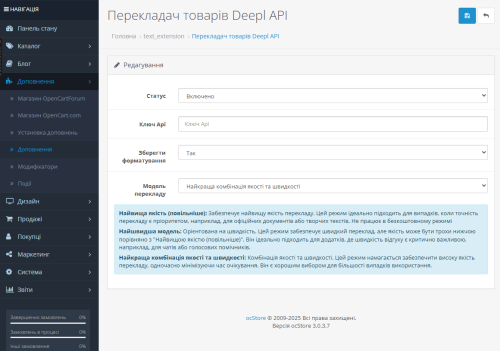
Simple translation module using DeepL API
UpdatedDeepL API product name and description translation
Free 70
Модуль "Купити з RozetkaPay"
Модуль "Купити з RozetkaPay" для OpenCart дозволяє швидко інтегрувати функцію експрес чекауту у ваш інтернет-магазин. Завдяки цьому модулю, ваші клієнти зможуть оформити замовлення та здійснити оплату лише в один клік, значно скорочуючи час на покупку та підвищуючи рівень конверсії.
Як це працює:
1) під час оформлення замовлення покупець вибирає опцію "Оплатити з RozetkaPay" та авторизується в обліковий запис Rozetka.
2) ми автоматично заповнимо дані клієнта: адресу доставки та платіжні дані. Клієнт лише підтверджує оплату, що значно прискорює процес покупки.
Єдиний тариф 1,5% на платежі з українських та закордонних карток.
Для компаній з оборотом від 500 000 грн/міс надамо індивідуальні умови.
Переваги підключення платіжного сервісу RozetkaPay для вашого бізнесу:
Проста і швидка інтеграція з OpenCart Приймайте платежі з українських та закордонних карток за єдиним тарифом Зручне управління платежами через Бізнес-кабінет Високий рівень безпеки та захисту даних Служба підтримки, що на зв’язку 24/7
Як підключити:
1) Пройдіть реєстрацію. Заповніть дані про вашу компанію та завантажте необхідні документи за посиланням https://onboarding.rozetkapay.com/
2) Підпишіть договір
3) Завантажте та налаштуйте модуль
Готово. Ви можете приймати платежі та користуватись інтернет-еквайрингом від RozetkaPay.
Просимо використовувати кнопку оплати "Купити з RozetkaPay" згідно правил розміщення
Більше інформації на сайті https://rozetkapay.com/
UpdatedКупити з RozetkaPay
Free 140
A small fix for the admin panel in OpenCart 4.1, which helps users directly go to the "Modules" section when accessing the "Extensions" menu (instead of the first item "Analytics")
UpdatedOC 4.1 Fix Admin Module View
Продаж призупинено 4
The module allows you to assign a category that will display all the store's products
UpdatedAll products in the store
Продаж призупинено 1
аксесуари до товару
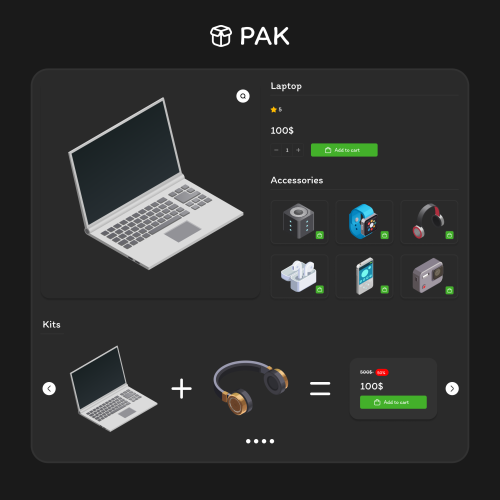
The "PAK - Product Accessories and Bundles" module is a powerful marketing tool designed to significantly expand the functionality of your OpenCart online store. The module allows you to effectively offer customers related products (accessories), create mutually beneficial bundles, and sell additional services.
Implementing such functionality not only makes the shopping process more comfortable for your customers but also guarantees an increase in the Average Order Value (AOV) of the store.
Updated-31%PAK - Product Accessories and Kits
Продаж призупинено 177
With this module, you can easily view and fully control the progress of purchases in your store. The module allows you to instantly filter orders by any parameters, conveniently sort them, quickly change statuses and perform mass actions. This tool will radically facilitate and speed up the daily routine work of your managers with orders.
UpdatedOrder List PRO
1,600грн 1,100 грн 97 403
Also bought with this product
UpdatedAlso bought with this product - Opencart module
Продаж призупинено 6
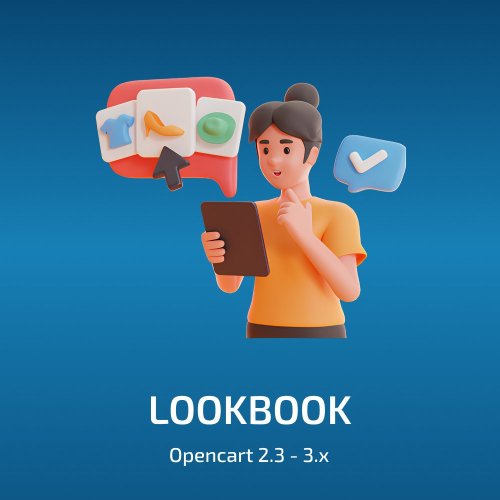
The Lookbook module for OpenCart is a universal tool for creating interactive and attractive blocks on your site,
which is easily adapted to any product category. With the help of this module, you can present products in the form of images with active points or prices,
that significantly improves the user experience and makes the purchase process more interesting.
UpdatedLookBook
499 грн 7 8
The module allows you to upload and output files in catalog.
UpdatedFiles in catalog for Opencart 3x
Продаж призупинено 1
This modifier for OpenCart 3 automatically applies active coupons when adding a product to the cart and displays available coupons on the product page. The solution is fully compatible with OpenCart's standard coupon system, does not interfere with its operation, and does not require core file modifications.
Features
Automatic coupon application — if there is an active coupon for a product or its category, it is applied automatically when adding the product to the cart. Support for category coupons — if a product doesn't have an individual coupon but there is a coupon for its category, it will also be applied. Displaying available coupons on the product page — the customer sees which discounts are available before making a purchase. Compatibility with regular coupons — the modifier doesn't interfere with customers manually entering coupons. Works through OCMOD — the modifier does not modify core files, it is safe for installation and updates. Advantages
Increases conversion by instantly applying discounts. Reduces cart abandonment rates during checkout. Improves user convenience by displaying available coupons directly on the product page. Does not conflict with other modules or the default OpenCart logic. Installation
Go to Admin Panel → Extensions → Extension Installation. Upload the *.ocmod.zip file. Go to Modifications and click "Refresh Cache". Done! The modifier will start working immediately. Template compatibility:
The extension is compatible with the default template. Adaptation is required for other templates (adaptation is paid).
DEMO
Admin Page login/password: demo/demodemo Store Page License
Allowed for use in one online store.
UpdatedAutocoupon: cart + product page
320 грн 16 37
Allows you to disable the display of modules depending on the user group.
UpdatedHide modules for groups of buyers for Opencart 3x
Free 9
For Opencart/Ocstore 3x / 2x. The module allows you to create interactive promo-banners with pins, when you click on the pin, a pop-up with information appears. Perfect for promotional collectibles or displaying additional information. 2 display modes: Grid Slider Where you can show it: In layouts, like other extensions In description - product, category, manufacturer, information What you can show in popup: Product Category Manufacturer HTML (for text and etc.) Popup settings: Show on click / hover Position relative to pin - top / bottom Min / max content size Additional opportunities in admin part: Multilangual title, description before and after banners Display settings, styles and image resizes Shortcode to display module in description - product, category, manufacturer, information Show filter for individual banners (show only for) - product, category, manufacturer Adding pins and positioning them by dragging on image Pins styles - general and individual for each pin All visual settings in admin are dynamical, so you can see changes immediatly (image change, pin styles, removing pins when removing image) For more - check screenshots. Ask all questions before buying. DEMO Developing - paid. License for 1 domain and all subdomains. There is no support for clients from rf and rb. You can legally purchase the module only here (on forum) and directly in DM...UpdatedVisual Banner (banners with pins) for Opencart 3x / 2x
Продаж призупинено 16
The "Attribute Manager" module is a powerful solution for optimizing the management of product attributes in OpenCart 3. It provides tools for easy creation, editing, and management of attributes, groups, and templates, making the administration process faster and more efficient.
Key Features:
Create and Use Attribute Templates:
Prepare pre-configured templates with attribute sets and apply them to products with a single click. This is especially useful for products with similar parameters (e.g., electronics, clothing, or furniture).
Quickly Add Attributes to Templates and Groups:
Add new attributes directly to already created templates and groups. This speeds up attribute updates and simplifies product setup.
Attribute Groups for Bulk Addition:
Organize attributes into groups and add them to products all at once. This is convenient for categories where all items share similar parameters.
Fast Attribute Addition from Templates:
Apply pre-configured templates directly on the product editing page to avoid manual data entry.
View and Manage Attributes in Products:
View all products associated with a specific attribute. Edit attribute values for multiple products simultaneously. Remove unnecessary attributes and add new products to the related list. Seamless Integration and User-Friendly Interface:
The module integrates perfectly with OpenCart's standard functionality while maintaining compatibility with other extensions. Its intuitive interface ensures ease of use, even for beginners.
Advantages of the Module:
✅ Time-Saving: Quickly adding attributes to templates and groups reduces the time spent setting up products.
✅ Convenience: All tools for attribute management are available in one place.
✅ Bulk Management: Edit attributes for multiple products simultaneously, eliminating repetitive tasks.
✅ Flexibility: Add attributes from templates, groups, or individually to adapt the module to your store’s specific needs.
✅ Suitable for All Stores: The universal functionality makes this module valuable for online stores of any size and type, from electronics to fashion and cosmetics.
✅ Error Reduction: Templates and groups minimize the risk of incorrect data entry.
✅ Increased Efficiency: Speeds up the process of adding and updating products, which is particularly important for stores with a large inventory.
Installation:
For the module to work, you need to add additional tables to the database. To do this, run queries from the attribute_manager_query.sql file. The module is easily installed via the standard OpenCart extension loader, no additional settings are required. Two modifiers are available (only one needs to be installed) attribute_manager_oc3.ocmod.zip - install if you purchased only this modifier attribute_manager_oc3_for_attribute_value_editor.ocmod.zip - if you plan to use it with the module
DEMO
Admin Page login/password: demo/demodemo License:
Permitted for use in one online store.
UpdatedAttribute Manager
320 грн 37 147
The SP Auto Bank Switcher module automatically selects payment details to send to the customer based on the order amount, customer group, total turnover by details, and more, fully automating the process.
Updated-33%SP Multi-Bank-Details - Auto Selection of Bank Payment Details, Multi-Bank-Details
800 грн 5 7
The module displays an animation of falling hearts similar to falling snow.
UpdatedHearts for the site, site decoration for February 14 (Valentine's Day)
Продаж призупинено 5
The module in the administration adds a set of filters for products, which allows you to find products with empty critical fields
SubmittedВалідатор товарів
Продаж призупинено 1
📤 Модуль OLX 1.0: Публікація товарів з OpenCart прямо на OLX
Модуль створений для зручної та швидкої публікації товарів із вашого магазину OpenCart на платформі OLX — всього в кілька кліків! Ідеальне рішення для тих, хто хоче розширити охоплення без дублювання роботи 🛠️
⚙️ Основний функціонал:
🔘 Кнопка "На OLX" — зʼявляється на сторінці редагування товару в адмін-панелі OpenCart
📤 Автоматична публікація оголошення на OLX після натискання кнопки
🖼️ Підтримка фото, опису, назви, ціни, категорій — дані з товару автоматично передаються в оголошення
✍️ Можливість редагування шаблону опису перед відправкою (через налаштування модуля)
👤 Редагування автора оголошення: вказуйте свої контактні дані, телефон, ім’я, область, тощо
⚡ Інтеграція через офіційний API OLX (з підтримкою токена)
Цей модуль значно економить час при роботі з OLX, спрощує керування оголошеннями і зменшує кількість помилок, повʼязаних з ручним додаванням 🧠
📩 Для підтримки, оновлень та пропозицій — підписуйтесь на канал: https://t.me/fishka_opencart
UpdatedСинхронізація OLX.ua та Opencart
Продаж призупинено 24
ограничение доступа
The Forced IP protection (fipp) module blocks access to the admin panel from unauthorized IP addresses. In order to prevent unauthorized changes, the fipp module is not displayed in the list of modifiсations. Also, the fipp module does not have a user interface in the admin panel.
UpdatedForced IP protection (fipp)
Продаж призупинено 1