ScanTelegramBotNotifier/Телеграмм бот нотификатор


Що можна обрати замість


TurboSMS Notify - SMS/Viber Notifications

SmsFly order

Google Review Request - ask customers for a review after the order

Key Features
Automatic submission of new customers to the selected SendPulse address book Adding customer's email, phone number, and name Sending order details (email, phone, first name, last name) Ability to segment customer groups and order statuses into different address books Benefits
Easy installation and configuration through the admin panel No system file modifications (OCMOD) Boosts marketing effectiveness and repeat sales Additional Integrations
Compatible with the subscription system from Octemplates Feel free to contact via PM for integration with other subscription modules Installation Instructions
Install the module through the OpenCart admin panel Refresh the modification cache Go to System → Users → User Groups in the admin panel and assign editing permissions to the appropriate administrator groups Navigate to Extensions → Extensions → Modules, activate the "SendPulse Address Book" module, and configure it DEMO
Admin Page login/password: demo/demodemo Requirements
OpenCart 3.x / OcStore 3.x SendPulse account SendPulse API keys License
Allowed for use in one online store only.
SendPulse Address Book


User Feedback
Простенький телеграмм бот нотификатор для оповещений администратора магазина о новых клиентах и заказах.
Opencart 2.3.X
1. Скопировать файлы из папки upload на сервер;
2. Перейти в пункт “Редактирования группы пользователя”, дать все необходимые права на файлы;
3. Перейти в раздел "Менеджер дополнений" и нажать кнопку "Обновить";
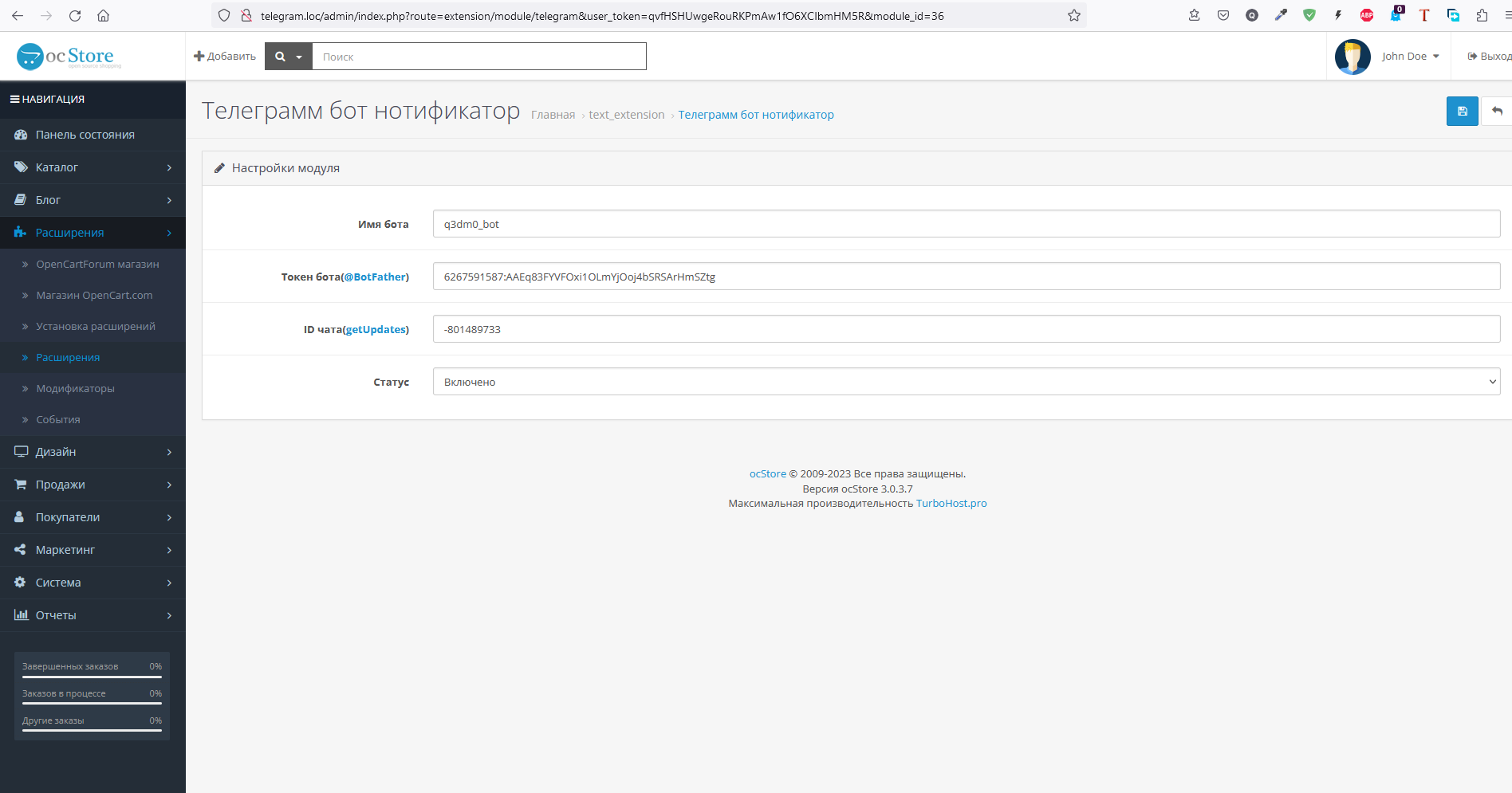
4. Установить модуль - Телеграмм бот нотификатор, настроить и включить;
5. Заполить поля модуля нужными данными;
Настройка может меняться, в зависимости от изменений или создания настройки в самом телеграме:
1. перейти в раздел папаня ботов и создать бота /newbot - create a new bot, скопировать имя бота и токен ключ (Рис.1);
2. Настроить бота /mybots - edit your bots [beta] - дать описание и название бота в EditBot (Рис.2);
3. В BotSettings привязать домен (Рис.3);
4. Создать группу в телеграме и добавить созданного бота (Рис.4, 5);
5. Вставить в строку броузера (__TOKEN__) ваш токен ключ, получить ID чата (Рис.6);
Opencart 3.X
1. Перейти в пункт "Extensions -> Installer" и установить пакет Opencart.v.3.X.ocmod.zip;
2. Перейти в пункт "Extensions -> Modifications" и обновить модификаторы;
3. Перейти в пункт “User Groups”, дать все необходимые права на файлы модуля;
4. Установить модуль - Телеграмм бот нотификатор, настроить и включить;
5. Заполить поля модуля нужными данными;
Настройка:
Аналогичная выше.
Характеристики
-
Recently Browsing 0 members
- No registered users viewing this page.