
Що можна обрати замість


Features
Automatic coupon application — if there is an active coupon for a product or its category, it is applied automatically when adding the product to the cart. Support for category coupons — if a product doesn't have an individual coupon but there is a coupon for its category, it will also be applied. Displaying available coupons on the product page — the customer sees which discounts are available before making a purchase. Compatibility with regular coupons — the modifier doesn't interfere with customers manually entering coupons. Works through OCMOD — the modifier does not modify core files, it is safe for installation and updates. Advantages
Increases conversion by instantly applying discounts. Reduces cart abandonment rates during checkout. Improves user convenience by displaying available coupons directly on the product page. Does not conflict with other modules or the default OpenCart logic. Installation
Go to Admin Panel → Extensions → Extension Installation. Upload the *.ocmod.zip file. Go to Modifications and click "Refresh Cache". Done! The modifier will start working immediately. Template compatibility:
The extension is compatible with the default template. Adaptation is required for other templates (adaptation is paid).
DEMO
Admin Page login/password: demo/demodemo Store Page License
Allowed for use in one online store.
Autocoupon: cart + product page

Abandoned cart notification
 модуль
CART CACHE - кэшируем корзину (cart.php => getProducts)

Smart Picks - recommendations and upselling of goods in the OpenCart cart
User Feedback
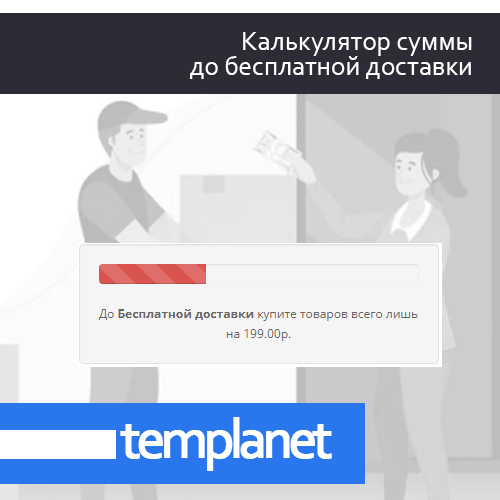
Модуль выводит сумму необходимую добавить в корзину для получения бесплатной доставки. В случае наполнения корзины на сумму, указанную для бесплатной доставки - отображает что пользователю доступна бесплатная доставка.
Пример работы вы можете посмотреть на данной странице
Для обновления данных в блоке вам необходимо добавить следующий код:
    				$('.freedel .progress-bar').attr('aria-valuenow', json['total_incart']);
    				$('.freedel .progress-bar').attr('style', 'width: ' + json['total_width'] + '%;');
        			if (json['total_width'] == '100') {
        			    $('.freedel .progress-bar').addClass('progress-bar-success');
        			    $('.freedel .progress-bar').removeClass('progress-bar-danger');
        			} else {
        			    $('.freedel .progress-bar').addClass('progress-bar-danger');
        			    $('.freedel .progress-bar').removeClass('progress-bar-success');
        			}
    				$('.fdttl').html(json['total_freedel']);
во все функции - влияющие на обновление корзины, в стандартном функционале Opencart это файл catalog/view/javascript/common.js
после каждого куска кода такого вида:
				setTimeout(function () {
					$('#cart > button').html('<span id="cart-total"><i class="fa fa-shopping-cart"></i> ' + json['total'] + '</span>');
				}, 100);
Блок бесплатной доставки можно вывести как в схеме в виде модуля, таки в любом необходимом месте в шаблоне, для этого:
в controller необходимо вставить строку
$data['tofree'] = $this->load->controller('extension/module/tofree');
в view вставить в нужном месте
{{ tofree }}
ВНИМАНИЕ!
Модуль не делает бесплатной саму доставку в оформлении заказ, для этого вам необходимы настройки в модулях доставки вашего магазина.
/monthly_2022_02/Screenshot_2.jpg.468104e55b190eeea18f2bb21e66d1bc.jpg" data-fileid="714804" data-fileext="jpg" rel="">
/monthly_2022_02/Screenshot_3.jpg.63e7c65afe42c8aa53ccb64d46c370f5.jpg" data-fileid="714805" data-fileext="jpg" rel="">
/monthly_2022_02/Screenshot_4.jpg.aa59c3e94cf9f348f69c6461d6386747.jpg" data-fileid="714808" data-fileext="jpg" rel="">
Характеристики
ocplanet's Other Downloads

-
Recently Browsing 0 members
- No registered users viewing this page.