


Що можна обрати замість

It allows you to display additional information in a convenient and visual way — such as size charts, care instructions, delivery and payment terms, warranty details, promotions, and much more.
The module supports bulk assignment by selected categories and manufacturers.
Main Features:
Create popup windows with tabbed content. Unlimited number of content tabs. Bulk add content to product groups by selected categories and manufacturers. Multilingual support. Ability to insert images, tables, text, and HTML content into tabs. Display popup trigger button on the product page. Example Use Cases:
Size chart — add a tab with size tables for different brands or categories. Care instructions — provide helpful product care information. Delivery and payment info — show details without leaving the product page. Promotions, warranty, or certificate information. Benefits:
Improves user experience — customers get all the necessary info without reloading the page. Reduces customer inquiries (especially about sizes and shipping terms). Flexible content assignment — easily update information for many products at once. Theme Compatibility:
default Adaptation for other themes is paid. Please contact before purchase!
Installation:
Upload the module archive via Extensions → Installer. Upload the theme adaptation archive via Extensions → Installer. Refresh modification cache (Extensions → Modifications → Refresh). Go to Extensions → Modules → Content Popup and click Install. Configure the module. After saving settings, always click "Add content to products". Template Compatibility:
The extension is compatible with the default template. Adaptation is required for other templates (paid adaptation).
DEMO
Admin Page login/password: demo/demodemo Store Page License:
Use is allowed in one online store only.
Content Popup

[WebMe] AdditionalFields_Free [ocStore_15x]

Main Features:
Automatic display of product-related features. Image support for better visualization of features. Easy integration with any templates. Fully responsive design. Usage Examples:
Clothing:
How to wash (hand wash, machine wash, dry cleaning). How to iron (ironing allowed, ironing prohibited, steam iron). Material composition (100% cotton, polyester, wool). Electronics: Key technologies (AMOLED display, water resistance IP68). Compatibility (wireless charging support, works with iOS and Android). Important features (fast charging, NFC, 5G support). Benefits of Using the Module:
Improved visual perception of product features. Convenient and clear presentation of product details. Enhanced user experience and increased conversion rate. Easy setup. Installation:
Run the query from the product_features_query.sql file in the website database (don’t forget to change the table prefix).
Install the extension using the built-in OpenCart installer.
Refresh the modifications.
Grant access permissions to user groups.
Go to store settings: System → Settings → Edit Store → Options tab and configure the width and height of the feature images.
The feature management page is located at: Catalog → Attributes → Features.
Template Compatibility:
The extension is compatible with the default template. Adaptation is required for other templates (paid adaptation).
DEMO
Admin Page login/password: demo/demodemo Store Page License:
Allowed for use in one online store.
Product Features
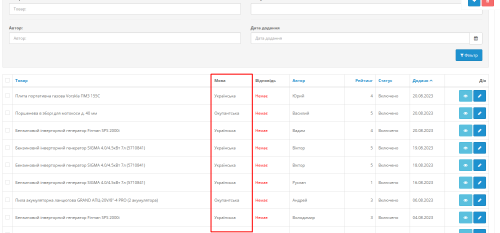 multilang
Multi language Reviews for goods

Information (hint) of Options and Attributes

Advantages of the modifier:
Simplified perception of product attributes:
Using icons allows quick and clear representation of attribute information such as color, size, material, and more. Tooltips provide the ability to reveal more detailed information without overloading the page. Improved user experience:
Shoppers can get all the necessary information about a product directly on the page without navigating to other tabs or ignoring technical details. Tooltips and icons make the interface more interactive and visually appealing. Flexibility and customization:
Store administrators can set icons and tooltips for each product attribute or attribute group separately. Support for attribute groups allows applying icons and tooltips to all products within a single attribute group. Multi-language support:
The modifier supports multilingual stores, allowing you to customize tooltips for each language version of the store. Increased conversion:
Tooltips and icons help customers quickly navigate product details and make purchasing decisions, which in turn can increase conversion rates and reduce cart abandonment. Compatibility:
OpenCart 3.x Installation:
Run the query from the attribute_info_query.sql file in the website database (don’t forget to change the table prefix).
Install the extension using the built-in OpenCart installer.
Refresh the modifications.
Template Compatibility:
The extension is compatible with the default template. Adaptation is required for other templates (paid adaptation).
DEMO
Admin Page login/password: demo/demodemo Store Page License:
Allowed for use in one online store.
Icons and tips for product attributes

Benefits of the Modification
Simplified understanding of product options: Pop-up tooltips allow you to provide more detailed information without cluttering the page. Improved user experience: Customers can get all the necessary information directly on the product page without switching tabs or dealing with technical details. Tooltips make the interface more interactive and visually appealing. Flexibility and customization: The store administrator can configure tooltips for each product option individually. Multilingual Support
The modification supports multilingual stores, allowing tooltips to be configured separately for each language version of the store. Conversion Boost
Tooltips help customers navigate product options faster and make purchase decisions more confidently, which can increase conversion rates and reduce cart abandonment. Compatibility
OpenCart 3.x Template Compatibility
The extension is compatible with the standard default template. For other templates, adaptation may be required (paid adaptation).
Installation
Run the SQL query from the file tips_for_product_options_query.sql in the database (taking into account the table prefix). Install the module via the OpenCart admin panel. Refresh the modifications. DEMO
Admin Page login/password: demo/demodemo Store Page License
The license applies to one domain and its subdomain.
Product Option Tooltips


User Feedback
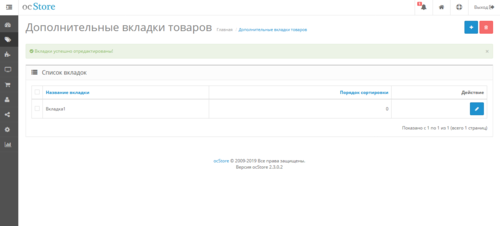
Extra Product Tabs - мультиязычные дополнительные вкладки в карточке товара.
- Создание вкладок на отдельной странице
- Добавление в карточке товара
- Модуль расчитан на ocStore версии 2.х. Работа модуля на Opencart не гарантирована.
Установка модуля:
- Установка модуля происходит через Установка дополнений
- Затем зайдите в "Система" \ "Пользователи" \ "Группы пользователей". В группе "Administrator", пометить опции у "catalog/tab"
в списках "Разрешить просмотр" и "Разрешить редактировать".
- В "Дополнения" \ "Менеджер дополнений" нажать кнопку Обновить кэш, сверху справа, чтобы обновился кэш.
- В разделе "Каталог" в конце списка меню появится ссылка на страницу создания вкладок.
- Сами вкладки добавляются РЕДАКТИРОВАНИИ ТОВАРА.
Характеристики
matrix79's Other Downloads


-
Recently Browsing 0 members
- No registered users viewing this page.