OCDEV.pro - Таблица размеров для Opencart 2.x - 3.x



Що можна обрати замість

FlexiSizechart - Size Chart Module

HPMR AJAX: options as individual products + auto-linking
Кастомне групування у категорії Мікророзмітка під schema.org Розрізання значення атрибуту по роздільнику (напр. значення1, значення2, значення3) Генерування текстур за значенням атрибуту
HPMR PRO

ASSL Lookbook — Products on Photos

Main Features:
Automatic display of product-related features. Image support for better visualization of features. Easy integration with any templates. Fully responsive design. Usage Examples:
Clothing:
How to wash (hand wash, machine wash, dry cleaning). How to iron (ironing allowed, ironing prohibited, steam iron). Material composition (100% cotton, polyester, wool). Electronics: Key technologies (AMOLED display, water resistance IP68). Compatibility (wireless charging support, works with iOS and Android). Important features (fast charging, NFC, 5G support). Benefits of Using the Module:
Improved visual perception of product features. Convenient and clear presentation of product details. Enhanced user experience and increased conversion rate. Easy setup. Installation:
Run the query from the product_features_query.sql file in the website database (don’t forget to change the table prefix).
Install the extension using the built-in OpenCart installer.
Refresh the modifications.
Grant access permissions to user groups.
Go to store settings: System → Settings → Edit Store → Options tab and configure the width and height of the feature images.
The feature management page is located at: Catalog → Attributes → Features.
Template Compatibility:
The extension is compatible with the default template. Adaptation is required for other templates (paid adaptation).
DEMO
Admin Page login/password: demo/demodemo Store Page License:
Allowed for use in one online store.
Product Features

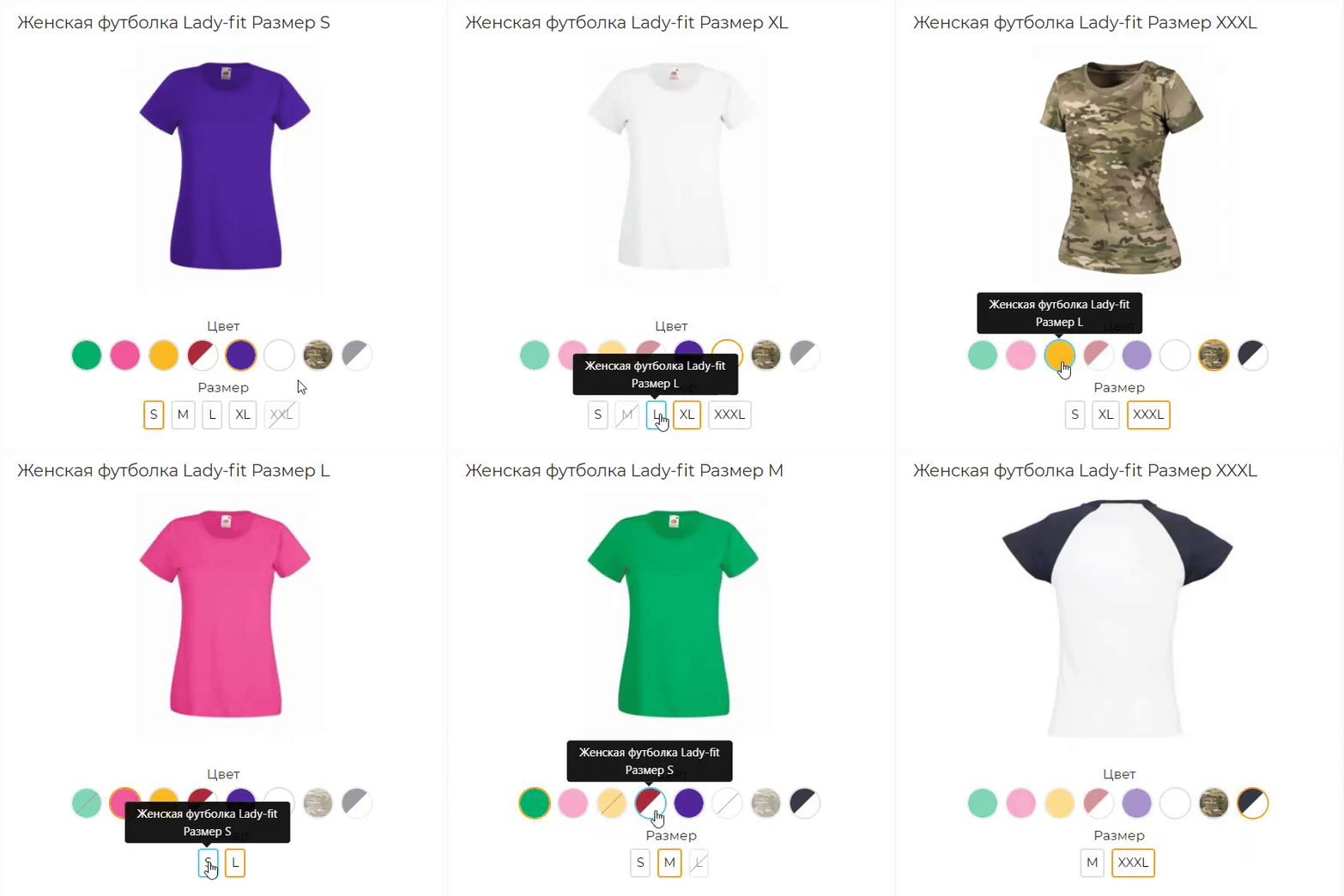
A colour-by-size matrix in the admin, one-click combination generation, cloning from another product and Excel import save weeks of manual work. On the storefront, the photo, price and SKU change the moment you click, unavailable combinations cannot be put in the cart, and the choice is kept in the link. The warehouse and the website finally speak the same language, and the shop sells exactly what it has. $30 instead of $60, licence for the shop domain and a test domain.
OcBox Product Variants for OpenCart 3 and ocStore: a colour by size matrix, per-variant stock, photo and SKU, dimensions for shipping

Advantages of the modifier:
Simplified perception of product attributes:
Using icons allows quick and clear representation of attribute information such as color, size, material, and more. Tooltips provide the ability to reveal more detailed information without overloading the page. Improved user experience:
Shoppers can get all the necessary information about a product directly on the page without navigating to other tabs or ignoring technical details. Tooltips and icons make the interface more interactive and visually appealing. Flexibility and customization:
Store administrators can set icons and tooltips for each product attribute or attribute group separately. Support for attribute groups allows applying icons and tooltips to all products within a single attribute group. Multi-language support:
The modifier supports multilingual stores, allowing you to customize tooltips for each language version of the store. Increased conversion:
Tooltips and icons help customers quickly navigate product details and make purchasing decisions, which in turn can increase conversion rates and reduce cart abandonment. Compatibility:
OpenCart 3.x Installation:
Run the query from the attribute_info_query.sql file in the website database (don’t forget to change the table prefix).
Install the extension using the built-in OpenCart installer.
Refresh the modifications.
Template Compatibility:
The extension is compatible with the default template. Adaptation is required for other templates (paid adaptation).
DEMO
Admin Page login/password: demo/demodemo Store Page License:
Allowed for use in one online store.
Icons and tips for product attributes

Benefits of the Modification
Simplified understanding of product options: Pop-up tooltips allow you to provide more detailed information without cluttering the page. Improved user experience: Customers can get all the necessary information directly on the product page without switching tabs or dealing with technical details. Tooltips make the interface more interactive and visually appealing. Flexibility and customization: The store administrator can configure tooltips for each product option individually. Multilingual Support
The modification supports multilingual stores, allowing tooltips to be configured separately for each language version of the store. Conversion Boost
Tooltips help customers navigate product options faster and make purchase decisions more confidently, which can increase conversion rates and reduce cart abandonment. Compatibility
OpenCart 3.x Template Compatibility
The extension is compatible with the standard default template. For other templates, adaptation may be required (paid adaptation).
Installation
Run the SQL query from the file tips_for_product_options_query.sql in the database (taking into account the table prefix). Install the module via the OpenCart admin panel. Refresh the modifications. DEMO
Admin Page login/password: demo/demodemo Store Page License
The license applies to one domain and its subdomain.
Product Option Tooltips




User Feedback
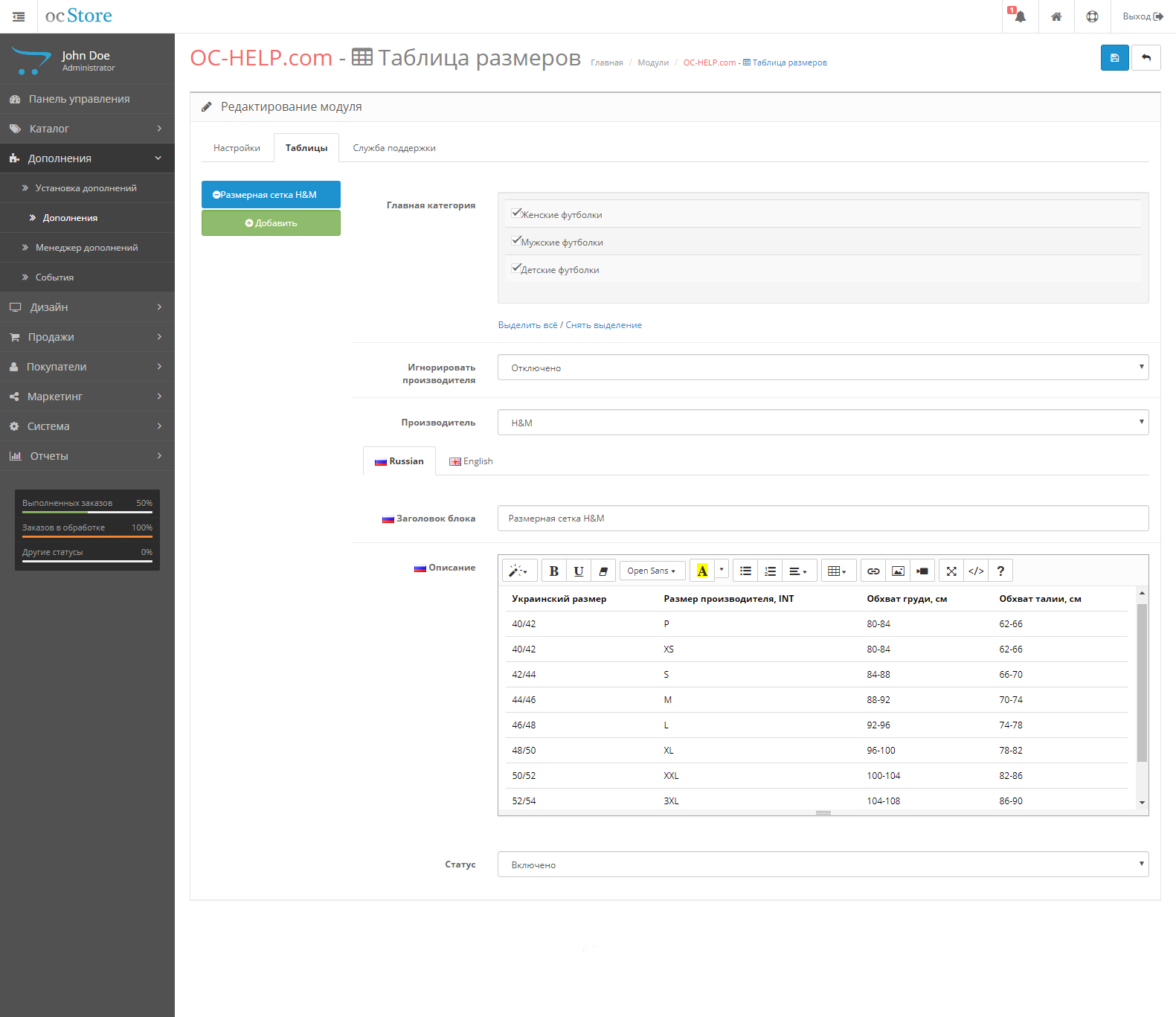
OCDEV.pro - Таблица размеров - модуль позволяет создать неограниченное количество таблиц с размерами для ваших товаров с привязкой к категории и производителю. Пригодится абсолютно всем магазинам у которых есть товары с размерной сеткой, особенно актуально когда у производителей различные размеры.
P.S Также модуль можно использовать с целью привязки определенных акций, информационных блоков итд. Другие способы использования модуля ограничены вашей фантазией
Доступные функции:
- Создание таблиц с размерами
- Встроенные визуальный редактор для удобного добавления информации
- Полная Мультиязычность
- Не ограниченное количество таблиц
- Привязка к 1 или нескольким категориям (обязательная опция)
- Привязка к производителю (не обязательно)
- Вывод таблицы во всплывающем окне
- Произвольное название кнопки Например: "Таблица размеров"
- Настраиваемая позиция вывода кнопки с привязкой к ID или Классу элемента в шаблоне
- Возможность использовать единую таблицу для всех товаров
- Использует собственные таблицы в БД для хранения данных
- Обязательное к заполнению поле "Текст ссылки" - заполните его до сохранения таблиц!
-
При создании таблицы Вы выбираете категории (и производителя) для тех товаров в которых будет выведена таблица, автоматически.
Если у Вам не нужна привязка к производителям, ставите в настройках "Игнорировать производителя" - Не старайтесь привязать одновременно таблицу к одному и тому же производителю и категории (дубль). Выводиться будет таблица которая добавлена последней.
- При нажатии на удаление таблицы, она удаляется из Базы данных!
- Если "Заголовок блока" таблицы размеров не задан, выведется текст из поля "Текст ссылки" - Например: таблица размеров
- Модуль использует OCMOD для подключения и вывода на странице товара
По вопросам адаптации под шаблон или изменения способа вывода (Например в описании или во вкладке) пишите в ЛС, отвечаю быстро.
Инструкция по установке:
Модуль идет в виде модуля + ocmod модификации
- Установите zip архив, как обычный ocmod (Распакововать и заливать в корень не надо!)
- Обновите кеш модификаций
- Выдайте права на просмотр/изменение Система - Пользователи - Группы пользователей
- Зайдите в Дополнения - Модули - Установите модуль
- Задайте настройки в модуле "OCDEV.pro - Таблица размеров"
ВИДЕО-ИНСТРУКЦИЯ:
Настоятельно рекомендую, покупать модуль под каждый домен, таким образом Вы поддерживаете развитие и разработку модуля. А также всегда можете рассчитывать на техническую поддержку.
Если при установке появилась ошибка:
- проверьте установлены ли права на модуль
- Нажмите на кнопку удаления модуля и установите модуль снова
Если кнопка в товаре не появилась:
- необходимо проверить правильно ли указали настройки расположения модуля
Если Вы не уверенны в своих знаниях платформы и не можете самостоятельно установить модули, рекомендую покупать модуль + установка на форуме.
Настоятельно рекомендую, покупать модуль под каждый домен, таким образом Вы поддерживаете развитие и разработку модуля. А также Вы всегда можете рассчитывать на техническую поддержку.
Также рекомендую:
- Смс уведомления для Opencart
- Просмотренные товары
- Все товары магазина (Каталог товаров)
- Акционные товары, модуль с таймером
- Товары из категорий
- Редактор изображений Image Cropper
Характеристики
-
 1
-
Recently Browsing 0 members
- No registered users viewing this page.