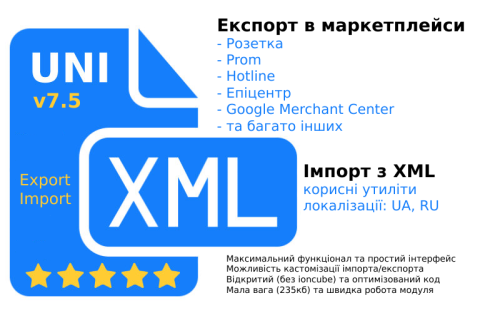
UniXML - module for unloading in XML format + import from XML



7.7
Ioncube Loader: Ні
OpenCart3.0, 2.3, 2.2, 2.1
ocStore3.0, 2.3.0.2.4, 2.3, 2.2, 2.1
License typeНа один домен
Activation methodАвтоматична активація
Ioncube LoaderНі
Get request to server of developerТак
Downloads6,688
Submitted06/06/2019
Updated06/09/2026
File Size262.67 kB
When buying from 2 to 5 discount -30%
1 260,00 грн.
When buying from 6 to 9 discount -40%
1 080,00 грн.
When buying more 10 discount -50%
900,00 грн.


User Feedback
Important information - please read!
- Please, if you update the module, in any case, make backups of the site.
- If you buy a module for import - first write to me, I will look at the price list(s).
- If you want to order the module setup from someone, it is better to write to me, I am the module developer and know it completely, which means you will get what you need.
- The installation and setup service involves installing the module and setting up ONE feed for import or export. But before ordering, it is better to consult with me and I will look into your wishes and requirements.
- The module works only with version Opencart 2.1 and higher. For opencart 4, the module has not yet been adapted.
- The module interface languages are Ukrainian, English and Russian.
- Support is usually fast, but there are load peaks when you need to wait a little. We understand your request. When you write to support, please wait, I always process everything in any case. Please do not duplicate support requests. You write ONCE - I see everything. No need to duplicate, remind, or write to other communication channels.
- The module is sold only here on the forum; anywhere else, it's a cracked version with "surprises" from hackers. The author doesn't sell the module directly; you can buy it here on the forum. Please specify the domain when purchasing, then activation will be automatic.
- The module contains all the information, instructions, extended documentation, and the most frequently asked questions and answers.
- UniXML is not ioncube-encoded - the source code is open. The license is checked once on the author's server in the module admin panel; we received the key automatically - no further requests. There are no checks during generation.
- The module weighs only 270 KB. The code is optimized to the maximum extent both in structure and in speed.
- The license is valid for one domain (with the possibility of changing it individually).
- Free updates after purchase without time limits.
What you get from the UniXML module
- A tool that will allow you to increase online store sales through integration with marketplaces (upload and update products there). E-commerce has recently transformed. Marketplaces are at the top of the search results; they are like shopping centers where different stores sell their goods. The goal of the marketplace is to attract customers and show them your offers. Your task is to upload products there (using UniXML) and accept orders. The module's concept is to set it up once and get automated product uploads and updates.
- It also features extensive import functionality, allowing you to import supplier products from XML (YML) to Opencart and update data (prices, availability, etc.). Imports are highly customizable, with matching, filtering, custom code, and other customization tools. It is also possible to work with xls and csv formats (basically).
- The ability to synchronize all your stores with each other through export-import.
Import from XML to Opencart
- It is possible to export/import settings.
- The interface is as simple as possible, but with the possibility of additional fine-tuning. There are detailed instructions and tips.
- Import is highly optimized. A block data loading approach is used, which allows you to import and update data very quickly.
- During and after generation, there are statistics that count the number of requests to the database, maximum memory consumption, and how much of what was loaded and updated.
- The supplier price list format must be XML. The module also understands xls(x) and csv formats.
- It is possible to specify both a link to a feed and an import file. You can also add a comment to the import and login / password for authorization (if necessary).
- You can delete all the supplier's products with one click (along with a photo, as an option).
- You can configure which tag is responsible for what, as well as generate the CNC for products, categories and brands, set up a connection Key, replacements, etc.
- The ability to import any data into any field. Simply enter the tag name and choose where to upload.
- There is an import of categories with full nesting, as in the supplier's price list. It is possible to upload from one category to several categories in Opencart. There is functionality for replacing category names, simple matches, and filtering by categories. For example, you can not upload what is not needed. You can disable new categories or prohibit the loading of categories altogether. You can assign a category to a product on the site if the product from the feed does not have a category.
- In product import, you can configure not to add new products, but only update old ones. You can specify what to update and what not to touch. You can configure the status or disable products that are not available from the supplier, but were previously loaded from them.
- You can select a linking key. By default, the module marks each loaded product in the feed - the product ID in the feed. If you need to synchronize by article number or name, everything is done very simply.
- It is possible to create a stop list from identifiers, names, or models. This is what does not need to be loaded.
- For some data, such as name, description, etc., you can set a custom value generation template.
- You can make substitutions for what in the data.
- For price and other data, you can set up calculations (add, multiply, divide, etc.).
- You can set up the generation of a CNC product URL from any field. You can also choose not to generate a CNC URL, but take a ready-made one from the feed. For version 3 of OpenCart, you can disable the addition of a prefix so that there is one link for different languages.
- You can import product variants (modifications) as options. You can make a comparison as an option in the feed = an option in the store. The same applies to values.
- It is possible to upload custom option fields, such as a default option, a custom option sign, and other data.
- You can set brand correspondence and filter out products from unnecessary manufacturers.
- There is filtering by price, for example, you can set it not to load products if the price is below 100 or more for a certain number.
- It is possible to upload primary and secondary photos. The photo names are generated correctly and are SEO-friendly. If the feed contains photos in webp format, they are automatically converted to png. But this can also be disabled.
- You can upload attributes, filter by attributes, not upload unnecessary ones, and map attributes from the feed to the store. Also, if your feed has attribute groups, you can upload attributes with the groups. You can also configure attribute mappings to a single group.
- And the most interesting thing is custom code. There is custom code before, during, and after import. This means you can fully customize the import and change the data as needed.
- It is possible to upload information in different languages (without restrictions) and import from different feeds for different languages. You can map attributes from the main feed to other languages. And if the attributes are in order, then everything happens automatically.
Export to marketplaces in XML (YML) format
- It is possible to export/import settings.
- For each setting item, there are tooltips (when hovering over the name), as well as extended instructions and documentation on the site.
- When generating a feed, the tactic of batch data selection was used to optimize and reduce the load on the server.
- In the list of marketplaces, it is possible to sort by dragging the mouse, deleting feeds, moving to the trash bin and quick search.
- You can also add a feed, copy the structure and settings.
- You can view and change the XML structure directly in the admin panel - maximum customization
- In the settings, you can select the upload language and currency.
- The interface is structured as much as possible into logical blocks and items, with quick navigation and item search on the right - all for easy setup.
- For popular marketplaces, there are articles on the website with detailed setup guides; a button to the article is directly in the feed.
- You can specify which products to upload, which to prohibit, and also specify additional products that do not meet other settings as additional. You can search for products by any data, including product ID.
- You can choose which categories to upload; everything is done as conveniently as possible with category nesting - subcategories, etc.
- There is filtering by brand, as well there is a choice of upload logic (categories and/or brands).
- There is a link to the main category, availability, and you can also specify the in-stock status of products with a balance of 0.
- You can choose not to upload products without a photo.
- You can specify a markup or discount on the product, for example, -10% or +30% or 200.
- There is a function for multiplying a product by options, that is, if a product has 2 colors and 3 sizes, then 6 different offers are sent to the marketplace, as expected. This functionality is thought out as much as possible and has been redesigned in the new version. You can also specify a template for generating product IDs in the feed.
- You can generate product names and descriptions where all variables are available (attributes, options, array fields, fields from the database). You can specify the generation mode and the description cleaning mode - original, partial and full cleaning.
- It is possible to set correspondences for store and marketplace categories. You can also specify your own markup for each category and any tags with any data for products in each category. Super convenient and flexible!
- You can match attributes. For the epicenter, you can enter data such as paramcode and valuecode.
- The product group markup functionality allows you to add any number of groups with any products and set a custom markup for each group. Products can be imported into a group.
- It is possible to specify replacements for what and, most importantly, where to apply these replacements: in the name, in the model, in the manufacturer, in the description, in the link, in the photo, in the attribute name, in the attribute value.
- You can upload additional product photos. Spaces and special characters in the photo will be replaced for correct transfer to the feed.
- You can add additional static parameters where you specify which tag or parameter to transfer what. You can use options, attributes, a product array field, any database field, and static text.
- You can customize the database query by specifying additional conditions for selecting products.
- Custom code after the database query and before the loop traversal allows for additional selections or the addition/processing of data.
- Custom code in the product loop iteration allows for the addition or modification of final product data—maximum flexibility.
- Custom code after the loop traversal—this functionality can be used to add or process additional data for the feed, for example, adding gifts or other items to the feed.
- Initially, the module selects only the necessary data for speed and resource conservation (optimization). A button hints which fields can be added. You can specify any field/fields from the product or product_description table and then use them in custom code. Please note that when you specify a field from the database in other sections, the module will automatically retrieve it.
- You can substitute the offer ID from any database field.
- You can specify which field to use for the price of products in the feed, and you can also choose whether to preserve promotions during this replacement.
- The "Quantity at a time" setting allows you to specify how many products to retrieve from the database in one cycle. With this settings item, you can dose the load on the server.
- You can specify the name of the file for upload logging - it will contain all the generation statistics.
- You can specify a security key to uniqueize the generation link and also specify your own name for the feed file.
- The module contains links for direct generation, generation to a file, as well as a CRON command and a link to the XML file itself.
- The settings window contains a block of recommendations for settings if you are uploading the wrong products or the ones you need are not uploaded.
What feeds are available in UniXML
- rozetka.com.ua - The most popular marketplace in Ukraine - rozetka. It works with the XML format and allows you to upload your products to your catalog and place orders through their website.
- Google Merchant Center - This is Google Shopping. Uploading products to Google for contextual advertising in Google search. When uploading there, the microdata must work correctly on the site.
- Google RSS 2.0 - a slightly different format, but also for Google Shopping.
- Facebook - Uploading products to the Facebook advertising account. After uploading the products, you can launch advertising on the social network Facebook.
- prom.ua - A very popular marketplace in Ukraine. Allows you to accept and synchronize products from your store to the store on Prom. Generates quite a lot of traffic, which is why it is very popular.
- Hotline - A service for comparing prices from sellers. Also very popular.
- Retail CRM - Upload to a popular CRM
- kaspi - A popular marketplace in Kazakhstan.
- halyk - A popular marketplace in Kazakhstan.
- price.ua - a price comparison service in Ukraine. Upload products and attract even more traffic to your site.
- epicentr - Upload to the epicenter. A rapidly gaining popularity marketplace case from the Epicenter chain of construction stores. They upload any product there, not just those related to construction. Attention! It is necessary to indicate correspondence between the store data and the identifiers from the Epicenter directories.
- aliexpress - That same Ali! Now you can upload your products there and sell them through AliExpress.
- ekatalog - A price comparison service that operates in many countries. All you need to do is upload your products there and you will attract additional traffic to your site.
- onliner - A popular marketplace in Belarus. Allows you to upload and update products on the online platform and sell them there.
- kidstaff.com.ua - A popular marketplace in Ukraine for children's goods and more.
- hubber.pro - A platform for uploading products that are then picked up by online stores and sold by them.
- nadavi.net - A platform that can upload your products and advertise them in its own advertising network. With the right approach, it gives a good boost to the store.
- mobilluck.com.ua - One of the first online technology stores. Allows you to accept goods and sell them on your site.
- besplatka.ua - A classifieds site in Ukraine where you can upload goods from your store and attract more attention.
- bigl.ua - A marketplace similar to prom.ua, but it is used by wholesalers. The module has a separate upload section for this, created for convenience.
- allo.ua - A popular online store for mobile devices in Ukraine, which, like all giants, has become a marketplace.
- f.ua - Another dinosaur among online stores in Ukraine that has become a marketplace.
- skidochnik.com.ua - A service aggregator of discounts and sales. With this tool, you can increase your sales if you have discounts.
- allbiz
- forte.kz
- synthetic
- froot.kz
- dom.by
- chia
- vcene.com
- obyava.ua
- retailcrm
- distributions.com.ua
- tomas.by
- gudriem.lv
- ceno.lv
- kurpirkt.lv
- salidzini.lv
- ria.com
- zakupka
- esputnik
- heureka
- skidka.ua
- pn.com.ua
- deal.by
- ua.market
- channable
- pinterest.com
- Yandex YML
- Maudau - NEW
- Monomarket - NEW
- EVA - NEW
- KASTA - NEW
- hind.ee - NEW
Service functions
- Delete unnecessary photos. You can specify a folder for scanning, as well as tables and fields where to search for bindings.
- Combine and replace attributes.
- Search for duplicate products. You can specify the parameter by which to determine a duplicate.
- Search for duplicate CNC.
- Search for a product without a photo.
- Delete all data. Here you can choose what to delete: Categories, Products, Manufacturers, Product Photos, Attributes, Options, CNC (products, brands, categories) - in one click.
How to install the module
- Download the UniXMLPro75for2x-3x.ocmod.zip distribution - UniXML for Opencart 2.1 - 3.x (yes, there is one distribution for these versions)
- Install the module through the add-on installer in the site admin panel + update the modifier cache
- If in Opencart 3.x you will get the error The directory admin/controller/feed is not writable - install the mod - localcopy, clear the modifier cache and the module can be installed.
- If in Opencart 2.x you seem to have two modules in the list - this is until the first entry to the module, then there will be one, this is normal.
- The module will be in Add-ons - Promotion channels - UniXML
License
- Developer Nikolay Prut.
- UniXML is a commercial product that may not be copied, transferred to third parties, or used without a license.
- By purchasing the UniXML module, you automatically agree to the licensing terms and technical support.
- The module license applies to one domain. The license is not linked to the buyer's account.
- Price The price of the module is 40 USD (US dollars) plus or minus the exchange rate in UAH.
- If the module is sold cheaper somewhere, or on other sites, it is a cracked old version of the module. Such modules are often infected with viruses and other malware.
- If the domain is changed, it is possible to change the license. There are no clear rules here; everything is decided at the discretion of the module author on an individual basis. The author also reserves the right to refuse the buyer's request to change the domain.
- If you have read this far, my respects to you, write me a private message and I will give you a promo code for a 20% discount.
Характеристики
License typeНа один домен
Activation methodАвтоматична активація
Ioncube LoaderНі
В продажеДа
OpenCart3.0, 2.3, 2.2, 2.1
ocStore3.0, 2.3.0.2.4, 2.3, 2.2, 2.1
OpenCart.Pro, ocShopOpencart.pro 2.3, Opencart.pro 2.1
Get request to server of developerТак
If the developer server is unavailableДополнение работает
СкидкаNo
Template compatibleAll
AdaptationБезкоштовна
LocalisationУкраїнська, Англійська, Російська
Версія7.7
File Size262.67 kB
Submitted06/06/2019
Updated06/09/2026
-
 51
Previous FileФид XML для экспорта товаров в Епицентр
Next FileТоргсофт - синхронизация с интернет магазином Opencart

-
Recently Browsing 0 members
- No registered users viewing this page.