


Що можна обрати замість


Акции в определенное время и дни для OC 1.5x/2.x/3.x., счастливые часы, ночные распродажи

КомплектыPro

OcBox Product Bundles — product bundles and kits for OpenCart 3 and ocStore: set discount, kit price calculates itself (beta)

The module works both with OpenCart special prices and with discounts set through the module " Different prices for groups of buyers
Display different prices for different customer groups

Main Features:
Automatic display of product-related features. Image support for better visualization of features. Easy integration with any templates. Fully responsive design. Usage Examples:
Clothing:
How to wash (hand wash, machine wash, dry cleaning). How to iron (ironing allowed, ironing prohibited, steam iron). Material composition (100% cotton, polyester, wool). Electronics: Key technologies (AMOLED display, water resistance IP68). Compatibility (wireless charging support, works with iOS and Android). Important features (fast charging, NFC, 5G support). Benefits of Using the Module:
Improved visual perception of product features. Convenient and clear presentation of product details. Enhanced user experience and increased conversion rate. Easy setup. Installation:
Run the query from the product_features_query.sql file in the website database (don’t forget to change the table prefix).
Install the extension using the built-in OpenCart installer.
Refresh the modifications.
Grant access permissions to user groups.
Go to store settings: System → Settings → Edit Store → Options tab and configure the width and height of the feature images.
The feature management page is located at: Catalog → Attributes → Features.
Template Compatibility:
The extension is compatible with the default template. Adaptation is required for other templates (paid adaptation).
DEMO
Admin Page login/password: demo/demodemo Store Page License:
Allowed for use in one online store.
Product Features

ShipTime - shipping date in the product card OpenCart,ocStore

AJAX Стикеры PRO

It allows you to display additional information in a convenient and visual way — such as size charts, care instructions, delivery and payment terms, warranty details, promotions, and much more.
The module supports bulk assignment by selected categories and manufacturers.
Main Features:
Create popup windows with tabbed content. Unlimited number of content tabs. Bulk add content to product groups by selected categories and manufacturers. Multilingual support. Ability to insert images, tables, text, and HTML content into tabs. Display popup trigger button on the product page. Example Use Cases:
Size chart — add a tab with size tables for different brands or categories. Care instructions — provide helpful product care information. Delivery and payment info — show details without leaving the product page. Promotions, warranty, or certificate information. Benefits:
Improves user experience — customers get all the necessary info without reloading the page. Reduces customer inquiries (especially about sizes and shipping terms). Flexible content assignment — easily update information for many products at once. Theme Compatibility:
default Adaptation for other themes is paid. Please contact before purchase!
Installation:
Upload the module archive via Extensions → Installer. Upload the theme adaptation archive via Extensions → Installer. Refresh modification cache (Extensions → Modifications → Refresh). Go to Extensions → Modules → Content Popup and click Install. Configure the module. After saving settings, always click "Add content to products". Template Compatibility:
The extension is compatible with the default template. Adaptation is required for other templates (paid adaptation).
DEMO
Admin Page login/password: demo/demodemo Store Page License:
Use is allowed in one online store only.
Content Popup


User Feedback
Поддержка больше не осуществляется!
CountDown Timer v1.1 by Tramplin Studio - это очень гибкий в настройке модуль, который выводит таймер обратного отсчета для акционных товаров на всех возможных страницах и во всех стандартных модулях OpenCart. Широкие возможности настройки дизайна позволяют вписать таймер в любой шаблон.
Таймер обратного отсчета акции позволит привлечь внимание посетителей интернет-магазина к акционным товаром, тем самым значительно повысить конверсию магазина.
Модуль выводит числовой таймер на следующих страницах и модулях:
- страница "Товар" (product/product);
- страница "Категория" (product/category);
- страница "Производитель" (product/manufacturer);
- страница "Акции" (product/special);
- страница "Поиск" (product/search);
- модуль "Новинки" (module/latest);
- модуль "Хиты продаж" (module/bestseller);
- модуль "Акции" (module/special);
- модуль "Рекомендуемые" (module/featured);
- модуль "Рекомендуемые" (product/product) на странице товара.
Для каждой страницы и модуля можно отдельно настроить ряд внешних параметров таймера:
- отображать таймер на отдельной странице или в модуле;
- заголовок таймера: "Акция закончится через";
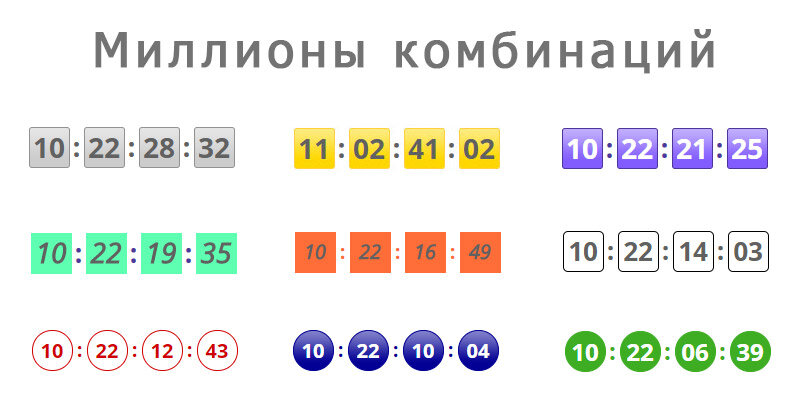
- текстовые разделители (XX : XX : XX : XX);
- текстовые обозначения величин (XX день, XX час, XX минута, XX секунда);
- количество дней (также скрывается и текстовое обозначение этой величины);
- количество дней в часах (Пример: 5 дней * 24 часа = 120 часов + остаток за текущий день. Примечание: работает только если "количество дней" скрыто);
- количество секунд (также скрывается и текстовое обозначение этой величины).
Таймер для каждого отдельного товара включается при добавлении/редактировании товара во вкладке "Акция".
Необходимо указать новую стоимость и дату окончания акции. Если не указать дату окончания, то числовой таймер не отобразится для этого товара.
Если вы хотите чтобы таймер какого либо товара отсчитывал время до конца дня, то установите дату окончания акции "N дней", отключите опцию "Отображать количество дней", а опцию "Считать количество дней" включите. Например, если акция заканчивается через 5 дней, то ежедневно на протяжении 5-и дней будет отображаться таймер отсчета до конца текущих суток.
Такой маневр приводит к еще большему повышению конверсии в продажу!
-----------------------------------------------------------------------------------------------
Смотреть DEMO
Смотреть DEMO админки (логин: demo, пароль: demo)
-----------------------------------------------------------------------------------------------
Инструкция по установке:
- Перейдите в Панель администратора -> Модули -> Установка расширений;
- Загрузите архив с модулем для вашей версии OpenCart или ocStore;
- Обновите кэш модификаторов.
Файлы не перезаписываются!
Используется OCMod!
-----------------------------------------------------------------------------------------------
Инструкция по обновлению:
- Удалите модификатор предыдущей версии модуля;
- Перейдите в Панель администратора -> Модули -> Установка расширений;
- Загрузите архив с модулем для вашей версии OpenCart или ocStore;
- Обновите кэш модификаторов;
- Проверьте настройки модуля и пересохраните.
Характеристики
-
Recently Browsing 0 members
- No registered users viewing this page.