JV_QuickOrder - быстрый заказ товара









Що можна обрати замість

Купить в 1 клик PRO - Быстрый заказ oc 3.x 7.3

Купить в 1 клик PRO - oc 2.x

Управление торговлей 3 Быстрый заказ


Быстрый просмотр товара PRO oc 15x / 2.x

HPMR AJAX: options as individual products + auto-linking

OcBox AI Smart Related — AI related products for OpenCart and ocStore + rule engine + Bought-Together AI + block analytics + 4-in-1

КомплектыPro

OcBox Product Bundles — product bundles and kits for OpenCart 3 and ocStore: set discount, kit price calculates itself (beta)

This approach is suitable for stores where different colors, sizes, or configurations have already been created as separate products. The module does not replace or modify standard OpenCart options: it adds a separate mechanism for linking complete product pages.
Integration with the standard OpenCart theme is included, along with separate adaptations for OCTemplates Promo, OCTemplates Deals, Chameleon.
How the module works
The administrator selects one of the standard OpenCart fields as the product group identifier: UPC, EAN, JAN, ISBN, or MPN. Products with the same non-empty value in the selected field are automatically assigned to one group.
Option types are then created in the module, such as “Color,” “Size,” “Storage Capacity,” “Material,” or any other option required by the store. One or more product attributes can be selected for each type. If several attributes are selected, the module checks them in the specified order and uses the first non-empty value.
After synchronization, the available group variants appear on the product page. Clicking a value opens the corresponding product page, so every variant retains its own data, page address, and standard OpenCart product behavior.
Module features
Automatically group products by the UPC, EAN, JAN, ISBN, or MPN field Use only exact matches of non-empty group identifiers Create any required number of option types Obtain option values from product attributes Use several attributes for one option type with configurable priority Display values as text buttons, HEX colors, or product images Configure multiple colors for a single value Configure the value sort order Create fully manual product groups Include or exclude products in an automatic group Set a manual option value for a specific product Control the display of out-of-stock products Index large catalogs in batches via CRON Automatically add changed products to the indexing queue through OpenCart Events Generate Schema.org structured data for product variants Product group identifier
One of the standard product fields is used for automatic linking. The field is selected in the module settings and must contain the same value for every variant of the same model.
UPC — Universal Product Code EAN — European Article Number JAN — Japanese Article Number ISBN — International Standard Book Number MPN — model or group code assigned by the manufacturer or administrator For example, six separate Samsung Galaxy product pages may have different models, colors, storage capacities, prices, and stock levels, but the same group MPN. After indexing, the module links them and displays color and storage as navigation between variants.
Option types and attributes
Option type names are not predefined or restricted. The store creates the variants required for its catalog: color, size, storage, material, style, length, configuration, or any other attribute.
Several attributes can be assigned to one option type. This is useful when the same information is stored under different names in different categories, such as “Color,” “Body Color,” or “Primary Color.” The attribute order determines the priority in which they are checked.
Text — values are displayed as compact buttons Color — values are displayed as a HEX palette Image — the main image of the corresponding product is used The module does not create separate images for option values. Image mode uses the existing main product image and the thumbnail dimensions configured in the module.
HEX palette and value sorting
After indexing, the module collects the detected attribute values on a separate tab. A sort order can be set for every value, while one or more HEX codes can be assigned to colors.
If a value consists of several colors, the module creates a multicolor swatch. Configured HEX codes and sorting are retained independently of the current display type. Switching an option from color to image and back does not remove the previously configured palette.
Display on the product page
The current option value is highlighted and is not an active link Text values are displayed as buttons Colors are displayed as solid or multicolor swatches The main image of the corresponding product is used in image mode The product name is available on hover in image mode Out-of-stock products can be displayed, disabled, or completely hidden Unavailable values have a separate visual style When a value is selected, the customer is taken to the separate page of the corresponding product. The module does not replace the price, stock, or image through JavaScript, so the page always uses current standard OpenCart product data.
Manual groups
Automatic mode can be supplemented with manual management. A separate page provides a list of all created groups with filtering, sorting, and pagination.
Search by group name or identifier Search for a group by product, model, or SKU Filter automatic, manual, and mixed groups Create a new manual group Add products using autocomplete Manually sort products within a group Set manual option values separately for each language Disable an individual group Lock an automatic group A manual value takes priority over an automatically obtained attribute value. This makes it possible to add a product with incomplete data to a group without changing its standard attributes.
Clearing groups
The module provides three separate clearing modes:
Automatic groups — clears the automatic index and groups created by synchronization Manual groups — removes groups created manually by the administrator All groups — completely clears the module’s automatic and manual groups Indexing and CRON
For fast storefront performance, the module builds its own relationship index in advance. Data is processed in batches, allowing the module to be used with large catalogs without a long-running query when a product page is opened.
Configurable number of products per batch Manual full synchronization from the administration panel Secret-key-protected URL for CRON Ready-to-use crontab command Indexing status, progress, and statistics The current index remains operational during full synchronization. The new data generation becomes active only after the rebuild completes successfully. Customers do not see partially populated groups while the catalog is being updated.
Automatic updates after product changes
The module uses standard OpenCart Events. After a product is added, edited, or deleted, its identifier is placed in a queue. The next CRON run updates only the changed products and their related groups.
Direct SQL queries and some third-party imports may not trigger OpenCart Events. A full synchronization is recommended after a bulk direct import or changes to group identifiers.
SEO and structured data
A corresponding Schema.org property can be selected for each option type. If no property is selected, the module does not add structured data for that option.
ProductGroup — a logical group of product variants productGroupID — the product group identifier hasVariant and isVariantOf — the relationship between the group and its variants variesBy — the list of properties by which products differ color — color size — size material — material pattern — pattern suggestedAge — suggested age suggestedGender — suggested gender additionalProperty — another product attribute For the standard theme, the module generates its own structured data block. The OCTemplates Promo, Deals, Chameleon adaptations also integrate the variant relationship into the native product structured data of the corresponding theme.
Performance
Separate index tables with database indexes for primary queries Batch loading of product attributes Batch insertion of index records Active data is not cleared before full synchronization is complete Incremental updates for changed products Option type settings cached through the standard OpenCart cache No external API requests on the product page Multilingual and multistore support
Group names, option type names, and manual values can be specified separately for each language. When displaying variants, the module respects the current OpenCart language and store and does not show products that are not assigned to the current store.
The module administration interface is localized in Ukrainian, English, and Russian.
Theme integration
Default — support is included in the main package OCTemplates Promo — a separate adaptation package with its own Twig template and CSS OCTemplates Deals — a separate adaptation package with its own Twig template and CSS Chameleon — a separate adaptation package with its own Twig template and CSS For Promo, Deals, Chameleon install only the adaptation that matches the active theme. The main module must always be installed.
Open source code and independence
The module code is not encrypted or obfuscated. All PHP, Twig, JavaScript, CSS, and XML files are available for review and modification.
The module does not connect to third-party resources, external APIs, or remote servers and does not require third-party libraries or system services. Product processing, group building, caching, and variant block generation are performed directly on the website.
Thanks to a separate Twig template, CSS file, and targeted OCMOD integration, the module can be adapted to other OpenCart themes without changing its core logic. For a custom product page, it is usually sufficient to prepare a separate adaptation with the appropriate output position and styles for the active theme.
Installation
Perform a clean installation of the main package through Extensions / Installer If OCTemplates Promo, Deals, Chameleon is used, upload the corresponding adaptation package Go to Extensions / Modifications and click Refresh Go to Extensions / Extensions Select the Modules extension type Find Linked Products as Options and click Install Open the module settings Select the group identifier field and create the required option types Run a full synchronization Add the protected URL to your CRON scheduler The module does not modify OpenCart core files directly. Integration is performed through standard OpenCart Events and OCMOD.
Important notes
To create groups automatically, at least two enabled products must have the same non-empty value in the selected UPC, EAN, JAN, ISBN, or MPN field. A full synchronization must be performed after changing the group identifier field, the attribute configuration, or running a bulk direct import. Regular CRON runs process the changed-product queue and continue an unfinished full synchronization. For a small catalog, synchronization can also be started manually from the administration panel. Uninstalling the module with the Uninstall button removes the tables, index, automatic and manual groups, palettes, and other value settings created by the module. Products, attributes, and standard OpenCart data are not removed. DEMO
Admin Page login/password: demo/demodemo Store Page License
The license covers one domain and its subdomains.
Linked Products as Options




User Feedback
JV_QuickOrder - быстрый заказ товара
ВЕРСИЯ - 2.98.3
ОПИСАНИЕ
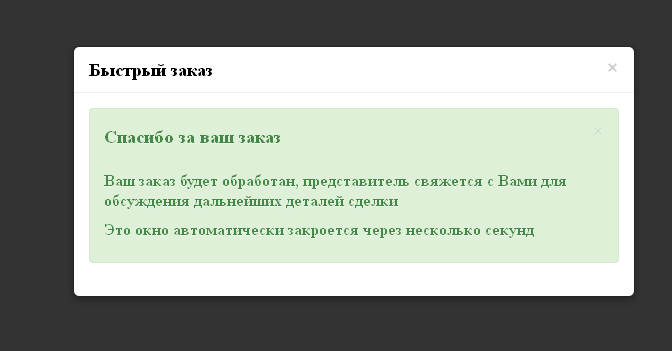
Этот простой и красивый модуль позволит Вам увеличить число продаж, упрощая процесс заказа для покупателя всего лишь до заполнения нескольких полей.
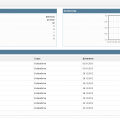
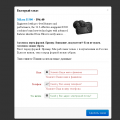
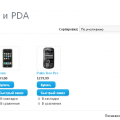
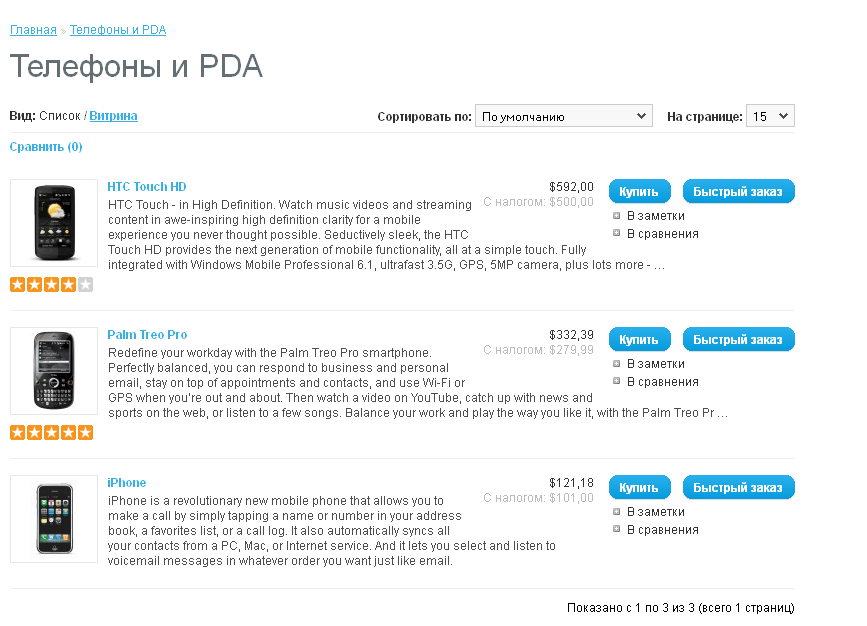
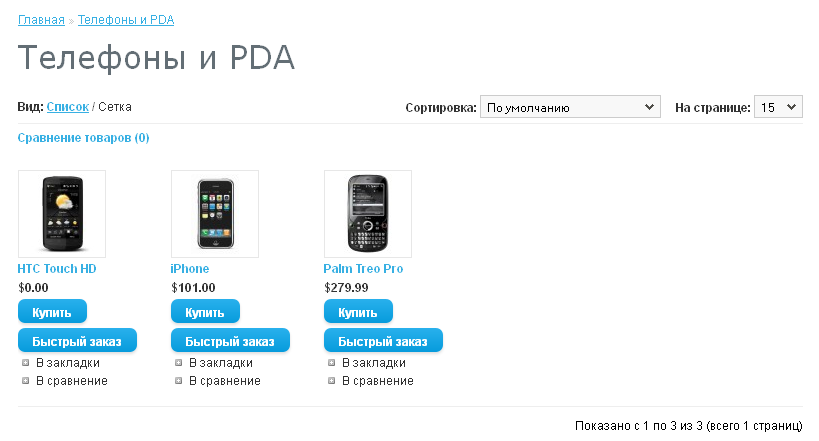
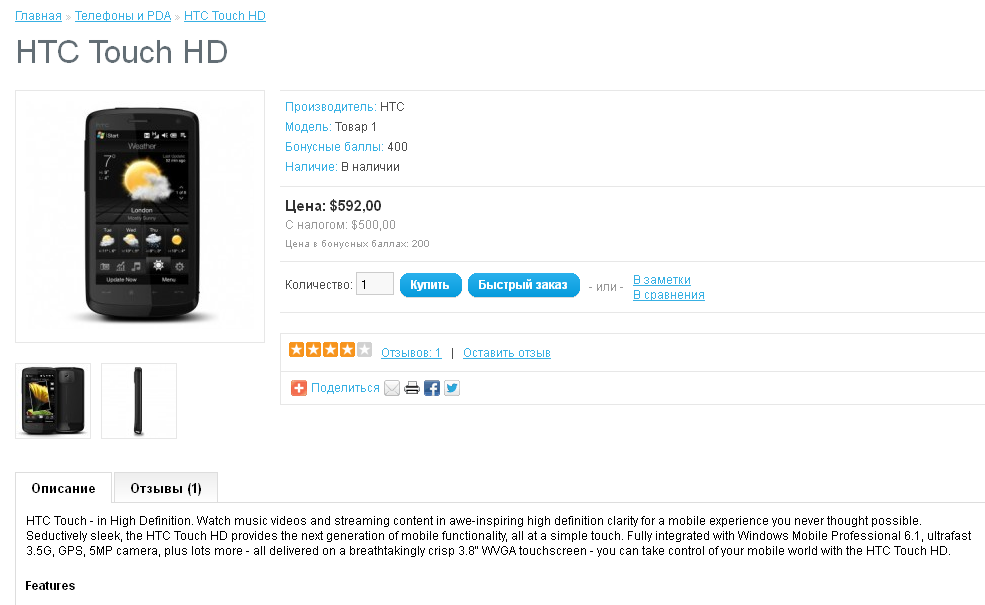
Модуль позволяет заказать товар прямо со страницы категории или страницы товара. Для заказа товара покупателю нужно заполнить всего пару полей (имя, телефон, e-mail, комментарий - какие поля показывать, а какие не показывать покупателю, гибко настраивается в админке модуля). Это легко, просто и удобно для покупателя.
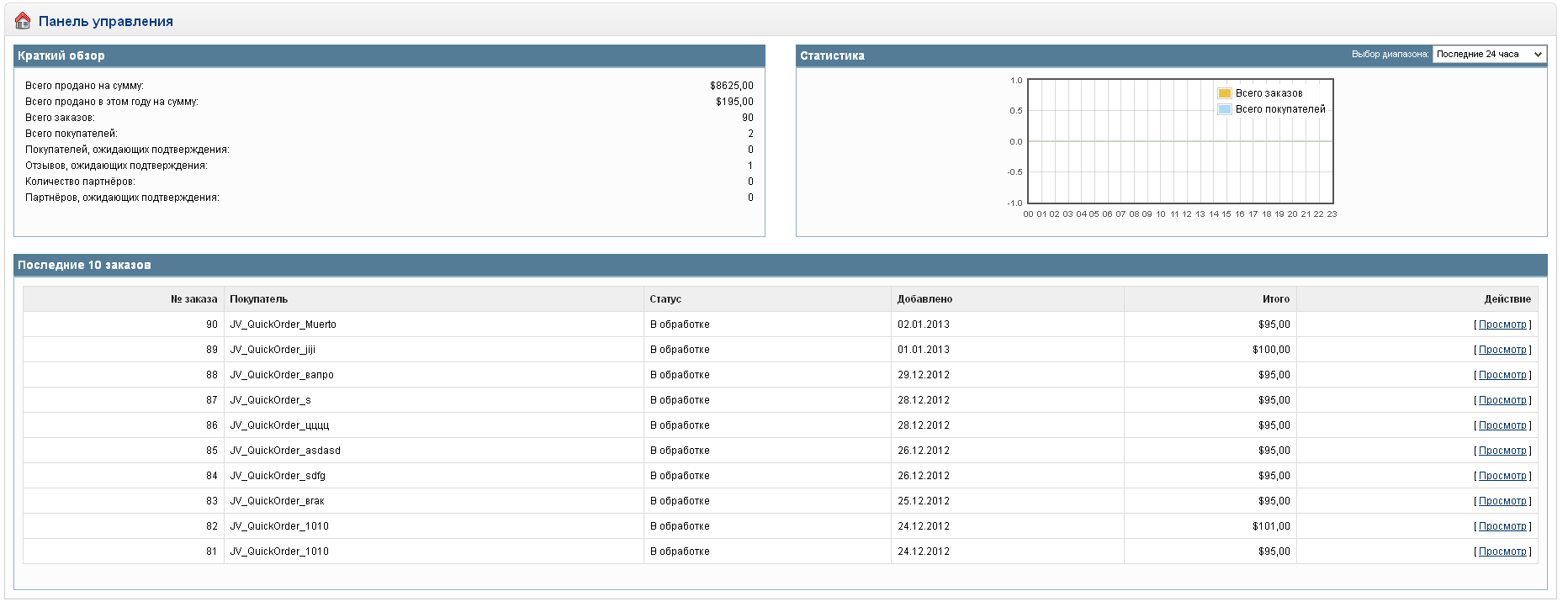
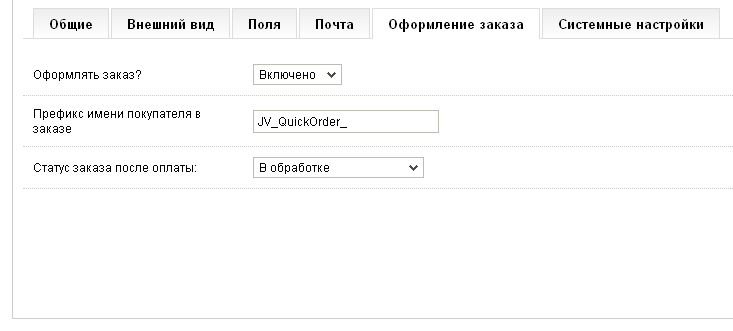
При использовании модуля происходит реальный заказ товара в магазине со списыванием со склада, смс, e-mail уведомлениями (если они настроены в магазине), заказ появляется в админке.
===========================================
ВОЗМОЖНОСТИ
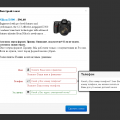
- Простая и красивая форма заказа;
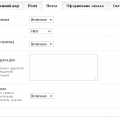
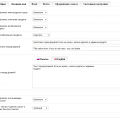
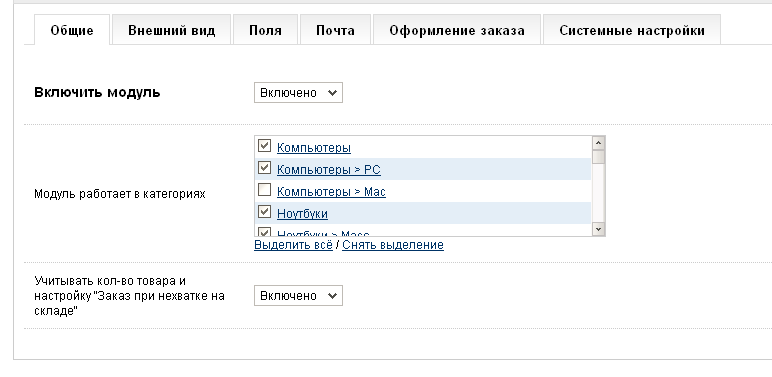
- Возможность вкл/выкл модуля в административной части модуля;
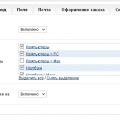
- Возможность выбора категорий для работы модуля
- Возможность учитывать кол-во товара и настройку "Заказ при нехватке на складе"
- Заказ отображается в админке со всеми соответствующими плюсами (списывание товара со склада, смс, e-mail уведомления, если они настроены в магазине)
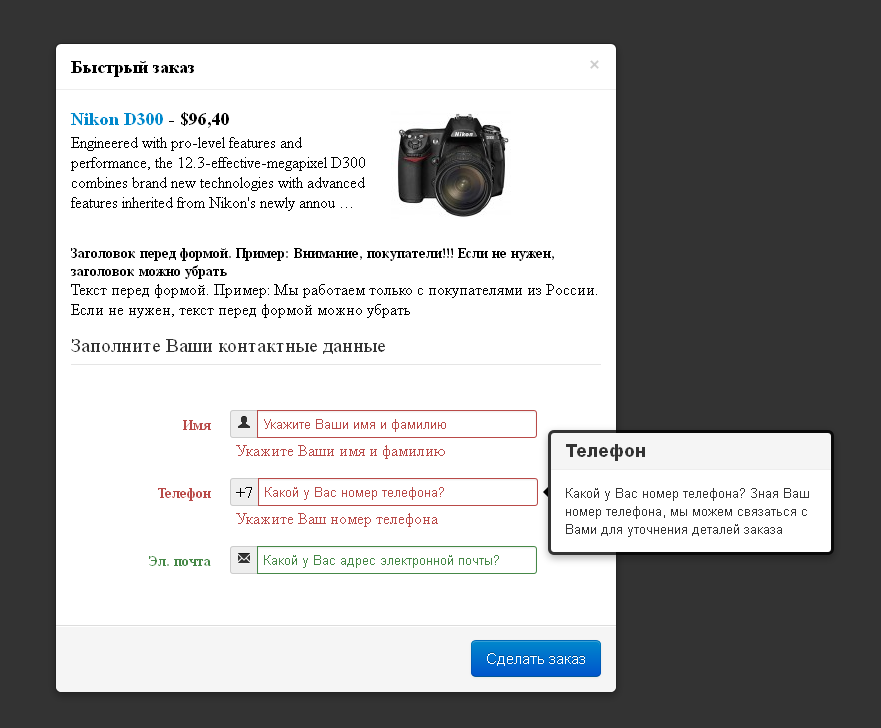
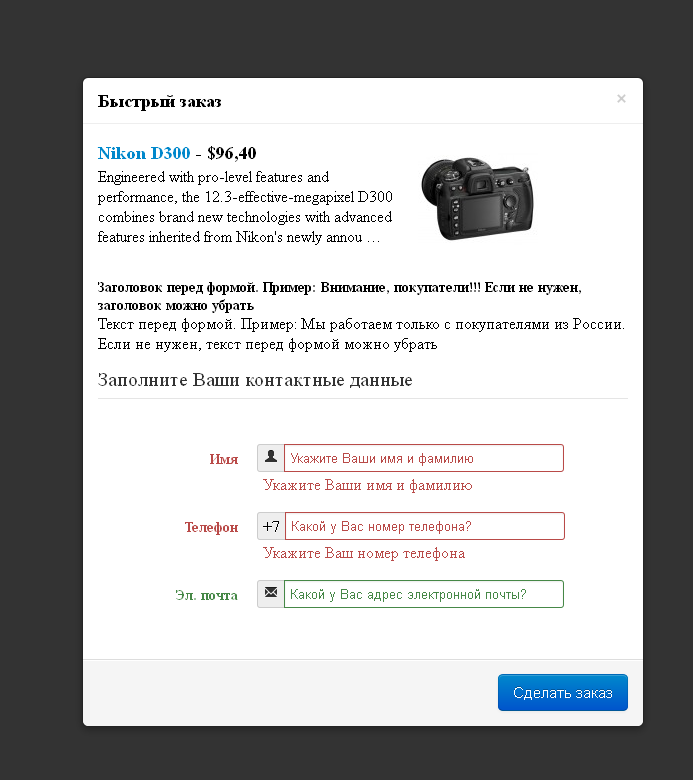
- Наименование и цена продукта в форме заказа. Если товар аукционный - отображается его цена со скидкой;
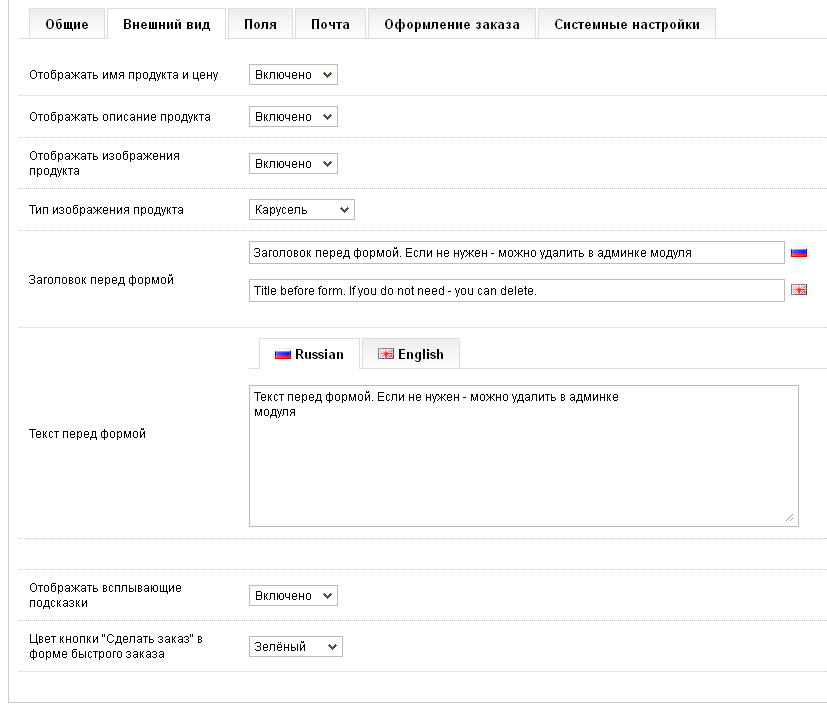
- Краткое описание в форме заказа. Дополнительно появляется более подробное описание товара в всплывающей подсказке при наведении курсора мыши на краткое описание. Возможность настроить в административной части модуля показывать или не показывать в форме заказа краткое описание товара;
- Изображения товара в форме заказа. Возможность выбрать тип изображения: в карусели, в виде одиночного изображения. Возможность настроить в административной части модуля показывать или не показывать в форме заказа изображения товара;
- Вспомогательный заголовок и текст перед контактными данными покупателя. Возможность настроить в административной части модуля вспомогательный заголовок и текст;
- Возможность настроить в административной части модуля отображение неоходимых полей и обязательность их заполнения (поля "Имя", "Телефон", "Электронная почта", "Комментарий", "Кол-во товара");
- Валидация (проверка) заполняемых покупателем полей;
- Всплывающие подсказки для заполняемых полей формы заказа;
- Если покупатель зашёл в "Личный кабинет" в магазине в форму заказа автоматически подставляются его ФИО и email:
- Возможность для покупателя указать в форме заказа кол-во заказываемого товара
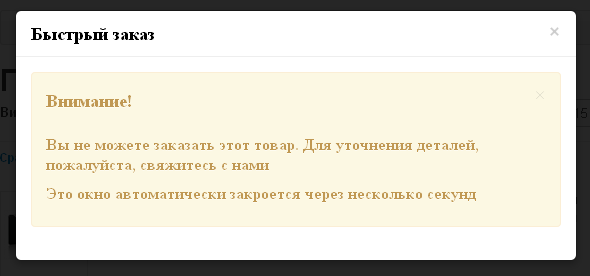
- Проверка на доступность товара. Если количество данного товара меньше одного, то заказать этот товар нельзя. Покупателю покажется уведомление о невозможности заказа данного товара.
- Форма заказа может быть закрыта по нажатию клавиши "Escape", щелчком по кнопке закрыть в заголовке, щелчком на любом месте экрана за пределами формы;
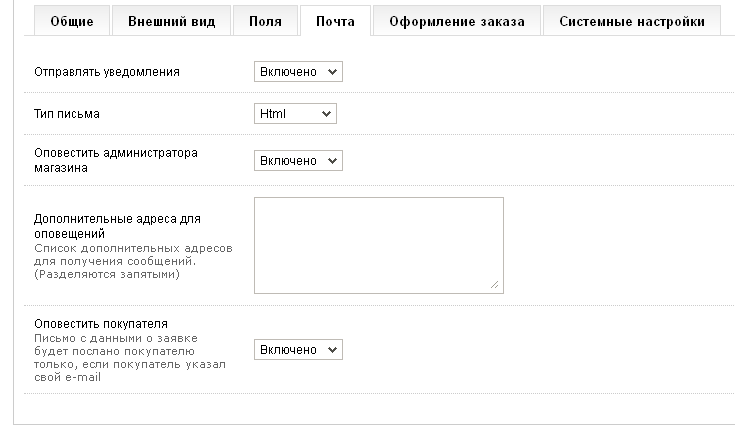
- Возможность настроить в административной части модуля тип уведомления о заказах (текст, html);
- Возможность вкл/выкл отсылки писем с уведомлениями о заказах;
- Возможность вкл/выкл уведомления о заказах администратору магазина. Уведомления о заказах отправляются на эл. почту, которая указана в настройках магазина;
- Возможность добавить дополнительные почтовые адреса для уведомлений;
- Возможность вкл/выкл уведомление о заказе покупателю. Уведомление о заказе отправляются на эл. почту покупателя, указанную при заполнении формы. Если покупатель не заполнил поле "Электронная почта", то, естественно, уведомление о заказе ему не отсылается;
- Возможность установить кнопку "Быстрого заказа" на другие модули (Рекомендуемые, Хиты продаж и т.д.)
===========================================
Кому понравился модуль, ставьте лайки на страничке скачки модуля. 
===========================================
СОВМЕСТИМОСТЬ
Версии ocStore:
- ocStore v0.2.2 - версия модуля 1.25 (файл JV_Quick_Order_v1_25_for_ocstore_0.22.zip)
- OcStore v1.0.1
- Ocstore 1.5.1.x
- Ocstore 1.5.2.x
- Ocstore 1.5.3.x
- Ocstore 1.5.4.x
- Ocstore 1.5.5.1
- Ocstore 1.5.5.1, Ocstore 1.5.5.1.1, Ocstore 1.5.5.1.2
-------------------------
Версии OpenCart:
- Opencart 1.5.1.x
- Opencart 1.5.2.x
- Opencart 1.5.3.x
- Opencart 1.5.4.x
- Opencart 1.5.5.1
- Opencart 1.5.6.x
-------------------------
Версия PHP:
- 5.3.x.x или выше
Расширения PHP:
- ionCube PHP Loader v4.4.x или выше
- Hash
- MCrypt
- cUrl
Чтобы проверить наличие необходимых настроек на Web-хостинге, перед установкой модуля скачайте этот архив. Инструкция внутри архива
-------------------------
Браузеры:
- Firefox
- GoogleChrome
- Internet Explorer 8, Internet Explorer 9
- Opera
- Safari
-------------------------
Шаблоны:
- Стандартный шаблон Opencart или OcStore (ручная установка, установка через vqmod)
- Shoppica v2 (проверялось на ocstore 1.5.3.1 - ручная установка)
===========================================
УСТАНОВКА
Описана в файле "Install.htm"
Чтобы проверить наличие необходимых настроек на Web-хостинге, перед установкой модуля скачайте этот архив. Инструкция внутри архива
Для получения ключа активации - напишите мне личное сообщение с темой "Модуль быстрого заказа - ключ активации". В сообщении укажите имя домена, для которого требуется ключ активации, и Ваш адрес электронной почты. Ключ активации вставляется в настройках модуля на вкладке "Общие" в поле ввода "Ключ активации"
Продление ключа активации. Подробно здесь
===========================================
ДЕМОНСТРАЦИЯ РАБОТЫ МОДУЛЯ
- Демка - страница категории
- Демка - страница продукта
Админка
- Логин: demo
- Пароль: demo
Буду рад увидеть Ваши отзывы, замечания, предложения по улучшению.
===========================================
FAQ - часто задаваемые вопросы
===========================================
ИСТОРИЯ ИЗМЕНЕНИЙ
2.98.3 - будет активна до 15.10.2025, после чего необходимо обновить модуль на последнюю доступную версию. Для работы модуля нужен ionCube PHP Loader v4.4.x и выше на хостинге
- Оптимизация кода
Обновление с версии 2.98.2
Обновить на хостинге файлы (обновлять из архива с модулем из папки upload):
- admin\controller\module\jvquickorder.php
- catalog\controller\module\jvquickorder.php
ИЛИ
загрузить в корневую папку сайта содержимое архива update/JV_QO___update_from_2.98.2_to_v2.98.3.zip
ЛИЦЕНЗИЯ
Это программное обеспечение не свободно. Модуль "JV_QuickOrder" является объектом авторского права и охраняется законом об авторском праве и смежных правах.
Пожалуйста, убедитесь, что вы довольны тем, что он делает и как он работает, прежде чем вы решите приобрести его. Модуль "JV_QuickOrder" регулярно обновляется, но в силу объективных причин не может быть изменен немедленно по Вашему запросу.
Коммерческая лицензия на одно доменное имя. Срок действия лицензии - 1 год.
Это означает, что Вы должны использовать одну лицензию модуля (ПО) для одного магазина (доменного имени), зарегистрированного на Ваше имя или имя Вашей компании. Если Вы хотите использовать модуль для других Ваших магазинов или магазинов сторонних лиц, Вам нужно приобрести дополнительную лицензию.
Запрещена передача данного модуля (ПО) третьим лицам, распространение от своего имени, продажа, перепродажа, сдача в аренду какой-либо части данного ПО или ПО целиком, изменение исходных файлов модуля без получения разрешения автора модуля.
По всем вопросам Вы можете связаться по электронной почте: johnny.vega.100 (doggy) gmail.com
© JohnnyVega 2012-2021. All rights reserved.
Характеристики
JohnnyVega's Other Downloads


-
Recently Browsing 0 members
- No registered users viewing this page.