


Що можна обрати замість

OcBox Product Bundles — product bundles and kits for OpenCart 3 and ocStore: set discount, kit price calculates itself (beta)
Кастомне групування у категорії Мікророзмітка під schema.org Розрізання значення атрибуту по роздільнику (напр. значення1, значення2, значення3) Генерування текстур за значенням атрибуту
HPMR PRO

The module works both with OpenCart special prices and with discounts set through the module " Different prices for groups of buyers
Display different prices for different customer groups

Main Features:
Automatic display of product-related features. Image support for better visualization of features. Easy integration with any templates. Fully responsive design. Usage Examples:
Clothing:
How to wash (hand wash, machine wash, dry cleaning). How to iron (ironing allowed, ironing prohibited, steam iron). Material composition (100% cotton, polyester, wool). Electronics: Key technologies (AMOLED display, water resistance IP68). Compatibility (wireless charging support, works with iOS and Android). Important features (fast charging, NFC, 5G support). Benefits of Using the Module:
Improved visual perception of product features. Convenient and clear presentation of product details. Enhanced user experience and increased conversion rate. Easy setup. Installation:
Run the query from the product_features_query.sql file in the website database (don’t forget to change the table prefix).
Install the extension using the built-in OpenCart installer.
Refresh the modifications.
Grant access permissions to user groups.
Go to store settings: System → Settings → Edit Store → Options tab and configure the width and height of the feature images.
The feature management page is located at: Catalog → Attributes → Features.
Template Compatibility:
The extension is compatible with the default template. Adaptation is required for other templates (paid adaptation).
DEMO
Admin Page login/password: demo/demodemo Store Page License:
Allowed for use in one online store.
Product Features

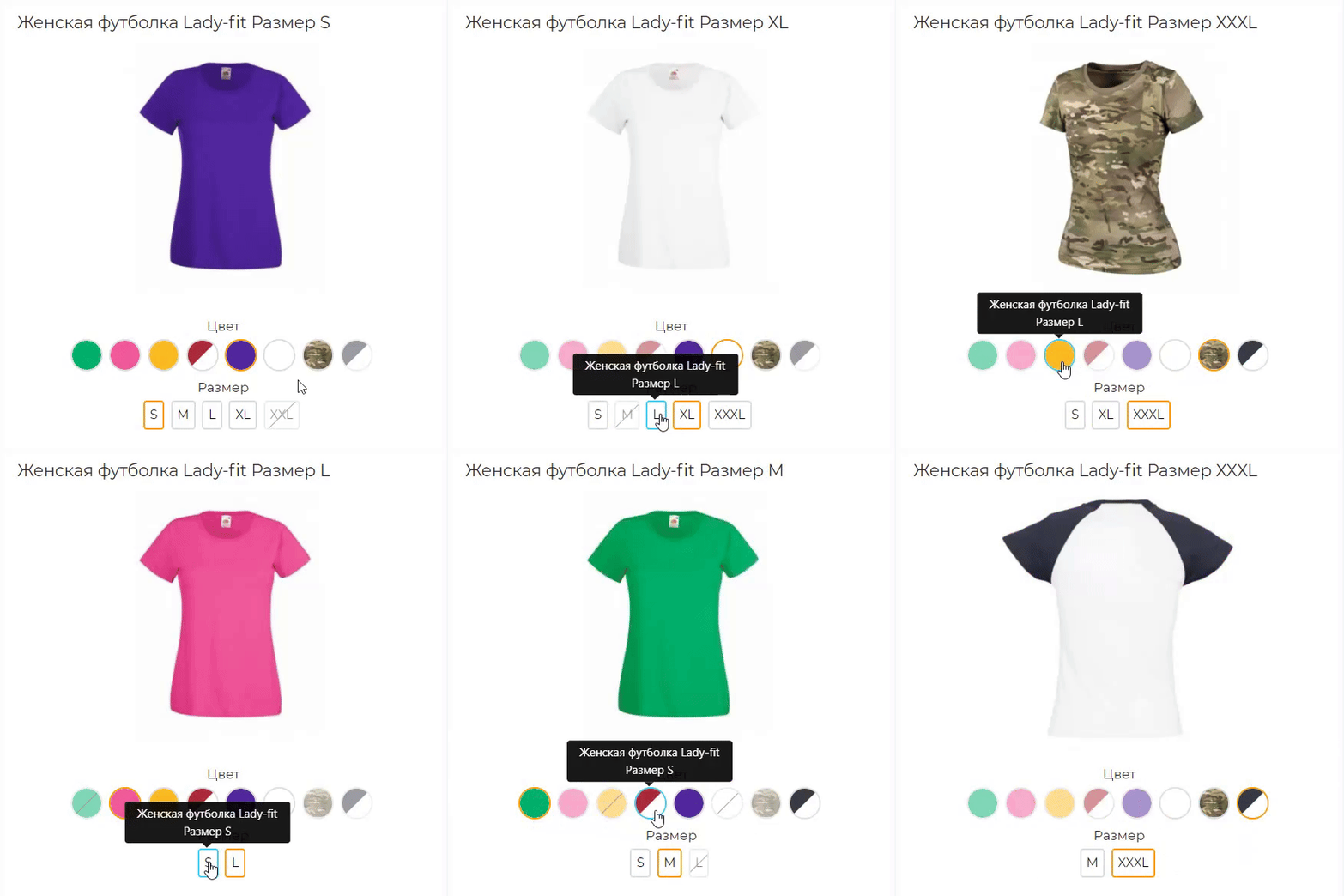
A colour-by-size matrix in the admin, one-click combination generation, cloning from another product and Excel import save weeks of manual work. On the storefront, the photo, price and SKU change the moment you click, unavailable combinations cannot be put in the cart, and the choice is kept in the link. The warehouse and the website finally speak the same language, and the shop sells exactly what it has. $30 instead of $60, licence for the shop domain and a test domain.
OcBox Product Variants for OpenCart 3 and ocStore: a colour by size matrix, per-variant stock, photo and SKU, dimensions for shipping

ShipTime - shipping date in the product card OpenCart,ocStore

Similar products with morphology and relevance
AJAX Стикеры PRO

It allows you to display additional information in a convenient and visual way — such as size charts, care instructions, delivery and payment terms, warranty details, promotions, and much more.
The module supports bulk assignment by selected categories and manufacturers.
Main Features:
Create popup windows with tabbed content. Unlimited number of content tabs. Bulk add content to product groups by selected categories and manufacturers. Multilingual support. Ability to insert images, tables, text, and HTML content into tabs. Display popup trigger button on the product page. Example Use Cases:
Size chart — add a tab with size tables for different brands or categories. Care instructions — provide helpful product care information. Delivery and payment info — show details without leaving the product page. Promotions, warranty, or certificate information. Benefits:
Improves user experience — customers get all the necessary info without reloading the page. Reduces customer inquiries (especially about sizes and shipping terms). Flexible content assignment — easily update information for many products at once. Theme Compatibility:
default Adaptation for other themes is paid. Please contact before purchase!
Installation:
Upload the module archive via Extensions → Installer. Upload the theme adaptation archive via Extensions → Installer. Refresh modification cache (Extensions → Modifications → Refresh). Go to Extensions → Modules → Content Popup and click Install. Configure the module. After saving settings, always click "Add content to products". Template Compatibility:
The extension is compatible with the default template. Adaptation is required for other templates (paid adaptation).
DEMO
Admin Page login/password: demo/demodemo Store Page License:
Use is allowed in one online store only.
Content Popup

Быстрый просмотр товара PRO oc 15x / 2.x


User Feedback
Модуль предназначен для создания и вывода, комплектующих для товара.
При добавлении товара, добавлена новая вкладка - “Комплектующие”
К примеру, вы продаете ванну, в комплектующих может быть - ножки, комплект для слива(перелива) и т.д.
Если, у товара есть комплектующие, в карточке добавляется вкладка “Комплектующие”, со списком товаров которые входят в данный комплект.
Если отметить кокой нибудь товар из комплектующих, он будет добавлен в корзину вместе с основным товаром.
Есть возможность выбрать количество и опции у комплектующих.
Живая цена у аксессуаров. При выборе количества и опций, цена автоматически меняется.
Установка - читать файл readme.txt в архиве
Тестировалось на OpenCart 2.3, 3.0 OcStore 2.3. 3.x
Внимание
Убедительная просьба. перед покупкой модуля, задавайте вопросы, выясняйте все нюансы.
Чтобы потом не было типа - а я думал, что работает немного по другому и т.д и т.п.
Гарантировано, работает только на дефолтном шаблоне, на других, возможно нужна будет адаптация.
Адаптация - это сделать так, чтобы заявленный функционал работал на вашем шаблоне.
Изменение внешнего вида(дизайн, верстка) в адаптацию не входит( я не дизайнер).
Поддрержка:
При обращении о поддержке, описывайте сразу подробно проблему, а не два слова "Караул, не работает."
пишите сразу доступы - админка, ftp
через TeamViewer, не работаю
с шаблоном joornal, не работаю
Демо:
Сайт
Админка
login demo pass demo
Характеристики
-
 1


-
Recently Browsing 0 members
- No registered users viewing this page.