


Що можна обрати замість
Вирішують ту саму задачу, але іншим способом або частково.

Accordion & Tabs — a content block builder for OpenCart 3. One module replaces dozens of separate solutions: accordion, tabs, banners, galleries, grids, menu, timers, counters, pricing tables, comparison tables, video, before/after comparisons — 20 block types in total, with a single management interface and a flexible display rules system.
🔍 Live Demo — accordion.likedev.pro | Admin Panel (login: demo, password: demo) | 📖 Documentation
1
Choose a block type
Accordion
Timeline
Tabs
Flip Cards
Panel
Counters
Gallery
Pricing Table
Banner
Comparison
Grid
Menu
Popup
Tooltip
Steps
Show More
List
Container
Video
Before/After
→
2
Fill with content
Text and HTML
Images and banners
Buttons and links
40+ store variables
20 widgets
Third-party modules
Nested blocks
→
3
Configure display rules
Products, parameters
Category
Manufacturer
Information page
Customer group
Login status
Device type
Display schedule
→
4
Output anywhere
OpenCart layout positions
Shortcodes
Twig templates
Product descriptions
Category descriptions
Information pages
Third-party modules
One module instead of dozens of separate solutions
20
Block types
42
Ready demos
50+
Variables
20
Widgets
20 Block Types
CLASSIC TYPES (13)
Accordion / Collapse
FAQ, expandable content, product descriptions
Tabs
Multi-tab sections with any content
Panel
Static panel with title and content
Gallery + Slider
Photo gallery with lightbox and slick slider
Banner + Slider
Promo banners, carousels, hero blocks
Grid
Cards in columns, responsive grid
Steps
Step-by-step instructions, processes
Menu
Navigation menu with dropdown items
Popup
Modal popup windows
List
Styled list with icons and colors
Show More
Collapsed text with "read more" button
Tooltip
Hover tooltips
Container
Wrapper for nested blocks
NEW IN v3.0 (7)
Timeline
Timeline strip, 2 layouts, 8 marker shapes, entrance animation
Flip Cards
3D cards with flip on hover or click
Counters
Animated counters: number, progress bar, circular
Pricing Table
Pricing plans, features list, "Popular" badge
Comparison Table
Product/plan comparison table with checkmarks and buttons
Video
YouTube, Vimeo, MP4 — lazy-load, inline or popup playback
Before / After
Drag-to-compare two images
Display Rules
Show each block exactly where it is needed, to whom it is needed, and when it is needed:
Page type
► Product
► Category
► Manufacturer
► Information page
► Custom URL (wildcard * supported)
Audience
► Specific product / category / article
► Customer group
► Login status
► Device (desktop / tablet / mobile)
Timing
► Display schedule: "From" — "Until" date
► Schedule status filter in the block list
► Depends on another block on the page (present / absent)
Product parameters: category, manufacturer, attributes, fields, price, name, tag, discount — operators =, !=, >=, ocStore 3.x
Installation
1
Install the OpenCart / ocStore 3.x patch — upload and install directories_fix_oc_3.ocmod.zip, refresh modifications. The file can be deleted after the module is installed. OpenCart / ocStore 3.x only — skip this step for OC 2.x.
2
Install the module — go to Extensions → Install extensions, upload accordion_tabs_oc_3_v3.0.9_php7.1+.ocmod.zip.
3
Activate with license key — find the module in the list and activate it. The key is sent automatically to the buyer's email after purchase.
Compatibility
Platform
Archive
✅ OpenCart 3.x
accordion_tabs_oc_3_v3.0.9_php7.1+.ocmod.zip
✅ OpenCart 2.3
accordion_tabs_oc_2.3_v2.1.1.ocmod.zip
✅ OpenCart 2.0–2.2
accordion_tabs_oc_2.0-2.2_v2.1.1.ocmod.zip
Module v3.0 supports OpenCart 3.x only. For OpenCart 2.x use the v2.1.1 archive from the product files.
License
► Licensed for 1 domain for 1 year from the date of activation.
► After expiry the module continues to work without limitations — access to updates requires renewal.
► Can also be used on a test subdomain or local domain (test.site.com, site.loc).
► The key is sent automatically to the buyer's email. Not received — send a private message or email [email protected].
Updates
► All updates within the license term are free.
► Subscribe to notifications on the module page — you will be notified of new versions automatically.
► The latest file is always available in the downloads section on the module page.
Previous Version Owners
► Version 3.0 is a major update with a new licensing system. Keys from previous versions are not compatible with v3.0.
► 50% upgrade discount for previous version buyers — send a private message to claim it.
► Previous versions continue to work without any limitations. Upgrading is not required.
Support
📧 [email protected]
💬 Telegram: @Seriusis
▶ YouTube channel
Try all the features right now
🎯 Live Demo
📖 Documentation..
Updated
Accordion & Tabs — Content Block Builder for OpenCart
1,369 грн
308 1613

Promo Banners in Categories and Manufacturers
Place promotional banners directly among products on category pages and manufacturer product pages. Inform customers about promotions, new arrivals, seasonal collections, and special offers while they browse your catalog.
Banners are added to the product listing without reducing the number of products displayed per page. Banner management is available directly when editing a category or manufacturer, without modifying the template code.
Two Banner Types
Product card banner — occupies a single product grid cell.
Full-width banner — spans the entire width of the product listing area.
For each banner, you can choose its position: at the beginning of the list, after a specific product, after a specific row, or at the end.
Positioning after a row automatically takes into account the number of columns displayed on the current screen.
Separate Display Settings for Desktop and Mobile Devices
Banners can be displayed on all devices, only on desktops and tablets, or only on mobile devices.
To use different images, aspect ratios, or positions, create separate banners and select the appropriate devices.
For example, you can display a wide horizontal banner on desktop screens and a compact vertical banner on smartphones. Each banner will have its own positioning and display settings.
Catalog Display Mode Support
Banners can be displayed in grid view, list view, or both modes.
This allows you to use different banners depending on the catalog layout.
Banners for Different Pagination Pages
Configure separate promotional offers for the first, second, and subsequent catalog pages.
For each banner, you can specify individual page numbers or ranges, such as 1,3-5.
Banner positions are calculated independently within each pagination page.
If a page does not contain enough products or rows to reach the specified position, the banner will not be displayed.
Multilingual Support
Add separate banners for each store language.
Images, titles / ALT text, and links are configured according to the language version currently viewed by the customer.
Additional Features
Multiple banners per category or manufacturer.
Enable or disable individual banners.
Set banner display start and end dates.
Configure sorting order for banners with the same position.
Use banners with or without links.
Optionally add the rel="nofollow" attribute to links.
Configure image dimensions.
Choose between scaling the entire image to fit the available area or filling the area by cropping the edges.
Compatibility
OpenCart 3.x
ocStore 3.x
Theme Compatibility
The base version is compatible with the standard default theme.
Other themes may require additional adaptation.
Themes that include a Price List display mode require adaptation.
Theme adaptation is a paid service.
Installation Instructions
For a new installation, execute the SQL script from promo_banners_in_categories_and_manufacturers_v_3_0_install.sql, making sure to use your store's database table prefix.
Upload promo_banners_in_categories_and_manufacturers_v_3_0_oc3.ocmod.zip via Extensions → Installer.
Refresh modifications and clear the theme cache.
Open the category or manufacturer editing page and navigate to the Promo Banners tab.
Add banners, configure their display conditions, and save your changes.
License
The license is valid for one domain and all its subdomains.
DEMO
Admin Page login/password: demo/demodemo Store Page Important!
Adaptations developed for version 2.0 are not compatible with this version!
Place promotional banners directly among products on category pages and manufacturer product pages. Inform customers about promotions, new arrivals, seasonal collections, and special offers while they browse your catalog.
Banners are added to the product listing without reducing the number of products displayed per page. Banner management is available directly when editing a category or manufacturer, without modifying the template code.
Two Banner Types
Product card banner — occupies a single product grid cell.
Full-width banner — spans the entire width of the product listing area.
For each banner, you can choose its position: at the beginning of the list, after a specific product, after a specific row, or at the end.
Positioning after a row automatically takes into account the number of columns displayed on the current screen.
Separate Display Settings for Desktop and Mobile Devices
Banners can be displayed on all devices, only on desktops and tablets, or only on mobile devices.
To use different images, aspect ratios, or positions, create separate banners and select the appropriate devices.
For example, you can display a wide horizontal banner on desktop screens and a compact vertical banner on smartphones. Each banner will have its own positioning and display settings.
Catalog Display Mode Support
Banners can be displayed in grid view, list view, or both modes.
This allows you to use different banners depending on the catalog layout.
Banners for Different Pagination Pages
Configure separate promotional offers for the first, second, and subsequent catalog pages.
For each banner, you can specify individual page numbers or ranges, such as 1,3-5.
Banner positions are calculated independently within each pagination page.
If a page does not contain enough products or rows to reach the specified position, the banner will not be displayed.
Multilingual Support
Add separate banners for each store language.
Images, titles / ALT text, and links are configured according to the language version currently viewed by the customer.
Additional Features
Multiple banners per category or manufacturer.
Enable or disable individual banners.
Set banner display start and end dates.
Configure sorting order for banners with the same position.
Use banners with or without links.
Optionally add the rel="nofollow" attribute to links.
Configure image dimensions.
Choose between scaling the entire image to fit the available area or filling the area by cropping the edges.
Compatibility
OpenCart 3.x
ocStore 3.x
Theme Compatibility
The base version is compatible with the standard default theme.
Other themes may require additional adaptation.
Themes that include a Price List display mode require adaptation.
Theme adaptation is a paid service.
Installation Instructions
For a new installation, execute the SQL script from promo_banners_in_categories_and_manufacturers_v_3_0_install.sql, making sure to use your store's database table prefix.
Upload promo_banners_in_categories_and_manufacturers_v_3_0_oc3.ocmod.zip via Extensions → Installer.
Refresh modifications and clear the theme cache.
Open the category or manufacturer editing page and navigate to the Promo Banners tab.
Add banners, configure their display conditions, and save your changes.
License
The license is valid for one domain and all its subdomains.
DEMO
Admin Page login/password: demo/demodemo Store Page Important!
Adaptations developed for version 2.0 are not compatible with this version!
Updated
Promo banners in categories and manufacturers
900 грн
25 99

A module for OpenCart 3 that allows you to display responsive promotional banners over the pages of your store. Suitable for promotions, special offers, news, mobile applications and other advertising campaigns.
Updated
Smart Promo Banner - flexible banner module for OpenCart 3
450 грн
1 2

DEMO Login: demo pass: demohttp://megasliderpro.waterfilter.in.ua/image/megaslider_banner.png Слайдер с эффектами паралакс, наличие которого уже само по себе еще один + для поисковых машин. Легкая интуитивная настройка – понятная даже незнакомому с фотошоп пользователю. Возможность сохранения настроек для предпросмотра. Выбор времени показа слайда. Цветовые выделения и эффекты вызывающие подсознательную сопричастность (положительно влияют на время просмотра страницы, как следствие улучшают поведенческие факторы) Теперь создание интересных, анимированных баннеров становится простым и увлекательным занятием. В несколько кликов стала возможна настройка параллакс эффектов, анимаций, и информационных блоков. Модуль разрабатывался с учетом пожеланий людей, которых жутко раздражает дефолтные баннеры, ключевые слова при создании - «Простота и эффектность»..
Updated
Megaslider PRO
450 грн
84 145


Інші рішення в тій самій області магазину.

Beautiful fixed widgets for the site to attract the attention of users. Setting conditions, display period, pages. Up to 6 pieces in different positions on one page. Click-to-zoom video, images, text, buttons with links. Video reviews
Updated
Smart Video Widgets - video in the background, banner, image, notification with setting display conditions
900 грн
37 74
-29%
 Придбати

Мультиязычная информационная панель уведомлений поможет Вам лучше доносить какую-то важную информацию вашим клиентам, у данного модуля основные преимущества того, что Вы сами выбираете где размещаться панели, ее цвет, размер и можно ли ее закрыть (повторно отобразиться панель только при новой сессии)
Updated
Info Panel Notifications + Running line
700грн
500 грн
27 72
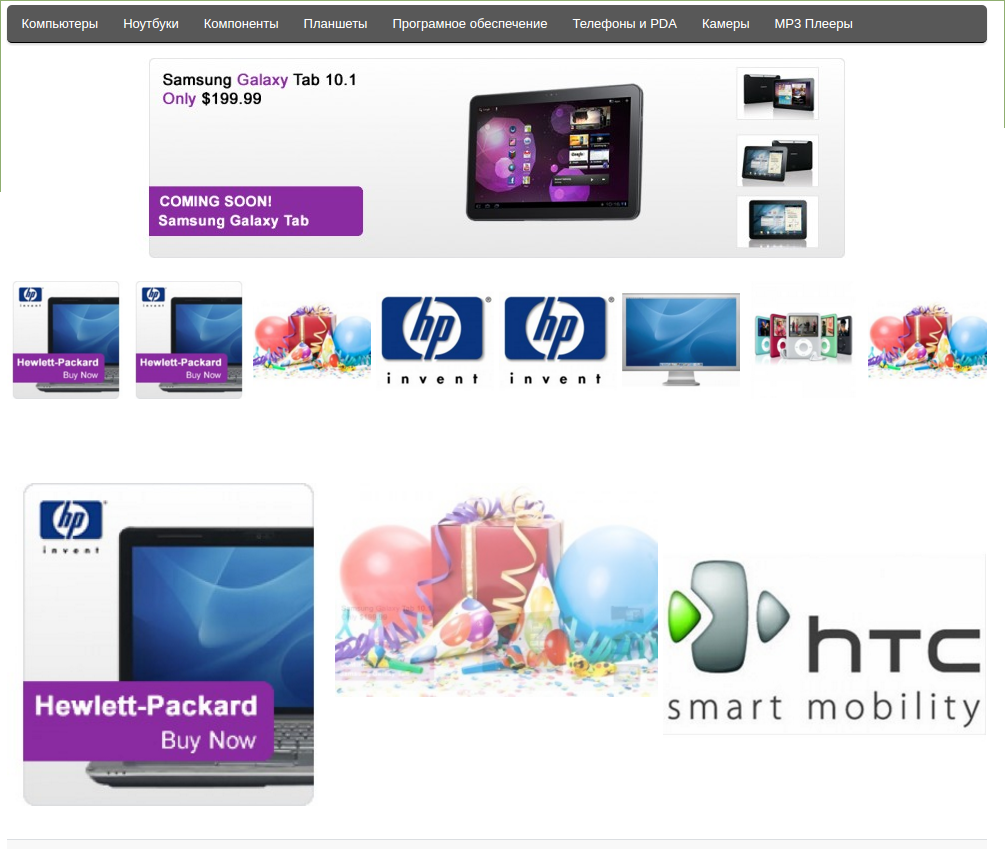
«Баннеры в линию» знято з продажу
Ми підібрали схожі модулі інших розробників — їх можна придбати вже зараз.
Інші варіанти

User Feedback
Установка дополнения (VQMod обязателен).
1. Распоковать архив bannery-v-liniyu.zip и скапировать содержимое upload в корень сайта
2. Установить модуль в Дополнительно - Модули - Баннеры в линию => установить, настроить.
С модулем каапируются доп файлы в catalog/controller/common/top_bannerinline.php и bottom_bannerinline.php
Так же создаются сatalog/view/theme/ШАБЛОН/template/top_bannerinline.tpl и bottom_bannerinline.tpl
Показываться модуль будет только вверху и внизу магазина - это пока.
Картинки каждого баннера выводятся по ширене и сменяются разной скоростью.
Характеристики
В продажеДа
Версія1.0
File Size13.19 kB
Submitted08/22/2016
Updated08/22/2016
-
Recently Browsing 0 members
- No registered users viewing this page.