


Що можна обрати замість

Grapes Web Builder PRO - more than a visual editor

Key Features:
Create and Use Attribute Templates:
Prepare pre-configured templates with attribute sets and apply them to products with a single click. This is especially useful for products with similar parameters (e.g., electronics, clothing, or furniture).
Quickly Add Attributes to Templates and Groups:
Add new attributes directly to already created templates and groups. This speeds up attribute updates and simplifies product setup.
Attribute Groups for Bulk Addition:
Organize attributes into groups and add them to products all at once. This is convenient for categories where all items share similar parameters.
Fast Attribute Addition from Templates:
Apply pre-configured templates directly on the product editing page to avoid manual data entry.
View and Manage Attributes in Products:
View all products associated with a specific attribute. Edit attribute values for multiple products simultaneously. Remove unnecessary attributes and add new products to the related list. Seamless Integration and User-Friendly Interface:
The module integrates perfectly with OpenCart's standard functionality while maintaining compatibility with other extensions. Its intuitive interface ensures ease of use, even for beginners.
Advantages of the Module:
✅ Time-Saving: Quickly adding attributes to templates and groups reduces the time spent setting up products.
✅ Convenience: All tools for attribute management are available in one place.
✅ Bulk Management: Edit attributes for multiple products simultaneously, eliminating repetitive tasks.
✅ Flexibility: Add attributes from templates, groups, or individually to adapt the module to your store’s specific needs.
✅ Suitable for All Stores: The universal functionality makes this module valuable for online stores of any size and type, from electronics to fashion and cosmetics.
✅ Error Reduction: Templates and groups minimize the risk of incorrect data entry.
✅ Increased Efficiency: Speeds up the process of adding and updating products, which is particularly important for stores with a large inventory.
Installation:
For the module to work, you need to add additional tables to the database. To do this, run queries from the attribute_manager_query.sql file. The module is easily installed via the standard OpenCart extension loader, no additional settings are required. Two modifiers are available (only one needs to be installed) attribute_manager_oc3.ocmod.zip - install if you purchased only this modifier attribute_manager_oc3_for_attribute_value_editor.ocmod.zip - if you plan to use it with the module
DEMO
Admin Page login/password: demo/demodemo License:
Permitted for use in one online store.
Attribute Manager
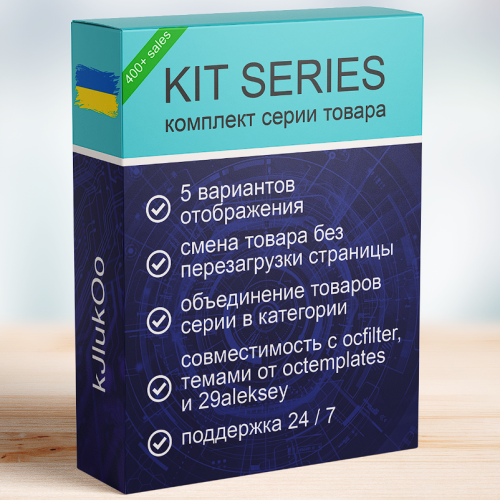
KIT SERIES

Управление торговлей 6 Персональный редактор ++

It is fully compatible with the OCTemplates – Product Stickers Settings module and works with the stickers created by the administrator. The module's publication is approved by the OCTemplates template author.
Key Features
Bulk addition of stickers to products based on selected criteria. Filtering supported by the following parameters: categories, manufacturers, price range (min and max), product attributes and their values User-friendly interface in the admin panel. Ability to quickly update or replace stickers without manual editing of each product. Flexible execution options
Manually via admin panel Automatically via CRON job Benefits
Saves time when managing product stickers in bulk. Enhances the visibility of promotions, features, and product statuses. Accurate and flexible product selection for sticker assignment. Automation through CRON support. Compatibility
OpenCart/OcStore 3.x Compatibility tested on the Deals, Ultrastore template. For other templates, please contact us before purchasing. Installation Instructions
Install the module through the OpenCart admin panel. Refresh modifications. Go to System → Users → User Groups, and grant edit permissions to the required admin groups. Go to Extensions → Extensions → Modules, activate Oct Stickers Auto, and configure it. How It Works
Start the sticker assignment process. In the OCTemplates – Product Stickers Settings module, run the mass generation. If running via CRON, the sticker assignment should execute before the mass generation (with a 5-minute gap). License
Licensed for use on a single online store.
Bulk adding custom stickers to templates (OcTemplates)

Main Features
Category Management
Bulk change of categories for selected products Assign multiple categories at once Set main category Convenient category selection via autocomplete Manufacturer Management
Bulk change of product manufacturer Quick manufacturer selection via autocomplete Apply changes to multiple products at once Interface & Usability
Convenient modal windows directly in the product list Instant application of changes Advantages
Time-saving when managing product catalog No need to open each product individually Simple and intuitive interface Fast bulk editing in just a few clicks Compatibility
OpenCart 3.x Installation
Install the module via OpenCart admin panel Refresh modifications DEMO
Admin Page login/password: demo/demodemo License
The license applies to one domain and its subdomains.
Mass Editing Categories and Manufacturer

User Feedback
Модуль будет полезен тем, кому требуется выбрать отдельный шаблон для схемы, конкретного товара, категории, производителя и т.д. Например, для создания landing page или для других модификаций с шаблонами.
Является менее способным, но актуальным старшим братом модуля "Custom templates Pro"
Возможности
-
Модуль позволяет выбирать отдельный шаблон (.tpl) для каждого(ой):
- Схемы *
- Товара
- Категории
- Производителя
- Информационной страницы
- Товаров в определенной категории.
- Товаров определенного производителя
- Товаров в конкретной категории
- +Можно назначить тот или иной шаблон для вышеуказанных страниц в зависимости от группы пользователя.
-
Поддерживает мультиязычность и мультистор
-
Не влияет на производительность
-
Минимум файлов
Зависимости
- для версий 1.5.x необходим vqmod
- для версий 2.x, 3.x необходим ocmod или vqmod
Поддерживаемые версии
- Все версии от 1.5.1 до 3.x, включительно.
Демо
- (автовход)
Описание файлов
- custom_template_v1.2_oc_v1.5.x.zip (для 1.5.x)
- custom_template_v1.2_oc_v2.x.ocmod.zip (для 2.x, младше 2.2)
- custom_template_v1.2_oc_v2.2.ocmod.zip (для 2.2.x)
- custom_template_v1.2_oc_v2.3.ocmod.zip (для 2.3.x)
- custom_template_v1.2_oc_v3.x.ocmod.zip (для 3.x)
Руководство
Для версий 2.x/3.x путь к шаблону указывается в формате product/product_extended, т.е. без расширения и пути к файлу. В данном примере, при теме default будет задействован шаблон catalog/view/theme/default/temaplate/product/product/extended.tpl
Шаблон для схем
Из коробки модуль версии 1.3 поддерживает смену шаблона на страницах
- common/home
- checkout/cart
- information/contact
- common/home
- product/category
- product/product
- information/information
- product/manufacturer
Чтобы добавить поддержку на другие страницы посмотрите vqmod/ocmod файл, сделайте по аналогии с checkout/cart (дублируйте и исправьте пути).
Контрольные суммы
- 0da776994b47bf47af19af9ee783ec1f *custom_template_v1.3.1_oc_v1.5.x.zip
- 9fea37a1e641a0bb52fa8993cfdeee0f *custom_template_v1.3.1_oc_v2.x.ocmod.zip
- 64683b3f7b23c6a81007876c9a6d9cfe *custom_template_v1.3.1_oc_v2.2.ocmod.zip
- 4ff75fe0bfabef63d854d5ee7ad8c276 *custom_template_v1.3.1_oc_v2.3.ocmod.zip
- 7f401cce5bcfed9df335dc77f420549d *custom_template_v1.3.1_oc_v3.x.ocmod.zip
Характеристики
-
 20
-
Recently Browsing 0 members
- No registered users viewing this page.