[WebMe] Вопросы / Ответы [ocStore_1.5.2.1 - 1.5.4.1.1]


Що можна обрати замість

It supports FAQPage schema markup in Microdata or JSON-LD format
SP AUTO SEO FAQ Question-Answer with FAQPage JSON-LD/Microdata markup

OcBox SEO FAQ AI — AI FAQ generator for OpenCart and ocStore with Schema.org markup, GPT-5 / Claude 4 / Gemini, batch CRON

OcBox Reviews Pro for OpenCart 3 and ocStore: reviews with photos and video, product questions, post-order reminders, reward points and Schema.org

Reviews PRO with Photos and Videos
Similar products with morphology and relevance

Advantages of the modifier:
Simplified perception of product attributes:
Using icons allows quick and clear representation of attribute information such as color, size, material, and more. Tooltips provide the ability to reveal more detailed information without overloading the page. Improved user experience:
Shoppers can get all the necessary information about a product directly on the page without navigating to other tabs or ignoring technical details. Tooltips and icons make the interface more interactive and visually appealing. Flexibility and customization:
Store administrators can set icons and tooltips for each product attribute or attribute group separately. Support for attribute groups allows applying icons and tooltips to all products within a single attribute group. Multi-language support:
The modifier supports multilingual stores, allowing you to customize tooltips for each language version of the store. Increased conversion:
Tooltips and icons help customers quickly navigate product details and make purchasing decisions, which in turn can increase conversion rates and reduce cart abandonment. Compatibility:
OpenCart 3.x Installation:
Run the query from the attribute_info_query.sql file in the website database (don’t forget to change the table prefix).
Install the extension using the built-in OpenCart installer.
Refresh the modifications.
Template Compatibility:
The extension is compatible with the default template. Adaptation is required for other templates (paid adaptation).
DEMO
Admin Page login/password: demo/demodemo Store Page License:
Allowed for use in one online store.
Icons and tips for product attributes

Benefits of the Modification
Simplified understanding of product options: Pop-up tooltips allow you to provide more detailed information without cluttering the page. Improved user experience: Customers can get all the necessary information directly on the product page without switching tabs or dealing with technical details. Tooltips make the interface more interactive and visually appealing. Flexibility and customization: The store administrator can configure tooltips for each product option individually. Multilingual Support
The modification supports multilingual stores, allowing tooltips to be configured separately for each language version of the store. Conversion Boost
Tooltips help customers navigate product options faster and make purchase decisions more confidently, which can increase conversion rates and reduce cart abandonment. Compatibility
OpenCart 3.x Template Compatibility
The extension is compatible with the standard default template. For other templates, adaptation may be required (paid adaptation).
Installation
Run the SQL query from the file tips_for_product_options_query.sql in the database (taking into account the table prefix). Install the module via the OpenCart admin panel. Refresh the modifications. DEMO
Admin Page login/password: demo/demodemo Store Page License
The license applies to one domain and its subdomain.
Product Option Tooltips
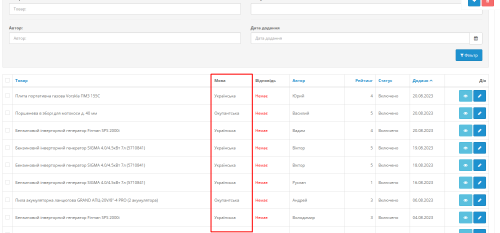 multilang
Multi language Reviews for goods


User Feedback
.
Краткое описание
Данное дополнение позволяет реализовать систему "вопросов-ответов" в карточках товаров для создания, так сказать, публичной базы знаний.
И призвано избавить вас от необходимости отвечать на один и тот же вопрос разным посетителям вашего магазина.
Если администратор пишет ответ на вопрос в карточке товара, а не в админке - при включенном параметре "уведомлять об ответах" и указания корректного email-адреса на него приходят письма со ссылкой на ответ в вашем магазине.
Постраничная навигация помогает при больших количествах вопросов.
При появлении нового ответа на основной email (указанный в настройках магазина) отправляется уведомление.
Шаги #6, #7 для тех, кто хочет выводить вопросы/ответы во вкладке, а не модулем (задается в настройках в админке).
При переключении страниц вкладка с вопросами остается открытой и пользователь автоматически перемещается к ним.
Если хотите выводить Вопросы/Ответы модулем - установите и настройте модуль "[WebMe] Вопросы / Ответы" в админке.
Возможна установка только одного модуля.
В настройках обязательно указывайте "Схему" "товар" (product/product).
Возможное расположение модуля: content_top, content_bottom.
Поддерживаемые движки и версии:
ocStore:
- 1.5.2.1 (требуются небольшие изменения в коде дополнения версий <= 0.3.ocs15x, будут включены в версию 0.4.ocs15x);
- 1.5.3.1;
- 1.5.4.1;
- 1.5.4.1.1;
OpenCart:
- 1.5.2.1 (спасибо @Alteya за участие в тестировании);
(на других пока не тестировался)
Демо:
каталог:
любой товар
админка:
login: demo_wpq
pass: demo_wpq_pw
каталог -> вопросы/ответы
дополнения -> модули -> [WebMe] Вопросы / Ответы
Установка:
Подробно описана в файле [RU]_README_[webme]_productQuestions_v.0.4.ocs15x.txt в архиве дополнения.
[upd::2015.11.02]
отказано в какой-либо поддержке/помощи юзерам:
@nimex
если нашли себя в этом списке - лучше вообще не покупайте мои модули (и бесплатные не качайте).
.
Характеристики


-
Recently Browsing 0 members
- No registered users viewing this page.